
You’ve probably experienced that frustrating moment when you’re rushing out the door, only to realize someone else has the garage remote. Your teenager can’t get their car out, your elderly parent struggles with traditional keypads, and you’re constantly coordinating who has access when. Multi-user garage control systems solve these daily headaches by giving each family member independent access through their smartphone. But there’s more to reflect on than just convenience when choosing the right system for your household.
The Growing Need for Shared Access Solutions
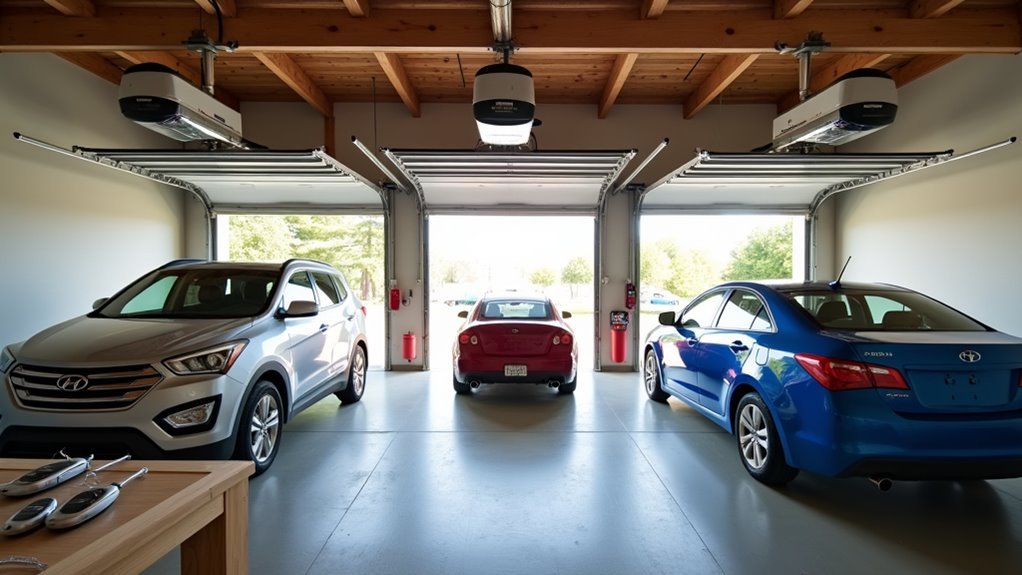
As multi-generational households become increasingly common, you’re likely finding that traditional single-user garage systems no longer meet your family’s needs.
When grandparents, parents, and adult children all share the same living space, everyone requires independent access to come and go freely. You can’t expect your elderly parents to wait for someone else to operate the garage door, nor should your college-aged children depend on others for entry.
Multi-user garage control eliminates these daily frustrations by giving each family member their own access method.
Every family member deserves independent garage access without waiting for others or creating scheduling conflicts.
Whether it’s through personalized remote controls, smartphone apps, or unique keypad codes, everyone gains the autonomy they need. This solution transforms your garage from a bottleneck into a seamless entry point that accommodates your entire household’s varied schedules and independence requirements.
How Multi-User Systems Work With Modern Technology
When you install a modern multi-user garage control system, you’re tapping into sophisticated smartphone technology that connects each family member through dedicated apps like MyQ or Smart Life. Each user gets their own unique account, creating individual access points that track who’s operating the door and when.
You’ll receive real-time notifications whenever someone opens or closes the garage, keeping everyone informed about activity.
These multi-user garage control systems integrate seamlessly with voice assistants like Google Assistant and Alexa, letting you control access through simple voice commands. The secure login protocols guarantee accountability while supporting remote operation from anywhere.
Whether you’re at work or vacation, you can monitor and control your garage door, giving multiple users convenient access without compromising security.
Setting Up Individual User Accounts and Permissions

You’ll need to create separate MyQ accounts for each user who requires garage door access, ensuring independent tracking and enhanced accountability.
Once you’ve established the primary account, you can invite additional users without requiring them to enter serial numbers, streamlining the setup process.
You’ll also want to assign appropriate permission levels to each account, allowing you to control who can operate the door and customize notification preferences for individual users.
Creating Separate User Accounts
Setting up individual user accounts for your MyQ garage door system creates a foundation for organized multi-user access and accountability.
You’ll want each person to create their own MyQ account rather than sharing login credentials. This approach allows you to track who’s operating your garage door and when, eliminating confusion about usage patterns.
When you’re ready to add new users, simply send invitations through the app. This streamlines the process since invited users won’t need to manually enter the garage door opener’s serial number.
Each account holder receives personalized notifications about door status and activity, which enhances your home’s security awareness.
This multi-user setup guarantees everyone can control the opener from their individual devices while maintaining clear accountability for all garage door operations.
Assigning Access Permission Levels
After establishing separate user accounts, MyQ’s permission system lets you control what each person can do with your garage door opener. You can customize access levels for multi users, ensuring enhanced security and management.
This feature allows you to grant different capabilities to family members, roommates, or trusted individuals based on their needs and your comfort level.
The app’s functionality varies depending on the permissions you assign to each user. You might give full control to your spouse while restricting teenagers to basic open/close functions.
Everyone receives notifications about door status and activity, keeping all users informed regardless of their permission level. This system maintains accountability since each person operates independently on their own devices, making it easy to track who accessed the garage and when.
Managing Account Invitations
When you’re ready to add new users to your MyQ system, the invitation process simplifies account setup and eliminates the need for manual configuration. You won’t need to locate your garage door opener’s serial number or press the learn button repeatedly.
Simply send invitations through your MyQ Smart Garage app to grant access to your smart garage door system.
Each invited user creates their independent account, ensuring multiple users can control one door while maintaining individual tracking. This approach is the best option for households where several people need to open and close garage doors using voice command or smart device controls.
Every user receives personalized notifications when the door is open, creating accountability for opening and closing activities across your Smart Garage Door network.
Managing Family Access With Smart Garage Controllers
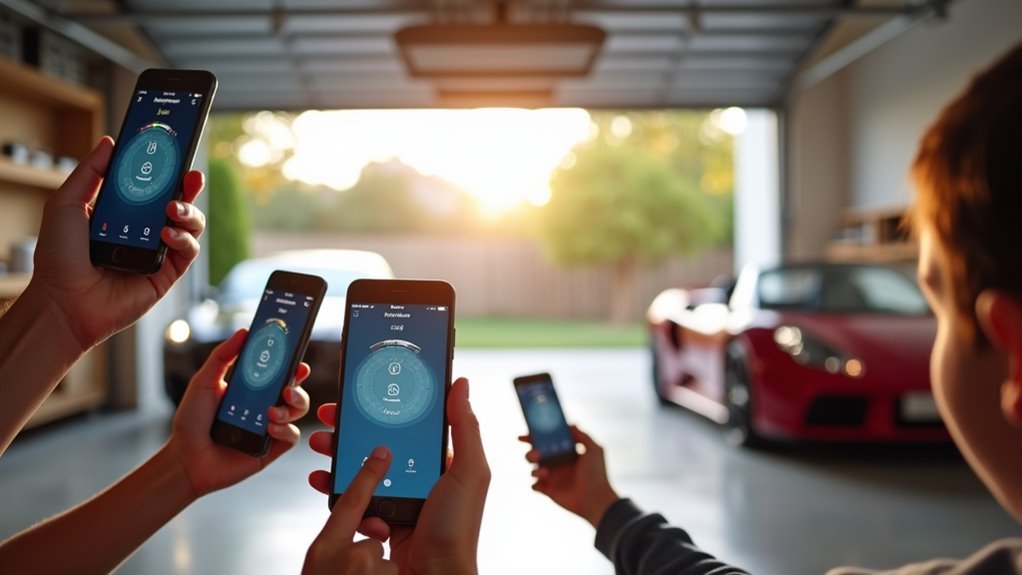
How can you assure every family member has secure, convenient access to your garage without compromising safety?
Smart garage controllers transform family access management through individual MyQ accounts that provide each member independent control. You’ll receive real-time notifications whenever someone operates the garage door, creating accountability and keeping everyone informed about entry activity.
Smart garage controllers give every family member independent access while keeping everyone informed through real-time notifications and accountability features.
The system allows you to create individual user codes for each family member, making management straightforward when you need to revoke or modify access. If codes become compromised, you can quickly delete them without affecting other users.
Guest access authorization enables temporary entry without sharing permanent codes—perfect for visitors or home-sharing situations.
The MyQ app’s device compatibility ensures family members can operate the garage door remotely from any location, delivering unmatched convenience and flexibility.
Guest and Service Provider Access Management
While family members enjoy permanent garage access, you’ll often need to provide temporary entry for guests, delivery personnel, contractors, and cleaning services.
Multi-user garage control simplifies this process by eliminating the hassle of sharing physical keys or remote controls.
Here’s how guest and service provider access works:
- Generate temporary codes – Create unique PINs for each visitor or service provider that automatically expire after a set period.
- Track all activity – Monitor who enters and exits your garage with detailed access logs and real-time notifications.
- Enable remote authorization – Grant access codes while you’re away, perfect for Airbnb properties and unexpected deliveries.
- Maintain accountability – Each user receives their own code, making it easy to identify garage usage patterns.
Modern systems from LiftMaster and Genie support multiple PIN programming for seamless access management.
Enhanced Security Through Individual User Tracking
Beyond simplifying access for visitors, multi-user garage control transforms your security approach by creating a thorough tracking system for every person who enters your garage. You’ll receive real-time notifications whenever someone operates the door, allowing you to monitor activity and detect unauthorized access attempts immediately.
| Security Feature | Traditional System | Multi-User Control |
|---|---|---|
| Code Tracking | Single shared code | Individual user codes |
| Access Monitoring | No visibility | Real-time notifications |
| Compromised Security | Change entire system | Delete specific user |
Individual codes enable you to quickly modify or delete access for specific users when codes are compromised or no longer needed. Systems like LiftMaster, Genie, and Chamberlain support multiple user codes, making accountability seamless for families and rental properties while ensuring enhanced safety.
Remote Monitoring and Control Capabilities
When you’re away from home, multi-user garage control systems give you complete oversight of your garage door through smartphone apps that deliver instant updates and remote operation capabilities.
You’ll receive real-time notifications whenever your garage door opens or closes, keeping you informed about activity at your property. This constant connectivity means you can:
- Monitor door status instantly – Check whether your garage is open or closed from anywhere with internet access
- Operate remotely with one tap – Open or close your garage door for deliveries, family members, or emergencies
- Receive security alerts immediately – Get notified if the door’s left open beyond your preferred timeframe
- Control access while traveling – Grant temporary entry to trusted individuals without being physically present
This remote functionality transforms your garage into a smart, monitored entry point.
Voice Command Integration for Multiple Users
You’ll need to create individual voice profiles for each family member to guarantee the garage door responds accurately to different voices and accents.
Setting up user permissions lets you control which family members can access specific functions, such as opening the door versus just checking its status.
These configurations help maintain security while giving everyone the convenience of hands-free garage control.
Setting Up Voice Profiles
Voice profiles transform your garage door opener into a personalized smart home device that recognizes each family member’s unique vocal commands.
You’ll create individual profiles within your smart assistant environment, whether you’re using Google Assistant or Amazon Alexa.
Setting up these profiles requires following these essential steps:
- Verify compatibility between your garage door opener and smart assistant device before beginning setup.
- Create individual voice profiles for each family member through your smart assistant’s app settings.
- Train the system by having each person repeat specific phrases so the device learns their unique vocal patterns.
- Test voice recognition by having different family members attempt garage door commands to ascertain proper identification.
This personalized approach enhances security since commands are tied to recognized voices, preventing unauthorized access while enabling convenient hands-free operation.
Managing User Permissions
Once you’ve established voice profiles, managing user permissions becomes critical for maintaining both security and functionality across your multi-user garage system.
You’ll need to assign specific access levels to each user, determining who can open, close, or modify garage settings. Some users might receive full administrative privileges, while others get basic operation access only.
You can customize notification preferences individually, ensuring each person receives relevant door status updates without overwhelming everyone with unnecessary alerts. This personalized approach maintains privacy while keeping users informed about garage activity.
The system’s compatibility with multiple smartphones and tablets means you’ll manage permissions across various devices seamlessly.
Each user operates independently through their own device, eliminating the need to share credentials while maintaining secure, individualized control over garage access.
Smartphone App Compatibility Across Devices
Anyone managing a multi-user garage system will appreciate that the MyQ app delivers consistent functionality across all major platforms, including iPhones, iPads, Android smartphones, and tablets.
MyQ’s cross-platform functionality ensures seamless garage door control for every household member, regardless of their preferred device.
This cross-platform compatibility guarantees every family member can control your garage door regardless of their device preference.
The app’s versatility provides several key advantages:
- Universal Access – You’ll get the same control features whether you’re using iOS or Android devices.
- Synchronized Notifications – All connected devices receive real-time alerts about garage door activity.
- Independent Operation – Each device can control the garage door without affecting other users’ access.
- Seamless Experience – The interface remains consistent across platforms, eliminating confusion when switching between devices.
This compatibility removes the frustration of platform-specific limitations in your household.
Notification Systems for All Authorized Users
You’ll stay constantly informed about your garage door’s status through real-time alerts that reach every authorized user simultaneously.
The system lets you customize exactly how and when you receive these notifications, so you’re not overwhelmed with unnecessary alerts.
Whether your garage door is open, closed, or stuck halfway, you’ll know immediately and can take action if needed.
Real-Time Status Alerts
How can you guarantee everyone in your household stays informed about your garage door’s status without constantly checking manually?
Real-time status alerts deliver instant notifications directly to your smartphone, ensuring you’re always aware of your garage door’s position.
These intelligent systems transform how you monitor your home’s security:
- Instant smartphone notifications through compatible apps like MyQ keep you informed whether the door is open or closed.
- Access tracking shows who opened the garage and when, creating accountability in shared living situations.
- Customizable alert preferences let you choose which updates matter most to your routine.
- Quick response capability allows you to immediately close an open door, preventing theft or accidents.
You’ll never wonder about your garage door’s status again.
Customizable Notification Preferences
Why settle for one-size-fits-all notifications when each family member has different schedules and priorities? Multi-user garage control systems let you customize notification preferences individually through the app. You’ll receive real-time alerts when the door opens or closes, plus warnings when it’s left open too long.
Each authorized user can tailor their notification experience to match their lifestyle and usage patterns. This personalized approach guarantees you get relevant alerts without notification overload from other users’ activities.
| Notification Type | Customization Options |
|---|---|
| Status Updates | Open/close alerts on/off |
| Security Warnings | Set time delays (5-60 minutes) |
| Activity Tracking | Individual user monitoring |
This feature promotes accountability while keeping everyone informed about garage operations without relying on shared notifications that might not suit your specific needs.
Installation Requirements for Multi-User Systems
When setting up a multi-user garage control system, you’ll need a compatible opener from manufacturers like LiftMaster, Genie, or Chamberlain that supports multiple PINs or user accounts. Proper installation is essential for seamless multi-user operation.
Choose garage door openers from trusted brands like LiftMaster, Genie, or Chamberlain for reliable multi-user functionality and seamless installation.
Here’s what you’ll need to address during installation:
- Program the opener and keypad – Configure your system to recognize multiple user codes, ensuring each person can access the garage independently without credential sharing.
- Install the MyQ app – Download and set up the application on all users’ smartphones or tablets to manage access and receive real-time door status notifications.
- Enter the opener’s serial number – The primary user must input this information during initial setup to establish the system foundation.
- Send email invitations – Add secondary users by inviting them through the app, allowing them to create individual MyQ accounts for personalized access control.
Safety Features and Compliance Standards
Multi-user garage control systems incorporate essential safety features that protect users while meeting strict regulatory standards.
Your garage door opener must comply with Consumer Product Safety Commission standards, guaranteeing it reverses direction when detecting obstacles to prevent accidents involving people, pets, or objects.
Controllers you’ll install need UL 325 certification, which mandates audible and visual alarms during remote activation for enhanced safety during unattended operation.
You’ll benefit from proper installation following manufacturer guidelines, as this guarantees all safety features function correctly.
Regular functionality checks help you identify potential hazards early and verify operational safety features.
When your multi-user system complies with these standards, you’re not only protecting users but also enhancing system reliability and performance across all connected devices.
Privacy Protection in Shared Access Environments
Beyond meeting safety requirements, protecting user privacy becomes paramount when multiple people share garage access.
You’ll find that individual access codes create distinct digital footprints, allowing you to monitor who’s entering without compromising anyone’s personal security.
Modern systems from LiftMaster and Genie support this privacy-focused approach through:
- Individual accountability tracking – You can identify specific users without sharing codes
- Selective access revocation – Remove compromised codes while keeping others active
- Temporary code generation – Create time-limited access for guests or service providers
- Activity logging – Monitor entry patterns without exposing user identities
Whether you’re managing an Airbnb, shared housing, or family property, these features guarantee everyone’s privacy remains intact while maintaining security.
You won’t need to worry about unauthorized access or privacy breaches.
Cost Comparison of Single Vs Multi-User Solutions
Although initial pricing might suggest minimal differences, you’ll discover that single-user garage control systems often carry hidden costs that make multi-user solutions more economical over time.
Single-user systems range from $50 to $100 but limit access to one individual, forcing you to purchase additional hardware or remotes for each family member. This quickly escalates your total investment.
Multi-user solutions start around $60 and accommodate multiple operators independently, eliminating extra remote purchases.
You’ll save money by avoiding reprogramming costs when guests need temporary access or when family members lose their devices. MyQ-compatible systems particularly excel at providing guest access without expensive key replacements or system resets.
Long-term, you’ll benefit from improved operational efficiency and enhanced security that reduces unauthorized access risks.
Frequently Asked Questions
Can More Than One Person Have Myq for One Garage?
Yes, you can have multiple people access one garage through MyQ. You’ll create individual accounts for each user, send invitations from existing accounts, and everyone gets independent control with notifications tracking door activity.
What Is the Difference Between Co Owner and User on Myq?
You’ll have full administrative rights as a co-owner, managing users and viewing activity history. As a user, you’re limited to operating the garage door without administrative capabilities or permission management access.
Why Do Garage Door Remotes Have Multiple Buttons?
You’ll find multiple buttons on garage door remotes because they let you control several different garage doors from one device, eliminating the need to carry separate remotes for each door.
Why Do People Keep Their Garages Open?
You’ll keep your garage open for convenience when entering and exiting frequently, promoting ventilation in hot weather, creating community connections with neighbors, and providing easy access for pets and children playing outside.



