
You’ve probably wondered if you can control your games without constantly reaching for buttons and triggers. Voice commands aren’t just a futuristic concept anymore – they’re actively transforming how you interact with Xbox, PlayStation, and PC gaming setups. Whether you’re maneuvering through menus, executing complex macros, or managing accessibility needs, several voice control options exist that’ll change your entire gaming experience. The question isn’t whether voice controls work, but which system fits your specific setup.
Understanding Speech Recognition Vs Voice Recognition for Gaming
When you’re setting up voice controls for your gaming system, you’ll encounter two distinct but often confused technologies: speech recognition and voice recognition.
Speech recognition focuses on understanding the actual words you speak, enabling you to issue voice commands during gameplay. This technology translates your spoken instructions into actionable commands your gaming system can execute.
Voice recognition, however, identifies your unique vocal characteristics to personalize your gaming experience. It recognizes who’s speaking rather than just what’s being said.
For effective voice control in gaming, speech recognition proves more essential since it directly enables gameplay functionality. You’ll rely on it to navigate menus, execute in-game actions, and control your system hands-free.
Understanding this distinction helps you optimize your gaming setup.
Hardware Requirements for Voice-Controlled Gaming Setups
You’ll need specific hardware components to create an effective voice-controlled gaming setup that responds accurately to your commands.
Your microphone quality, system’s processing power, and internet connection speed directly impact how well voice controls function during gameplay.
These three critical requirements determine whether you’ll experience seamless voice interaction or frustrating delays and misrecognition.
Microphone Quality Standards
Since voice commands form the backbone of modern gaming control systems, your microphone’s technical specifications directly determine how accurately your gaming system interprets your instructions. Achieving ideal voice recognition requires meeting specific technical standards that guarantee clear communication between you and your gaming setup.
Essential microphone quality standards include:
- Frequency response of 20 Hz to 20 kHz – captures the complete range of human speech for accurate command interpretation
- Directional cardioid pickup pattern – focuses on your voice while reducing distracting background sounds
- Minimum 44.1 kHz sampling rate – guarantees crystal-clear audio capture with minimal command processing delays
- USB connectivity – provides plug-and-play compatibility with most gaming systems without additional equipment
- Built-in noise-canceling features – filters ambient sounds for enhanced command execution and reduced gaming frustration
Processing Power Requirements
While your microphone captures voice commands with precision, your gaming system’s processing power determines whether those commands translate into seamless gameplay experiences.
You’ll need a multi-core processor to handle real-time speech recognition alongside your games without performance drops. Processing power requirements become even more demanding when running voice recognition software simultaneously with resource-intensive titles.
Your system should have at least 8GB of RAM to prevent lag during command processing. This memory allocation guarantees smooth operation between voice software and gaming applications.
You’ll also need high-speed internet connectivity, as most voice systems rely on cloud processing for accurate interpretation. Without adequate processing power, you’ll experience delayed responses, command recognition errors, and frustrating gameplay interruptions that defeat the purpose of hands-free gaming.
Internet Connection Specifications
Because voice recognition technology depends heavily on cloud-based processing, your internet connection becomes the backbone of responsive voice-controlled gaming. When your system sends voice commands to remote servers for interpretation, connection quality directly impacts how quickly those commands execute in-game.
Your setup needs these internet connection specifications:
- Minimum 5 Mbps broadband speed for smooth voice recognition processing
- Under 100 milliseconds latency to prevent frustrating delays during gameplay
- Consistent connection stability to avoid service interruptions that disrupt commands
- Reliable uptime since voice systems require constant online access for peak function
- Low packet loss to guarantee voice data reaches processing centers without corruption
Network interruptions can cause misinterpreted voice commands, making stable connectivity essential for enjoyable voice-controlled gaming experiences.
Xbox Adaptive Controller and Voice Command Integration
You’ll find the Xbox Adaptive Controller’s large programmable buttons and external device ports create an ideal foundation for voice command integration.
Setting up voice controls through software like VoiceAttack or Talon lets you combine spoken commands with the controller’s customizable hardware for enhanced accessibility.
This combination works across compatible gaming applications, allowing you to create personalized control schemes that accommodate your specific needs and abilities.
Accessibility Features Overview
Gaming accessibility has transformed dramatically with Microsoft’s Xbox Adaptive Controller, which features large programmable buttons and seamless integration with external devices like foot pedals and switches.
You’ll find this controller revolutionizes inclusive gaming by accommodating diverse physical needs and preferences.
Voice commands enhance the Xbox Adaptive Controller’s accessibility through specialized software integration:
- Talon – Delivers high accuracy voice recognition with exceptional flexibility for complex gaming commands
- Voice Attack – Provides user-friendly interfaces that simplify voice command setup and customization
- Customizable inputs – Allow you to tailor controls precisely to your individual gaming requirements
- Motor skill support – Enables players with limited mobility to execute complex gameplay actions effortlessly
- Visual impairment assistance – Helps players navigate games through audio-based command systems
You can combine these voice command systems with the Xbox Adaptive Controller to create thorough setups supporting various gaming styles.
Voice Command Setup
Setting up voice commands with your Xbox Adaptive Controller requires three essential steps: installing compatible voice recognition software, configuring command phrases, and mapping those commands to specific controller inputs.
| Software | Primary Use | Gaming Industry Impact |
|---|---|---|
| Voice Attack | Game command automation | Enhanced competitive accessibility |
| Talon | Hands-free navigation | Broader player inclusion |
| Windows Speech Recognition | System-level control | Universal gaming access |
| Dragon NaturallySpeaking | Precision voice input | Professional gaming support |
| Built-in Xbox Voice Commands | Console integration | Native accessibility features |
You’ll configure personalized phrases that trigger specific actions, whether launching applications or controlling in-game functions. This integration transforms the gaming industry by creating inclusive experiences for players with limited motor control. Voice commands complement foot-operated devices and other adaptive inputs, ensuring thorough accessibility across different gaming scenarios.
Compatible Gaming Applications
Once you’ve configured your voice command setup, specific gaming applications offer varying levels of compatibility with the Xbox Adaptive Controller and voice integration.
Different games respond differently to voice commands, so you’ll need to test your setup across various titles.
- Real-time strategy games work exceptionally well with voice commands for unit selection and resource management.
- First-person shooters can utilize voice controls for weapon switching and tactical commands.
- Role-playing games benefit from voice-activated inventory management and spell casting.
- Racing games allow voice control for menu navigation and car customization options.
- Simulation games excel with voice commands for complex building and management tasks.
Your gaming applications will determine how effectively you can integrate voice commands with your Xbox Adaptive Controller setup.
PC Gaming Voice Control Software Solutions
While console gaming systems offer built-in voice control features, PC gamers have access to powerful third-party software solutions that provide far greater customization and flexibility.
Voice Attack stands out as a popular $10 solution that lets you create custom voice commands and macros for controlling games and applications. You’ll find it integrates seamlessly with virtual reality systems like Oculus Rift and HTC Vive, enhancing your immersive gaming experience.
Voice Attack’s affordable $10 price point and seamless VR integration make it an essential tool for customizable gaming control.
For free alternatives, Talon offers exceptional accuracy and programming flexibility, though it requires more complex setup.
Both solutions provide robust community support for troubleshooting and optimization. These voice control options prove especially valuable for gamers with limited motor abilities or vision impairments, creating more inclusive gaming experiences while giving all users hands-free control over their gaming environments.
VoiceAttack Configuration and Game Compatibility
You’ll find VoiceAttack’s setup process straightforward, as it’s designed for gamers without extensive technical knowledge.
The software integrates seamlessly with popular games and simulators, allowing you to create custom voice commands that control gameplay elements through personalized macros.
You can configure these commands to work alongside your existing setup, whether you’re using VR systems like Oculus Rift or traditional PC gaming configurations.
VoiceAttack Setup Process
Getting started with VoiceAttack requires downloading the software from the official website, installing it on your Windows PC, and walking through the initial configuration wizard that’ll help you set up your microphone and test basic voice recognition functionality.
Once installed, you’ll configure VoiceAttack for peak performance:
- Adjust microphone sensitivity settings to guarantee accurate voice recognition
- Create custom command profiles tailored to specific games and applications
- Test voice commands with simple phrases before building complex macros
- Configure audio feedback settings for confirmation responses
- Import existing command profiles from the VoiceAttack community database
The setup process guarantees your voice commands work seamlessly across different games.
You’ll find VoiceAttack particularly effective with simulators and VR applications where using voice commands enhances immersion and reduces reliance on traditional input methods.
Supported Game Integration
VoiceAttack’s strength lies in its broad compatibility with gaming platforms and titles, letting you integrate voice commands into virtually any PC game, VR application, or simulator.
You’ll find extensive support for popular games across multiple genres, from space simulators to first-person shooters. The software seamlessly works with Oculus Rift and HTC Vive headsets, transforming how you play games in virtual reality environments.
You can use voice commands alongside traditional voice chat without interference, maintaining communication with teammates while executing in-game actions.
The HCS VoicePacks partnership greatly expands your options, providing professionally-crafted voice responses that enhance immersion.
Whether you’re piloting spacecraft or commanding armies, you’ll discover that VoiceAttack adapts to your preferred gaming style through customizable command structures and macro integration.
PlayStation Voice Command Capabilities and Limitations
While PlayStation systems have embraced voice control technology, their implementation takes a more focused approach than extensive voice gaming solutions.
Your PlayStation 4 and PlayStation 5 support voice commands through the PlayStation Camera and compatible headsets, letting you navigate menus and control basic functions. However, these capabilities come with notable limitations:
- Voice commands primarily handle multimedia functions like playing music and launching applications rather than in-game control.
- The PlayStation 5’s DualSense controller includes a built-in microphone, but it’s limited compared to dedicated voice systems.
- You’ll need to use specific phrases for commands to work properly.
- Third-party games may support voice features, but adoption remains limited.
- Smart assistant integration with Google Assistant or Alexa focuses on basic system control.
Nintendo Switch Voice Control Options and Workarounds
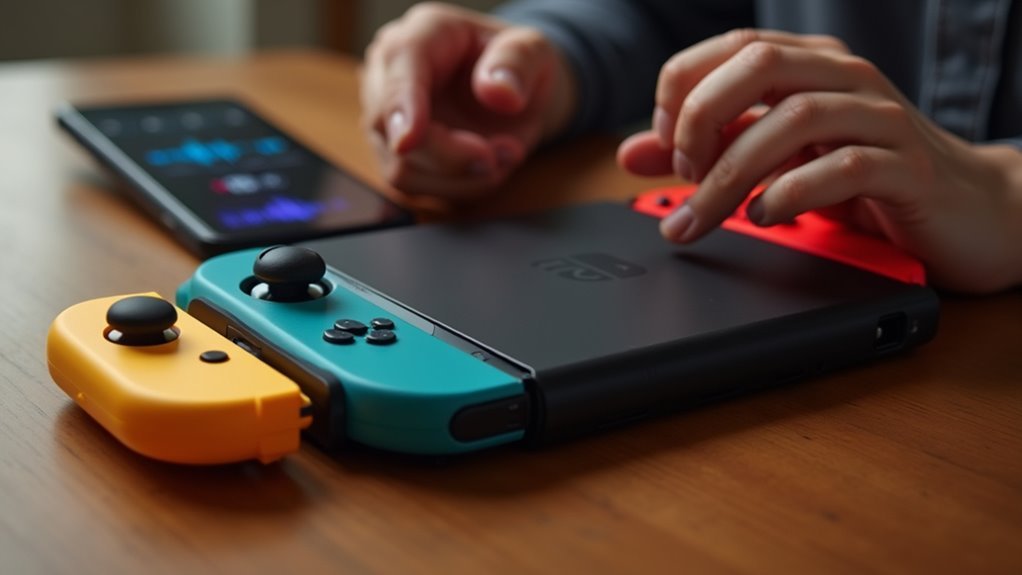
Unlike other gaming consoles, your Nintendo Switch doesn’t come with built-in voice control features that you can use right out of the box.
You’ll need to rely on the Nintendo Switch Online app for basic voice chat functionality during compatible games.
However, you can explore third-party solutions and accessories that add voice command capabilities to enhance your gaming experience.
Built-in Voice Features
Although the Nintendo Switch lacks the extensive voice control systems found on Xbox and PlayStation consoles, you can still access voice functionality through several creative workarounds.
While Nintendo hasn’t integrated thorough voice recognition technology into the Switch, you’ll find various alternatives to enhance your gaming experience.
Here are your main voice control options:
- Third-party applications that enable basic voice commands through compatible devices
- Nintendo Switch Online app for voice chat during multiplayer gaming sessions
- Bluetooth headsets with built-in voice command support for select games
- Companion apps for specific titles like “The Legend of Zelda: Breath of the Wild”
- External voice assistants paired with compatible gaming accessories
These solutions provide limited but functional voice control for your Nintendo Switch gaming sessions.
Third-party Voice Solutions
Since Nintendo hasn’t equipped the Switch with native voice control, you’ll need to explore third-party solutions that bridge this functionality gap.
You can use Discord through your mobile device for voice chat during gameplay, creating seamless communication with other players. Third-party accessories like the GameSir G4 Pro offer limited voice command functionality through their companion apps.
For more advanced control, you’ll find PC-based voice command software like Talon or VoiceAttack works when streaming games to your computer. These gaming systems integrate voice control indirectly but effectively.
Creative workarounds include leveraging smart assistants like Amazon Alexa or Google Assistant to control related smart devices while you’re gaming. While these third-party solutions require additional setup, they successfully add voice functionality to your Switch experience.
Setting Up Microphone Hardware for Gaming Voice Commands
Success with voice commands in gaming starts with proper microphone hardware setup.
Achieving flawless voice command performance in gaming requires deliberate attention to microphone configuration and optimal hardware positioning.
You’ll need to verify your equipment works seamlessly with your specific gaming systems to achieve peak performance.
- Check compatibility – Verify your microphone connects properly to your console or PC using the correct USB ports or connectors.
- Position strategically – Place the microphone 6-12 inches from your mouth for accurate voice recognition while reducing background interference.
- Choose noise-canceling options – Select headsets or microphones that filter ambient sounds to enhance voice commands clarity.
- Adjust sensitivity settings – Test and fine-tune microphone responsiveness within your gaming system’s software or settings menu.
- Update regularly – Install firmware updates and drivers to maintain compatibility and improve voice control performance.
Popular Voice-Controlled Games and Their System Requirements
While modern gaming has embraced voice control technology across multiple platforms, you’ll find specific games that showcase this innovation particularly well. Popular voice-controlled games span various genres and platforms.
“Star Trek: Bridge Crew” requires VR headsets like Oculus Rift or HTC Vive, utilizing voice commands for immersive team gameplay.
“Bot Colony” needs a PC with microphone for robot interaction, while “Drive.fm” works hands-free on smart devices for trivia gameplay.
“Yes, Sire” operates through Alexa for medieval simulation experiences.
“There Came An Echo” stands out as a real-time strategy game requiring microphones for squad commands, demonstrating how voice control enhances strategic gameplay.
Each title has specific hardware requirements matching its intended platform and interaction style.
Troubleshooting Common Voice Recognition Gaming Issues
Even the most impressive voice-controlled games can frustrate players when recognition technology fails to work properly.
You’ll need to address several key factors to optimize your gaming experience and eliminate common voice command recognition problems.
- Check microphone configuration – Verify your microphone is properly connected and configured with your gaming system, as poor audio input directly impacts recognition accuracy.
- Minimize background noise – Use noise-canceling microphones and game in quiet environments, since ambient sounds interfere with voice command recognition.
- Update software regularly – Keep your gaming system and voice control software current to maintain compatibility and fix known bugs.
- Test commands beforehand – Practice voice commands in quiet settings before live gaming sessions.
- Learn specific phrases – Familiarize yourself with supported command variations to prevent misunderstandings.
Custom Voice Command Programming for Specific Games
After mastering basic troubleshooting techniques, you can enhance your gaming experience by creating personalized voice commands tailored to specific games.
Voice command programming opens up new possibilities for streamlined gameplay and improved accessibility.
VoiceAttack stands out as a popular choice for custom voice commands, letting you program specific in-game actions and entity control with relative ease.
For higher accuracy and complex command structures, Talon offers advanced capabilities, though it requires more initial setup time.
You’ll find that many strategy games and RPGs particularly benefit from voice command programming.
Whether you’re issuing tactical orders or executing character abilities, custom commands enable hands-free control that keeps you focused on strategy rather than input devices.
These gaming experiences become more accessible for players with limited motor abilities, creating inclusive gaming environments.
Smart Assistant Integration With Gaming Consoles
Beyond dedicated gaming software, mainstream smart assistants now connect directly with your gaming consoles to expand voice control capabilities.
Amazon Alexa and Google Assistant transform how you interact with your system, eliminating the need for traditional controllers in many situations.
- Xbox Skill for Alexa – Launch games, adjust settings, and navigate your Xbox interface using natural speech
- Hands-free game management – Control volume, power settings, and system functions without touching controllers
- Specialized gaming experiences – Games like Starfinder and Yes, Sire integrate smart assistants directly into gameplay mechanics
- Enhanced accessibility features – Voice commands help players with limited motor abilities engage more effectively with games
- Evolving integration opportunities – Developers continuously explore new voice command features for upcoming releases
Accessibility Benefits of Voice-Controlled Gaming Systems
While traditional gaming often requires precise hand-eye coordination and dexterous controller manipulation, voice-controlled gaming breaks down these barriers for players with motor impairments, visual disabilities, and other accessibility challenges.
You can use technologies like VoiceAttack alongside adaptive controllers to create personalized gaming experiences that respond to your specific needs through voice commands.
Games like Bot Colony and Yes, Sire showcase how voice interaction opens gaming to diverse players who might struggle with traditional input methods.
You’ll find that ongoing AI and machine learning improvements continue expanding voice control functionality.
This accessibility revolution means you can enjoy gaming regardless of physical limitations, as voice commands replace complex button combinations and precise movements that previously excluded many potential players.
Performance Optimization for Voice Command Gaming Setups
Voice-controlled gaming systems require proper setup and maintenance to deliver the responsive, accurate performance that makes gaming enjoyable.
You’ll need to optimize several key elements to maximize voice command accuracy and create a seamless gaming experience.
- Establish a stable internet connection since voice recognition technology depends on data centers for precise command interpretation.
- Invest in noise-canceling microphones to eliminate background noise and improve recognition accuracy during intense gaming sessions.
- Keep software and firmware updated to benefit from enhanced speech recognition algorithms and improved system stability.
- Customize voice command settings by adjusting sensitivity levels and command lists to match your gaming environment and preferences.
- Test commands in quiet spaces before gameplay to identify and resolve recognition issues for smoother performance optimization.
Frequently Asked Questions
How to Control Games With Voice?
You’ll use speech recognition software like VoiceAttack to create custom voice commands, enable built-in console voice features, or play voice-controlled games that respond directly to your spoken words and phrases.
Can I Control My Screen With My Voice?
You can control your screen using voice commands through built-in accessibility features on Windows, Mac, or mobile devices. Voice recognition software also enables custom screen navigation and application control for hands-free operation.
Can You Control Your Xbox With Your Voice?
You can control your Xbox with voice commands using Kinect sensors or compatible smart devices. You’ll need to enable voice recognition in settings and keep your console updated for full functionality.
How Can I Control My PC With My Voice?
You can control your PC with voice using VoiceAttack or Talon software to create custom commands. Windows also has built-in speech recognition for navigation and basic controls throughout your system.



