
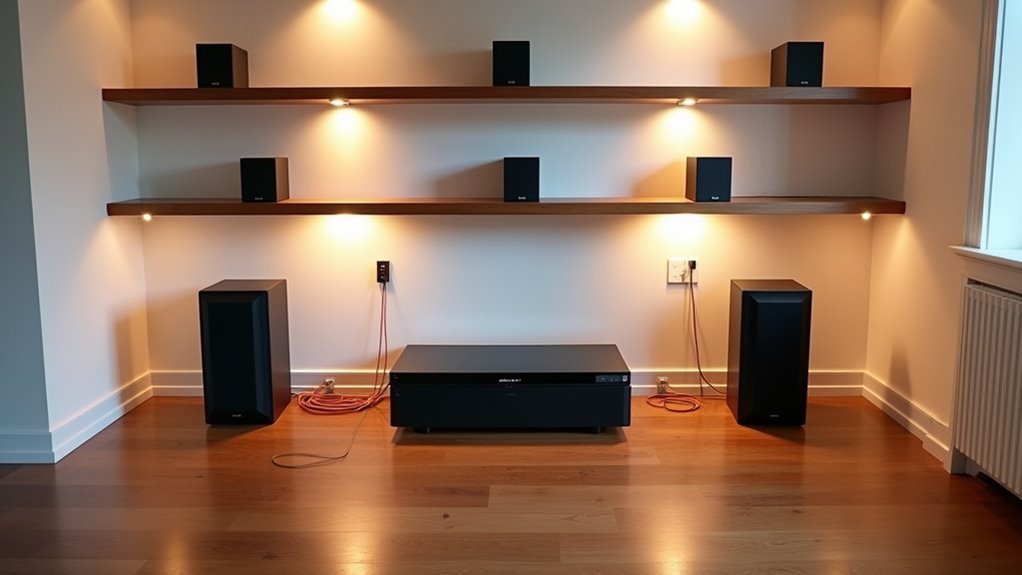
You’re about to transform how you experience music, podcasts, and entertainment throughout your entire home. A well-designed whole-home audio system isn’t just about placing speakers in every room—it’s about creating zones that work together seamlessly while giving you complete control over what plays where. The decisions you make now, especially regarding placement and wiring, will determine whether you’ll have a system that truly enhances your daily life or one that constantly frustrates you.
Planning Your Audio System Before Construction Begins

While you might be tempted to tackle your whole-home audio system after construction wraps up, planning during the pre-construction phase will save you significant time, money, and headaches down the road.
This early planning allows easier speaker wire installation before walls go up, guaranteeing cleaner setup and superior sound quality.
Start by finalizing blueprints that designate specific speaker locations in living rooms, kitchens, and outdoor spaces to optimize your multi-room audio distribution.
Select a multi-channel amplifier that supports your desired speaker count and guarantees compatibility with your streaming preamp.
Run extensive speaker wire and install volume control boxes before drywall installation for seamless operation.
Consider engaging a qualified AV installer to maximize your audio system performance and assure efficient component integration.
Determining Optimal Speaker Placement Throughout Your Home
Because proper speaker placement determines whether your whole-home audio system delivers rich, balanced sound or disappointing audio dead zones, you’ll need to strategically map out locations that maximize coverage while maintaining aesthetic appeal.
Prioritize key areas like kitchens, living rooms, and outdoor spaces where audio enhances daily activities. Use stereo input speakers in smaller spaces such as bathrooms to save space while guaranteeing quality sound.
Focus your audio investment on high-traffic areas like kitchens and living rooms where quality sound makes the biggest impact.
Consider in-ceiling and in-wall speakers for a clean, seamless look throughout your home. Wait until you’ve finalized blueprints and layout before determining exact speaker placement to guarantee ideal sound distribution.
Install volume control boxes for easy manual adjustments, and ensure all speaker locations allow for convenient accessibility. This strategic approach secures superior sound quality and reliability across your entire audio system.
Selecting Audio Sources and Central Components

Once you’ve mapped out your speaker locations, selecting the right audio sources and central components becomes the foundation that determines your system’s functionality and performance.
You’ll need to choose from streaming devices, multi-zone receivers, and media servers that support both digital libraries and traditional formats like CD players and turntables.
Create a dedicated “head end” in a central location to house your audio components. This simplifies cable management and organization while making maintenance easier.
Your amplifier’s wattage must match your speakers’ specifications and room sizes to optimize sound quality.
Don’t forget to incorporate network switches and control interfaces into your setup. These elements guarantee seamless connectivity between multiple audio sources across different zones, giving you a unified control system that manages your entire whole-home audio experience effortlessly.
Choosing Between Wired and Wireless Speaker Solutions
Should you prioritize superior audio fidelity or installation convenience?
Wired and wireless audio systems each offer distinct advantages for your whole-house system. Wired speakers deliver exceptional sound quality and reliability through direct connections, but they require extensive planning and installation—making them ideal for new construction or major renovations.
You’ll need to run cables before drywall installation.
Wireless systems provide remarkable flexibility, allowing you to control multiple rooms individually or simultaneously. They’re perfect if you’re renting or want easier setup without permanent infrastructure changes.
However, you might encounter bandwidth limitations or occasional connection issues.
Your decision depends on your budget, desired audio quality, installation preferences, and home layout.
Evaluate your budget, quality expectations, setup complexity tolerance, and physical space constraints before choosing your audio solution.
Consider whether long-term performance outweighs immediate convenience for your specific situation.
Sizing Amplifiers and Receivers for Your Space

After selecting your speaker setup, you’ll need an amplifier or receiver with enough power to drive your system effectively. For medium-sized rooms, target 75-100 watts per channel to prevent distortion. Match your amplifier’s impedance rating to your speakers—typically 8 ohms—ensuring peak performance and preventing damage.
Multi-channel amplifiers work best for whole-home audio systems, powering multiple zones from one unit while simplifying control and installation. If you’re using in-ceiling or in-wall speakers, increase power to at least 100 watts per channel since these configurations require more energy to fill larger spaces.
Calculate your total speaker count and combined wattage requirements before purchasing. This prevents overheating and system failure, ensuring your audio system delivers consistent performance throughout your home.
Establishing Your Equipment Control Center Location
Your control center’s location will determine how well your whole-home audio system performs and how long your equipment lasts.
You’ll want to find a discreet, centrally-located space like a basement closet that keeps sensitive gear away from daily household activity while maintaining easy access for maintenance.
Don’t overlook climate control requirements, as heat and humidity can damage expensive audio components and degrade system performance over time.
Choose Discreet Central Location
One critical decision you’ll make when installing a whole-home audio system involves selecting the perfect control center location for your equipment. Your audio control center should occupy a discreet space like a basement closet, keeping components hidden while reducing living space clutter.
Choose locations away from high-traffic areas and make sure they’re child-proofed to protect expensive equipment and enhance safety.
Plan for dedicated racks or shelving units that promote organization and simplify maintenance access. Route all cables neatly and label them for efficient setup and future troubleshooting.
Don’t overlook climate control requirements, as excessive heat or humidity can damage audio components and reduce their lifespan. A well-chosen location balances accessibility, protection, and ideal performance conditions for your investment.
Ensure Proper Climate Control
While selecting your control center location, protecting sensitive audio equipment from temperature extremes and humidity fluctuations becomes paramount for long-term system reliability.
You’ll want to establish your control center in a climate-controlled environment that maintains stable conditions year-round. Basement closets and dedicated rack rooms often provide ideal settings, as they naturally offer consistent temperatures with minimal environmental variations.
Your audio gear requires adequate ventilation to prevent overheating, especially when multiple components operate in confined spaces.
Consider accessibility for maintenance while keeping the area away from children and pets who might interfere with equipment.
Organize your wiring systematically within the climate-controlled space to enable easy troubleshooting and future upgrades, ensuring your investment in quality audio gear remains protected and performs effectively throughout its lifespan.
Plan Easy Maintenance Access
Although equipment protection remains essential, designing your control center with maintenance accessibility in mind will save you countless hours and frustration down the road.
Plan for a dedicated rack or shelving system that houses your audio setup while providing organized storage and easy access for routine maintenance. You’ll want enough clearance around each component to reach connections and perform updates without moving other equipment.
Keep all wiring organized and clearly labeled using a consistent system. This simple step streamlines troubleshooting when issues arise and makes upgrades considerably less time-consuming.
Consider installing removable panels or using cable management systems that allow quick access to connections. When maintenance becomes necessary, you’ll appreciate having everything within reach and properly identified rather than wrestling with tangled, unlabeled cables.
Running Cables and Installing Pre-Construction Brackets
Running speaker wire throughout your home during the pre-construction phase sets the foundation for a seamless whole-home audio experience.
You’ll want to run extensive speaker wire to all planned locations before drywall installation, guaranteeing clean cable management and professional results. Install pre-construction brackets for in-ceiling and in-wall speakers simultaneously to streamline the final installation process.
Don’t forget to install volume control boxes alongside your wiring for convenient manual adjustments at each location.
Volume control boxes installed during pre-wiring provide convenient room-by-room audio adjustments without returning to your central amplifier location.
Keep all wiring organized and clearly labeled during installation—this saves considerable time during future maintenance and troubleshooting.
Test every wire connection for proper connectivity and functionality before drywall goes up. This prevents costly complications later and guarantees your wireless network integration works flawlessly with your hardwired components.
Integrating In-Wall and In-Ceiling Speaker Options
You’ll need to carefully plan your speaker placement to guarantee ideal sound coverage while maintaining your room’s aesthetic appeal.
Strategic positioning requires considering factors like ceiling height, room acoustics, and furniture layout to achieve balanced audio distribution throughout each zone.
Following proper installation techniques during the pre-construction phase will help you avoid common pitfalls and guarantee your in-wall and in-ceiling speakers deliver exceptional performance for years to come.
Speaker Placement Considerations
When designing your whole-home audio system, strategic speaker placement becomes the foundation for achieving exceptional sound quality throughout your living space.
You’ll want to prioritize key areas like living rooms, kitchens, and outdoor spaces where you spend most of your time. This targeted approach guarantees your whole-home audio delivers peak sound where it matters most.
For in-ceiling speakers, consider height and angle carefully. You’ll achieve better results when directing sound toward your primary listening areas rather than straight down. This creates a more immersive experience throughout each room.
- Install preconstruction brackets before drywall goes up for precise positioning and secure mounting
- Choose moisture-resistant speakers for bathrooms and durable models for outdoor patios
- Maintain clean aesthetics with in-wall and in-ceiling options that don’t consume floor space
Installation Best Practices
Proper installation techniques separate professional-grade whole-home audio systems from disappointing DIY attempts that compromise sound quality and aesthetics. You’ll achieve excellent results by using preconstruction brackets before drywall installation, ensuring precise placement for your audio platform.
| Installation Component | Best Practice |
|---|---|
| Speaker Wire | Use in-wall rated cables following building codes |
| In-Ceiling Speakers | Position minimum 2 feet from walls |
| Speaker Brackets | Install preconstruction brackets for accurate placement |
| Brand Selection | Choose trusted manufacturers like Speakercraft and Bose |
When planning your installation best practices, carefully consider room acoustics and layout. Position in-ceiling speakers strategically to achieve even sound distribution throughout each space. This approach minimizes reflections that degrade audio quality while creating a balanced listening experience that rivals professional installations.
Setting Up Multi-Zone Audio Distribution
Multi-zone audio distribution transforms your home into a personalized sound environment where you can play different music in each room simultaneously.
You’ll need a multi-channel amplifier to power speakers across different zones, ensuring peak sound quality throughout your home audio system. Running dedicated wiring during pre-construction simplifies installation and improves reliability.
Your multi-zone audio setup requires several key components:
- Centralized control system – Manages volume control and source selection for each zone
- Wired systems – Provide superior sound quality compared to wireless alternatives
- Streaming integration – Compatible with popular services like Spotify and Apple Music
You can choose between wired systems for premium performance or wireless solutions for installation flexibility, depending on your home’s layout and preferences.
Installing Volume Controls and User Interfaces
Once your multi-zone distribution is in place, you’ll need strategic volume controls and user interfaces to manage your system effectively.
Install volume control boxes at key locations throughout your home to enable manual audio level adjustments in different rooms or zones. Choose in-wall volume controls to maintain clean aesthetics while providing easy access without cluttering your space with additional devices.
Verify compatibility between your volume controls and your audio system’s impedance and wattage requirements to prevent damage and maintain peak performance.
Integrate user interfaces like smartphone apps or dedicated remotes that communicate through walls, allowing seamless control from any location.
Consider placement carefully to verify accessibility for all household members while keeping interfaces discreet and safely out of children’s reach.
Configuring Smart Home and Voice Control Integration
While manual controls provide essential functionality, integrating your whole-home audio system with smart home platforms and voice control technology transforms how you’ll interact with your music throughout your living spaces.
Smart speakers connected to platforms like Amazon Alexa, Google Assistant, or Apple HomeKit enable seamless voice control commands for managing playback and volume levels throughout your home.
Popular audio control systems including URC, RTI, and Control4 offer compatibility with voice control technology, enhancing user convenience.
You’ll create custom scenes for specific activities like entertaining or relaxing, while automated routines can trigger audio changes based on schedules.
- Verify your whole-home audio system supports Wi-Fi or Zigbee communication protocols
- Configure custom voice commands for different rooms and audio zones
- Set up automated routines that adjust audio based on daily schedules
Budgeting for Equipment and Professional Installation
After configuring your smart home integration, you’ll need to establish a realistic budget that accounts for both equipment costs and installation expenses. Professional installation fees vary greatly based on project complexity, so factor these into your budgeting from the start.
| System Type | Equipment Cost | Installation Range |
|---|---|---|
| Basic (2-3 rooms) | $400 | $200-$500 |
| Midrange | $700-$1,000 | $500-$1,200 |
| High-end/Home Theater | $1,500-$6,000 | $1,000-$3,000 |
| Premium Theater Setup | $6,000+ | $3,000+ |
| DIY Options | Variable | $0-$300 |
Prioritize essential spaces first, allowing gradual expansion as your budget permits. Consider starting with main living areas before extending to secondary rooms. This phased approach makes higher-quality equipment more accessible while spreading costs over time.
Testing System Performance and Sound Quality
Following installation, you’ll want to thoroughly evaluate your audio system’s performance to confirm it meets your expectations and delivers consistent sound quality throughout your home.
Use audio measurement tools like sound level meters to verify consistent volume levels across different zones. Conduct critical listening tests with various music genres to assess overall sound quality and identify areas needing improvement.
Professional audio measurement tools and systematic listening tests across multiple music genres ensure optimal sound quality and identify performance gaps requiring adjustment.
Check speaker placement by adjusting positions and using acoustic measurement software to analyze frequency response.
- Test for latency or delay in wireless audio playback to confirm proper synchronization with video sources
- Regularly update firmware for streaming devices and equipment to maintain peak performance
- Evaluate sound distribution throughout each zone and make necessary adjustments for balanced audio coverage
These systematic tests confirm your system delivers the high-quality audio experience you’ve invested in creating.
Expanding Your System for Future Room Additions
Since home renovations and future room additions are common long-term projects, designing your whole-home audio system with expansion capabilities from the start saves significant time and money down the road.
You’ll want to run extra speaker cables during initial installation to avoid costly retrofitting later. Choose a multi-channel amplifier that supports additional speakers, enabling easy integration of new zones as your home expands.
Implement a centralized control system that scales effortlessly, facilitating new room additions without complete technology overhauls.
Adopt a flexible wiring strategy by installing conduit or utilizing wireless options to accommodate future audio needs without significant disruptions.
Finally, guarantee your current system remains compatible with newer devices and standards, preparing for inevitable upgrades in speaker and control technology.
Frequently Asked Questions
How Much Does a Whole House Sound System Cost?
You’ll spend around $400 for basic systems covering a few rooms, while midrange options cost $700-$1,000. High-end systems run $1,500-$6,000, depending on your home’s size and desired features.
Is Whole House Audio Worth It?
You’ll find whole house audio worth it if you frequently entertain, want increased home value, and prefer seamless music throughout your space. It’s convenient, adds modern appeal, and eliminates equipment clutter.
What Do I Need for Whole-Home Audio?
You’ll need speakers for each zone, amplifiers to power them, a multi-zone receiver or streaming preamp for control, proper speaker wire, and a user-friendly control system like smartphone apps.
What Is the Best Sound System Layout?
You’ll want centralized equipment with in-ceiling speakers in main zones like living rooms and kitchens. Place speakers considering each room’s acoustics, prioritize key listening areas, and guarantee multi-room synchronization for seamless entertaining throughout your home.



