
You’ve probably noticed your neighbors’ perfectly manicured lawns and wondered how they manage such consistent irrigation without constantly adjusting sprinkler timers. The answer isn’t hiring a landscaping service—it’s building a Bluetooth-controlled sprinkler system that responds to your smartphone commands and weather data. This weekend project combines basic electronics with practical home automation, but there’s one critical component most DIY guides completely overlook that’ll determine whether your system thrives or becomes an expensive paperweight.
Understanding Bluetooth Sprinkler Timer Technology
Modern irrigation has transformed with Bluetooth sprinkler timer technology, putting complete control of your watering system right in your smartphone.
You’ll manage your irrigation from anywhere within a 60-meter range, creating customized schedules that include normal and Cycle & Soak options.
Your Bluetooth sprinkler timer simplifies setting specific watering times while offering practical features like rain delay functionality. You can postpone watering for 24, 48, or 72 hours during rainy weather, conserving water automatically.
Smart scheduling meets weather awareness – automatically delaying irrigation during rain while maintaining precise watering control for optimal garden care.
When you need immediate watering, there’s a manual option that activates with one button press, running anywhere from 1 minute to 24 hours.
Installation couldn’t be easier since these timers connect directly to standard garden hose outlets and faucet inlets without complex wiring requirements.
Essential Tools and Materials for Your Weekend Build
Three essential components form the foundation of your Bluetooth sprinkler system build: a Bluetooth sprinkler timer, a compatible faucet connection, and reliable power source.
You’ll need three AAA alkaline batteries to power your timer, ensuring consistent operation throughout the watering season.
Your hardware toolkit should include a screwdriver and hose connectors for secure installation. These tools guarantee proper fitting between your timer and existing irrigation setup.
Don’t forget a standard garden hose to complete the water delivery system.
Before installation, verify you have access to a 2.4GHz Wi-Fi network for ideal smart features functionality.
Download the compatible smart app on your smartphone beforehand. This app enables scheduling, manual operation, and rain delay settings, making your weekend project both functional and efficient.
Planning Your Smart Irrigation Layout
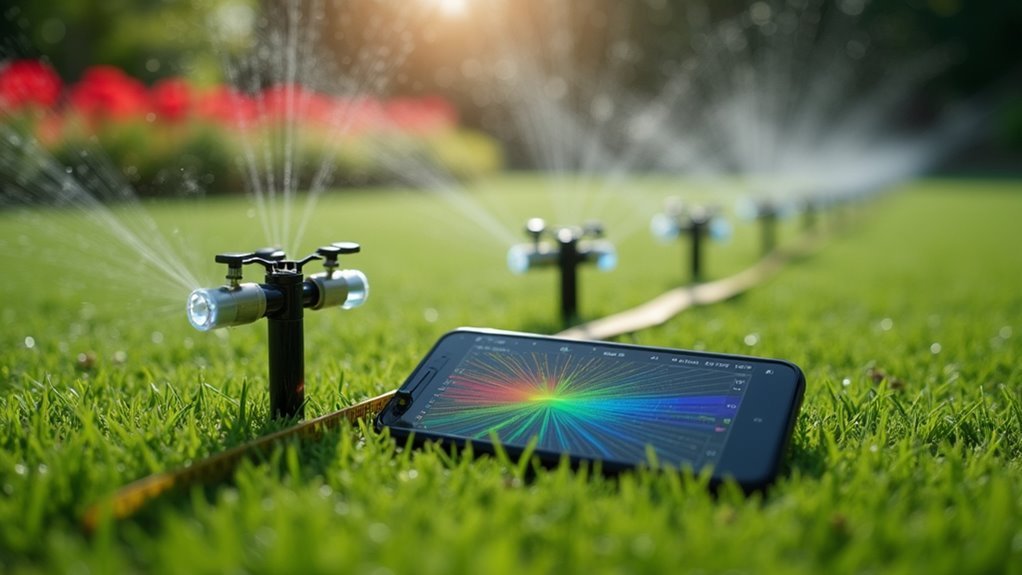
You’ll need to map out distinct zones based on your yard’s unique watering requirements, from sun-exposed flower beds to shaded lawn areas.
Calculate each zone’s coverage area to determine sprinkler placement and guarantee you’re not creating dry spots or overlap issues.
Don’t forget to take into account your Bluetooth range limitations when positioning controllers, as thick walls or long distances can interfere with your smartphone’s connection to the system.
Zone Mapping Essentials
While Bluetooth sprinkler systems offer impressive technological capabilities, their effectiveness hinges entirely on how well you map your irrigation zones.
Zone mapping requires dividing your garden into specific areas based on plant types, sun exposure, and soil conditions. You’ll need to take into account your yard’s slope, existing landscaping, and each plant’s unique watering requirements when creating these zones.
Smart app features will help you map and program zones with precision, giving you complete control over watering schedules tailored to each area’s needs.
Look for systems offering programmable zone shapes that allow customized watering patterns matching your garden’s layout. Proper zone mapping dramatically reduces water waste while ensuring your plants receive ideal hydration, making your weekend tech project both environmentally responsible and effective.
Coverage Area Calculations
Calculating your coverage area forms the foundation of any successful Bluetooth sprinkler installation.
You’ll need precise measurements to guarantee every inch of your lawn receives ideal watering through proper coverage area calculations.
Start with these essential steps:
- Measure your total space – Calculate square footage by multiplying length times width of each lawn section.
- Determine sprinkler throw distance – Most models cover 10-30 feet, so check your system’s specifications.
- Account for water pressure – Low pressure reduces coverage distance and affects spray patterns considerably.
- Plan overlapping zones – Create 30-50% overlap between adjacent sprinkler heads to eliminate dry spots.
Don’t forget obstacles like trees, fences, or garden beds that’ll block water flow.
Adjust your sprinkler positions accordingly to maintain consistent coverage throughout your entire irrigation zone.
Wireless Range Considerations
Three critical factors determine your Bluetooth sprinkler system’s wireless performance: range limitations, signal interference, and strategic positioning.
Your Bluetooth sprinkler timers typically maintain reliable communication up to 60 meters (197 feet) from your smartphone or Wi-Fi hub. However, walls and physical barriers will considerably reduce this effective range, making wireless range considerations essential during installation planning.
Position your timer centrally within each irrigation zone to maximize coverage and minimize connectivity issues. Keep the system away from electronic devices that could cause interference, such as routers, microwaves, or other wireless equipment.
Remember that your timer will continue operating on preset schedules even when your phone’s out of range, so configure your watering programs carefully during initial setup to guarantee ideal automated performance.
Installing the LazyHose Bluetooth Controller
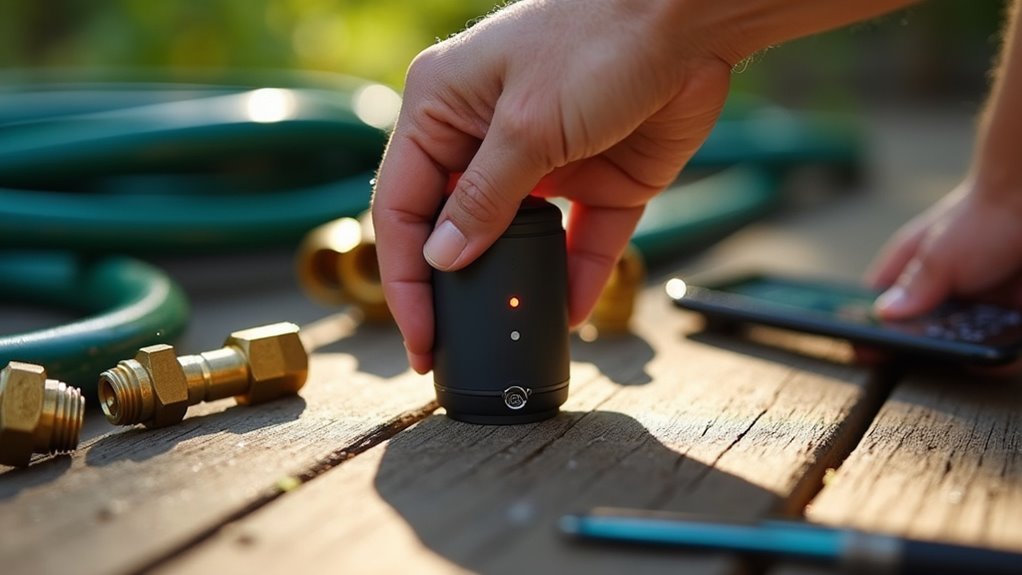
Before you can enjoy automated watering through your smartphone, you’ll need to properly install your LazyHose Bluetooth Controller following a few straightforward steps.
Your smart controller connects easily to any standard garden setup:
- Connect to faucet – Attach the timer to your 3/4 faucet inlet, ensuring a secure connection to prevent leaks during operation.
- Install batteries – Insert 2 AA batteries into the compartment, avoiding mixed battery types for best performance and longevity.
- Establish Wi-Fi connection – Connect your controller to a 2.4GHz Wi-Fi hub to enable remote smartphone control capabilities.
- Download Smart Life App – Install the companion app on your iOS or Android device to access all watering modes and scheduling features.
Once installed, you’ll have complete control over timed, cyclic, and manual watering modes.
Connecting to Standard Garden Hose Systems
Most garden hose systems work seamlessly with your LazyHose Bluetooth Controller thanks to its universal 3/4-inch threading that fits standard outdoor faucets.
You’ll connect the timer directly between your faucet and existing hose without any complex plumbing modifications.
The straightforward installation process removes the need for professional help or specialized tools. Simply screw the controller onto your faucet’s outlet, then attach your garden hose to the timer’s output connection. This creates an instant smart irrigation system that maintains compatibility with your current setup.
You won’t need to replace existing hoses or sprinkler attachments since the controller acts as an intelligent bridge between your water source and watering equipment.
The universal threading guarantees secure connections that won’t leak or loosen during operation.
Setting Up the Mobile App Interface
You’ll need to download the Smart Life App from either the iOS App Store or Google Play Store to control your Bluetooth sprinkler timer remotely.
Once you’ve installed the app, create your account and make sure you’re connected to a 2.4GHz Wi-Fi network for peak performance.
The setup process involves following simple on-screen prompts that’ll guide you through connecting your sprinkler timer to the app interface.
App Download Process
Getting your Bluetooth sprinkler system operational starts with downloading the Smart Life App from either the Apple App Store or Google Play Store. You’ll need this essential software for complete APP control of your irrigation system.
Follow these steps to get started:
- Search and Download – Look for “Smart Life” in your device’s app store, ensuring you select the official app developed by Tuya Inc. for proper compatibility with your Bluetooth sprinkler timer.
- Create Account – After installation, create a new account or log in using existing credentials to access all features.
- Verify Compatibility – Confirm the app supports your specific Bluetooth sprinkler model before proceeding.
- Prepare for Setup – Keep your device ready for the upcoming pairing process.
Device Connection Steps
With the Smart Life App installed on your device, you’re ready to establish the connection between your smartphone and Bluetooth sprinkler timer.
These device connection steps require your smartphone to connect to a 2.4GHz Wi-Fi network first. Open the Smart Life App and follow the in-app instructions carefully. You’ll need to select your smart timer from the list of available devices that appears during the pairing process.
Once connected, you can configure various watering schedules and modes including Timed Irrigation, Cyclic Irrigation, and Manual Watering through the app interface.
The app also provides rain delay settings that’ll automatically suspend watering for 24, 48, or 72 hours based on detected weather conditions, ensuring efficient water management.
Programming Normal and Cycle & Soak Schedules
Programming your Bluetooth sprinkler timer becomes effortless once you understand the two primary scheduling modes available through the Smart Life App.
You’ll have access to these scheduling options:
- Normal Schedule – Set specific start times and durations that match your plants’ unique watering requirements.
- Cycle & Soak – Break longer sessions into shorter cycles, preventing runoff while ensuring thorough soil absorption.
- Remote Management – Adjust schedules from anywhere within the 60-meter Bluetooth range.
- Water Conservation – Optimize irrigation timing to reduce waste and improve lawn health.
The normal schedule works perfectly when you need straightforward watering times.
Set precise watering schedules effortlessly when your plants need consistent, reliable irrigation without complicated programming steps.
Meanwhile, Cycle & Soak prevents erosion by allowing gradual water absorption through repeated shorter cycles.
Both modes eliminate manual intervention, automatically managing your irrigation system while you’re away.
Configuring Rain Delay Functions
Beyond scheduling your watering sessions, you’ll need to configure rain delay functions to prevent unnecessary irrigation during wet weather.
Your Bluetooth sprinkler timer provides three rain delay options: 24H, 48H, and 72H, giving you flexible scheduling based on current conditions.
You’ll configure these settings through the smart app, which automatically adjusts your watering schedule during rainy periods. The rain delay feature integrates with the smart watering system that detects local weather conditions to optimize irrigation schedules.
When activated, rain delay temporarily suspends all scheduled watering without manual intervention.
Even better, the 60-meter Bluetooth range lets you manage these settings when your smartphone’s out of range, ensuring you maintain efficient irrigation practices while conserving water during wet periods.
Testing Manual Watering Controls
After configuring your rain delay settings, you’ll want to test the manual watering controls to guarantee they’re working properly.
The LazyHose timer’s one-button manual watering feature gives you complete flexibility for immediate irrigation needs.
One-button manual watering delivers instant irrigation control whenever your lawn needs immediate attention beyond scheduled programs.
Here’s how to test your manual watering controls effectively:
- Press the manual button directly on the timer to activate watering without using the app
- Set duration anywhere from 1 minute to 24 hours based on your testing requirements
- Verify override capability by confirming manual watering works regardless of programmed schedules
- Test family engagement by having different household members operate the simple one-button system
This manual watering functionality creates a hybrid approach that combines automated scheduling with spontaneous control, making it perfect for responsive lawn care management.
Integrating Voice Assistant Compatibility
While manual controls provide immediate watering flexibility, voice assistant integration takes your LazyHose timer’s convenience to the next level.
You’ll need to connect your timer to a 2.4GHz Wi-Fi hub for seamless communication with Amazon Alexa or Google Assistant. Once connected, voice control becomes intuitive—simply say “water the garden” or “pause watering” to manage your irrigation system hands-free.
You can integrate these commands into daily routines, making it effortless to adapt to sudden weather changes.
The companion app for iOS and Android devices works alongside voice control, providing customizable settings and real-time schedule updates. This combination of voice commands and smartphone management creates a truly smart watering system that responds to your needs instantly.
Weather Monitoring and Adaptive Scheduling
You’ll find that modern Bluetooth sprinklers excel at monitoring real-time weather conditions through integrated apps that detect precipitation and temperature changes.
When rain’s detected or forecasted, these systems automatically implement delays of 24, 48, or 72 hours to prevent unnecessary watering cycles.
Your sprinkler’s smart scheduling adapts continuously, adjusting watering frequency and duration based on local weather data to optimize water usage.
Real-Time Weather Detection
Since weather conditions constantly change throughout the day, Bluetooth sprinkler timers equipped with real-time weather detection capabilities automatically monitor current atmospheric conditions to enhance your irrigation schedule.
This intelligent system transforms how you’ll manage your lawn’s watering needs:
- Automatic Weather Assessment – Your timer continuously evaluates current conditions, adjusting watering intensity based on humidity, temperature, and precipitation levels.
- Forecast Integration – Local weather predictions help prevent unnecessary irrigation during expected rainfall.
- Rain Delay Controls – Select 24H, 48H, or 72H postponement options when storms approach.
- Resource Conservation – Smart scheduling eliminates water waste while maintaining peak lawn health.
With real-time weather detection, you’ll never worry about overwatering during unexpected showers or under-watering during dry spells, creating an efficient irrigation system that adapts automatically.
Automatic Rain Delays
When unexpected storms roll in, your Bluetooth sprinkler timer’s automatic rain delay feature instantly suspends scheduled watering cycles for 24, 48, or 72 hours, preventing wasteful irrigation during wet conditions.
You’ll appreciate how this smart technology monitors precipitation levels through integrated weather data, automatically adjusting your watering schedule without manual intervention.
The automatic rain delay system optimizes irrigation frequency and volume based on real-time climatic conditions, ensuring your lawn receives appropriate hydration while eliminating overwatering.
This adaptive scheduling maintains landscape health while considerably reducing water usage, lowering your utility bills and supporting environmental conservation efforts.
You can easily customize delay durations through your smartphone app, creating a hassle-free irrigation experience that responds intelligently to local weather patterns and keeps your yard perfectly maintained.
Smart Schedule Adjustments
Beyond simple rain delays, your Bluetooth sprinkler timer continuously monitors extensive weather data to make proactive schedule adjustments throughout the growing season.
The smart irrigation system adapts your watering schedule based on real-time conditions and forecasts, ensuring ideal plant health while conserving water.
Your timer’s intelligent features include:
- Weather Integration – Receives precipitation forecasts and automatically modifies watering duration
- Cycle & Soak Adaptation – Adjusts to soil moisture levels and changing seasonal conditions
- Remote App Control – Enables real-time schedule modifications through smart app connectivity
- Independent Operation – Maintains preset schedules even when your smartphone isn’t within Bluetooth range
This adaptive scheduling eliminates guesswork from irrigation management.
You’ll receive weather updates through the connected app, allowing you to fine-tune your watering schedule remotely and maintain efficient water usage year-round.
Troubleshooting Common Bluetooth Connection Issues
Why won’t your Bluetooth sprinkler connect to your smartphone when you need it most? Troubleshooting these Bluetooth connection issues requires systematic problem-solving to get your watering schedule back on track.
| Problem | Solution |
|---|---|
| Connection drops frequently | Stay within 60M range of sprinkler timer |
| Timer won’t pair with app | Replace 3 AAA alkaline batteries |
| Intermittent connectivity | Remove other Bluetooth devices causing interference |
| App freezes during sync | Restart both timer and smartphone |
| Commands don’t register | Update Smart Life App and enable Bluetooth settings |
Most connection problems stem from power issues or range limitations. Check your battery levels first, then verify you’re within the control range. If multiple devices are competing for Bluetooth bandwidth, disconnect unnecessary connections. A simple restart often resolves temporary glitches affecting your sprinkler timer’s performance.
Optimizing Water Efficiency and Coverage
You’ll maximize your sprinkler system’s effectiveness by leveraging smart rain detection features that automatically pause watering when precipitation occurs.
Zone-based water control lets you customize irrigation schedules for different areas of your yard, ensuring each section receives the precise amount of water it needs.
These advanced features work together to eliminate waste while maintaining ideal coverage across your entire landscape.
Smart Rain Detection
When rainfall soaks your lawn, smart rain detection technology in Bluetooth sprinkler timers automatically pauses your watering schedule, preventing waste and overwatering.
This intelligent feature transforms how you manage lawn care by responding to real-time weather conditions.
Your smart rain detection system offers several practical benefits:
- Rain delay functionality – You can pause irrigation for 24, 48, or 72 hours based on current conditions.
- Local weather integration – The system uses real-time weather data to optimize watering frequency and volume.
- Soil moisture sensing – Advanced models detect ground saturation levels to prevent excess watering.
- Automatic bill reduction – Weather-responsive watering considerably lowers your monthly water costs.
This technology guarantees you’re watering only when necessary, creating healthier gardens while supporting sustainable practices.
Zone-Based Water Control
Zone-based water control revolutionizes your irrigation strategy by dividing your landscape into distinct areas that receive customized watering schedules.
You’ll maximize water efficiency by tailoring amounts and timing to each zone’s specific vegetation needs. Your Bluetooth-enabled timer automatically adjusts watering frequency based on local weather conditions, ensuring zones receive only necessary water.
You can create programmable zone shapes that align perfectly with your yard’s unique layout and plant requirements.
Cycle and soak scheduling prevents runoff while promoting deep soil penetration in each designated area. Through smartphone apps, you’ll monitor and manage multiple zones remotely, maintaining ideal coverage while conserving water resources.
This zone-based water control transforms your weekend tech project into a precision irrigation system that adapts intelligently to your landscape’s diverse demands.
Expanding Your System With Additional Zones
As your garden grows and diversifies, expanding your Bluetooth sprinkler system with additional zones becomes crucial for delivering targeted irrigation to different areas.
Most smart sprinkler timers support multiple zones, typically ranging from four to sixteen, giving you flexibility to manage various plant types and soil conditions.
Here’s what you need to take into account when expanding:
- Verify compatibility with your existing Bluetooth timer and confirm your system can handle increased zones without additional wiring.
- Check zone capacity to confirm your timer supports the number of zones you’re planning to add.
- Use app integration to seamlessly add zones through your smartphone interface.
- Program independent schedules for each zone based on specific watering requirements.
This expansion leads to better water conservation and reduced costs.
Frequently Asked Questions
How Much Does the Irrigreen System Cost?
You’ll pay around $1,500 to $2,500 for a standard Irriggreen system installation, depending on your area’s size. Installation costs vary by location, but you’ll save money long-term through reduced water bills.
What Is a Smart Irrigation System Project?
You’ll install automated watering systems that optimize water usage based on real-time weather and soil conditions. You can control smart sprinkler timers remotely through smartphone apps, reducing waste while maintaining healthier gardens.
Can I Control My Sprinklers From My Phone?
Yes, you can control your sprinklers directly from your smartphone using a dedicated app. You’ll manage watering schedules remotely within a 60-meter Bluetooth range, set custom times, and even use voice commands.
Are Wifi Sprinkler Controllers Worth It?
Yes, Wi-Fi sprinkler controllers are worth it. You’ll save water and money through weather-based scheduling, enjoy convenient phone control, and promote healthier lawns while contributing to environmental sustainability with minimal installation effort.



