
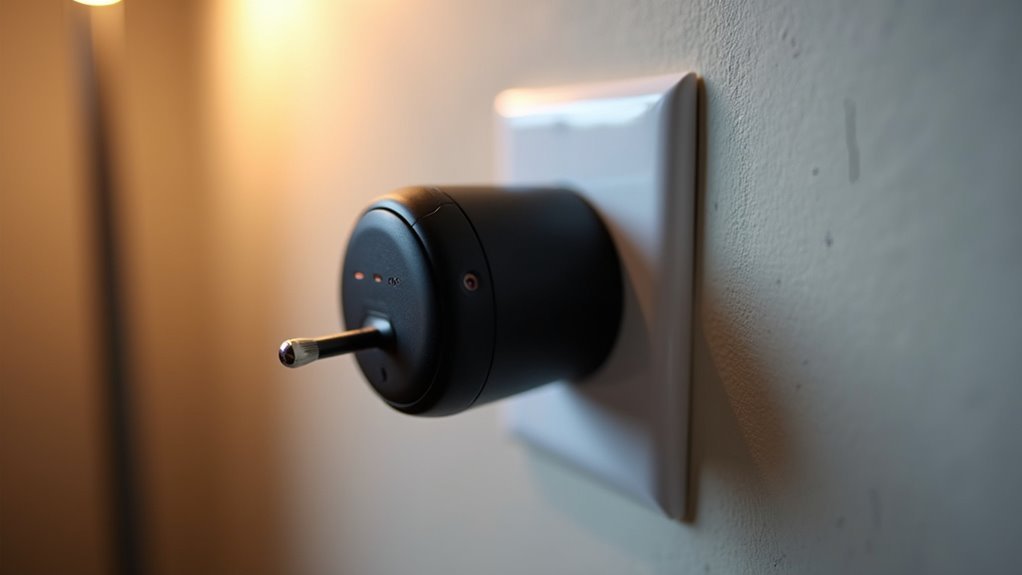
You’ve probably wondered how to control your home’s electrical outlets remotely or set them on schedules without rewiring your entire house. The answer lies in several accessible technologies that can instantly upgrade your standard outlets into smart, programmable devices. From simple plug-in adapters to more sophisticated hardwired solutions, there’s a range of options that’ll transform how you interact with your electrical devices—but choosing the right approach depends on factors you might not have considered.
Smart Plugs: The Foundation of Outlet Programming

When you plug a smart plug into any standard outlet, you’re instantly transforming that connection point into a programmable control center for whatever device you connect to it.
These smart outlets operate through Wi-Fi connectivity, letting you control the power supply to any connected appliance via smartphone apps or voice assistants like Alexa and Google Assistant.
You’ll find programmable settings particularly useful for automating your daily routines. You can schedule lamps to turn on before you arrive home, coffee makers to start brewing each morning, or fans to shut off after you’ve fallen asleep.
Many models also include energy monitoring features, showing real-time power usage data. With various designs available—including multiple outlets and USB ports—smart plugs accommodate different household needs while supporting standard 15-amp circuits.
Wi-Fi Enabled Smart Switches for Permanent Installation
For a more permanent solution, Wi-Fi enabled smart switches replace your existing wall switches and provide built-in programmable control without requiring additional devices plugged into outlets. You’ll control connected lights and appliances remotely through smartphone apps or voice commands with Amazon Alexa or Google Assistant.
| Feature | Benefit |
|---|---|
| Programmable schedules | Automatic on/off timing for energy efficiency |
| Energy monitoring | Track consumption patterns and savings |
| Voice control | Hands-free operation through smart assistants |
| Remote access | Control devices from anywhere via smartphone |
| DIY installation | Easy setup for compatible homes |
Installation requires a neutral wire for proper functionality, which older homes might lack. While some models offer straightforward DIY installation, others need professional setup to guarantee electrical compatibility and safety compliance.
Z-Wave and Zigbee Protocol Compatible Devices

Although Wi-Fi smart switches offer convenience, Z-Wave and Zigbee protocol compatible devices provide more robust mesh networking capabilities that create stronger, more reliable smart home ecosystems.
Z-Wave operates on 908.42 MHz frequency, penetrating walls better than Wi-Fi signals, making it perfect for your home automation needs. Zigbee’s 2.4 GHz frequency supports larger mesh networks where multiple devices relay messages, extending connectivity range throughout your house.
These programmable outlets integrate seamlessly with smart home hubs, giving you centralized control over various appliances and systems.
You’ll enjoy remote smartphone control, scheduling capabilities, timers, and energy monitoring features.
Both protocols create self-healing networks that automatically find alternative communication paths if one device fails, ensuring your smart home remains operational.
Arduino-Based DIY Smart Outlet Controllers
While commercial smart outlets provide convenience, Arduino-based DIY smart outlet controllers offer you complete customization at a fraction of the cost.
You’ll use a 5V relay to switch your electrical outlets on and off, creating automated responses through sensors like the DHT11 for temperature and humidity monitoring. You can program specific thresholds that trigger the relay—turning on a heater when humidity drops below your set percentage, for example.
A daisy-chained power outlet setup maintains constant Arduino power while controlling additional appliances. With parts costing under $22, you’ll create an affordable home automation solution that operates via sensors or programmable timers, transforming any standard power outlet into a smart, responsive component of your automated system.
Raspberry Pi Powered Outlet Management Systems

When you need more processing power and networking capabilities than Arduino offers, Raspberry Pi powered outlet management systems deliver enterprise-level functionality with impressive versatility.
You’ll connect relay modules to GPIO pins, enabling complete control over connected devices through Python scripts. Using libraries like RPi.GPIO or pigpio, you can create sophisticated automation based on time schedules, sensor data, or environmental conditions.
Your Raspberry Pi programmable outlet management system integrates seamlessly with smart home platforms and APIs, providing remote control capabilities.
You can enhance functionality by adding sensors and cameras for energy monitoring and security features. The system responds dynamically to events, making intelligent decisions about power management.
This approach transforms basic outlets into intelligent power distribution points that adapt to your specific requirements and usage patterns.
Voice Assistant Integration for Hands-Free Control
Voice assistant integration transforms your programmable outlets into truly hands-free smart home components that respond instantly to spoken commands.
You’ll connect your smart plugs to Wi-Fi networks and link them through voice assistant apps, enabling seamless communication with Amazon Echo or Google Home devices. This integration lets you control outlets without reaching for your phone or physical switches.
You can customize voice commands by assigning specific names to devices, making individual control effortless. Beyond basic on/off functions, you’ll access advanced features like energy monitoring and automated routines through voice commands.
- Turn devices on/off with simple voice commands like “Turn on the living room lamp”
- Set schedules and adjust settings without using mobile apps
- Monitor energy consumption through spoken requests
- Create automated routines that activate multiple outlets simultaneously
Smartphone App Configuration and Setup Process
You’ll start by downloading your smart plug’s manufacturer app from either the iOS App Store or Google Play Store, then create an account or log in to access the setup features.
Next, you’ll pair your smartphone with the smart plug by enabling Bluetooth or Wi-Fi and following the in-app instructions to locate and connect to your device.
Once connected, you can access the schedule programming interface to set up timers, automation routines, and remote control options that’ll make your outlet work exactly when you need it.
App Download and Installation
How do you transform a standard electrical outlet into a smart, programmable device? The process begins with app download for your specific smart plug brand.
You’ll need to download the corresponding application, whether it’s Amazon’s Alexa app for Echo-compatible devices or manufacturer-specific apps like TP-Link Kasa Smart. Once you’ve installed the app, create an account or log into your existing one.
The setup requires a stable internet connection to connect your smart plug to your home Wi-Fi network during configuration.
Essential preparation steps include:
- Enable Bluetooth and location services on your smartphone for device discovery
- Maintain stable internet connectivity throughout the setup process
- Have your home Wi-Fi credentials readily available for network connection
- Download the manufacturer’s official app from your device’s app store
Device Pairing Process
After completing the app installation, plug your smart device directly into the standard electrical outlet you want to upgrade.
The device pairing process for smart plugs is straightforward and user-friendly. Open your manufacturer’s app and look for the “Add Device” or similar option.
Most smart plugs feature two pairing methods: scanning a QR code displayed in the app or manually entering your Wi-Fi credentials. Follow the on-screen instructions to connect your plug to your home network.
You’ll typically need to select your Wi-Fi network from a list and enter your password. The app will guide you through each step, ensuring your smart plug establishes a stable connection.
Once paired successfully, you can control and program your outlet remotely.
Schedule Programming Interface
Once your smart plug connects to your home network, the schedule programming interface becomes your control center for automating electrical devices.
You’ll navigate through the manufacturer’s app to create customized timers and schedules that align with your daily routine. The app-based configuration process lets you set specific on/off times for connected appliances, ensuring they operate exactly when needed.
- Daily and weekly scheduling options – Set different schedules for weekdays versus weekends to match your varying routines
- Multiple timer creation – Configure several time-based triggers for the same smart plug throughout a single day
- Countdown timers – Program temporary operations that automatically shut off after predetermined periods
- Sunrise/sunset automation – Schedule devices to activate based on natural lighting changes rather than fixed times
Timer and Schedule Programming Features
Most programmable outlets offer sophisticated timer and scheduling features that let you automate your devices with precision throughout the week. You can set multiple on/off cycles daily, creating complex schedules that match your routine—turning appliances on in the morning and off in the evening.
These programmable timers work seamlessly with GFCI outlet installations, ensuring safe operation in wet areas like bathrooms and kitchens.
Advanced features include countdown settings and randomization options that enhance security by creating unpredictable lighting patterns. You’ll find compatibility with various devices, from high-power appliances to low-power equipment like tank heaters.
Each timer switch allows daily schedule customization for every weekday, providing flexibility for different routines while ensuring your devices only consume power when needed.
Energy Monitoring and Usage Tracking Capabilities
While timer features handle when your devices operate, energy monitoring capabilities let you track exactly how much power they’re consuming in real-time.
Smart plugs with usage tracking transform your outlets into data centers that reveal which devices are energy hogs and which ones barely sip electricity.
Advanced smart plugs provide detailed energy reports through companion apps, showing kilowatt-hours consumed and estimated costs based on your local electricity rates.
This data helps you identify usage patterns and make informed decisions about when to run energy-intensive appliances.
Key energy monitoring benefits include:
- Real-time power consumption tracking for connected devices
- Detailed energy reports with cost calculations
- Scheduling automation to reduce peak-hour usage
- Identification of high-energy devices for usage optimization
Remote Control Access From Anywhere
Beyond tracking energy consumption, programmable outlets reveal true convenience through remote control capabilities that let you manage your devices from virtually any location with an internet connection. Smart plugs transform ordinary outlets by connecting to your home Wi-Fi network, enabling seamless control through dedicated smartphone apps.
| Feature | Benefit | Example Use |
|---|---|---|
| Voice Commands | Hands-free operation | “Alexa, turn off living room lamp” |
| Schedule Programming | Automated convenience | Coffee maker starts at 7 AM |
| Real-time Monitoring | Instant device status | Check if iron’s still on |
| Custom Notifications | Security alerts | Notification when appliances activate |
You’ll gain complete control over your appliances whether you’re at work, traveling, or simply lounging upstairs. This remote control functionality, combined with energy monitoring features, makes smart plugs essential for modern home automation.
Safety Considerations for Smart Outlet Conversion
When you’re converting regular outlets to programmable ones, you’ll face serious electrical hazards that require immediate attention before starting any work.
You must turn off power at the circuit breaker and use insulated tools to prevent electric shock during installation.
Proper grounding isn’t optional—it’s essential for preventing both electrical shock and fire hazards that could damage your home or endanger your family.
High Voltage Hazard Prevention
Converting standard outlets to programmable ones involves working with potentially lethal electrical current, making safety your absolute top priority.
You must understand that high voltage poses serious risks, including electrocution, burns, and fire hazards. Before beginning any conversion work, always shut off power at the circuit breaker and verify it’s completely disconnected using a voltage tester.
- Turn off power at the circuit breaker and use a DPDT breaker to interrupt both hot phases safely.
- Install relays in normally open configuration to guarantee proper current control and emergency shutoff capability.
- Verify all electrical components meet established safety standards to prevent overheating and fire risks.
- Follow local electrical codes strictly to maintain compliance and protect your home’s electrical system integrity.
Proper Grounding Requirements
Although you’ve addressed the high voltage risks, establishing proper grounding remains equally critical for safe smart outlet conversion.
Smart outlets require three-pronged designs with ground pins to meet electrical safety standards and protect against electrical faults. Proper grounding creates a safe pathway for excess current, preventing shocks, fires, and equipment damage.
If you’re working with older homes, you’ll likely encounter outlets lacking adequate grounding. You’ll need to upgrade to grounded wiring or install GFCI outlets before converting to smart versions.
Don’t skip this step – compromised grounding creates serious safety hazards.
Schedule regular electrical system inspections to verify your grounding remains intact and functional.
This proactive approach guarantees your smart outlets operate safely while protecting your devices and family from electrical dangers.
Cost Comparison: Smart Plugs Vs Hardwired Solutions
Between $6 and $13, smart plugs represent one of the most budget-friendly entry points into programmable outlets, requiring zero installation costs since you simply plug them into existing wall outlets.
You’ll find hardwired solutions cost considerably more at $20 to $50, plus additional electrical work expenses.
Smart plugs offer unmatched flexibility for home automation, allowing you to move them between outlets as needed.
Smart plugs deliver exceptional portability for home automation, enabling effortless relocation between different outlets throughout your living space.
Hardwired solutions provide permanent integration but lack portability.
- Initial Investment: Smart plugs cost 50-75% less than hardwired alternatives
- Installation Expenses: Zero setup costs versus potential electrician fees for hardwired options
- Energy Monitoring: Higher-end smart plugs include built-in features; hardwired solutions often require extra components
- Long-term Value: Smart plugs offer immediate affordability; hardwired solutions provide enhanced reliability and aesthetic appeal
Troubleshooting Common Smart Outlet Connectivity Issues
Smart outlets can frustrate you when they won’t connect to your network or respond to commands from your home automation system.
Start by checking if your smart outlet is within range of your Wi-Fi router, as distance can cause connectivity issues. Verify the device is properly configured through the manufacturer’s app, ensuring correct home network setup.
Update your smart outlet’s firmware regularly, since outdated software creates performance problems. When experiencing connectivity issues, restart both your smart outlet and router to refresh connections and eliminate temporary glitches.
Finally, confirm your smart outlet is compatible with your specific home assistant system like Alexa or Google Home, as incompatibility prevents successful integration and control.
Frequently Asked Questions
How Do You Rotate an Electrical Outlet?
Turn off power at the circuit breaker, remove the faceplate, unscrew the outlet from the electrical box, rotate it to your desired orientation, reconnect the wires securely, and reinstall everything properly.
Can You Piggyback off an Electrical Outlet?
Yes, you can piggyback off an electrical outlet using power strips or outlet splitters. However, you must guarantee the total amperage doesn’t exceed the circuit’s capacity to avoid overloading and potential safety hazards.
What Are Outlets With Reset Button Called?
You’ll find outlets with reset buttons are called Ground Fault Circuit Interrupter or GFCI outlets. They’re designed to protect you from electrical shock by cutting power when they detect dangerous ground faults.
Can You Change the Outlet Plate Without Turning off Power?
You shouldn’t change an outlet plate without turning off power. Even though it seems simple, you risk electrical shock from live wires. Always turn off the circuit breaker and test for voltage first.



