
You’re probably wondering whether ZigBee’s worth the setup hassle for your Home Assistant system. While WiFi devices seem simpler, ZigBee offers something most smart home enthusiasts don’t realize they’re missing until they experience it firsthand. The protocol’s unique mesh networking capabilities and battery-efficient design solve problems you didn’t know existed in your current setup. But there’s an essential decision you’ll need to make before diving in.
Understanding ZigBee Protocol Fundamentals for Smart Home Integration
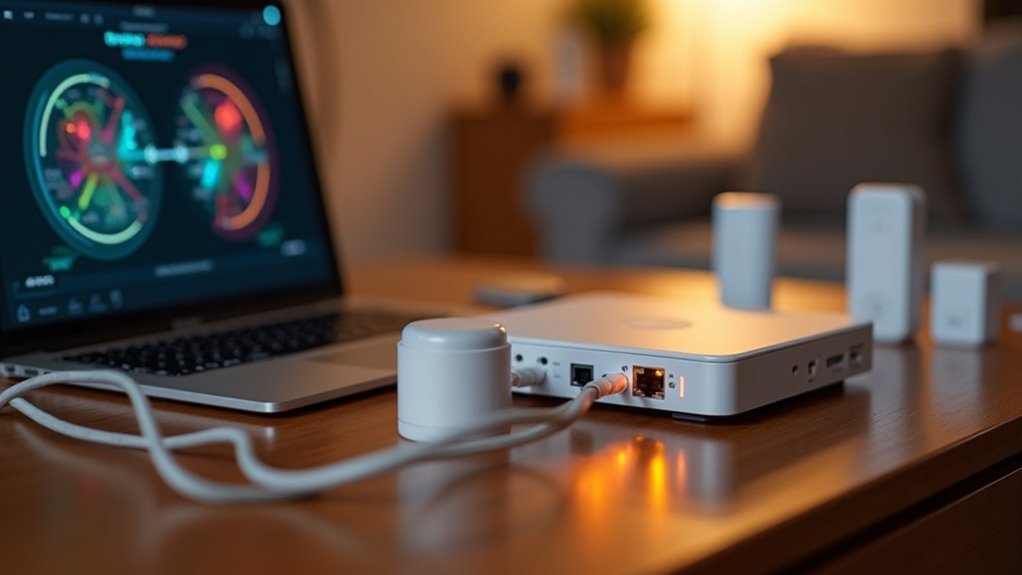
When you’re setting up a smart home with Home Assistant, ZigBee provides one of the most reliable and efficient wireless communication protocols available.
You’ll need a single Zigbee coordinator to manage your entire Zigbee network, acting as the central hub that controls device connections and communications. This coordinator works alongside routers that extend your network’s range and support battery-powered end devices throughout your home.
Your Zigbee network operates on channels 11-26, strategically avoiding Wi-Fi interference for stable connectivity.
You can integrate various device types including sensors, lights, switches, and smart plugs seamlessly into Home Assistant. The protocol’s energy efficiency means your battery-powered devices will operate for years without replacement, making ZigBee an ideal choice for extensive home automation.
Essential Hardware Requirements and Coordinator Selection
You’ll need a Zigbee coordinator to manage your network and enable communication between your devices and Home Assistant.
Your hardware choice directly impacts network performance, so selecting compatible equipment that maintains stable connections is vital for reliable smart home operation.
The coordinator acts as your network’s central hub, making proper selection and setup essential for seamless device integration.
Zigbee Coordinator Basics
Since every Zigbee network requires a single coordinator to function as its central hub, you’ll need to select the right hardware before integrating any Zigbee devices with Home Assistant. The coordinator manages all communication between your smart devices and guarantees seamless ZHA integration.
| Hardware Type | Recommendation |
|---|---|
| Preferred | TI CC2652-based USB dongles |
| Avoid | ConBee/RaspBee or Wi-Fi devices |
| Connection | Stable local serial port access |
Your Zigbee coordinator connects directly to Home Assistant via USB, enabling control of multiple routers and end devices throughout your network. Consider using USB extenders to optimize dongle positioning, which improves coverage and Link Quality Indicator readings. This single coordinator limitation means you’ll build your entire Zigbee network around one central device.
Compatible Hardware Selection
Choosing the right Zigbee coordinator hardware directly impacts your Home Assistant network’s reliability and device compatibility.
You’ll need compatible hardware that works seamlessly with the zigpy library to guarantee effective communication between your ZHA integration and Zigbee devices.
Here are the essential hardware selection guidelines:
- Choose TI cc2652-based coordinators – These provide superior performance and compatibility with both ZHA and Zigbee2MQTT integrations.
- Consider the Sonoff Zigbee 3.0 USB Dongle Plus – This hardware-independent Zigbee coordinator offers enhanced compatibility with various device types.
- Avoid ConBee/RaspBee devices – These can cause connectivity issues within your network.
- Maintain stable local serial connections – Avoid Wi-Fi-based coordinators to guarantee reliable communication and superior network performance.
Connection Stability Requirements
When establishing a Zigbee network for Home Assistant, maintaining a stable local connection to your coordinator’s serial port becomes the foundation of reliable communication.
You’ll want to guarantee your Zigbee coordinator connects directly to your Home Assistant server rather than through wireless connections. Avoid running coordinators via Serial-Proxy-Server over Wi-Fi, WAN, or VPN, as these setups considerably compromise connection stability and network performance.
Your compatible hardware choice matters greatly for maintaining consistent communication. TI CC2652-based coordinators work exceptionally well with both ZHA and Zigbee2MQTT integrations.
Don’t forget that physical placement affects your Zigbee network’s performance—use USB extenders to position your coordinator ideally for better coverage and improved Link Quality Indicator readings throughout your smart home.
ZigBee Network Architecture: Coordinators, Routers, and End Devices
Understanding ZigBee’s network architecture will help you build a robust smart home system that performs reliably.
Your Zigbee network operates through three device types working together seamlessly.
The coordinator serves as your network’s brain, managing all connections and communications. You’ll need exactly one coordinator per network.
Zigbee routers act as your network’s backbone—these mains-powered devices like smart plugs extend coverage and support more connections.
End devices are typically battery-powered sensors that conserve energy by sleeping when inactive.
Here’s what you need to remember:
- Each device connects to only one Zigbee network
- Routers are essential for effective end device communication
- Balance your router-to-end device ratio for peak performance
- Mains-powered devices make the best routers for network stability
ZHA Vs Zigbee2mqtt: Choosing the Right Integration Method
Once you’ve grasped your ZigBee network’s foundation, you’ll face a critical decision about how to connect those devices to Home Assistant.
You can choose between Zigbee Home Automation (ZHA) and Zigbee2MQTT, each offering distinct advantages.
ZHA provides direct integration within Home Assistant’s interface, making device pairing straightforward for beginners.
However, you might encounter pairing issues with certain devices and limited troubleshooting capabilities.
Zigbee2MQTT separates device control through MQTT topics, delivering superior stability and compatibility with diverse ZigBee devices.
It offers advanced customization options and detailed logging for troubleshooting.
If you’re starting out, ZHA’s simplicity appeals.
Advanced users prefer Zigbee2MQTT’s flexibility.
You can actually run both simultaneously to compare performance and determine which integration method suits your smart home needs best.
Device Compatibility and Brand Recommendations
You’ll find that choosing the right ZigBee devices can make or break your Home Assistant experience, so understanding which brands consistently deliver reliable performance is essential.
When selecting devices, you need to evaluate compatibility with either ZHA or Zigbee2MQTT before making any purchases to avoid integration headaches down the road.
Testing your device choices systematically will help you build a robust mesh network that won’t leave you troubleshooting connection issues later.
Trusted ZigBee Brands
Reliability becomes your top priority when selecting ZigBee devices for Home Assistant, and certain brands have earned their reputation through consistent performance and seamless integration.
These trusted brands consistently deliver quality products that enhance your home automation experience:
- Innr, Gledopto, Salus, and Philips Hue – These brands stand out for their exceptional compatibility with Home Assistant and proven reliability across diverse installations.
- Sonoff ZigBee products – Offer solid performance, but you’ll need to verify specific model compatibility since they manufacture both Wi-Fi and ZigBee variants.
- IKEA’s affordable ZigBee devices – Provide budget-friendly options, though you might encounter occasional quirks due to their protocol modifications requiring careful selection.
- Repurposed SmartThings hardware – Older gear remains ZigBee-compatible, letting you integrate existing equipment into your setup.
Device Selection Criteria
Beyond brand reputation, your device selection criteria should focus on protocol compatibility and network architecture to build a robust ZigBee ecosystem. You’ll want to verify that your Zigbee devices work seamlessly with either ZHA or Zigbee2MQTT protocols to avoid integration headaches.
| Device Type | Power Source | Network Role |
|---|---|---|
| Smart Bulbs | Mains | Router |
| Smart Plugs | Mains | Router |
| Motion Sensors | Battery | End Device |
| Door Sensors | Battery | End Device |
Prioritize mains-powered devices like smart plugs as network routers since they’re always available to relay signals. When selecting battery-powered devices, brands like Xiaomi offer budget-friendly options, but you’ll need to research compatibility thoroughly. Avoid proprietary systems like Philips Hue Bridge with third-party devices, as they’ll limit your Home Assistant integration capabilities.
Compatibility Testing Approaches
When evaluating potential Zigbee devices for your Home Assistant setup, start by checking compatibility databases and community forums before making any purchases. This proactive approach saves time and prevents integration headaches down the road.
Your compatibility testing strategy should include these essential steps:
- Verify ZHA or Z2M support – Check if your chosen devices work with either Zigbee Home Automation or Zigbee2MQTT integrations.
- Research brand reliability – Prioritize tested brands like Philips Hue, Innr, Gledopto, and Salus for proven performance.
- Investigate quirks and limitations – IKEA devices may work but often require workarounds due to proprietary modifications.
- Confirm standard Zigbee protocols – Ascertain older SmartThings gear uses standard protocols rather than proprietary implementations.
This methodical approach guarantees your Zigbee devices integrate seamlessly with Home Assistant.
Network Setup and Initial Configuration Steps
Setting up a Zigbee network for Home Assistant requires careful selection of your coordinator hardware, as this choice directly impacts your network’s performance and device compatibility.
You’ll want to choose a TI cc2652p-based dongle for best results. Connect your Zigbee coordinator to a stable local connection—avoid Serial-Proxy-Server setups over Wi-Fi, WAN, or VPN as they’ll compromise communication effectiveness.
Next, select your integration method: either Zigbee Home Automation (ZHA) for direct integration or Zigbee2MQTT for broader device support.
Consider your dongle’s placement carefully and use a USB extension cable to improve signal strength and coverage, which enhances your Link Quality Indicator.
Finally, you’ll need to monitor network performance regularly, maintaining a balanced ratio between routers and end devices for stability.
Optimizing ZigBee Range and Signal Coverage
Once you’ve established your basic network configuration, maximizing your ZigBee’s range and signal coverage becomes the next priority for creating a robust smart home system.
Strategic placement of mains-powered devices enhances network stability and extends communication range throughout your home:
- Deploy ZigBee router devices like smart plugs strategically to create an effective mesh network that strengthens signal coverage.
- Position your coordinator centrally using USB extenders to improve Link Quality Indicator (LQI) and overall network performance.
- Configure ideal ZigBee channels through regular energy scans to avoid congested frequencies and reduce interference.
- Add multiple signal repeater units to boost network resilience while increasing device capacity and improving message relay capabilities between endpoints.
Adding and Managing ZigBee Devices in Home Assistant
You’ll need to understand the device pairing process to successfully add ZigBee devices to your Home Assistant setup.
The pairing workflow involves putting devices into pairing mode and ensuring your ZigBee coordinator can discover them on the network.
Once you’ve added devices, you can implement network optimization strategies to maintain reliable connections and improve overall performance.
Device Pairing Process
Before you can control ZigBee devices through Home Assistant, you’ll need to establish communication between your ZigBee coordinator and the smart devices you want to integrate.
The device pairing process with Zigbee devices requires proper preparation and execution to guarantee successful connectivity.
Here’s how to complete the pairing process:
- Verify your ZigBee coordinator is properly connected and recognized by Home Assistant before attempting to pair any devices.
- Access the Zigbee Home Automation (ZHA) integration or Zigbee2MQTT interface to initiate device discovery mode.
- Put your ZigBee device into pairing mode by following the manufacturer’s specific instructions, which often involves pressing buttons or power cycling.
- Monitor the pairing status within Home Assistant and wait for successful device recognition and integration into your network.
Network Optimization Strategies
After successfully pairing your ZigBee devices, optimizing your network’s performance becomes essential for maintaining reliable smart home automation.
You’ll want to maintain a balanced ratio of routers to end devices within your Zigbee mesh to enhance communication stability. Use USB extension cables for your ZigBee coordinator to minimize interference and improve Link Quality Indicator readings.
Regularly evaluate network performance and strengthen device connections by adding repeaters throughout different rooms. This extends coverage and guarantees reliable communication across your entire home.
When experiencing connectivity issues, assess channel congestion from neighboring Wi-Fi networks and consider switching ZigBee channels—though you’ll need to re-pair devices afterward.
Implement systematic device addition, testing each individually before expanding your network further to identify potential problems early.
Creating ZigBee Groups and Device Binding
While individual device control forms the foundation of ZigBee automation, creating groups and establishing device bindings reveals the true potential of your smart home network.
ZigBee groups enable you to control multiple devices simultaneously with a single command. Instead of addressing each light individually, you’ll send one message to turn on an entire room. This approach notably reduces ZigBee network traffic and improves overall efficiency.
Device binding creates direct communication paths between devices, bypassing the coordinator entirely. This enhancement reduces response times and prevents network congestion, making your Home Assistant automations more responsive.
Here’s how to maximize these features:
- Group related devices by room or function for simplified management
- Use binding for critical device-to-device interactions
- Leverage groups for complex automation scenarios
- Monitor network performance improvements after implementation
Automation Scenarios and Advanced Control Features
Once you’ve established groups and device bindings, you can create sophisticated automation scenarios that transform your Home Assistant into an intelligent ecosystem. Zigbee end devices enable powerful automation scenarios through YAML configurations and conditional logic.
Your smart switches can trigger complex sequences based on multiple device states. Temperature sensors automatically adjust HVAC systems for ideal comfort, while motion sensors control lighting with customizable timing. You’ll receive instant mobile notifications when doors remain open or security conditions change.
| Automation Type | Trigger Device | Action Result |
|---|---|---|
| Climate Control | Temperature Sensor | HVAC Adjustment |
| Security Alert | Door Sensor | Mobile Notification |
| Lighting Scene | Motion Detector | Room Illumination |
These automation scenarios leverage synchronized device control, allowing single commands to manage entire rooms while maintaining energy efficiency through intelligent conditional responses.
Troubleshooting Common ZigBee Network Issues
How can you quickly identify and resolve the connectivity issues that inevitably surface in ZigBee networks?
You’ll need a systematic approach to diagnose and fix problems that disrupt your smart home setup.
Start by monitoring network performance regularly, as devices can lose ideal placement or experience interference.
Here’s your troubleshooting checklist:
- Reset offline devices – Try power cycling unresponsive devices or pressing their reset buttons to re-establish communication.
- Relocate your coordinator – Use USB extension cables to position your ZigBee coordinator away from interference sources.
- Switch channels strategically – Conduct energy scans before changing your Zigbee channel, remembering that device re-pairing will be necessary.
- Test systematically – Make gradual adjustments rather than hasty configuration changes to identify persistent connectivity issues effectively.
Future-Proofing Your Setup With Matter and Thread Compatibility
As smart home technology continues evolving, ensuring your ZigBee network can adapt to emerging standards becomes critical for maintaining long-term functionality.
Future-proofing your ZigBee investment requires strategic planning as smart home standards continue their rapid evolution toward greater interoperability.
Matter and Thread represent the future of smart home interoperability, promising seamless integration across different device ecosystems. Your existing Zigbee devices won’t become obsolete – they can gradually shift to Matter-compatible systems, ensuring continued usability.
This compatibility approach provides excellent future-proofing for your investment.
Many upcoming Zigbee devices will support Matter natively, giving you broader device selection while maintaining network performance. You’ll benefit from simplified device management as Matter reduces smart home fragmentation.
Frequently Asked Questions
Do I Need a Zigbee Hub With Home Assistant?
You don’t need a separate Zigbee hub with Home Assistant. You can use a USB coordinator dongle with ZHA or Zigbee2MQTT integrations to directly control Zigbee devices through Home Assistant itself.
Why Do I Need Zigbee?
You need Zigbee because it creates reliable, low-power mesh networks that extend your smart home’s range, provide years-long battery life, and won’t overwhelm your Wi-Fi network with connected devices.
Is Zigbee Gateway Necessary?
You’ll absolutely need a Zigbee gateway to connect Zigbee devices to Home Assistant. It’s the coordinator that manages your entire Zigbee network, enabling device communication and integration for automation capabilities.
What Is the Purpose of Zigbee Hub?
A Zigbee hub coordinates communication between your Zigbee devices, creating a centralized control point for your smart home. It enables mesh networking, improves device range, reduces dead zones, and integrates multiple manufacturer devices together.



