
You’ve probably experienced that moment when you walk into a room and the lighting just feels wrong—too harsh for relaxation, too dim for productivity, or completely off for the mood you’re trying to create. Smart light scenes eliminate this frustration by letting you instantly transform any space with preset lighting combinations tailored to specific activities. But there’s a strategic approach to setting them up that most people miss entirely.
Understanding Smart Light Scenes and Their Benefits
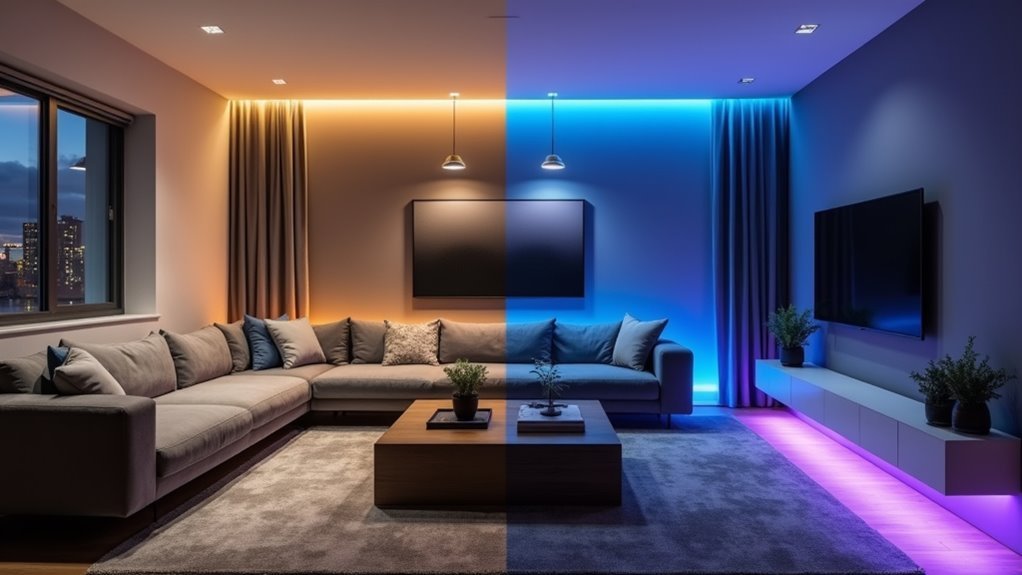
When you’re tired of manually adjusting multiple lights throughout your home for different activities, smart light scenes offer an elegant solution that transforms your entire lighting setup with a single command.
These preconfigured settings let you instantly create the perfect atmosphere for watching movies, entertaining guests, or starting your day with a gradual “Good Morning” scene that mimics sunrise.
You can customize scenes based on your specific moods or daily routines, saving multiple configurations in smart lighting apps for quick access.
This smart home technology integrates seamlessly with other devices, coordinating actions like adjusting thermostats alongside your accent lighting.
Essential Smart Lighting Products for Scene Creation
Building effective smart light scenes starts with choosing the right hardware components that’ll give you maximum flexibility and control.
The foundation of any smart lighting system lies in selecting versatile hardware that maximizes your control options.
You’ll need different types of lights to create extensive lighting scenes throughout your home.
- Full Color Smart Bulbs – These provide infinite color options and brightness control, letting you customize living room lights to match any mood or activity you’re planning.
- Tunable White Smart Bulbs – Perfect for mimicking natural lighting conditions, these bulbs offer a complete range of white temperatures so you can change the brightness and warmth throughout the day.
- Smart Switches and Plugs – These devices let you control non-smart fixtures and appliances remotely, integrating all your existing lighting into cohesive scenes for maximum versatility.
Planning Your Room-by-Room Lighting Strategy
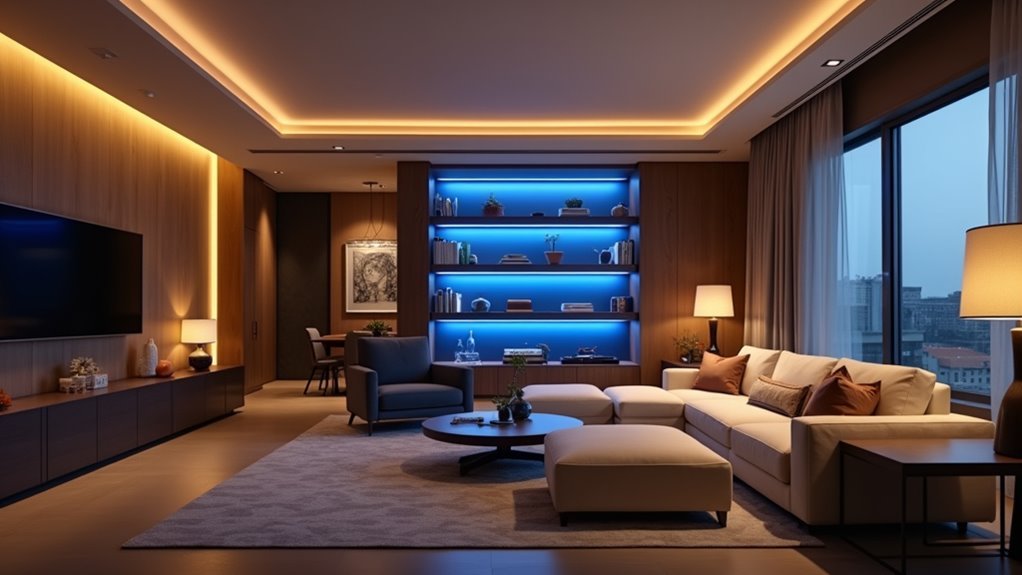
Before installing smart bulbs throughout your home, you’ll need to assess each room’s primary purpose and understand how you use these spaces daily.
Start by identifying whether each room serves as a workspace requiring bright, focused lighting or a relaxation area that benefits from warm, dimmed ambiance.
Map out your typical daily routines to determine when you need energizing light versus calming illumination, as this pattern will guide your scene programming decisions.
Assess Each Room’s Purpose
Since each room serves distinct functions throughout your home, you’ll need to evaluate how people actually use these spaces before designing your smart lighting scenes.
Consider primary activities like reading, cooking, or working to determine ideal brightness and color temperature requirements.
- Living areas: Focus on versatile scenes supporting entertainment, relaxation, and social gatherings with adjustable warm-to-cool lighting.
- Workspaces: Prioritize bright, cool-toned lights and devices that enhance focus and reduce eye strain during tasks.
- Bedrooms: Create calming Night Scene options with dim, warm lighting that promotes relaxation and sleep preparation.
Smart bulbs and dimmers enable you to craft adaptable scenes matching each room’s purpose throughout the day.
Evaluate natural light patterns to complement daylight effectively, ensuring your artificial lighting creates balanced atmospheres while maximizing energy efficiency.
Map Daily Activity Patterns
After identifying how each room functions, you’ll want to track when and how you actually use these spaces throughout your day.
Notice when you’re cooking breakfast in the kitchen—you’ll need brighter, cooler lighting during those peak morning hours. Your living room might require softer illumination for evening TV watching, while your home office needs focused task lighting during work hours.
Use this activity mapping to create programmable scenes that automatically adjust based on your routines.
Smart lighting systems can schedule these changes, ensuring lights brighten for meal prep and dim for relaxation without manual intervention.
Voice control and mobile apps provide flexibility for spontaneous schedule changes, letting you quickly adapt lighting scenes when daily activities shift unexpectedly.
Setting Up Color Changing Bulbs and Light Strips
When you’re ready to transform your home’s lighting experience, color changing bulbs and light strips offer an incredibly simple yet powerful solution.
You’ll find installation requires no rewiring – simply replace existing bulbs or plug strips into standard outlets.
These smart lighting products work together seamlessly with popular systems like Google Home and Amazon Alexa, enabling voice commands and automated routines.
You can control everything through mobile apps like CyncApp to select colors, adjust brightness, and save favorite scenes.
Key setup benefits include:
- Easy Installation – Replace standard bulbs without electrical work
- Voice Control – Integrate with smart home assistants for hands-free operation
- Custom Scenes – Program dynamic color changes based on time or events
You’ll create stunning ambiance while enhancing your space’s functionality effortlessly.
Creating the Perfect Morning Wake-Up Scene
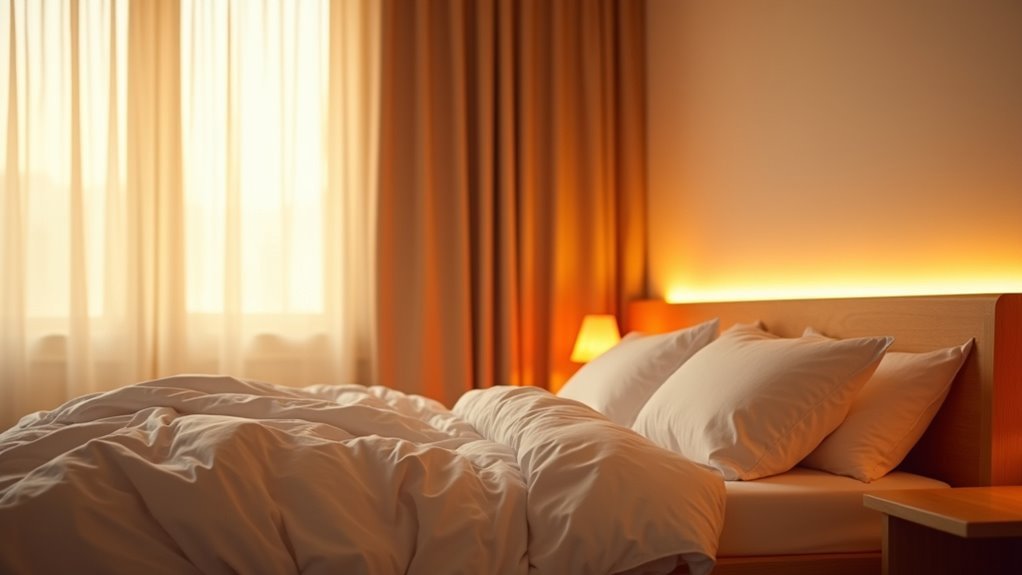
Your perfect morning begins before you even open your eyes, as smart lighting gradually alters your bedroom from darkness to a warm, natural glow that mimics sunrise.
Start building your ideal wake-up scene by setting Full Color Smart Bulbs to slowly increase brightness over fifteen to thirty minutes, gently easing you from sleep. Configure your lights to turn on with warm amber tones, then shift to energizing daylight colors.
Use the Brilliant mobile app to create a thorough morning routine that activates multiple devices simultaneously. Your scene can adjust the thermostat, start the coffee maker, and stream your favorite playlist through connected speakers.
Avoid harsh overhead light initially—instead, layer lighting gradually. Save your customized morning scene in the CyncApp for consistent, effortless daily activation.
Designing Relaxing Evening and Bedtime Scenes
You’ll want to shift your smart lights to warm color temperatures around 2700K-3000K as evening approaches, creating a cozy atmosphere that naturally prepares your body for sleep.
Setting up gradual dimming schedules that slowly reduce brightness from 100% to just 20-30% over 15-30 minutes mimics a natural sunset and signals your circadian rhythm.
These automated changes eliminate the jarring effects of sudden brightness shifts and help establish a consistent pre-sleep routine.
Warm Light Temperature Settings
As evening approaches, warm light temperature settings become your most powerful tool for creating relaxing scenes that prepare your mind and body for rest.
These settings, ranging from 2700K to 3000K, create the cozy atmosphere you need to shift from day to night effectively.
Smart bulbs with tunable white options let you customize warmth levels based on your personal preferences and desired mood.
You’ll find that warmer evening lighting helps regulate your circadian rhythms, making it easier to fall asleep and wake up refreshed.
- Set temperatures between 2700K-3000K for ideal evening relaxation
- Combine warm lighting with gradual dimming to signal bedtime naturally
- Create consistent “Bedtime” scenes that establish healthy sleep hygiene routines
Gradual Dimming Schedules
Building on ideal temperature settings, gradual dimming schedules transform your evening routine by automatically reducing light intensity over time.
These programmed changes seamlessly shift from bright to soft illumination over your chosen duration, creating a calming atmosphere that signals bedtime approaches.
You’ll find this automation supports your body’s natural circadian rhythms, promoting relaxation and preparing you for quality sleep.
Smart lighting systems let you customize both dimming duration and intensity levels, ensuring the schedule matches your personal preferences and routine perfectly.
Movie Night and Entertainment Lighting Configurations
When creating the perfect movie night atmosphere, smart lighting scenes transform your living space into a personal cinema that rivals any theater experience.
You’ll want to dim your overhead living room lights while keeping kitchen lights slightly brighter for those essential snack runs. Smart lighting scenes let you adjust both brightness and color temperature, creating that perfect cinematic ambiance that draws you deeper into the film.
Here are key configurations for entertainment lighting:
- Set up an “Entertaining Scene” with music activation and 65% lighting levels for pre and post-movie socializing
- Configure automatic door locking and light dimming when movies start
- Create programmable scenes activated by single voice commands for different content types
These seamless shifts enhance your entire entertainment experience without manual adjustments.
Dinner Party and Social Gathering Ambiance
When hosting dinner parties, you’ll want to create an inviting atmosphere that encourages conversation without overwhelming your guests.
Setting your lights to the right brightness level transforms your space from ordinary to extraordinary, while the wrong lighting can make or break the evening’s mood.
Integrating music with your lighting scenes takes your dinner party ambiance to the next level, creating a cohesive experience that keeps guests engaged and comfortable throughout the night.
Perfect Lighting Levels
How can you transform an ordinary evening into an unforgettable dinner party experience? Setting your kitchen and living room lights to 65% brightness creates that perfect warm atmosphere that makes guests feel instantly welcome.
The key lies in finding lighting levels that promote conversation while maintaining visual comfort.
- Dim overhead lights to draw focus toward dining areas and encourage intimate conversation among guests
- Set ambient lighting to 65% brightness in main gathering spaces for ideal warmth and visibility
- Use full-color smart bulbs to customize lighting colors that perfectly match your event’s theme
This strategic approach to lighting levels guarantees your guests feel relaxed and engaged throughout the evening, creating memorable experiences they’ll appreciate.
Music Integration Options
Since you’ve mastered the perfect lighting levels, it’s time to elevate your dinner party with synchronized music that complements your smart lighting setup.
Smart home systems like Sonos integrate seamlessly with your lighting controls, letting you coordinate colors and brightness with your music’s rhythm and mood.
Use your “Entertaining Scene” feature to set kitchen and living room lights at 65% brightness while streaming upbeat playlists at 50% volume. This creates an inviting atmosphere that gets conversations flowing.
You can program lights to pulse with beats or change colors dynamically, immersing guests in the experience.
As your evening progresses, you’ll easily shift from energetic party vibes to relaxed ambiance by adjusting both lighting and music simultaneously through your smart home app.
Focus and Productivity Lighting for Home Offices
Although your home office may feel productive with basic overhead lighting, creating the right lighting environment can greatly boost your focus and cognitive performance throughout the workday.
Cool white light around 5000K mimics natural daylight, reducing eye strain during long hours while enhancing concentration. Smart dimmable bulbs let you adjust brightness throughout the day, shifting from energizing morning light to softer evening tones.
Consider these productivity-enhancing lighting strategies:
- Create a “Focus” scene with cool whites and blues to improve work efficiency and cognitive performance
- Automate morning brightness schedules to wake up naturally and boost daily mood
- Integrate lighting with task apps for visual cues that signal work periods and break times
These smart lighting adjustments transform your workspace into a productivity powerhouse.
Seasonal and Holiday Color Scene Ideas
When holidays approach, your smart lighting becomes a powerful tool for instantly altering your home’s atmosphere with authentic seasonal color palettes.
Christmas scenes shine with warm reds and greens, while spring celebrations benefit from soft pastels that brighten any space. Halloween gets spookier with orange and purple lighting, and Thanksgiving feels cozier with earthy amber and brown tones.
Smart systems like Philips Hue let you save these seasonal scenes for instant activation through voice commands or single button presses.
You can enhance your décor by strategically placing smart light strips around windows, doorways, and shelves for immersive holiday experiences. Set timers and schedules to automatically change between seasonal themes, ensuring your home seamlessly matches changing holidays without manual adjustments.
Voice Control Integration for Hands-Free Operation
Voice commands transform your smart lighting from a tap-and-swipe experience into an effortless conversation with your home.
Smart lighting becomes an intuitive dialogue between you and your living space through simple voice commands.
Amazon Alexa and Google Home support extensive voice control, letting you adjust brightness, switch scenes, or toggle lights with simple requests.
You’ll gain tremendous convenience through customized voice commands for specific lighting scenarios. Create personalized phrases that instantly activate your preferred ambiance without touching any device.
Voice control offers these key advantages:
- Streamlined routines – Say “Good Night” or “Movie Night” to instantly set the perfect lighting scene
- Enhanced accessibility – Individuals with mobility challenges can easily manage home lighting hands-free
- Effortless adjustments – Change lighting without interrupting activities like cooking, working, or relaxing
This integration makes smart lighting truly intuitive, responding naturally to your spoken needs.
Scheduling and Automation for Effortless Transitions
While voice control brings immediate responsiveness to your smart lighting, scheduling and automation create a home that anticipates your needs before you even think about them. You can program lights to gradually brighten each morning, mimicking natural sunrise to enhance your wakefulness. Automation triggers scenes based on activities—like dimming lights when you start streaming a movie or adjusting brightness for dinner preparation.
| Automation Type | Function |
|---|---|
| Daily Schedules | Gradual morning brightening, evening dimming |
| Activity-Based | Movie scenes, reading modes, cooking brightness |
| Geofencing | Auto on/off when arriving or leaving home |
| Motion Integration | Scene activation with movement detection |
Geofencing adds convenience by automatically turning lights on as you arrive home, while motion sensors create complex scenarios that boost energy efficiency and comfort.
Troubleshooting Common Scene Setup Issues
Even the most carefully planned smart light scenes can encounter setup hurdles that prevent them from working as intended.
When your scenes aren’t functioning properly, start with these essential troubleshooting steps:
- Check network connectivity – Confirm all smart devices are connected to the same network to prevent communication breakdowns.
- Verify device compatibility – Double-check that your devices work fully with your smart home platform, as some may have limited scene functionality.
- Reset and reconfigure – If scenes don’t activate correctly, try resetting them entirely to eliminate conflicting automations.
Always verify that scene settings like brightness and color are saved properly in your app, as changes sometimes fail to register.
When basic troubleshooting doesn’t work, consult your platform’s user manual or online support resources for system-specific solutions.
Advanced Customization Tips for Power Users
You can access your smart lighting system’s full potential by creating custom scene programming that goes beyond basic presets.
Advanced automation integration lets you connect multiple smart devices and sensors to build dynamic scenes that respond intelligently to your daily routines and environmental changes.
These sophisticated configurations transform your lighting from simple on-off controls into a responsive ecosystem that adapts automatically to your lifestyle.
Custom Scene Programming
As smart lighting systems become more sophisticated, custom scene programming reveals their full potential by letting you craft precise lighting environments tailored to your specific needs.
You can combine multiple device settings—brightness, color, and temperature—to create perfect atmospheres for reading, dinner parties, or any activity.
Advanced scene programming includes intelligent triggers that automate your lighting:
- Time-based activation – Schedule scenes to activate automatically at specific times
- Motion detection triggers – Enable lights to adjust when movement is detected
- Voice assistant integration – Control scenes hands-free with simple voice commands
Save and organize multiple scenes in your smart home app for instant access.
Experiment with different combinations of smart bulbs and light strips to maximize effectiveness.
This strategic approach enhances both convenience and energy efficiency.
Advanced Automation Integration
While basic scene programming offers impressive control over your lighting, advanced automation integration transforms your smart home into a truly intelligent ecosystem that anticipates your needs.
You’ll create intricate routines adjusting multiple devices based on time, location, or specific triggers, dramatically enhancing customization possibilities.
Location modes like Day, Night, or Away automate different behaviors, tailoring lighting scenes based on your presence and time of day.
Smart sensors activate lighting scenes automatically, ensuring lights respond dynamically to movement or environmental changes.
You can leverage third-party SmartApps within platforms like SmartThings for custom automations meeting unique household preferences.
Webhooks and API integrations connect various devices and services, enabling sophisticated automation scenarios that extend beyond standard platform capabilities for truly personalized experiences.
Frequently Asked Questions
Do Smart Lights Raise the Electric Bill?
Smart lights won’t raise your electric bill. You’ll actually save money because they use up to 80% less energy than traditional bulbs, consuming only 10 watts versus 60 watts.
How Can Lighting Transform a Space?
You’ll dramatically change your room’s ambiance by adjusting brightness and color temperature. Different lighting creates distinct moods for relaxation, focus, or celebration, while highlighting architectural features and enhancing your space’s overall aesthetic and functionality.
What Is the Difference Between a Smart Light and a Smart Switch?
Smart lights are individual bulbs you can program for color and brightness, while smart switches control power to existing fixtures. You’ll get more customization with smart lights, but switches make any bulb controllable.
How Can I Make My House Lights All Smart?
You can replace existing bulbs with smart bulbs like Philips Hue, install a smart hub for centralized control, use smart plugs for lamps, and integrate with Alexa or Google Home for voice commands.




Leave a Reply