

You’ve probably dreamed of a Murphy bed that responds to simple voice commands, but the setup process can quickly turn into a nightmare if you’re not prepared. These space-saving marvels require precise installation, smart technology integration, and careful calibration to function safely and reliably. One misstep during configuration could leave you with an expensive wall fixture that won’t budge, or worse, creates a safety hazard that puts your family at risk.
Choose Compatible Voice Assistant Technology

Before investing in a voice-controlled Murphy bed system, you’ll need to verify that your chosen bed model works with your preferred voice assistant technology.
Check the manufacturer’s specifications to confirm compatibility with Amazon Alexa or Google Home platforms. Some motorized models include built-in smart home functionality, while others require additional smart hubs for voice integration.
Verify your Murphy bed’s compatibility with Alexa or Google Home before purchasing, as integration requirements vary by model.
Review the manufacturer’s guidelines carefully during setup to ascertain proper installation and safety.
If your bed lacks direct smart home connectivity, consider using smart plugs with voice command capabilities. These devices let you control power to the bed through voice commands.
Always verify compatible platforms before purchase to avoid connectivity issues and ascertain seamless integration with your existing smart home ecosystem.
Secure Wall Mounting and Structural Support
You’ll need to locate wall studs with a stud finder before mounting your voice-controlled Murphy bed, as proper structural anchoring is essential for safety.
Choose lag screws and appropriate fasteners that match your wall type and can handle the bed’s weight during operation.
Install safety brackets and reinforce the cabinet by securing it to both wall studs and the floor to prevent tipping and guarantee stable performance.
Find Wall Studs
A solid foundation starts with properly locating wall studs, which serve as the backbone for your Murphy bed’s mounting system. Finding wall studs guarantees secure anchoring that’ll support your bed’s weight safely.
Use a stud finder to locate studs, typically spaced 16 or 24 inches apart. Mark each stud location with a pencil for clear drilling guidance. When mounting a Murphy bed, you must secure it to at least two studs for proper weight distribution and enhanced stability.
Key steps for successful wall attachment:
- Scan systematically – Move the stud finder horizontally across your mounting area
- Mark precisely – Use pencil marks to indicate exact stud centers
- Verify spacing – Confirm typical 16″ or 24″ intervals between studs
- Plan placement – Confirm your mounting brackets align with marked locations
This careful preparation assures smooth operation and long-term reliability.
Choose Proper Fasteners
Three critical factors determine fastener selection success: weight capacity, material compatibility, and structural integration with your wall studs.
You’ll need to choose from wood screws, lag bolts, or heavy-duty anchors based on your Murphy bed’s specifications and wall construction. Check the manufacturer’s weight capacity requirements against your fasteners’ load ratings to guarantee adequate support for installing the bed frame.
Use only the recommended hardware kit fasteners for ideal compatibility with your bed’s mounting system.
Install fasteners directly into wall studs rather than drywall alone – this provides maximum holding power for secure wall mounting.
Consider your wall material thickness when selecting fastener length, making sure penetration reaches solid backing.
Follow the manufacturer’s spacing guidelines precisely to distribute weight evenly and prevent dangerous mounting failures.
Install Safety Brackets
With quality fasteners selected, proper safety bracket installation becomes your next priority for establishing reliable structural support.
When you install safety brackets, you must anchor them securely into wall studs to prevent collapse during operation. The wall structure needs adequate reinforcement through lag screws and heavy-duty anchors, especially in drywall installations.
Follow these essential steps to guarantee safety:
- Use a level to confirm even bracket placement for smooth bed operation
- Follow manufacturer’s positioning instructions to avoid inadequate support
- Locate and anchor directly into wall studs for maximum structural support
- Apply additional reinforcement in drywall using heavy-duty anchors
Perform regular maintenance by inspecting brackets and attachments for wear or loosening.
This ongoing vigilance guarantees your voice command Murphy bed maintains long-term safety and functionality.
Install Smart Motor System Components
Before you begin installing your smart motor system, thoroughly review the manufacturer’s installation manual to identify all required components and understand the specific requirements for your Murphy bed model.
Gather essential tools including a drill, screwdriver, and level for proper installation.
Mount the motor unit securely to your bed frame following manufacturer guidelines. Confirm all electrical connections are safe and properly insulated during this process. A secure installation prevents operational issues and maintains safety standards.
Proper motor mounting and secure electrical connections are essential for safe Murphy bed operation and preventing future mechanical failures.
Connect the system to your home network through the manufacturer’s app, configuring Wi-Fi settings and voice command compatibility with Alexa or Google Home.
After installation, test the motorized mechanism to verify smooth operation and confirm that safety features like automatic locking function correctly during use.
Program Voice Commands and Phrases

Once your motor system operates smoothly, you’ll configure the voice commands that bring true hands-free convenience to your Murphy bed.
Programming effective voice commands requires strategic planning for ideal smart home control.
Start by creating clear, memorable phrases in your smart home app:
- “Open Murphy bed” – Simple command for lowering the bed into sleeping position
- “Close Murphy bed” – Straightforward phrase to retract the bed into wall storage
- “Goodnight mode” – Custom routine combining bed closure with dimmed lighting
- “Wake up routine” – Multi-step command opening bed while adjusting room temperature
Test each programmed command thoroughly, ensuring your smart home system recognizes your voice patterns accurately.
Adjust phrasing if the system struggles with recognition.
Maintain compatibility by updating device firmware regularly, preserving seamless voice command functionality.
Connect to Home Network and WiFi
Network connectivity forms the foundation of your voice-controlled Murphy bed’s smart functionality.
Without proper network connectivity, your voice-controlled Murphy bed becomes just another piece of furniture rather than a smart home innovation.
Before starting the setup, check your bed’s manufacturer specifications to guarantee WiFi compatibility with your home network. You’ll connect to home network using the accompanying mobile app or web portal by entering your WiFi credentials.
Position your router within range of the Murphy bed to maintain stable connectivity and prevent disconnection issues.
For peak performance with smart devices, enable Quality of Service (QoS) settings on your router to prioritize bandwidth allocation.
After establishing the WiFi connection, test your voice command functionality through your smart home assistant like Alexa or Google Home.
This confirms successful integration and verifies that your setup process completed properly for seamless operation.
Test Safety Features and Emergency Stops
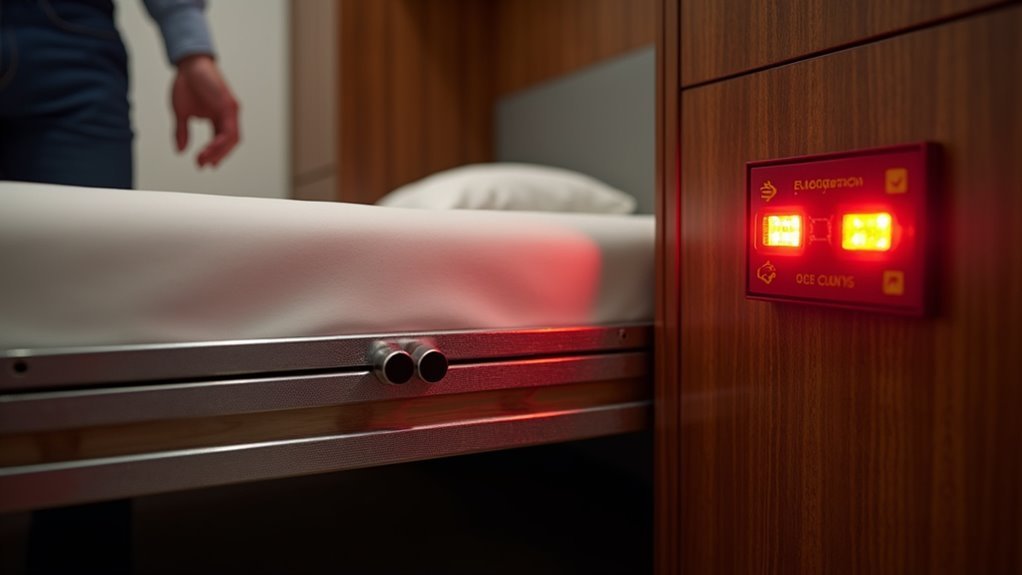
You’ll need to thoroughly test your Murphy bed’s manual override systems before relying on voice commands alone.
Start by locating and activating the emergency stop mechanisms to guarantee they instantly halt bed movement when pressed.
These safety features serve as your backup protection if the voice command system malfunctions or fails to respond properly.
Manual Override Systems
While voice commands offer convenient control over your Murphy bed, manual override systems serve as critical safety backups that every user must understand and maintain.
Your Murphy bed model requires regular inspection of these essential safety features to prevent accidents during power failure situations.
Test your manual override regularly to verify it disengages electric mechanisms without excessive force.
Here’s what you should check:
- Emergency stop button responds immediately when pressed
- Manual release lever operates smoothly without sticking
- Safety locks engage properly when bed’s in position
- Override controls are clearly marked and easily accessible
Familiarize yourself with the user manual’s specific override procedures for your model.
Regular testing confirms these systems work when needed most, providing peace of mind and reliable backup operation.
Emergency Stop Mechanisms
Three distinct emergency stop mechanisms protect you and your family from potential accidents with voice command Murphy beds. These critical safety features include manual emergency buttons, voice-activated stop commands, and automatic obstruction detection sensors that halt movement instantly when activated.
| Safety Feature | Protection Level | Response Time |
|---|---|---|
| Manual Stop Button | High | Immediate |
| Voice Stop Command | Medium | 1-2 seconds |
| Obstruction Sensors | Automatic | Instant |
You’ll need proper installation by qualified technicians to guarantee these systems function correctly. Regular maintenance and testing verify emergency stops respond promptly during actual use. Familiarize yourself with each mechanism’s location and operation—especially if you have children or pets. Test monthly to confirm reliability, as any malfunction poses serious safety risks to household members.
Calibrate Weight Limits and Operating Range
Precision becomes critical when setting up your voice-commanded Murphy bed’s weight parameters and operational boundaries.
You’ll need to calibrate weight limits according to manufacturer specifications, typically between 300-600 pounds, guaranteeing your lifting mechanism operates safely without strain.
Test your smart storage system’s voice command operating range at various distances. Most devices perform best within 30 feet in open spaces. Regular calibration checks maintain peak performance and prevent mechanical issues.
Essential calibration steps include:
- Clear pathways – Remove obstructions around the bed’s deployment zone for unrestricted movement
- Tension adjustments – Set lifting mechanism tension per manufacturer guidelines for your specific mattress weight
- Weight distribution – Balance load evenly across the frame to prevent uneven wear
- Range testing – Verify voice commands work consistently from multiple room positions
Proper calibration guarantees smooth operation and extends your Murphy bed’s lifespan considerably.
Set Up Smartphone App Controls
After confirming your Murphy bed operates smoothly through physical calibration, you’ll want to maximize convenience by connecting it to your smartphone.
Begin by verifying your motorized system’s compatibility with smart home platforms like Alexa or Google Home. Download the appropriate app and create an account, carefully following the setup instructions provided.
Next, connect your Murphy bed’s motorized mechanism to your home Wi-Fi network, guaranteeing a stable connection for reliable operation.
Once connected, use the smartphone app controls to establish custom voice commands for opening and closing your bed. Choose commands that feel natural and are easy to remember.
After configuration, thoroughly test your voice commands to validate proper bed response. If needed, adjust the app settings to optimize functionality and guarantee seamless operation.
Configure Smart Home Integration Settings
Smart home integration transforms your Murphy bed into a seamlessly connected component of your automated living space.
First, verify your bed’s compatibility with smart home systems like Alexa or Google Home by checking manufacturer specifications. Use the accompanying app or web portal to connect your Murphy bed’s control system to your smart home hub, following provided integration instructions carefully.
Configure personalized voice commands through your smart home app:
- Set up phrases like “Open the guest bed” for deployment
- Create commands such as “Close the Murphy bed” for storage
- Customize activation words that feel natural to your household
- Test various command variations to guarantee reliable responses
After setup, test the integration thoroughly by issuing voice commands and adjusting settings for peak performance.
Regular app and firmware updates maintain compatibility.
Perform Final Safety and Functionality Testing
Before putting your voice-controlled Murphy bed into regular service, you’ll need to conduct thorough safety and functionality tests to confirm reliable operation.
Start by testing the lifting and lowering functions multiple times, checking for obstructions or misalignments that could affect performance. Verify all safety locks and straps work correctly to prevent accidental openings during operation.
Next, test your voice command functionality with your smart home system to confirm accurate response to commands.
Ensure the bed frame is properly mounted to the wall by checking that all lag screws are tightened to prevent wobbling or instability.
Complete your functionality testing by inspecting all secure components, including pistons and brackets, verifying they’re in ideal condition for safe operation.
Frequently Asked Questions
What Are the Downsides of Murphy Beds?
You’ll face high upfront costs, complex installation requirements, and physical effort to operate manual models. The mechanisms can wear out over time, and poor placement planning might create cramped spaces in your room.
Can I Sleep on a Murphy Bed Every Night?
You can sleep on a Murphy bed every night if it’s designed for regular use with sturdy mechanisms and quality mattresses. Choose 6-8 inch thick mattresses and maintain the lifting system regularly.
Is It Cheaper to Build or Buy a Murphy Bed?
You’ll typically save money building your own Murphy bed, spending $500-$1,500 versus $1,000-$8,000+ for pre-made options. However, you’ll need carpentry skills, tools, and time investment.
Do All Murphy Beds Need to Be Anchored to the Floor?
You don’t need to anchor most Murphy beds to the floor, but you must secure them to the wall. Wall anchoring into studs prevents tipping and guarantees your safety during operation.



