
You’ve probably wondered if upgrading your home lighting really needs to be complicated. The truth is, installing smart 3-way switches doesn’t require an electrician or a tech degree. We’ve tested five standout options that’ll transform your space without the headaches. But here’s what you need to know before you pick one—some require a neutral wire, others don’t. Let’s explore which fits your home best.
| Kasa Smart 3-Way Wi-Fi Light Switch Kit (2-Pack) |  | Most Trusted Brand | Wi-Fi Connectivity: 2.4GHz Wi-Fi, no hub required | Voice Assistant Compatibility: Alexa, Google Assistant | Installation Type: Single-pole or 3-way configuration | CHECK ON AMAZON | Read Our Analysis |
| TP-Link Tapo Smart Switch Matter Compatible (S515) |  | Best Smart Home Integration | Wi-Fi Connectivity: 2.4GHz Wi-Fi, no hub required | Voice Assistant Compatibility: Alexa, Apple Siri, Google Assistant, Samsung Bixby | Installation Type: Single-pole, 3-way, or 4-way configuration | CHECK ON AMAZON | Read Our Analysis |
| Kasa Smart 3 Way Switch HS210 Wi-Fi Enabled | 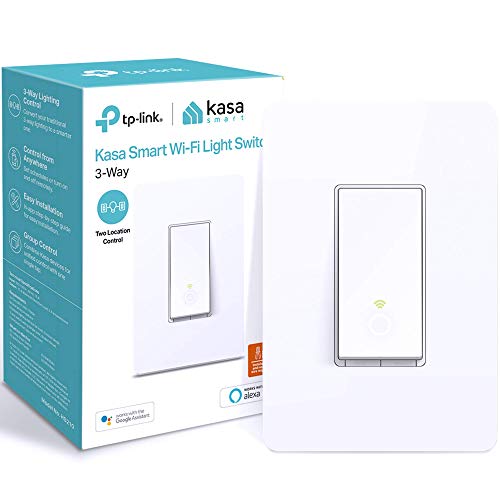 | Best for Simplicity | Wi-Fi Connectivity: 2.4GHz Wi-Fi, no hub required | Voice Assistant Compatibility: Alexa, Google Assistant | Installation Type: Single-pole or 3-way configuration | CHECK ON AMAZON | Read Our Analysis |
| Kasa Smart 3 Way Dimmer Switch Kit Alexa Compatible |  | Best Dimming Control | Wi-Fi Connectivity: 2.4GHz Wi-Fi, no hub required | Voice Assistant Compatibility: Alexa, Google Assistant, SmartThings | Installation Type: 3-way dimmer (replaces traditional 3-way switches) | CHECK ON AMAZON | Read Our Analysis |
| GHome Smart Wi-Fi Light Switch 3-Way (4-Pack) |  | Best Value Pack | Wi-Fi Connectivity: 2.4GHz Wi-Fi, no hub required | Voice Assistant Compatibility: Alexa, Google Assistant | Installation Type: Single-pole or 3-way configuration | CHECK ON AMAZON | Read Our Analysis |
More Details on Our Top Picks
Kasa Smart 3-Way Wi-Fi Light Switch Kit (2-Pack)
If you’re looking for a smart 3-way switch that doesn’t require a hub and works seamlessly with Alexa or Google Home, the Kasa HS210 Kit delivers straightforward installation and reliable performance. You’ll appreciate the app-guided setup that walks you through each step, though you’ll need a neutral wire and 2.4GHz Wi-Fi connection. The kit lets you control lights from two locations—perfect for staircases or entryways—or use your phone to toggle them remotely from anywhere. You can schedule automatic on/off times, activate away mode to simulate occupancy, and enjoy hands-free voice control. With over four million users and UL certification backing it, you’re investing in a trusted, safe solution.
- Wi-Fi Connectivity:2.4GHz Wi-Fi, no hub required
- Voice Assistant Compatibility:Alexa, Google Assistant
- Installation Type:Single-pole or 3-way configuration
- Neutral Wire Requirement:Neutral wire required
- Remote & Scheduling Control:App control, scheduling, away mode
- Safety Certification:UL Certified
- Additional Feature:2-pack bundle included
- Additional Feature:Away mode intrusion deterrent
- Additional Feature:Fade scheduling for bedrooms
TP-Link Tapo Smart Switch Matter Compatible (S515)
Want seamless control across your entire smart home ecosystem without vendor lock-in? The TP-Link Tapo Smart Switch Matter Compatible (S515) delivers exactly that. This Matter-certified device works flawlessly with Amazon Alexa, Apple HomeKit, Google Home, and Samsung SmartThings, giving you genuine cross-brand compatibility.
You’ll appreciate the straightforward setup—the Tapo app walks you through installation step-by-step. Just ensure you’ve got a neutral wire and 2.4GHz Wi-Fi available. Once installed, you’ll enjoy remote control, voice commands, scheduling, and energy monitoring. The deterrent mode simulates occupancy when you’re away, enhancing security while reducing energy costs through coordinated device grouping.
- Wi-Fi Connectivity:2.4GHz Wi-Fi, no hub required
- Voice Assistant Compatibility:Alexa, Apple Siri, Google Assistant, Samsung Bixby
- Installation Type:Single-pole, 3-way, or 4-way configuration
- Neutral Wire Requirement:Neutral wire required
- Remote & Scheduling Control:App control, scheduling, occupancy simulation mode
- Safety Certification:UL Certified, flame-retardant materials
- Additional Feature:Matter certification cross-brand compatibility
- Additional Feature:Energy monitoring tracking capability
- Additional Feature:Occupancy simulation security mode
Kasa Smart 3 Way Switch HS210 Wi-Fi Enabled
Looking for a smart 3-way switch that won’t demand a separate hub or complex wiring knowledge? The Kasa Smart 3 Way Switch HS210 delivers straightforward installation without requiring a separate hub. You’ll appreciate the app-guided setup that walks you through each step, though you’ll need a neutral wire and 2.4 GHz Wi-Fi connection. Once installed, you’ll control lights from one or two locations using the Kasa app or voice commands via Alexa and Google Assistant. The switch excels in typical 3-way scenarios—staircases, garages, or any multi-location setup. It’s UL certified and trusted by over 4 million users, making it a reliable choice for upgrading your home’s lighting control.
- Wi-Fi Connectivity:2.4GHz Wi-Fi, no hub required
- Voice Assistant Compatibility:Alexa, Google Assistant
- Installation Type:Single-pole or 3-way configuration
- Neutral Wire Requirement:Neutral wire required
- Remote & Scheduling Control:App control, scheduling, away mode
- Safety Certification:UL Certified
- Additional Feature:4 million trusted users
- Additional Feature:Single switch or 3-way
- Additional Feature:No hub required operation
Kasa Smart 3 Way Dimmer Switch Kit Alexa Compatible
The Kasa Smart 3 Way Dimmer Switch Kit (KS230 KIT v2) is your best choice if you need a reliable, no-hub smart dimmer that integrates seamlessly with your existing voice assistants. You’ll get precise 1%-100% dimming control via the Kasa app or voice commands through Alexa and Google Assistant. The kit replaces traditional 3-way switches in hallways, stairways, and living rooms with app-guided installation. It supports up to 300W incandescent or 150W dimmable LED bulbs, requires neutral wiring and 2.4GHz Wi-Fi, and comes ETL certified. With scheduling capabilities and remote access from anywhere, you’re getting professional-grade dimming backed by a 2-year warranty and trusted by over 7 million users.
- Wi-Fi Connectivity:2.4GHz Wi-Fi, no hub required
- Voice Assistant Compatibility:Alexa, Google Assistant, SmartThings
- Installation Type:3-way dimmer (replaces traditional 3-way switches)
- Neutral Wire Requirement:Neutral wire required
- Remote & Scheduling Control:App control, 1%-100% dimming with scheduling
- Safety Certification:ETL Certified
- Additional Feature:1%-100% dimming control
- Additional Feature:Supports up to 300W
- Additional Feature:2-year warranty included
GHome Smart Wi-Fi Light Switch 3-Way (4-Pack)
If you’re tired of fumbling with multiple switches to control the same light from different rooms, the GHome Smart Wi-Fi Light Switch 3-Way delivers effortless control from anywhere via your smartphone or voice commands through Alexa and Google Assistant. This 4-pack setup handles both single-pole and 3-way configurations, eliminating complicated wiring headaches. You’ll appreciate that it requires no hub and operates on 2.4GHz Wi-Fi. The neutral wire requirement is straightforward for most homes. Schedule automations let you automate your porch lights to turn on 30 minutes after sunset and off before sunrise. Control up to 1800W per switch, and manage your entire lighting setup simultaneously through the intuitive app.
- Wi-Fi Connectivity:2.4GHz Wi-Fi, no hub required
- Voice Assistant Compatibility:Alexa, Google Assistant
- Installation Type:Single-pole or 3-way configuration
- Neutral Wire Requirement:Neutral wire required
- Remote & Scheduling Control:App control, time scheduling, sunrise/sunset automation
- Safety Certification:FCC Listed
- Additional Feature:4-pack bulk package option
- Additional Feature:Sunrise/sunset automation defaults
- Additional Feature:1800W maximum capacity rated
Factors to Consider When Choosing Smart 3-Way Switches
You’ll want to evaluate your home’s existing wiring setup before selecting a switch, since compatibility varies across models and installation difficulty depends on your electrical configuration. Consider which connectivity standard works best for you—whether you prefer Wi-Fi, Zigbee, or Z-Wave—alongside voice assistant support from Alexa, Google, or Apple. Finally, assess the app features and dimming capabilities you actually need, as these directly impact both functionality and price.
Wiring Requirements and Compatibility
Before selecting a smart 3-way switch, you’ll want to understand what your home’s electrical setup demands. Most smart 3-way switches require a neutral wire for proper operation, allowing the switch to power itself when you’re not actively using it. You’ll also need a 2.4 GHz Wi-Fi network for setup and ongoing communication, since 5 GHz isn’t supported by many models. Check whether your switches support true 3-way operation with two switches or if they need wiring modifications. Compatibility with Alexa and Google Assistant enables convenient voice control across your configuration. If you’re unfamiliar with electrical wiring or your existing circuit lacks a neutral wire, consult an electrician before installation to ensure safety and proper functionality.
Wi-Fi and Connectivity Standards
Connectivity makes or breaks a smart switch’s usefulness, so you’ll want to prioritize models that match your home’s network capabilities. All smart 3-way switches require a 2.4 GHz Wi-Fi network for setup and operation—not 5 GHz—so verify your router supports this band before purchasing. Beyond basic Wi-Fi, consider which voice assistants you use. Compatibility varies across models, with some supporting Alexa, Google Assistant, Apple HomeKit, or SmartThings. If cross-brand interoperability matters to you, look for switches with Matter support, which enables seamless integration across multiple platforms. Finally, ensure your chosen switch works with your ecosystem’s companion app for remote control, scheduling, and automation features like occupancy detection and group control.
Voice Assistant Integration Options
While network compatibility establishes the foundation for smart switches, voice assistant support determines how naturally they’ll fit into your daily routine. You’ll want to ensure your chosen switch supports your preferred assistant—whether that’s Alexa, Google Assistant, or Siri through HomeKit—for genuine hands-free control.
Verify that voice commands work at both 3-way locations, not just through apps or physical switches. Check your ecosystem’s compatibility requirements, as some switches integrate natively with multiple assistants while others demand additional hubs or platforms.
During setup, you’ll likely need to link accounts and grant cloud access to enable voice functionality. Look for devices offering advanced voice-accessible features like scheduling, scenes, and Away modes. This ensures your smart switches deliver practical convenience beyond basic on-off commands.
Dimming and Brightness Control
How much control do you actually need over your lighting? Dimming capability varies significantly across smart 3-way switches. Some models support full 1%-100% dimming ranges, while others don’t dim at all. You’ll need to verify compatible bulb types and wattage limits—incandescent bulbs typically max out at 300W, whereas dimmable LEDs cap at 150W. Don’t overlook scheduling and scene integration features, which enable automatic gradual brighten-dim sequences throughout your day. Consider your home’s infrastructure too: some dimmers require neutral wires, and 2.4 GHz Wi-Fi compatibility can constrain installation options in certain circuits. Evaluate these factors based on your specific rooms and usage patterns to select the right switch for your needs.
Remote Access and App Features
What’s the real value of a smart 3-way switch if you can’t control it when you’re away from home? Remote access transforms your lighting through a smartphone app, letting you toggle switches on/off or adjust brightness from anywhere. You’ll appreciate scheduling features that automate lights at specific times, while timers and automation rules respond to real-time events. Many systems integrate with Alexa or Google Assistant for voice control convenience. Occupancy and away modes simulate your presence, boosting security during travel. For reliable functionality, ensure your system supports 2.4 GHz Wi-Fi and includes a neutral wire for stable connectivity. These app-based features deliver genuine convenience and peace of mind beyond basic switching capabilities.
Scheduling and Automation Capabilities
Most smart 3-way switches let you set specific on/off times, countdown timers, and sunrise/sunset schedules to match your daily routine. You can create away or occupancy simulation modes that automate lighting patterns when you’re traveling, enhancing security while reducing energy waste.
Many switches integrate with routine automations, allowing you to group them with other smart devices for coordinated scenes. You’ll appreciate how 3-way configurations support independent scheduling from each control location or unified schedules across both positions, depending on your preferences.
Setup typically requires app-guided installation to configure these automations. Note that neutral wiring and 2.4 GHz Wi-Fi connectivity are usually necessary for these features to function properly.
Safety Certifications and Reliability
Beyond automating your routines, you’ll want to ensure the switches you choose meet rigorous safety standards and deliver long-term reliability. Look for UL or ETL certification, which guarantees safe electrical performance and proper grounding through neutral wire compatibility. Verify that switches are flame-retardant and UL-listed to minimize fire risk in your wiring installations.
Robust overcurrent and short-circuit protections should be standard features across any smart switch you’re considering. These safeguards prevent electrical damage and enhance overall system safety.
Finally, prioritize manufacturers with proven track records—those serving millions of users demonstrate tested, durable safety practices. Their established reputation reflects years of reliable performance and customer trust, giving you confidence in your installation’s long-term safety and functionality.
Installation Complexity and Support
How straightforward is your installation going to be? You’ll want to check whether a model requires neutral wiring—most smart 3-way switches do—since this affects whether you’ll need electrical work. Many manufacturers provide app-guided installation through Kasa or Tapo apps, walking you through configuration step-by-step for either 3-way or single-pole modes.
If you’re unfamiliar with electrical wiring, consulting an electrician is wise given the complexities involved in replacing traditional 3-way switches. Some kits add dimmer capability, introducing additional configuration steps for brightness control across both locations. Don’t overlook voice assistant compatibility either, as integrating Alexa or Google Assistant control from both switch positions requires proper setup during installation. These factors directly influence your installation timeline and difficulty level.
Frequently Asked Questions
Can I Install Smart 3-Way Switches Without Hiring a Professional Electrician?
Yes, you can install smart 3-way switches yourself if you’re comfortable working with electrical wiring. You’ll need to turn off power, understand your current wiring setup, and follow the manufacturer’s instructions carefully. However, you should consult a professional if you’re unsure about anything.
What’s the Difference Between Smart 3-Way Switches and Regular Dimmer Switches?
You’ll find that smart 3-way switches let you control lights from multiple locations using apps or voice commands, while regular dimmers only adjust brightness from one spot. Smart switches offer remote access and automation that basic dimmers can’t provide.
Do Smart 3-Way Switches Work During Internet Outages or Network Failures?
You’ll be happy to know that most smart 3-way switches continue working during internet outages. They’ll operate through local wireless protocols like Zigbee or Z-Wave, letting you control your lights normally without relying on your home network connection.
How Much Electricity Do Smart 3-Way Switches Consume When in Standby Mode?
You’ll typically find that smart 3-way switches consume between 0.5-2 watts during standby mode, depending on the model. Most modern switches are energy-efficient, so you won’t notice a significant impact on your electricity bills from standby power consumption alone.
Are Smart 3-Way Switches Compatible With Older Home Electrical Wiring Systems?
You’ll find that most modern smart 3-way switches work with older wiring, but you should verify your home’s voltage and wiring configuration first. You might need a neutral wire, which older systems sometimes lack, requiring adapter installation.




Leave a Reply