
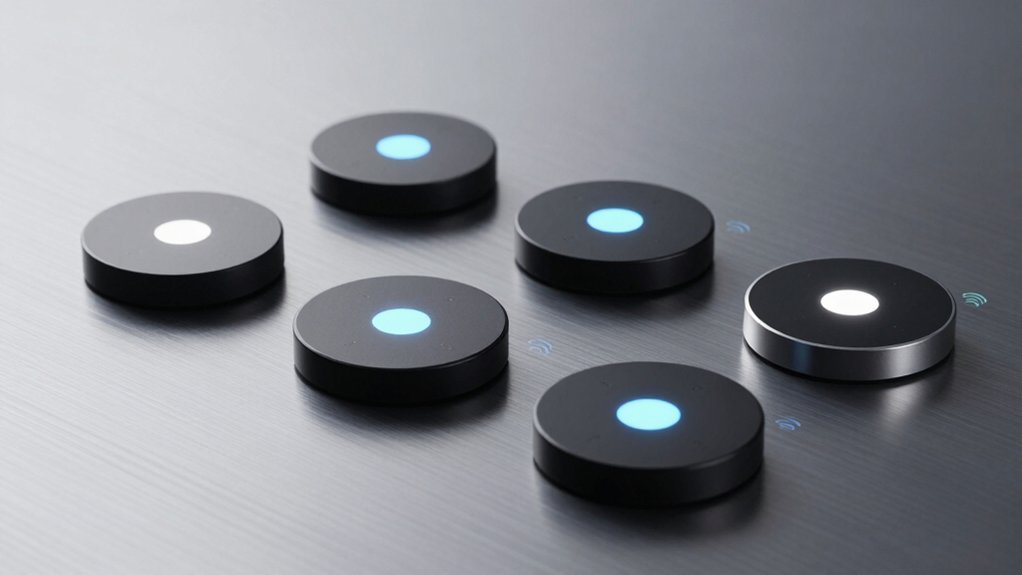
You’re probably wondering which smart button controller will actually work with your existing ecosystem without creating compatibility headaches. Whether you’re all-in on Alexa, HomeKit, or juggling multiple platforms, finding the right wireless remote can transform how you control your home. But not every option offers the same flexibility or ease of setup. Let’s explore what sets the top contenders apart.
| Wireless Zigbee Smart Button Remote Control Switch |  | Most Compatible | Primary Control Method: Wireless Zigbee 4-button remote | Smart Home Ecosystem Compatibility: Tuya, Home Assistant, Homey, Hubitat, HomeKit, SmartThings | Power Source: Lithium button battery (included) | CHECK ON AMAZON | Read Our Analysis |
| Amazon Basics Smart Dimmer Switch with Alexa |  | Alexa Ecosystem Pick | Primary Control Method: Battery-powered Alexa remote | Smart Home Ecosystem Compatibility: Amazon Alexa only | Power Source: Battery-powered (type unspecified) | CHECK ON AMAZON | Read Our Analysis |
| GoveeLife Wireless Mini Smart 6 Button Sensor |  | GoveeLife Specialist | Primary Control Method: Wireless 6-button sensor | Smart Home Ecosystem Compatibility: GoveeLife devices only | Power Source: Battery-powered (type unspecified) | CHECK ON AMAZON | Read Our Analysis |
| SwitchBot Smart Switch Button Pusher Bluetooth Fingerbot |  | Universal Switch Control | Primary Control Method: Adhesive-mounted physical switch pusher | Smart Home Ecosystem Compatibility: SwitchBot ecosystem, Alexa, Google Assistant, Siri, Apple Home | Power Source: 3V CR2 battery (up to 600 days) | CHECK ON AMAZON | Read Our Analysis |
| Leviton Decora Smart Controller Switch Wi-Fi White |  | Wired Installation Option | Primary Control Method: Wired multi-button wall switch | Smart Home Ecosystem Compatibility: Leviton My Leviton, Alexa, Google Assistant, Apple Home | Power Source: Wired (requires neutral wire) | CHECK ON AMAZON | Read Our Analysis |
| Wireless Zigbee Smart Button 12 Scene Controller |  | Scene Automation Expert | Primary Control Method: Wireless Zigbee 4-button remote | Smart Home Ecosystem Compatibility: Tuya, Home Assistant, Homey, Hubitat | Power Source: 2 AAA batteries (up to 2 years) | CHECK ON AMAZON | Read Our Analysis |
| GoveeLife Smart Mini Double Button Switch |  | Budget-Friendly Control | Primary Control Method: Wireless 2-button sensor | Smart Home Ecosystem Compatibility: GoveeLife devices only | Power Source: Battery-powered (type unspecified) | CHECK ON AMAZON | Read Our Analysis |
More Details on Our Top Picks
Wireless Zigbee Smart Button Remote Control Switch
Looking to control multiple smart home devices from a single remote? The Wireless Zigbee Smart Button Remote Control Switch delivers exactly that. This 4-way scene controller works seamlessly with Tuya, Home Assistant, Homey, and Hubitat—plus HomeKit and SmartThings via compatible Matter gateways. Each button supports single, double, and long-press actions, letting you trigger device actions, adjust blinds, or activate pre-programmed scenes. The energy-efficient design runs on an included high-capacity lithium battery lasting months. Its sturdy, compact build makes it perfect for customizable automation across multiple ecosystems without the hassle of complex setup.
- Primary Control Method:Wireless Zigbee 4-button remote
- Smart Home Ecosystem Compatibility:Tuya, Home Assistant, Homey, Hubitat, HomeKit, SmartThings
- Power Source:Lithium button battery (included)
- Maximum Control Range/Distance:Reliable Zigbee wireless range
- Number of Programmable Buttons/Actions:4 buttons (single, double, long press)
- Installation/Setup Requirements:Pairing with Zigbee hub (no physical installation)
- Additional Feature:Multi-platform ecosystem integration
- Additional Feature:Long-lasting lithium button battery
- Additional Feature:Triple-action button support
Amazon Basics Smart Dimmer Switch with Alexa
If you’re seeking a no-frills smart button controller that integrates seamlessly with your existing Echo ecosystem, the Amazon Basics Smart Dimmer Switch delivers practical control without installation hassles. You’ll enjoy battery-powered portability, letting you manage lights, music, thermostats, blinds, locks, and air purifiers from anywhere in your home—no voice commands needed. Setup’s straightforward: remove the battery tag, then follow the guided installation in your Alexa app. Since it works exclusively with Echo devices as your smart hub, you’re limited to the Alexa ecosystem. However, if you’ve already invested in Amazon’s smart home infrastructure, this remote offers powerful automations and multi-device interaction capabilities that justify its place in your connected home.
- Primary Control Method:Battery-powered Alexa remote
- Smart Home Ecosystem Compatibility:Amazon Alexa only
- Power Source:Battery-powered (type unspecified)
- Maximum Control Range/Distance:Anywhere in house
- Number of Programmable Buttons/Actions:1 main button with multiple functions
- Installation/Setup Requirements:Simple app setup, no wiring required
- Additional Feature:Voice-free remote control option
- Additional Feature:Multi-device interaction capability
- Additional Feature:Guided Alexa app setup
GoveeLife Wireless Mini Smart 6 Button Sensor
Need centralized control for multiple GoveeLife devices without relying on voice assistants? The GoveeLife Wireless Mini Smart 6 Button Sensor delivers exactly that. You can command up to 50 GoveeLife smart devices simultaneously from a single button, streamlining your automation across rooms. Its 55-meter range ensures reliable connectivity throughout your home. Each press alternates between executing commands and powering off devices, giving you intuitive one-touch control. The sensor works best when paired with GoveeLife’s dual-mode gateway devices, which support both Wi-Fi and Bluetooth connectivity. If you experience weak signal issues, simply reposition the sensor closer to your devices and retry. It’s an excellent choice for comprehensive smart home management.
- Primary Control Method:Wireless 6-button sensor
- Smart Home Ecosystem Compatibility:GoveeLife devices only
- Power Source:Battery-powered (type unspecified)
- Maximum Control Range/Distance:55m/180ft (no 5G WiFi)
- Number of Programmable Buttons/Actions:6 buttons with one-touch control
- Installation/Setup Requirements:Pairing with GoveeLife gateway (no installation)
- Additional Feature:Controls up to 50 devices
- Additional Feature:Alternate on/off toggle mode
- Additional Feature:Multi-room automation support
SwitchBot Smart Switch Button Pusher Bluetooth Fingerbot
The SwitchBot Smart Switch Button Pusher Bluetooth Fingerbot stands out as the ideal choice for anyone seeking universal smart home automation without complicated installation. You’ll mount it beside compatible rocker switches or one-way buttons using the included 3M adhesive—no tools required. The device runs up to 600 days on a single CR2 battery with twice-daily usage. You can create independent on/off schedules through the SwitchBot App, automating lights and appliances remotely. For enhanced capabilities, pair it with a SwitchBot Hub to unlock voice control via Alexa, Google Assistant, or Siri. The Hub 2 also enables Apple Home compatibility through Matter integration.
- Primary Control Method:Adhesive-mounted physical switch pusher
- Smart Home Ecosystem Compatibility:SwitchBot ecosystem, Alexa, Google Assistant, Siri, Apple Home
- Power Source:3V CR2 battery (up to 600 days)
- Maximum Control Range/Distance:Requires Hub for extended range
- Number of Programmable Buttons/Actions:1 pusher (Press or Switch mode)
- Installation/Setup Requirements:3M adhesive mount, no tools required
- Additional Feature:600-day battery life capability
- Additional Feature:Built-in independent timer scheduling
- Additional Feature:Matter support via Hub 2
Leviton Decora Smart Controller Switch Wi-Fi White
Looking for a smart button controller that integrates seamlessly with your existing smart home ecosystem? The Leviton Decora Smart Controller Switch offers multi-button control across Leviton, Alexa, Google Assistant, and Apple Home. You’ll appreciate the three customizable lighting scenes you can program through the My Leviton app or Apple HomeKit. Installation’s straightforward—you simply replace your existing switch with this Wi-Fi enabled device. It supports flexible automation, including on/off control of multiple smart devices and IFTTT integration. You can even add wireless 3-way capability with the optional Anywhere Switch Companion, giving you complete control throughout your home without rewiring.
- Primary Control Method:Wired multi-button wall switch
- Smart Home Ecosystem Compatibility:Leviton My Leviton, Alexa, Google Assistant, Apple Home
- Power Source:Wired (requires neutral wire)
- Maximum Control Range/Distance:Local Wi-Fi network (2.4GHz)
- Number of Programmable Buttons/Actions:3 custom scene buttons plus On/Off
- Installation/Setup Requirements:Replace existing wall switch, wiring required
- Additional Feature:Custom scene creation capability
- Additional Feature:Optional wireless 3-way companion
- Additional Feature:Custom engraved button options
Wireless Zigbee Smart Button 12 Scene Controller
Want wireless control that doesn’t demand your constant attention? The Wireless Zigbee Smart Button 12 Scene Controller delivers seamless automation through four buttons supporting single-click, double-click, and long-press actions. You’ll trigger lighting adjustments, curtain control, and pre-programmed scenes without opening apps or issuing voice commands. Compatible with Tuya, Home Assistant, Homey, and Hubitat, it pairs effortlessly via Zigbee 3.0. Each button offers three pairing modes, enabling up to twelve scenes across different lifestyles. Powered by two AAA batteries lasting two years, this compact, energy-efficient controller combines robust design with intuitive wireless convenience—perfect for simplified smart home automation.
- Primary Control Method:Wireless Zigbee 4-button remote
- Smart Home Ecosystem Compatibility:Tuya, Home Assistant, Homey, Hubitat
- Power Source:2 AAA batteries (up to 2 years)
- Maximum Control Range/Distance:Seamless Zigbee wireless range
- Number of Programmable Buttons/Actions:4 buttons with 12 scenes (3 modes per button)
- Installation/Setup Requirements:Pairing with Zigbee hub (no physical installation)
- Additional Feature:12 scene maximum capacity
- Additional Feature:Two-year battery life span
- Additional Feature:Three pairing modes per button
GoveeLife Smart Mini Double Button Switch
If you’re building a GoveeLife smart home ecosystem, this wireless double button switch delivers straightforward control over up to 50 connected devices from a single point. Each button operates independently, letting you execute commands or toggle devices on and off with alternating presses. The battery-powered design works across 55 meters via GoveeLife dual-mode gateways, supporting multi-scenario automation throughout your home. You’ll appreciate the one-touch synchronization for app-connected devices in the same space. Note that it doesn’t integrate with Alexa or Google Assistant, and one account supports up to 10 sensors before you’ll need additional accounts. Connectivity relies on 2.4GHz Wi-Fi only.
- Primary Control Method:Wireless 2-button sensor
- Smart Home Ecosystem Compatibility:GoveeLife devices only
- Power Source:Battery-powered (type unspecified)
- Maximum Control Range/Distance:55m/180ft (no 5G WiFi)
- Number of Programmable Buttons/Actions:2 buttons with synchronous control
- Installation/Setup Requirements:Pairing with GoveeLife gateway (no installation)
- Additional Feature:Supports 50 GoveeLife devices
- Additional Feature:Alternate command execution mode
- Additional Feature:Multi-account expansion option
Factors to Consider When Choosing Smart Button Controllers
When selecting a smart button controller, you’ll want to evaluate how well it integrates with your existing smart home ecosystem and whether its power source aligns with your maintenance preferences. You should also examine its connectivity range, the wireless standards it supports, and what automation capabilities it offers for your specific needs. Finally, consider the installation complexity and whether you can set it up yourself or need professional help.
Ecosystem Compatibility and Integration
How you choose a smart button controller depends heavily on whether it plays nicely with your existing smart home setup. You’ll want to verify compatibility with your ecosystem—whether that’s Tuya, Home Assistant, Homey, Hubitat, Alexa, or HomeKit—and determine if you need a specific hub or gateway. Next, confirm the controller supports your protocol: Zigbee, Bluetooth, or Wi-Fi, and that your hub can actually pair with it. Check the button count and available actions like single, double, and long presses to ensure they match your automation needs. Finally, assess whether the device integrates across multiple ecosystems through a central gateway and supports future updates like Matter, keeping your investment relevant as smart home technology evolves.
Power Source and Battery Life
Your smart button controller’s power source directly impacts where you can place it and how often you’ll need maintenance. You’ll find most options powered by batteries—coin cells or AAA—or plug-in variants, each offering distinct advantages. Battery-powered models provide maximum portability and flexibility, while wired options eliminate recharging concerns but require installation planning.
Battery life varies significantly based on your usage patterns. You can expect anywhere from months to years of operation, with some models lasting up to 600 days under twice-daily use. Many manufacturers design energy-efficient controllers to maximize longevity, reducing your maintenance burden.
When selecting a controller, you’ll want to verify the specific battery type required—like 3V CR2 or 2 AAA batteries—and confirm the expected lifespan matches your needs.
Range and Connectivity Standards
Because smart button controllers rely on wireless communication to function effectively, understanding their connectivity standards and operational range is crucial to ensuring reliable device control throughout your home. Zigbee-based controllers typically offer the best range, extending up to 55 meters with compatible hubs, while Bluetooth options provide shorter distances and require closer proximity. You’ll want to consider your home’s layout and whether you need cross-room control. Wi-Fi and Bluetooth distributed gateways can coordinate multiple devices but may limit reliability depending on your network band compatibility. Note that some controllers don’t support 5G Wi-Fi, restricting them to 2.4 GHz networks. Adding compatible hubs or gateways significantly improves both range and connectivity stability across your entire home.
Button Functionality and Automation
What separates a basic smart button from a truly versatile controller? Button functionality and automation capabilities. You’ll want to consider whether your controller supports single, double, and long press actions—these variations let you trigger multiple scenes or device actions from one button. Multi-press capabilities expand possibilities further, enabling distinct tasks across different devices simultaneously. Scene configurations matter too; 12-scene setups offer greater automation complexity than 4-scene models. Look for alternate press modes that execute versus turn-off sequences, streamlining sequential task automation into one button. Built-in timers and scheduling features are valuable, allowing your buttons to operate independently without app or hub reliance. These factors directly impact how efficiently you’ll automate your smart home environment.
Installation Requirements and Setup
How you’ll install and set up your smart button controller shouldn’t be an afterthought—it fundamentally shapes your experience. You’ll want to verify whether your device needs a hub or gateway, like Zigbee or Matter-enabled systems, before purchasing. Confirm the wireless protocol matches your existing ecosystem. Check power requirements too—battery type and lifespan vary significantly between models, from CR2 cells lasting two years to alternatives with different longevity.
Installation methods differ considerably. Some buttons use adhesive mounting requiring no tools, while others replace existing switches and may demand neutral wiring. Review setup steps carefully: does it require a mobile app? Does your voice assistant integrate? Understanding pairing procedures upfront prevents frustration later.
Frequently Asked Questions
Can Smart Button Controllers Work With Multiple Smart Home Platforms Simultaneously?
You’ll find that most modern smart button controllers support multiple platforms through universal protocols like Zigbee, Z-Wave, or Matter. You can integrate them with Alexa, Google Home, and Apple HomeKit simultaneously for seamless cross-platform automation.
What Is the Typical Battery Life of Wireless Smart Button Controllers?
You’ll typically get 6 to 24 months of battery life from wireless smart button controllers, depending on usage frequency and model. Most use standard AA or AAA batteries, though some premium options offer rechargeable alternatives for extended convenience.
Do Smart Button Controllers Require a Separate Hub or Bridge Device?
You don’t always need a separate hub. Many modern smart button controllers connect directly to your Wi-Fi network or pair directly with your smartphone. However, some systems do require a bridge device for optimal performance and reliability.
Can Smart Buttons Be Programmed to Control Non-Smart Devices or Appliances?
You can program smart buttons to control non-smart devices by connecting them to smart home hubs or using IR blasters. You’ll need compatible automation systems that translate your button commands into signals your traditional appliances recognize.
Are Smart Button Controllers Compatible With Voice Assistants Other Than Alexa?
Yes, you’ll find that many smart button controllers work with Google Assistant, Siri, and other voice platforms. You’re not limited to Alexa—most modern controllers support multiple ecosystems, so you can choose what fits your setup best.




Leave a Reply