
You’re probably juggling multiple smart home ecosystems, wondering which fan controller actually works with your setup. Do you need hub-free convenience or robust scheduling capabilities? Perhaps you’re torn between budget-friendly options and premium features. The truth is, you’ve got choices—some offering Wi-Fi simplicity, others delivering ecosystem flexibility you didn’t know you needed. Here’s what separates the best from the rest.
| Leviton Decora Smart Fan Speed Controller Wi-Fi |  | Best Overall | Control Methods: App, voice (Alexa/Google/Siri), scheduling, auto-shutoff timer | Fan Speed Settings: 4 speeds (low, medium, high, max) | Smart Home Compatibility: My Leviton, Alexa, Google Assistant, Apple Home/Siri | CHECK ON AMAZON | Read Our Analysis |
| Kasa Smart Ceiling Fan Control & Dimmer Switch (KS240) |  | Most Compatible | Control Methods: App, voice (Alexa/Google/HomeKit), scheduling, timer | Fan Speed Settings: 4 speeds | Smart Home Compatibility: Apple HomeKit, Alexa, Google Assistant | CHECK ON AMAZON | Read Our Analysis |
| Lutron Caseta Smart Fan Speed Control Switch (PD-FSQN-WH) |  | Premium Smart Control | Control Methods: App, voice (Alexa/Google/HomeKit), wall switch, wireless remote (sold separately), scenes | Fan Speed Settings: 4 speeds plus off | Smart Home Compatibility: Alexa, Apple Home, Google Assistant, Ring, Serena shades, Sonos | CHECK ON AMAZON | Read Our Analysis |
| Amazon Basics Smart Fan Control Switch Alexa |  | Budget-Friendly Pick | Control Methods: Voice (Alexa only), app (Alexa app), scheduling via routines | Fan Speed Settings: 4 speeds | Smart Home Compatibility: Alexa only | CHECK ON AMAZON | Read Our Analysis |
| Smart Wi-Fi Ceiling Fan Remote Control Kit |  | Universal Retrofit Option | Control Methods: Remote, app (Smart Life), voice (Alexa/Google), scheduling/timers | Fan Speed Settings: 4 speeds (high, medium, low, off) | Smart Home Compatibility: Alexa, Google Assistant | CHECK ON AMAZON | Read Our Analysis |
| AC Motor Speed Controller 120V 15A with LED Display | 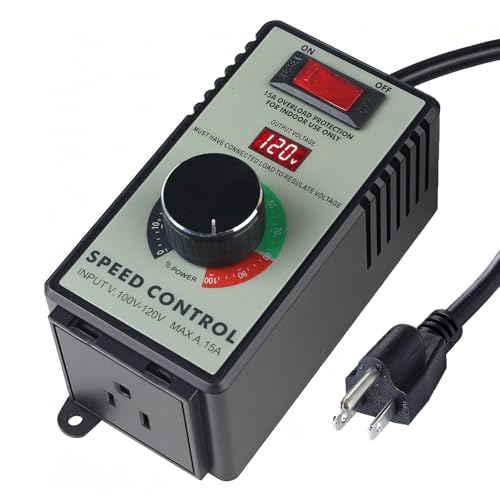 | Basic Speed Controller | Control Methods: Manual knob control, LED display | Fan Speed Settings: Variable speed control (continuous) | Smart Home Compatibility: None (non-smart controller) | CHECK ON AMAZON | Read Our Analysis |
| Universal Smart WiFi Ceiling Fan Remote Control Kit | 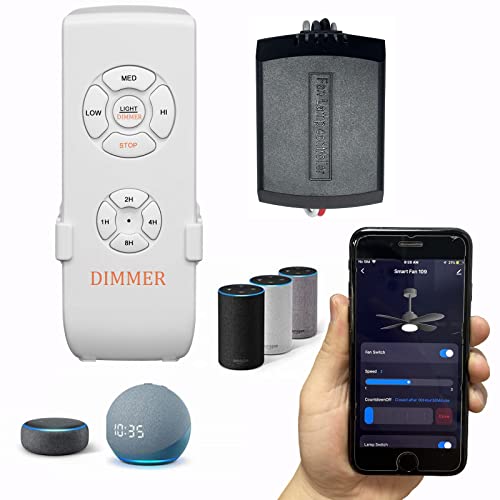 | Best Smart Integration | Control Methods: App, voice (Alexa/Google), remote (sold separately), scheduling | Fan Speed Settings: 3 speeds | Smart Home Compatibility: Smart Life App, Alexa, Google Assistant | CHECK ON AMAZON | Read Our Analysis |
| BN-LINK Variable Fan Speed Controller (600W) |  | Plug-and-Play Solution | Control Methods: Manual knob control only | Fan Speed Settings: 3 speeds (low, medium, high) | Smart Home Compatibility: None (non-smart controller) | CHECK ON AMAZON | Read Our Analysis |
| Meross Smart Ceiling Fan Control & Dimmer Light Switch |  | Best Smart Features | Control Methods: App, voice (Alexa/Siri/Google), scheduling, sunrise/sunset automation | Fan Speed Settings: 3 or 4 fan speeds | Smart Home Compatibility: Apple HomeKit, Alexa, Google Home, SmartThings | CHECK ON AMAZON | Read Our Analysis |
| TREATLIFE Smart Ceiling Fan Control (2-Pack) | 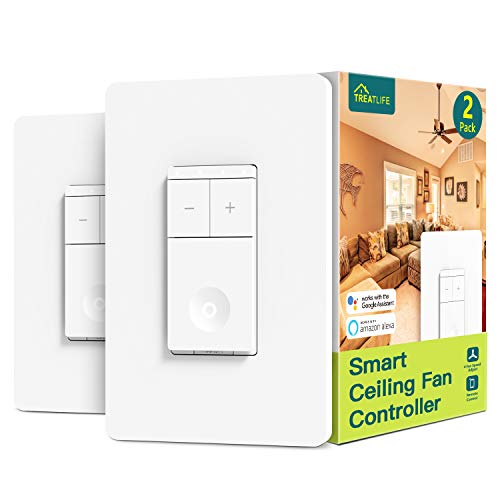 | Best Value 2-Pack | Control Methods: App, voice (Alexa/Google), scheduling, timer, countdown | Fan Speed Settings: 4 speeds | Smart Home Compatibility: Alexa, Google Assistant | CHECK ON AMAZON | Read Our Analysis |
More Details on Our Top Picks
Leviton Decora Smart Fan Speed Controller Wi-Fi
If you’re looking for a hub-free smart fan controller that integrates seamlessly with your existing smart home setup, the Leviton Decora Smart Fan Speed Controller Wi-Fi delivers straightforward control without extra hardware. The 2nd Gen model (D24SF-1RW) replaces your existing switch and offers four-speed settings: low, medium, high, and max. You’ll get voice control through Google Assistant, Alexa, and Apple Siri, plus scheduling and auto-shutoff features. Installation’s simple—just ensure you’ve got a neutral wire available. It handles ceiling fans up to 1.5A and includes a screwless wallplate. Optional companion devices expand functionality across multiple rooms, while wallplate color kits let you match your décor.
- Control Methods:App, voice (Alexa/Google/Siri), scheduling, auto-shutoff timer
- Fan Speed Settings:4 speeds (low, medium, high, max)
- Smart Home Compatibility:My Leviton, Alexa, Google Assistant, Apple Home/Siri
- Installation Type:Wall switch replacement; neutral wire required
- WiFi/Connectivity:Wi-Fi (no hub required)
- Load Capacity:Up to 1.5A (ceiling fans only)
- Additional Feature:Auto scheduling and shutoff timer
- Additional Feature:Slim design, no hub required
- Additional Feature:Screwless wallplate included
Kasa Smart Ceiling Fan Control & Dimmer Switch (KS240)
Looking for seamless integration with your existing smart home ecosystem? The Kasa Smart Ceiling Fan Control & Dimmer Switch (KS240) delivers exactly that. You’ll control four fan speeds and adjustable brightness through the Kasa Smart app or Apple HomeKit, plus voice commands via Alexa and Google Assistant. The single-pole design requires a neutral wire and installs into standard wall plates without complicated wiring knowledge. You can schedule automation to simulate occupancy or create welcoming ambiance before arrival. With 2.4GHz Wi-Fi connectivity, you’re getting reliable remote access to your fan and lighting from anywhere, making this an excellent choice for comprehensive ceiling fan automation.
- Control Methods:App, voice (Alexa/Google/HomeKit), scheduling, timer
- Fan Speed Settings:4 speeds
- Smart Home Compatibility:Apple HomeKit, Alexa, Google Assistant
- Installation Type:Wall switch replacement; neutral wire required
- WiFi/Connectivity:2.4G Wi-Fi only
- Load Capacity:Ceiling fan + dimmable light load
- Additional Feature:Adjustable brightness with dimmer
- Additional Feature:App-guided installation process
- Additional Feature:Schedule presence to deter burglars
Lutron Caseta Smart Fan Speed Control Switch (PD-FSQN-WH)
The Lutron Caseta Smart Fan Speed Control Switch delivers seamless control for homeowners who want to integrate their ceiling fans into a thorough smart home ecosystem. You’ll manage four fan speeds plus off through your wall switch, smartphone app, or voice commands via Alexa, Google Assistant, and Apple Home. The switch requires a Caseta Smart Hub and neutral wire for installation, which takes roughly 15 minutes. It supports single-pole setups and handles up to 1.5A for typical ceiling fans. For three-way control, add the optional Fan Pico remote. This switch excels at creating scenes and schedules, making it ideal if you’re already invested in Lutron’s ecosystem.
- Control Methods:App, voice (Alexa/Google/HomeKit), wall switch, wireless remote (sold separately), scenes
- Fan Speed Settings:4 speeds plus off
- Smart Home Compatibility:Alexa, Apple Home, Google Assistant, Ring, Serena shades, Sonos
- Installation Type:Wall switch replacement; neutral wire required
- WiFi/Connectivity:Requires Caseta Smart Hub
- Load Capacity:Up to 1.5A single ceiling fan
- Additional Feature:Smart hub required for features
- Additional Feature:Wireless Pico remote control
- Additional Feature:Create scenes with button
Amazon Basics Smart Fan Control Switch Alexa
Amazon’s offering stands out for Alexa enthusiasts who want straightforward voice control without the hassle of additional hubs or third-party apps. You’ll appreciate the simplicity—it works exclusively with Alexa, connecting directly via 2.4 GHz Wi-Fi. The switch features four speed settings with LED indicators, letting you adjust your ceiling fan precisely. You can control it remotely through the Alexa app or set up routines to automate schedules. Installation requires neutral wires and works with single-pole fan systems. While it lacks compatibility with other ecosystems, if you’re already invested in Alexa, this affordable option delivers essential smart control without unnecessary complexity.
- Control Methods:Voice (Alexa only), app (Alexa app), scheduling via routines
- Fan Speed Settings:4 speeds
- Smart Home Compatibility:Alexa only
- Installation Type:Wall switch replacement; neutral wire required
- WiFi/Connectivity:2.4 GHz Wi-Fi (no hub required)
- Load Capacity:1-way ceiling fan control (capacity not specified)
- Additional Feature:LED indicators for speed settings
- Additional Feature:Alexa routines and scheduling
- Additional Feature:No 3rd party apps required
Smart Wi-Fi Ceiling Fan Remote Control Kit
Want seamless control over your existing ceiling fan without replacing it entirely? The Smart Wi-Fi Ceiling Fan Remote Control Kit offers you three intuitive control methods: traditional remote, Smart Life app, and voice commands compatible with Alexa and Google Assistant. You’ll enjoy four fan speeds, adjustable lighting with dimming capabilities, and four timing options ranging from one to eight hours. The compact receiver works with approximately 98% of standard ceiling fans, including Hampton Bay and Harbor Breeze models. Installation’s straightforward with included step-by-step instructions, and you can schedule automation routines for enhanced convenience. Premium components ensure reliable, safer performance throughout your smart home setup.
- Control Methods:Remote, app (Smart Life), voice (Alexa/Google), scheduling/timers
- Fan Speed Settings:4 speeds (high, medium, low, off)
- Smart Home Compatibility:Alexa, Google Assistant
- Installation Type:Receiver unit (universal fit); no wiring required
- WiFi/Connectivity:2.4G Wi-Fi (app-based)
- Load Capacity:Universal ceiling fan compatibility (~98% of brands)
- Additional Feature:Compatible with ~98% fans
- Additional Feature:4 timing options (1-8H)
- Additional Feature:RF wireless remote included
AC Motor Speed Controller 120V 15A with LED Display
Looking for a straightforward way to control exhaust fan speeds in your hydroponics setup? The AC Motor Speed Controller 120V 15A with LED Display delivers exactly that. You’ll get precise voltage monitoring via its high-precision LED display while managing speeds on AC brushed motors up to 2000W resistive load or 1500W inductive load. The controller features robust overload protection that automatically cuts power if current exceeds 15A, keeping your equipment safe. Its flame-retardant ABS housing and phosphor bronze internal fittings ensure durability in demanding environments. Just note: it’s incompatible with devices containing circuit boards or capacitors. For basic, reliable fan speed control without smart features, this wired solution works efficiently.
- Control Methods:Manual knob control, LED display
- Fan Speed Settings:Variable speed control (continuous)
- Smart Home Compatibility:None (non-smart controller)
- Installation Type:Plug-in inline controller; no wiring required
- WiFi/Connectivity:No WiFi (hardwired control only)
- Load Capacity:Up to 15A (2000W resistive, 1500W inductive)
- Additional Feature:High-precision LED voltage meter
- Additional Feature:Overload/short-circuit protection built-in
- Additional Feature:Flame-retardant ABS plastic housing
Universal Smart WiFi Ceiling Fan Remote Control Kit
If you’ve got a ceiling fan from Hampton Bay, Hunter, Harbor Breeze, or a similar brand and you’re tired of hunting for the original remote, this universal smart controller won’t let you down. You’ll get seamless integration with Alexa and Google Assistant, plus app-based control through Smart Life. The compact receiver fits most conventional ceiling fan covers and lets you independently manage fan speeds (three settings) and dimmable lighting. You’ll need a 2.4G WiFi network for connectivity—avoid 5G frequencies. Installation’s straightforward, and you’ll enjoy real-time device status syncing through your smartphone, making fan management convenient and intuitive.
- Control Methods:App, voice (Alexa/Google), remote (sold separately), scheduling
- Fan Speed Settings:3 speeds
- Smart Home Compatibility:Smart Life App, Alexa, Google Assistant
- Installation Type:Wall switch replacement or remote receiver; neutral wire required
- WiFi/Connectivity:2.4G Wi-Fi (app-based)
- Load Capacity:Universal ceiling fan compatibility (multiple brands)
- Additional Feature:Dimmable for multiple lamp types
- Additional Feature:Separate fan/light controls
- Additional Feature:Compact receiver design
BN-LINK Variable Fan Speed Controller (600W)
The BN-LINK Variable Fan Speed Controller delivers straightforward speed management for inline fans without complicated wiring or digital interfaces. You’ll appreciate its simple knob for adjusting between low, medium, and high settings, letting you control noise and save energy effortlessly. The 600W capacity handles exhaust fans, inline blowers, and similar equipment with a grounded plug-in design that ensures safety. However, note that it’s exclusively for brushed motors—don’t use it with shaded pole or brushless models. Avoid setting speeds below 50% to prevent motor damage. With its compact footprint, 15-month warranty, and reliable performance, it’s an ideal choice for users prioritizing simplicity over smart features.
- Control Methods:Manual knob control only
- Fan Speed Settings:3 speeds (low, medium, high)
- Smart Home Compatibility:None (non-smart controller)
- Installation Type:Plug-in inline controller; no wiring required
- WiFi/Connectivity:No WiFi (hardwired control only)
- Load Capacity:Up to 4.8A, 600W (inline fans)
- Additional Feature:Easy-to-use knob adjustment
- Additional Feature:15-month warranty included
- Additional Feature:Plug-in design, no wiring
Meross Smart Ceiling Fan Control & Dimmer Light Switch
Want seamless control over your ceiling fan and lights through a single smart switch? The Meross Smart Ceiling Fan Control & Dimmer Light Switch delivers exactly that. You’ll enjoy three or four fan speed levels and dimming capabilities from 1–100% via the Meross app or Apple HomeKit. Voice control works with Alexa, Siri, and Google, while compatibility extends to Amazon Alexa, Google Home, and SmartThings. The device supports scheduling, sunset/sunrise automation, and preset routines that continue running during internet outages. You’ll need a neutral wire and a ceiling fan with separate load wires—no built-in smart controls. With 120W fan and 300W light capacity, it’s a dependable 2.4GHz Wi-Fi solution.
- Control Methods:App, voice (Alexa/Siri/Google), scheduling, sunrise/sunset automation
- Fan Speed Settings:3 or 4 fan speeds
- Smart Home Compatibility:Apple HomeKit, Alexa, Google Home, SmartThings
- Installation Type:Wall switch replacement; neutral wire required
- WiFi/Connectivity:2.4G Wi-Fi only
- Load Capacity:Fan up to 120W, light up to 300W
- Additional Feature:Routines persist during internet loss
- Additional Feature:Sunrise and sunset settings
- Additional Feature:Backlight customization for energy saving
TREATLIFE Smart Ceiling Fan Control (2-Pack)
Looking for voice-activated fan control without replacing your existing ceiling fan? The TREATLIFE Smart Ceiling Fan Control 2-Pack lets you command your fan through Alexa or Google Assistant with simple voice commands like “set the fan to 4.” You’ll appreciate scheduling features that automate operation, plus remote app control when you’re away. The switch requires a neutral wire and works exclusively with 2.4GHz WiFi on single-pole setups. It handles fans up to 1.5A and won’t work with DC motors or built-in remotes. Adjustable LED indicators help you eliminate nighttime light pollution, making this an affordable upgrade for existing ceiling fans.
- Control Methods:App, voice (Alexa/Google), scheduling, timer, countdown
- Fan Speed Settings:4 speeds
- Smart Home Compatibility:Alexa, Google Assistant
- Installation Type:Wall switch replacement; neutral wire required
- WiFi/Connectivity:2.4GHz WiFi (no hub required)
- Load Capacity:Up to 1.5A (ceiling fans only)
- Additional Feature:LED indicators status adjustable
- Additional Feature:Bluetooth configuration network support
- Additional Feature:FCC certified for safety
Factors to Consider When Choosing Smart Fan Speed Controllers
When you’re selecting a smart fan speed controller, you’ll want to ensure it’s compatible with your existing smart ecosystem—whether that’s Alexa, Google Home, or Apple HomeKit. Consider the installation complexity and wiring requirements for your specific setup, alongside the controller’s speed control options and voice command capabilities. You should also evaluate scheduling and automation features that let you create custom routines tailored to your comfort needs.
Compatibility With Smart Ecosystems
How well your smart fan speed controller integrates with your existing smart home setup can make or break your experience. You’ll want to ensure the controller supports your ecosystem—whether that’s Alexa, Google Assistant, Apple HomeKit, or Smart Life—for seamless voice control and automation. Check if a dedicated hub is required, as some models need one for advanced features while others work independently. Verify app availability for iOS and Android to confirm you can control and monitor your fan remotely. Don’t overlook ecosystem limitations like Wi-Fi frequency requirements or compatibility restrictions. Confirm the controller works with your existing smart routines and scenes to guarantee reliable triggers and integration across all your devices.
Installation Requirements And Wiring
Installation complexity can dramatically impact your smart fan controller experience, so understanding wiring requirements upfront saves you headaches and potential safety issues. Most smart fan controllers require a neutral wire to complete the circuit and enable proper sensing and control—verify your existing installation includes one before purchasing.
You’ll need to determine whether you’re replacing a single-pole switch or setting up a 3-way configuration with companion remotes. Check your fan’s motor type and load rating against the controller’s specifications, as a typical 1.5A maximum load excludes high-current motors like exhaust fans.
Finally, confirm your device supports 2.4 GHz Wi-Fi or requires a specific smart hub for app control and ecosystem integration with Alexa, Google, or HomeKit.
Fan Speed Control Options
Once you’ve confirmed your wiring setup supports a smart controller, you’ll want to evaluate the speed control capabilities that best match your needs. Most smart fan controllers offer 3 or 4 speed levels plus an OFF setting, giving you granular airflow control for different comfort preferences. Beyond basic speed adjustment, many models include scheduling, timers, and scenes to automate fan operation based on sunrise/sunset or countdown features. Some advanced options support voice commands through Alexa, Google Assistant, or HomeKit integration, plus 2.4 GHz Wi-Fi connectivity for app-based control. Consider your daily routine and automation preferences when selecting a controller. Whether you prioritize simple manual speed adjustments or comprehensive automation features will significantly influence your satisfaction with the device.
Voice Control Capabilities
If you’re tired of manually adjusting your fan, voice control transforms the experience by letting you command speed changes hands-free through Alexa, Google Assistant, or Apple Siri. Before purchasing, verify which ecosystems your controller supports—some models work with all three, while others are ecosystem-specific.
Check whether you’ll need a hub or smart bridge for full functionality, as requirements vary by model. Most controllers map voice commands to discrete speed settings or scenes, allowing you to say “set fan to medium” and get instant results.
You can also integrate your fan into routines and automation scenes, triggering specific speeds automatically based on time, temperature, or other conditions. This capability eliminates manual adjustments entirely and enhances your home’s overall smart automation.
Scheduling And Automation Features
While voice commands handle real-time adjustments, scheduling and automation features take hands-free control further by letting your fan operate on predetermined patterns without any intervention. You can automate fan operation by time of day or week, and many models include countdown timers for automatic shutoff after set periods. Scenes and routines let you apply preset fan speeds paired with lighting adjustments in one tap, streamlining your setup. Some units maintain automation during internet outages, ensuring routines continue running locally or resume when connectivity returns. Apps provide remote access to schedule changes and monitor current speed, enabling adjustments before you arrive home. Always verify compatibility with your smart home ecosystem—whether it’s Alexa, Google Assistant, or HomeKit—and confirm your controller supports your hubless or hub-required setup.
Power Rating And Load Limits
How do you know your smart fan controller won’t overheat or fail under your ceiling fan’s electrical demands? You’ll need to check the maximum load rating—typically listed in amps or watts—to confirm the controller can safely handle your fan. Most models support brushed AC motors, so verify compatibility with your specific motor type before purchasing.
Match the power supply requirements, whether 110-120V or 125V, with your circuit and outlet wiring. Review the overload protection details; many controllers automatically shut off at 15A thresholds to prevent damage.
If your controller includes integrated lighting, check whether fan and light loads have separate ratings. Controllers often distinguish between resistive loads (up to 2000W) and inductive loads (up to 1500W), so confirm your fan’s specifications align with these limits.
Frequently Asked Questions
What Is the Difference Between Smart Fan Controllers and Traditional Dimmer Switches?
You’ll find that smart fan controllers offer WiFi connectivity, remote app control, and scheduling features that traditional dimmer switches don’t provide. You can automate your fan’s speed, while dimmers only manually adjust brightness or fan speed without intelligent features.
Can I Use Smart Fan Speed Controllers With Older Ceiling Fan Models?
You can use smart fan speed controllers with older ceiling fan models, but you’ll need to verify compatibility first. Most work with standard fans, though some vintage models may require adapter kits or rewiring by a licensed electrician.
Do Smart Fan Controllers Work During Internet Outages or Power Failures?
You’ll find that most smart fan controllers work during power failures since they’re hardwired to your ceiling fan. However, you’ll lose remote access during internet outages, though your fan’s manual controls remain fully functional.
How Much Energy Can I Save Using Smart Fan Speed Controllers?
You’ll save 20-40% on energy costs by using smart fan speed controllers. They automatically adjust fan speeds based on temperature, eliminating unnecessary full-speed operation. You’ll notice reduced electricity bills while maintaining prime comfort in your home.
Are Smart Fan Controllers Compatible With All Major Voice Assistant Platforms?
You’ll find that most smart fan controllers work with popular voice assistants like Alexa and Google Home. However, you should verify compatibility before purchasing, as some models support only specific platforms. Check the product specifications carefully.




Leave a Reply