
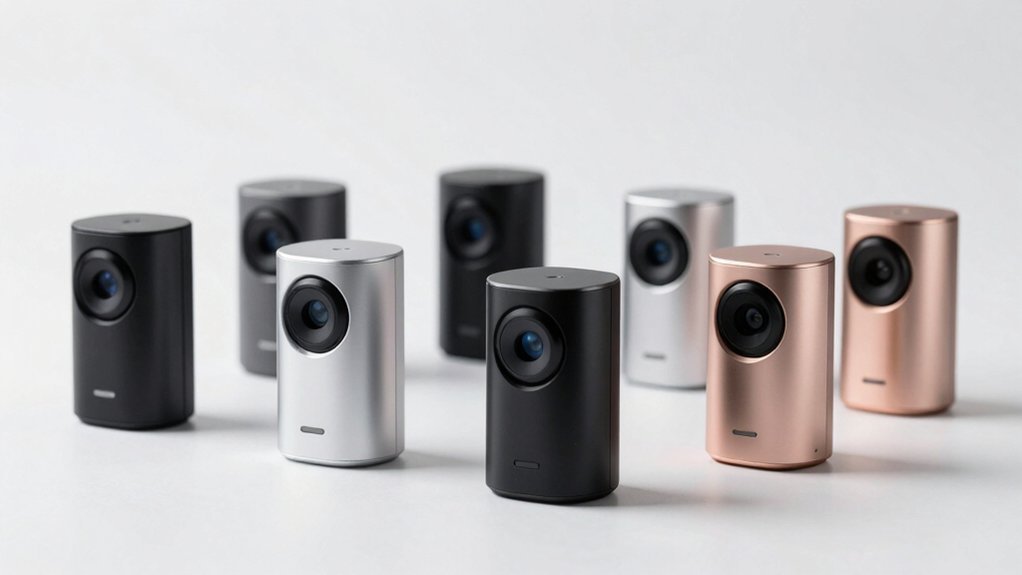
You’re probably wondering if smart motion sensors actually deliver on their promises, or if they’re just another gadget that’ll gather dust on your shelf. The truth is, there’s a significant difference between what works in theory and what performs reliably in your home. We’ve tested seven options that genuinely cut through the hype—and we’ll show you which ones are worth your investment.
| THIRDREALITY Zigbee Motion Sensor Pet Friendly Compatible |  | Best Compatibility | Detection Range: Up to 20 feet (6 meters) | Power Source: 2 AAA batteries (~2 years) | Connectivity/Hub Requirement: Zigbee hub required (Echo, Eero, SmartThings, etc.) | CHECK ON AMAZON | Read Our Analysis |
| TP-Link Tapo Motion Sensor with Hub (T100) |  | Best Detection Range | Detection Range: Up to 23 feet (7 meters) | Power Source: Single CR2450 battery (~2 years at <100 detections/day) | Connectivity/Hub Requirement: Tapo Hub H100 required (sold separately) | CHECK ON AMAZON | Read Our Analysis |
| THIRDREALITY Zigbee Motion Sensor 2 Pack Pet Friendly |  | Best Value Pack | Detection Range: Up to 20 feet (6 meters) | Power Source: 2 AAA batteries (~2 years) | Connectivity/Hub Requirement: Zigbee hub required (Echo, Eero, SmartThings, etc.) | CHECK ON AMAZON | Read Our Analysis |
| Kasa Smart Motion Sensor Switch 2.4GHz Wi-Fi (2-Pack) |  | Best Hardwired Option | Detection Range: Not specified | Power Source: Wired (in-wall switch, requires neutral wire) | Connectivity/Hub Requirement: Wi-Fi only; no hub required | CHECK ON AMAZON | Read Our Analysis |
| Meross Matter Human Presence Sensor with HomeKit Support |  | Most Advanced Sensing | Detection Range: Up to 12 meters motion; 6 meters presence | Power Source: Corded electric (continuous power) | Connectivity/Hub Requirement: Wi-Fi (Matter-compatible); no hub required for most ecosystems | CHECK ON AMAZON | Read Our Analysis |
| Aqara Zigbee Motion Sensor P1 (3-Pack) |  | Longest Battery Life | Detection Range: Up to 7 meters (170° at 4 meters; 150° at 7 meters) | Power Source: 2 AAA lithium batteries (5 years) | Connectivity/Hub Requirement: Aqara Zigbee hub required (M1/M2/E1 series) | CHECK ON AMAZON | Read Our Analysis |
| Kasa Smart WiFi Motion Sensor Switch (KS200M) |  | Best Budget Switch | Detection Range: Not specified | Power Source: Wired (in-wall switch, requires neutral wire) | Connectivity/Hub Requirement: Wi-Fi only; no hub required | CHECK ON AMAZON | Read Our Analysis |
More Details on Our Top Picks
THIRDREALITY Zigbee Motion Sensor Pet Friendly Compatible
Why settle for a motion sensor that triggers every time your cat walks across the room? THIRDREALITY’s Zigbee motion sensor is specifically designed to ignore pets while detecting human movement up to 20 feet away. You’ll appreciate the seamless setup—just enable pairing mode and let your Echo device discover it automatically. The sensor integrates with major ecosystems including HomeKit, Google Home, and Alexa, or works standalone with compatible Zigbee hubs. You can automate smart lights to turn on when motion’s detected and off after inactivity. Two AAA batteries typically last two years, and OTA firmware updates keep your device current without hassle.
- Detection Range:Up to 20 feet (6 meters)
- Power Source:2 AAA batteries (~2 years)
- Connectivity/Hub Requirement:Zigbee hub required (Echo, Eero, SmartThings, etc.)
- Smart Home Ecosystem Compatibility:Alexa, Google Home, HomeKit (via bridge), SmartThings, Home Assistant
- Automation/Trigger Capabilities:Motion-triggered Alexa routines; smart light control
- Pet-Friendly Design:Pet-friendly (pet immune)
- Additional Feature:OTA firmware updates supported
- Additional Feature:Customizable Alexa message routines
- Additional Feature:20-foot motion detection range
TP-Link Tapo Motion Sensor with Hub (T100)
If you’re building a thorough smart home system that doesn’t rely solely on cloud connectivity, the TP-Link Tapo T100 stands out as your best choice. You’ll get reliable motion detection across a 120-degree angle up to 23 feet, with adjustable sensitivity settings. The T100 pairs with the Tapo Hub H100, which supports up to 64 sensors and enables smart automations even during network outages. You’ll enjoy real-time app notifications, customizable detection ranges, and flexible mounting options. A single CR2450 battery lasts up to two years with moderate use, making this system both practical and cost-effective for comprehensive home automation.
- Detection Range:Up to 23 feet (7 meters)
- Power Source:Single CR2450 battery (~2 years at <100 detections/day)
- Connectivity/Hub Requirement:Tapo Hub H100 required (sold separately)
- Smart Home Ecosystem Compatibility:Tapo app and devices only
- Automation/Trigger Capabilities:Motion triggers Smart Actions; control Tapo devices/lighting
- Pet-Friendly Design:Not explicitly stated
- Additional Feature:Adjustable detection range settings
- Additional Feature:120-degree wide angle detection
- Additional Feature:Connects up to 64 sensors
THIRDREALITY Zigbee Motion Sensor 2 Pack Pet Friendly
You’ll find the THIRDREALITY Zigbee Motion Sensor 2 Pack an excellent choice for pet owners who don’t want false alarms disrupting their smart home routines. These Zigbee-compatible sensors detect motion up to 20 feet and integrate seamlessly with Echo devices, SmartThings, Home Assistant, and other major platforms. Setup takes seconds through your Alexa app, and you’ll enjoy two-year battery life on standard AAA batteries. You can automate smart lights to turn on when motion’s detected and customize off timers. The pack includes two sensors, making it ideal for covering multiple rooms. Note that you’ll need a compatible Zigbee hub, though the optional Smart Bridge MZ1 unlocks Apple HomeKit and Google Home compatibility.
- Detection Range:Up to 20 feet (6 meters)
- Power Source:2 AAA batteries (~2 years)
- Connectivity/Hub Requirement:Zigbee hub required (Echo, Eero, SmartThings, etc.)
- Smart Home Ecosystem Compatibility:Alexa, Google Home, HomeKit (via bridge), SmartThings, Home Assistant
- Automation/Trigger Capabilities:Motion-triggered Alexa routines; smart light control
- Pet-Friendly Design:Pet-friendly (pet immune)
- Additional Feature:Two sensors included per pack
- Additional Feature:OTA firmware updates supported
- Additional Feature:20-foot motion detection range
Kasa Smart Motion Sensor Switch 2.4GHz Wi-Fi (2-Pack)
The Kasa Smart Motion Sensor Switch stands out for homeowners seeking reliable automation without installing a separate hub. This 2-pack delivers hands-free lighting control through advanced motion detection, automatically turning lights on and off after your preset time. You’ll appreciate the daylight detection feature, which prevents daytime activation, and the Smart Mode that adjusts triggers based on your routine. Voice control works seamlessly with Alexa and Google Assistant, while the free Kasa app grants remote access anywhere. Installation’s straightforward—just ensure you’ve got a neutral wire. It’s UL certified, supports up to 600W incandescent bulbs, and comes with a solid 2-year warranty.
- Detection Range:Not specified
- Power Source:Wired (in-wall switch, requires neutral wire)
- Connectivity/Hub Requirement:Wi-Fi only; no hub required
- Smart Home Ecosystem Compatibility:Alexa, Google Assistant, SmartThings
- Automation/Trigger Capabilities:Motion-triggered light on/off with daylight detection; Smart/Away modes
- Pet-Friendly Design:Not explicitly stated
- Additional Feature:Daylight detection prevents false activation
- Additional Feature:Two switches included per pack
- Additional Feature:Hands-free voice control operation
Meross Matter Human Presence Sensor with HomeKit Support
Want a motion sensor that actually detects whether someone’s in a room—not just whether they’re moving? The Meross Matter Human Presence Sensor does exactly that. Its 3-in-1 setup combines mmWave radar, PIR motion detection, and a light sensor to catch both activity and stationary presence up to 6 meters away. You’ll get reliable automation without false alarms thanks to the pet-proof shield. It works seamlessly with HomeKit, Alexa, Google Home, and Home Assistant via Matter, requiring no hub for most ecosystems. The corded design ensures constant operation, while its 180-degree pivoting, 360-degree rotating base gives you flexible mounting options.
- Detection Range:Up to 12 meters motion; 6 meters presence
- Power Source:Corded electric (continuous power)
- Connectivity/Hub Requirement:Wi-Fi (Matter-compatible); no hub required for most ecosystems
- Smart Home Ecosystem Compatibility:HomeKit, Alexa, Google Home, Home Assistant, Matter
- Automation/Trigger Capabilities:Motion and presence detection; lighting automation via Matter/HomeKit/Alexa
- Pet-Friendly Design:Pet-proof shield included
- Additional Feature:Dual radar and PIR sensing
- Additional Feature:Corded electric power (no batteries)
- Additional Feature:360-degree adjustable mounting base
Aqara Zigbee Motion Sensor P1 (3-Pack)
If you’re building a thorough smart home ecosystem without breaking the bank, Aqara’s 3-pack motion sensor offers exceptional value with its impressive 5-year battery life and pet-friendly detection capabilities. You’ll appreciate the adjustable 170° field of view up to 4 meters, plus customizable sensitivity levels and detection timeouts from 1–200 seconds. The sensors integrate seamlessly with HomeKit and Alexa through an Aqara Zigbee hub, enabling IF/THEN automations like triggering lights or smart plugs. Installation’s straightforward with wall mounting and included accessories. Just remember you’ll need an Aqara hub—third-party Zigbee dongles aren’t officially supported.
- Detection Range:Up to 7 meters (170° at 4 meters; 150° at 7 meters)
- Power Source:2 AAA lithium batteries (5 years)
- Connectivity/Hub Requirement:Aqara Zigbee hub required (M1/M2/E1 series)
- Smart Home Ecosystem Compatibility:HomeKit, Alexa, IFTTT (Aqara hub required)
- Automation/Trigger Capabilities:IF/THEN automations; alert system; light/power device triggers
- Pet-Friendly Design:Pet-friendly (pet immune)
- Additional Feature:Five-year battery life span
- Additional Feature:Adjustable detection timeout (1-200 seconds)
- Additional Feature:Three sensors included per pack
Kasa Smart WiFi Motion Sensor Switch (KS200M)
For homeowners who need straightforward motion-activated lighting without installing a hub, TP-Link’s Kasa Smart WiFi Motion Sensor Switch (KS200M) delivers reliable automation right out of the box. You’ll appreciate its advanced motion detection paired with daylight sensing, which prevents unnecessary daytime activation. The switch integrates seamlessly with Alexa and Google Assistant for voice control, while the Kasa app lets you manage schedules and Away Mode to simulate occupancy. Installation requires a neutral wire, but the app-guided setup simplifies the process. With a 600W incandescent capacity and 2-year warranty, this UL-certified device offers dependable smart lighting control without monthly fees or additional hardware.
- Detection Range:Not specified
- Power Source:Wired (in-wall switch, requires neutral wire)
- Connectivity/Hub Requirement:Wi-Fi only; no hub required
- Smart Home Ecosystem Compatibility:Alexa, Google Assistant, SmartThings
- Automation/Trigger Capabilities:Motion-triggered light on/off with daylight detection; Smart/Away modes
- Pet-Friendly Design:Not explicitly stated
- Additional Feature:Daylight detection prevents false activation
- Additional Feature:Away mode simulates occupancy
- Additional Feature:Wall-mounted switch installation design
Factors to Consider When Choosing Smart Motion Sensors
Before you invest in a smart motion sensor, you’ll want to evaluate several critical factors that determine whether it’ll actually work for your needs. Consider compatibility with your existing hub, the sensor’s detection range and accuracy in your space, its power source and battery longevity, how complex the setup and installation will be, and whether it integrates seamlessly with your smart home ecosystem. Each of these elements substantially impacts your purchase decision and long-term satisfaction.
Compatibility and Hub Requirements
How you integrate a motion sensor into your smart home depends largely on its connectivity requirements and ecosystem support. Some sensors operate directly over Wi-Fi without requiring a hub, while others need a dedicated Zigbee or proprietary hub to function. If you’re already invested in an ecosystem like Alexa, Google Home, or HomeKit, you’ll want to verify the sensor supports those protocols natively or through a compatible bridge. Matter-enabled sensors offer flexibility but may still require a hub for full compatibility. Consider your existing network setup too—whether you’re relying on Zigbee mesh, 2.4 GHz Wi-Fi, or wired Ethernet affects whether the sensor will operate reliably in your space. Checking these details upfront prevents compatibility headaches later.
Detection Range and Accuracy
Once you’ve confirmed your sensor plays nicely with your smart home setup, you’ll want to assess whether it can actually detect motion where you need it. Most sensors offer around 120 degrees of horizontal coverage with a typical range of 6–7 meters, though this varies by model. You’ll find adjustable viewing angles and sensitivity settings on many units, letting you customize detection zones for your specific space. Pet-friendly designs reduce false triggers within the same area, which proves valuable in households with animals. Battery-powered units may experience slight range degradation as voltage declines over time. Additionally, indoor-only sensors often perform differently than outdoor-capable models, so verify your sensor’s specifications match your environment before purchasing.
Power Source and Battery Life
Your motion sensor’s power source fundamentally affects its convenience and long-term costs. Battery-powered sensors typically run on 2 AAA or CR2450 batteries, lasting 1–2 years depending on motion frequency. You’ll need regular replacements, though some energy-efficient models extend life to 5 years in low-activity environments.
Corded or plug-in sensors eliminate battery maintenance entirely, drawing continuous power from electrical outlets or wired neutrals. They’re ideal for high-traffic areas where you want uninterrupted operation.
Consider hybrid options that support both battery and wired power, giving you flexible placement and extended uptime. Detection frequency, sensitivity settings, and radio communication duty cycles all impact battery longevity. Evaluate your installation location and activity level to choose the best power solution for your needs.
Setup Complexity and Installation
Why does installation difficulty matter? You’ll want straightforward setup if you’re not tech-savvy, and complex procedures can delay getting your system operational.
Most sensors require putting the device in pairing mode, then using a voice command like “Alexa, discover devices” or following app-guided steps. Hub-dependent sensors (Zigbee or Tapo H100) add an extra layer—you’ll need the hub already set up and connected before pairing sensors.
Compatibility matters too. Your choice of ecosystem (HomeKit, Google Home, SmartThings) affects installation ease. Some sensors need bridges for broader support, complicating setup further.
Battery-powered models sometimes require hub firmware updates for full functionality, extending your initial installation time. Wireless standards vary by device, influencing pairing procedures and whether a dedicated hub is essential for your needs.
Smart Home Ecosystem Integration
How compatible is a motion sensor with your existing smart home setup? That’s crucial. You’ll want sensors that work directly with your current hub—whether that’s a Zigbee hub, Echo with built-in Zigbee, or an Aqara hub. If you’re juggling multiple ecosystems, look for devices supporting Matter, HomeKit, Google Home, or Alexa for seamless cross-platform control.
Consider whether you need hub-based or hubless operation. Some sensors offer local control and automations through native apps without cloud connectivity, protecting you during network outages. Pet-friendly designs with mode options also matter, as they influence automation behavior across platforms.
Prioritize sensors offering bridging options that align with your ecosystem. This ensures reliable integration and prevents future compatibility headaches when expanding your smart home.
Motion Detection Sensitivity Settings
Motion detection sensitivity settings determine whether your sensor triggers on every subtle movement or only registers significant activity—and getting this balance right prevents frustrating false alarms while ensuring you don’t miss actual motion. You’ll find most quality sensors offer adjustable levels like high, medium, or low to match your room’s activity patterns. Your space’s layout matters too; wider detection ranges typically need finer sensitivity adjustments to avoid unintended activations. If you have pets, consider models with pet-proof shields or dedicated modes that minimize false triggers. Advanced sensors using mmWave or PIR+radar technology provide granular controls for distinguishing subtle from large movements. Take advantage of companion apps and hub settings to customize sensitivity per device or room, enabling precise presence detection tailored to your specific needs.
Pet-Friendly Features and Options
If you’re sharing your home with furry companions, you’ll want motion sensors that won’t constantly trigger false alarms every time your dog trots past or your cat jumps on the furniture. Many pet-friendly models feature adjustable sensitivity settings and pet-dedicated modes that differentiate between animal movement and human presence. You’ll find options with larger detection zones or pet-proof shielding specifically designed to ignore smaller animals while remaining responsive to people.
Look for sensors that specify pet tolerance levels and allow you to mount them at heights that minimize pet detection. Pairing sensors with customizable zones or automation routines ensures only desired areas activate, nontrivially reducing false positives. Additionally, prioritize models with excellent battery life—you’ll appreciate not having to frequently replace batteries in pet-heavy homes.
Automation and Routine Capabilities
What transforms a basic motion sensor into a smart home powerhouse? Automation capabilities. You’ll want to prioritize sensors that trigger routines across your ecosystem—whether that’s Alexa, Google Home, or Matter—controlling lights, plugs, and scenes seamlessly.
Look for configurable triggers that let you distinguish between motion and presence, adjust sensitivity, and set detection ranges. This fine-tuning prevents false activations and tailors responses to your space.
Daylight awareness is essential; it stops unnecessary daytime triggers, boosting efficiency. Seek sensors supporting preconditions and multi-device actions—combining motion with time-of-day rules creates sophisticated automations beyond simple on/off switches.
Finally, verify hub compatibility and offline functionality. Your automations should work reliably during network disruptions, ensuring consistent performance when you need it most.
Frequently Asked Questions
How Long Do Smart Motion Sensor Batteries Typically Last Before Replacement?
You’ll typically get 1-3 years of battery life from most smart motion sensors, depending on how frequently they detect motion and send alerts. High-traffic areas drain batteries faster, while low-activity zones can stretch your sensor’s lifespan to several years before you’ll need replacements.
Can Motion Sensors Work Through Walls or Glass Windows?
You’ll find that most motion sensors can’t detect movement through walls, but many work fine through glass windows. However, you should check your specific sensor’s specifications, as performance varies depending on the technology used.
What’s the Average Installation Time for Smart Motion Sensors?
You’ll typically spend 15-30 minutes installing most smart motion sensors. You’ll mount the device, connect it to your Wi-Fi network, and configure settings through an app. Hardwired models take longer, while wireless ones you can install faster.
Do Motion Sensors Drain Wi-Fi Bandwidth Significantly?
You’ll find that modern motion sensors don’t drain your Wi-Fi bandwidth considerably. They’re lightweight devices that transmit minimal data packets only when detecting movement, so you won’t notice any performance impact on your network.
Are Smart Motion Sensors Effective in Outdoor Weather Conditions?
You’ll find that most smart motion sensors work well outdoors, though heavy rain or snow can reduce their effectiveness. You should choose weather-resistant models rated IP65 or higher. You’ll get reliable performance if you’ve properly positioned them away from direct water spray.




Leave a Reply