
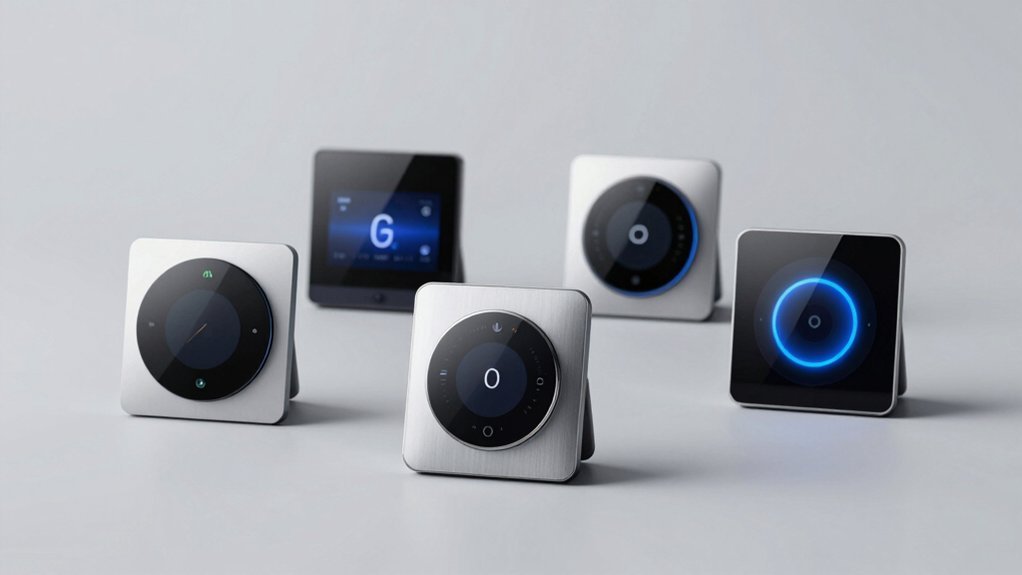
You’re likely facing a tough decision about which smart scene controller fits your home. Do you need wired reliability or battery convenience? Should you prioritize your existing ecosystem or explore new platforms? The right choice depends on your specific setup, but you’ll discover that each option offers distinct advantages. We’ll break down the top five contenders to help you decide.
| Leviton Decora Smart Controller Switch Wi-Fi White |  | Best Apple HomeKit Integration | Control Method: Multi-button physical switch with app customization | Hub/Connectivity Required: Wi-Fi (2.4GHz); optional hub for HomeKit | Installation Type: Hardwired replacement switch (neutral wire required) | CHECK ON AMAZON | Read Our Analysis |
| Zooz Z-Wave Long Range Scene Controller ZEN32 800LR |  | Best Z-Wave Range | Control Method: Main button + 4 remote buttons for scene activation | Hub/Connectivity Required: Z-Wave hub required (SmartThings, Hubitat, Home Assistant, HomeSeer compatible) | Installation Type: Hardwired installation (neutral wire required) | CHECK ON AMAZON | Read Our Analysis |
| MOES Wireless Smart Scene Switch Button (4 Gang) |  | Budget-Friendly Pick | Control Method: 4-gang wireless buttons (battery-powered) | Hub/Connectivity Required: MOES Hub required | Installation Type: Wireless; no wiring needed (battery-powered) | CHECK ON AMAZON | Read Our Analysis |
| Wireless Zigbee Smart Button 4-Way Remote Control |  | Best Cross-Platform Compatible | Control Method: 4-way remote with single/double/long press actions | Hub/Connectivity Required: Tuya Zigbee Hub required | Installation Type: Wireless; no wiring needed (battery-powered) | CHECK ON AMAZON | Read Our Analysis |
| Wireless Zigbee Smart Button 12 Scene Controller Remote |  | Best Scene Flexibility | Control Method: 4-way remote with single/double/long press actions | Hub/Connectivity Required: Tuya Zigbee Hub or Zigbee 3.0 USB Dongle required | Installation Type: Wireless; no wiring needed (battery-powered) | CHECK ON AMAZON | Read Our Analysis |
More Details on Our Top Picks
Leviton Decora Smart Controller Switch Wi-Fi White
Want centralized control over multiple smart lights without adding extra devices throughout your home? The Leviton Decora Smart Controller Switch Wi-Fi White gives you that capability from a single location. You’ll enjoy multi-button control with three customizable lighting scenes—perfect for activities like “Movie Time” or “All Off.” It works seamlessly with Alexa, Google Assistant, and Apple Home, plus it supports HomeKit scenes and devices. Installation’s straightforward: you’re simply replacing your existing switch with wire-lead connections. For 3-way setups, you can add the optional Anywhere Switch Companion for wireless control or use the DD0SR wired companion. Note that a neutral wire’s required.
- Control Method:Multi-button physical switch with app customization
- Hub/Connectivity Required:Wi-Fi (2.4GHz); optional hub for HomeKit
- Installation Type:Hardwired replacement switch (neutral wire required)
- Scene Capacity:3 custom lighting scenes
- Voice Assistant Compatibility:Alexa, Google Assistant, Apple Siri/HomeKit
- Battery/Power:Hardwired (no battery)
- Additional Feature:Custom engraved buttons available
- Additional Feature:Three custom lighting scenes
- Additional Feature:Wireless 3-way capability
Zooz Z-Wave Long Range Scene Controller ZEN32 800LR
If you’re looking for a scene controller that’ll handle both wireless control and hardwired light switching in one compact device, the Zooz ZEN32 800LR delivers. This 800 Series Z-Wave controller connects directly to 120V light fixtures up to 150W and offers seven programmable button triggers. The four remote buttons let you activate scenes instantly—perfect for Away mode or turning off all lights with one click. Its shallow 1.1″ design fits crowded switch boxes easily. You’ll need a compatible Z-Wave hub like Z-Box, SmartThings, Hubitat, or Home Assistant, plus a neutral wire. The device features Long Range capabilities, S2 security, and SmartStart pairing for seamless setup.
- Control Method:Main button + 4 remote buttons for scene activation
- Hub/Connectivity Required:Z-Wave hub required (SmartThings, Hubitat, Home Assistant, HomeSeer compatible)
- Installation Type:Hardwired installation (neutral wire required)
- Scene Capacity:Up to 7 button triggers for scenes
- Voice Assistant Compatibility:No direct voice control (hub-dependent support)
- Battery/Power:Hardwired (no battery)
- Additional Feature:800 Series long-range coverage
- Additional Feature:Shallow 1.1″ switch box fit
- Additional Feature:Extended 5-year warranty option
MOES Wireless Smart Scene Switch Button (4 Gang)
The MOES Wireless Smart Scene Switch Button excels for users seeking hassle-free automation without rewiring their homes. This 4-gang remote delivers 12 customizable scenes through the intuitive MOES App, letting you control all compatible smart devices with a single tap. You’ll mount it anywhere using double-sided tape or carry it as a portable remote throughout your home. The included CR2430 battery powers this wireless solution, making it perfect for renters and those with limited DIY skills. However, you’ll need a MOES Hub to operate it, and it won’t integrate with Alexa, Google Home, or Siri—a significant limitation if you’re invested in those ecosystems.
- Control Method:4-gang wireless buttons (battery-powered)
- Hub/Connectivity Required:MOES Hub required
- Installation Type:Wireless; no wiring needed (battery-powered)
- Scene Capacity:12 scenes (3 modes per button)
- Voice Assistant Compatibility:Not compatible with Alexa, Google Home, or Siri
- Battery/Power:CR2430 battery included
- Additional Feature:Battery-powered wireless installation
- Additional Feature:Portable across home areas
- Additional Feature:Double-sided tape mounting
Wireless Zigbee Smart Button 4-Way Remote Control
Looking for seamless control across multiple smart home ecosystems? The Wireless Zigbee Smart Button 4-Way Remote Control delivers exactly that. This compact scene controller works with Tuya, Home Assistant, Homey, and Hubitat, plus HomeKit and SmartThings via a Matter gateway. Its four buttons support single, double, and long presses to trigger device actions, adjust blinds, or activate programmed scenes. You’ll appreciate the energy-efficient design and months-long battery life from the included lithium button battery. Whether you’re automating schedules or controlling multiple platforms simultaneously, this versatile remote expands your smart home capabilities without complexity.
- Control Method:4-way remote with single/double/long press actions
- Hub/Connectivity Required:Tuya Zigbee Hub required
- Installation Type:Wireless; no wiring needed (battery-powered)
- Scene Capacity:Multiple customizable scenes per button
- Voice Assistant Compatibility:HomeKit and SmartThings via Matter gateway
- Battery/Power:Lithium button battery included
- Additional Feature:Multi-press action support
- Additional Feature:Matter gateway integration compatible
- Additional Feature:Long-lasting lithium battery
Wireless Zigbee Smart Button 12 Scene Controller Remote
Want seamless control without fumbling through your smartphone or shouting voice commands? The Wireless Zigbee Smart Button 12 Scene Controller Remote delivers effortless automation with four buttons supporting single-click, double-click, and long-press actions. You’ll trigger lighting adjustments, control smart curtains, and activate up to 12 pre-programmed scenes across different lifestyles. It pairs seamlessly with Tuya, Home Assistant, Homey, and Hubitat through a Zigbee hub or USB dongle. Powered by two AAA batteries lasting up to two years, this compact, energy-efficient remote lets you command your smart home with a gentle press after a long day.
- Control Method:4-way remote with single/double/long press actions
- Hub/Connectivity Required:Tuya Zigbee Hub or Zigbee 3.0 USB Dongle required
- Installation Type:Wireless; no wiring needed (battery-powered)
- Scene Capacity:12 scenes (3 modes per button)
- Voice Assistant Compatibility:Compatible via Tuya/Home Assistant platforms
- Battery/Power:2 AAA batteries (up to 2-year life)
- Additional Feature:Two-year battery life
- Additional Feature:Triple-action button presses
- Additional Feature:AAA battery powered
Factors to Consider When Choosing Smart Scene Controllers
When you’re shopping for a smart scene controller, you’ll want to evaluate your home’s connectivity options, whether you’re using Zigbee, Z-Wave, or Wi-Fi protocols. Consider how much installation work you’re willing to tackle, from wireless options that need no wiring to hardwired solutions that demand professional setup. You’ll also need to balance button configuration flexibility, platform compatibility with your existing smart home ecosystem, and power requirements against battery life expectations.
Connectivity and Hub Requirements
How you’ll integrate your scene controller into your smart home ecosystem fundamentally shapes what devices you can control and how reliably they’ll respond. Some controllers require specific hubs—Z-Wave, Zigbee, Tuya, or proprietary ecosystems—to function properly. You’ll need to verify compatibility with your existing setup before purchasing.
Local wireless protocols like Z-Wave and Zigbee won’t work with unsupported hubs, so check specifications carefully. Newer radio standards, such as Z-Wave 800LR, offer extended range and improved coverage if you prioritize long-distance control.
Certain controllers bridge multiple platforms including HomeKit, SmartThings, Home Assistant, and Hubitat, but only through supported hubs or bridges. Additionally, verify your wiring includes a neutral wire, as many hub-based controllers require proper electrical connections for reliable scene execution.
Installation Complexity and Wiring
Installation complexity and wiring requirements can make or break your smart scene controller setup. You’ll need to assess whether your existing switch boxes have neutral wires, as some controllers require them while others don’t. Wired scene controllers replace standard wall switches and demand proper 120V connections with secure line/load terminals. If you’re setting up multi-location control, you’ll want models supporting 3-way configurations with compatible wired companions. Hub-based ecosystems like Zigbee and Z-Wave add pairing and network routing steps to your installation. Alternatively, battery-powered wireless switches skip in-wall wiring entirely but trade convenience for ongoing maintenance and reduced power capacity. Consider your circuit configuration and technical comfort level before selecting your controller type.
Button Configuration and Scene Control
The button layout of your scene controller directly determines how efficiently you’ll manage your smart home. You’ll find models ranging from four to twelve buttons, each offering single, double, and long-press options to expand your control possibilities. This multi-action capability lets you trigger different presets, scenes, or device groups without cluttering your wall space.
Many controllers support multiple pairing modes per button, enabling you to map distinct scenes or devices to a single interface. You can customize each button’s function based on your needs, whether controlling lighting zones, entertainment systems, or climate settings.
Consider your ecosystem compatibility—Z-Wave, Zigbee, or Tuya—to ensure your controller communicates reliably with your smart hub. Battery-powered wireless options with CR2430 or AAA batteries eliminate installation constraints while maintaining full functionality.
Smart Home Platform Compatibility
Once you’ve configured your buttons, you’ll need to ensure your scene controller actually works with your existing smart home setup. Before purchasing, verify compatibility with your hub or platform—whether that’s HomeKit, SmartThings, Hubitat, Home Assistant, or Zigbee/Z-Wave ecosystems.
Keep in mind that some controllers require specific hubs or bridges to function. For example, Z-Wave models need a Z-Wave hub, while Zigbee devices require a Zigbee hub.
Cross-platform compatibility often depends on additional integrations or custom drivers, so you may need to invest extra setup time. Wireless multi-location and 3-way configurations rely on your platform’s scene-sharing capabilities. Finally, platform-specific features like scene creation and automation triggers vary by device and may require firmware updates.
Power Source and Battery Life
How you power your scene controller fundamentally shapes its practicality and long-term maintenance burden. You’ll find two primary options: battery-powered wireless models and wired alternatives.
Battery-powered controllers using CR2430 coin cells or AAA batteries offer complete wireless flexibility without installation hassles. They typically deliver months to years of operation, depending on your usage frequency. However, you’ll eventually face replacement costs.
Wired or mains-powered controllers eliminate battery concerns entirely by drawing from your existing electrical circuit. They’re ideal if you’ve already got the infrastructure in place.
When deciding, weigh expected battery life against replacement expenses for high-usage scenes. Energy-efficient designs help extend battery longevity, reducing maintenance frequency. Compare these factors against your specific installation requirements and budget constraints.
Frequently Asked Questions
What Is the Average Lifespan of Smart Scene Controller Batteries?
You’ll typically get 2-5 years from your smart scene controller batteries, depending on usage frequency and model. Most manufacturers recommend replacing them annually or biannually for optimal performance and reliability.
Can Smart Scene Controllers Work Without a Stable Internet Connection?
You can operate most smart scene controllers without internet since they’re designed to work locally. They’ll function through direct wireless protocols like Zigbee or Z-Wave, though you’ll lose remote access features requiring connectivity.
Are Smart Scene Controllers Compatible With Voice Assistants Like Alexa?
You’ll find that most smart scene controllers are compatible with Alexa. They’ll integrate seamlessly into your smart home ecosystem, allowing you to control scenes through voice commands. You can activate multiple devices simultaneously using Alexa routines.
How Much Do Professional Installation Services Typically Cost for Scene Controllers?
You’ll typically pay $100–$300 per scene controller for professional installation, depending on your system’s complexity and your location. Some installers charge hourly rates ($75–$150/hour) instead, which can affect your total costs considerably.
What Security Vulnerabilities Should Homeowners Know About Wireless Scene Controllers?
You should watch for weak encryption, default passwords, and outdated firmware on your wireless scene controllers. Ensure you’re updating regularly, using strong credentials, and purchasing from reputable manufacturers to minimize hacking risks.




Leave a Reply