

You’re probably drowning in smart home apps, switching between dozens of interfaces just to check if you locked the front door or adjust the thermostat. A perfect IoT home dashboard changes everything by consolidating your entire connected ecosystem into one intuitive command center. But creating this digital nerve center isn’t just about cramming every device onto a single screen—there’s a specific science to what separates amateur setups from truly exceptional home automation experiences.
Understanding Your Smart Home Monitoring Needs
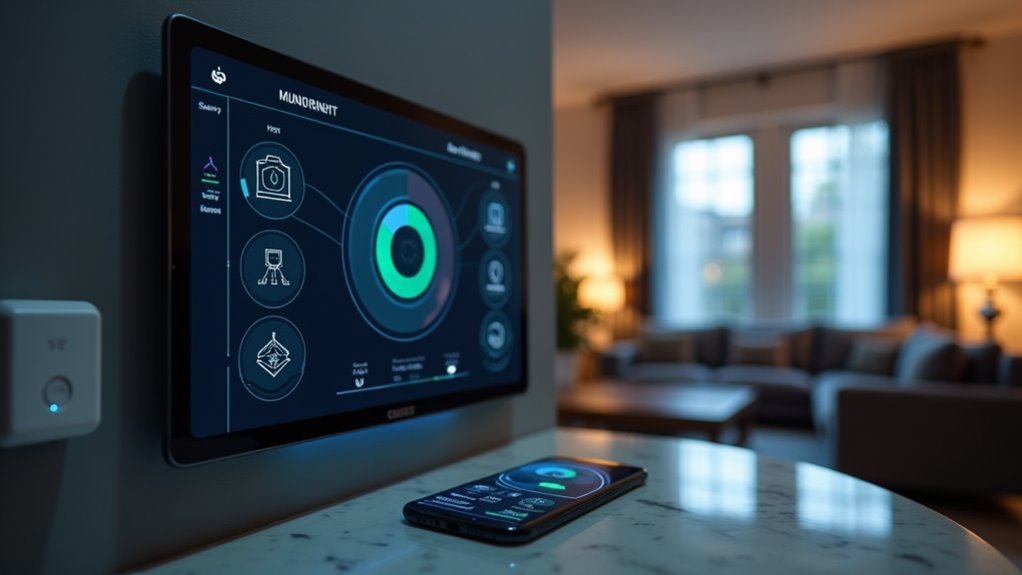
Before diving into dashboard features, you need to identify what aspects of your home require monitoring and how frequently you’ll check them.
Consider which metrics matter most to your daily routine—temperature control for comfort, energy consumption for cost savings, or security status for peace of mind.
Your monitoring priorities will determine what real-time data you’ll need displayed prominently versus what can remain in secondary views. If you’re energy-conscious, you’ll want immediate access to consumption patterns. Security-focused homeowners might prioritize camera feeds and sensor alerts.
Think about your interaction habits too. Will you check the dashboard multiple times daily or just occasionally? This affects how you’ll want information organized and presented, directly impacting your overall user experience with the system.
Essential Features Every Home IoT Dashboard Must Have
You’ll need three core features to transform your IoT dashboard from basic to exceptional.
Real-time device control lets you instantly adjust your home’s settings without delays, while customizable visual layouts guarantee you can arrange information exactly how you want it.
Automated alert systems work behind the scenes to notify you immediately when something requires your attention, keeping you connected to your home even when you’re away.
Real-Time Device Control
When you’re managing a smart home, real-time device control serves as the backbone of your IoT dashboard, allowing you to instantly adjust everything from lights and thermostats to security systems with just a tap or click.
This immediate responsiveness means you can react to changing conditions without delay, whether you’re dimming lights for movie night or cranking up the heat before arriving home.
Your dashboard should display real-time performance data across all connected devices, giving you complete visibility into their current status.
You’ll want the ability to monitor multiple devices simultaneously while executing commands instantly.
This level of control guarantees you’re always in charge of your home environment, making adjustments based on actual conditions rather than outdated information.
Customizable Visual Layouts
Real-time control becomes truly powerful when paired with a dashboard layout that matches your specific needs and preferences. Customizable visual layouts transform your user interface from a one-size-fits-all solution into a personalized command center. You can arrange elements to highlight critical metrics like security alerts or energy consumption, guaranteeing quick access to what matters most.
| Layout Element | Customization Options | Benefit |
|---|---|---|
| Widgets | Resize, reposition, select data | Priority-based viewing |
| Charts | Graph types, time ranges, colors | Enhanced data clarity |
| Device Groups | Category organization, favorites | Streamlined navigation |
Your dashboard should integrate multiple data sources seamlessly, displaying temperature readings, device status, and consumption metrics in your preferred format. Real-time updates guarantee immediate insights, enabling swift responses to anomalies while maintaining the personalized arrangement that optimizes your monitoring experience.
Automated Alert Systems
Although visual layouts provide the foundation for monitoring your smart home, automated alert systems serve as your vigilant digital guardian that never sleeps.
These systems deliver real-time notifications through SMS, email, or push alerts, instantly informing you about security breaches, appliance malfunctions, or environmental changes.
You’ll appreciate the customizable thresholds that adapt to your lifestyle and preferences. When alerts trigger, machine-to-machine communication automatically responds—locking doors during security breaches or shutting off appliances during emergencies.
Historical data from your automated alert systems reveals patterns and recurring issues, helping you implement preventative measures.
Studies show timely alerts dramatically reduce response times during critical situations like fires or flooding, minimizing damage and maximizing your home’s safety effectiveness.
Real-Time Data Visualization for Connected Devices
Since your smart home generates continuous streams of data from dozens of connected devices, you’ll need a dashboard that transforms this constant flow of information into clear, actionable insights.
Real-time data visualization enables you to see instant updates from your IoT devices, facilitating immediate responses to temperature fluctuations or security alerts.
Effective dashboards integrate multiple data streams simultaneously, displaying energy consumption, air quality, and device status for thorough monitoring.
Visual elements like graphs, gauges, and maps enhance your understanding of device performance, making complex data interpretable at a glance.
Low latency in data transmission guarantees you won’t miss critical automation events.
Customizable interfaces let you prioritize specific metrics, focusing on data points that matter most to your lifestyle and home environment.
Customizable Interface Design for Family Members

You’ll need to implement role-based access controls that determine which family members can view or modify specific dashboard sections and connected devices.
Your interface should offer personalized layout options that let each user arrange widgets, data displays, and shortcuts according to their preferences and daily routines.
You must also design age-appropriate interfaces that present information complexity and visual elements suitable for children, adults, and elderly users in your household.
Role-Based Access Controls
When designing a perfect IoT home dashboard, role-based access controls transform how your family interacts with smart home technology by ensuring each member sees only what they need and can safely manage.
You can create distinct profiles where parents access security settings and financial controls while children engage with entertainment systems and basic lighting controls. This IoT dashboard approach eliminates confusion and prevents accidental changes to critical systems.
You’ll establish hierarchical permissions that promote collaboration while maintaining security boundaries. Parents can monitor children’s smart home interactions without restricting age-appropriate features.
The role-based access system delivers tailored notifications to each family member, preventing information overload. Rather than overwhelming everyone with identical alerts, you’ll receive updates relevant to your specific responsibilities and interests within your connected home environment.
Personalized Layout Options
Three distinct family members accessing the same IoT dashboard shouldn’t see identical interfaces cluttered with irrelevant controls and information.
You need a customizable interface that adapts to each person’s role and preferences within your smart home ecosystem.
Your perfect IoT dashboard should provide these personalization features:
- Widget Selection – Choose specific visualizations like energy consumption graphs, security feeds, or climate controls that matter most to you.
- Role-Based Layouts – Parents can prioritize security monitoring while children access entertainment and lighting controls.
- Activity-Specific Views – Switch between layouts optimized for entertaining guests, energy management, or daily routines.
- Smart Notifications – Receive personalized notifications relevant to your responsibilities without information overload from other family members’ activities.
This targeted approach eliminates dashboard chaos while maximizing functionality.
Age-Appropriate Interface Design
While technology brings families together through smart home automation, a one-size-fits-all interface can create barriers between generations and exclude users who need specialized accessibility features.
Age-appropriate interface design transforms your IoT dashboard into an inclusive platform that adapts to each family member’s unique needs and abilities.
You’ll want customizable options that let users adjust font sizes, color schemes, and iconography for ideal visibility and comprehension.
Children respond well to gamification elements with fun visuals and task-based rewards, while seniors benefit from simplified navigation and clear, large buttons.
User-friendly tutorials integrated directly into your dashboard help older family members master the technology at their own pace, building confidence and independence in managing smart home devices effectively.
Mobile Accessibility and Cross-Platform Compatibility

Since most homeowners rely on their smartphones and tablets for daily tasks, your IoT dashboard must deliver exceptional mobile accessibility and seamless cross-platform performance.
Mobile-first IoT dashboards are essential when smartphones dominate how homeowners interact with their connected devices daily.
With over 50% of users preferring mobile access to their IoT dashboards, you can’t afford to overlook mobile-first design strategies.
Effective mobile accessibility and cross-platform compatibility require:
- Responsive design implementation – Your dashboard automatically adjusts layout and functionality based on screen size, ensuring optimal usability on both large displays and compact mobile screens.
- Universal operating system support – Seamless operation across iOS, Android, Windows, and web browsers guarantees consistent user experience.
- Voice assistant integration – Enhanced interaction through hands-free control and real-time status updates.
- Touch-optimized interface elements – Properly sized buttons and intuitive navigation designed specifically for finger interaction.
Automated Alert Systems for Critical Home Events
You’ll customize alert thresholds based on your specific needs—setting temperature ranges, motion detection parameters, or smoke alarm triggers.
These systems don’t just notify; they act autonomously through machine-to-machine communication, automatically locking doors or shutting off appliances when threats emerge.
Historical alert data reveals patterns in your home’s behavior, helping you identify recurring issues before they escalate.
This immediate response capability prevents costly damage while enhancing your family’s safety and your home’s overall efficiency.
Historical Data Analysis and Trend Tracking
Patterns emerge from the wealth of data your IoT devices collect continuously, transforming raw information into actionable insights that revolutionize how you manage your home.
Historical data analysis empowers you to make informed decisions about energy consumption and device efficiency while trend tracking reveals seasonal variations in your usage patterns.
This powerful capability delivers four key benefits:
- Anomaly Detection – Visualize past performance to quickly identify and troubleshoot device issues
- Predictive Maintenance – Receive alerts about potential failures before they occur based on historical metrics
- Energy Optimization – Discover seasonal usage patterns to refine your energy strategies
- Smart Automation – Customize settings based on trends, like adjusting thermostats according to temperature changes over time
Historical data transforms your dashboard into a proactive home management system.
User Access Control and Privacy Protection
You’ll need robust role-based access management to control who sees what in your IoT home dashboard.
Your system should assign different permission levels to administrators, family members, and guests, ensuring each user only accesses data relevant to their role.
You must also implement thorough data privacy controls that comply with regulations like GDPR and give you full control over how your personal information is collected and shared.
Role-Based Access Management
When managing multiple users in your IoT home dashboard, role-based access control (RBAC) becomes essential for maintaining both security and privacy.
Role-based access management guarantees you can create hierarchical permissions that restrict sensitive data while maintaining functionality. Your IoT dashboard allows different family members to access only what’s relevant to their needs.
Here’s how RBAC enhances your smart home experience:
- Tailored Access Levels – Assign specific permissions based on each user’s role, from admin privileges to limited guest access.
- Enhanced Privacy Protection – Prevent unauthorized exposure to personal data and device controls across different user accounts.
- Streamlined User Experience – Reduce interface clutter by showing only relevant features and controls for each role.
- Accessibility Compliance – Customize interfaces for users with disabilities without compromising overall system security.
Data Privacy Controls
Since your IoT home dashboard handles vast amounts of personal data—from daily routines to security footage—implementing robust data privacy controls becomes your primary defense against unauthorized access and potential breaches.
You’ll need thorough access control systems that comply with regulations like GDPR and CCPA, giving you complete control over your information.
Your dashboard must include opt-in/opt-out features for data sharing, allowing you to decide what information gets collected and shared.
You should have access to review stored data and delete it when necessary. Strong encryption protects your data during transmission and storage.
Regular privacy audits help identify vulnerabilities and make certain your settings remain current with evolving standards, keeping your personal information secure.
Integration Capabilities With Popular Smart Home Devices
Although smart home ecosystems often operate in isolation, the perfect IoT home dashboard breaks down these barriers by seamlessly connecting with popular devices like Amazon Echo, Google Nest, and Philips Hue.
These integration capabilities transform your scattered smart home devices into a unified control center. Your dashboard’s connectivity extends beyond basic device pairing through extensive protocol support:
- Universal Protocol Compatibility – Connect devices using Zigbee, Z-Wave, and Wi-Fi protocols from different manufacturers.
- Security System Integration – Monitor smart cameras and control door locks with real-time alerts.
- Energy Monitoring Connection – Track consumption patterns and identify efficiency opportunities.
- Voice Command Support – Control multiple devices simultaneously through simple verbal instructions and automation routines.
This extensive integration guarantees you’re not locked into single-brand ecosystems while maximizing your smart home investment.
Dashboard Development Approaches: Custom vs. Pre-Built Solutions
You’ll face three critical trade-offs when choosing how to build your IoT home dashboard.
Custom solutions give you complete control but come with hefty development costs and extended timelines.
Pre-built options get you running quickly while platform-based approaches offer the best scalability as your smart home grows.
Custom Build Costs
Building a custom IoT home dashboard requires a substantial financial commitment that extends far beyond initial development costs.
You’ll need skilled software developers, extensive testing resources, and ongoing maintenance budgets that can quickly escalate your custom build costs.
Consider these key financial factors:
- Development team expenses – Hiring experienced IoT developers and UI/UX designers greatly impacts your budget.
- Extended timeline costs – Custom solutions take months to develop, delaying your smart home benefits.
- Testing and refinement phases – Multiple iterations require additional resources and time investment.
- Long-term maintenance expenses – Ongoing updates, security patches, and feature additions demand continuous funding.
While an off-the-shelf dashboard offers immediate cost savings and faster deployment, custom builds can provide better long-term value if you’re planning considerable home automation expansion.
Off-Shelf Speed Benefits
Off-the-shelf IoT dashboards deliver immediate deployment capabilities that dramatically outpace custom development timelines.
You’ll start monitoring your devices almost instantly without enduring lengthy development cycles that custom builds require. These pre-built solutions come equipped with built-in functionalities tailored for specific use cases, eliminating extensive customization needs and accelerating your onboarding process.
You’ll save significant resources in both time and money by choosing off-the-shelf solutions over hiring skilled development teams.
The scalable pricing strategies let you expand capabilities as your IoT requirements grow without hefty upfront costs. While customization options may be limited compared to custom builds, these solutions still provide essential features and flexibility for effective IoT monitoring, making them ideal when you need immediate access to dashboard capabilities.
Platform Scalability Advantages
When your IoT ecosystem expands beyond initial expectations, platform scalability becomes the determining factor between seamless growth and costly reconstruction. Pre-built solutions excel in this area by offering modular architectures that accommodate rapid expansion without requiring complete system overhauls.
Platform scalability advantages include:
- Modular integration – Add new devices and data sources without affecting existing dashboard functionality.
- Resource efficiency – Built-in scaling capabilities prevent performance degradation as your network grows.
- Feature expansion – Incorporate complex functionalities through pre-developed modules rather than custom coding.
- Cost predictability – Avoid unexpected development expenses when scaling beyond original specifications.
You’ll find that pre-built solutions eliminate the bottlenecks associated with custom development, ensuring your dashboard evolves efficiently alongside your expanding smart home ecosystem.
Key Performance Indicators for Home Automation Systems
Although implementing a home automation system marks an exciting step toward modern living, you’ll need concrete metrics to measure its true effectiveness and value. Key performance indicators help you track what matters most in your smart home setup.
Energy consumption metrics should be your primary focus, especially since heating and cooling account for over 40% of home energy usage. You’ll also want monitoring capabilities for system responsiveness—smart devices should respond within 200 milliseconds for ideal user experience.
| Performance Area | Target Metric |
|---|---|
| System Response Time | Under 200ms |
| Energy Efficiency | 40% reduction in HVAC costs |
| Security Incidents | Zero successful breaches |
Don’t overlook user engagement frequency, security breach attempts, and indoor air quality measurements for thorough performance assessment.
Security Measures for Protecting IoT Device Data
While tracking your home automation performance provides valuable insights, protecting the data flowing through your IoT ecosystem demands equal attention.
Implementing robust security measures guarantees your IoT device network remains secure from cyber threats and unauthorized access.
Here are four essential security measures you should implement:
- Deploy AES-256 encryption protocols to protect data transmission between devices and your dashboard, keeping sensitive information secure from unauthorized interception.
- Update firmware regularly since 60% of IoT device breaches result from outdated software lacking critical security patches.
- Enable multi-factor authentication (MFA) for dashboard access, requiring more than just passwords for account security.
- Create dedicated Wi-Fi networks with strong passwords for IoT devices, as over 80% are vulnerable to network-based attacks.
Scalability Planning for Growing Smart Home Networks
As your smart home ecosystem expands beyond basic devices like thermostats and lights to include security cameras, smart appliances, and advanced automation systems, you’ll need a scalable infrastructure that grows seamlessly with your needs.
Choose platforms with modular architecture that accommodate increasing devices without performance degradation. Your dashboard should handle bandwidth requirements and data processing capabilities as traffic increases.
| Scalability Factor | Planning Consideration |
|---|---|
| Network Bandwidth | Assess current usage and plan for 3x growth |
| Device Compatibility | Choose platforms supporting multiple protocols |
| Software Updates | Guarantee regular updates for new integrations |
| Processing Power | Select hubs with expandable memory/processing |
Effective scalability planning involves selecting systems that support future technologies through regular software updates and protocol compatibility, guaranteeing your investment remains valuable as smart home technology evolves.
Maintenance and Support Considerations for Long-Term Use
When you’ve invested in building a thorough smart home dashboard, protecting that investment requires proactive maintenance and robust support systems.
Your dashboard’s longevity depends on establishing extensive care strategies that prevent issues before they disrupt your smart home experience.
Essential maintenance and user support elements include:
- Regular Software Updates – Schedule automatic updates to patch security vulnerabilities and enhance functionality, ensuring your dashboard stays current with evolving IoT standards.
- Accessible User Support Resources – Maintain easy access to troubleshooting guides and responsive customer service for quick issue resolution.
- User Feedback Integration – Create channels for ongoing user input to drive feature improvements and address emerging needs.
- Backup and Recovery Systems – Implement automated data backup processes to safeguard configurations and restore functionality during system failures.
Frequently Asked Questions
What Are the 4 Essential Components of Iot?
You’ll find the four essential IoT components are sensors that collect data, connectivity for device communication, data processing capabilities, and user interfaces that let you monitor and control your connected devices effectively.
How to Create the Best Dashboard?
You’ll create the best dashboard by defining clear goals, using intuitive visualizations, setting customizable alerts, implementing strong security controls, and optimizing for mobile access to guarantee real-time monitoring and control.
What Makes a Good Data Dashboard?
You’ll want clear key metrics displayed prominently, customizable layouts fitting your needs, real-time alerts for critical events, and intuitive navigation with visual tools like charts that make data interpretation effortless and actionable.
What Are the Five Important Elements of an Iot System?
You’ll need five key elements: sensors that collect environmental data, connectivity protocols for device communication, data processing capabilities for insights, user interfaces for monitoring control, and robust security measures protecting against unauthorized access.

Leave a Reply