

You’re tired of bookmarking dozens of services and hunting through browser tabs to access your home network devices. Whether you’re managing a media server, smart home controls, or development tools, scattered links create unnecessary friction in your daily workflow. The right dashboard tool can transform this chaos into an elegant, centralized command center that’ll make you wonder how you ever managed without one.
Homer – Static Configuration for Streamlined Organization

When you need a straightforward solution for organizing your home device dashboard, Homer delivers simplicity through its YAML-based configuration system.
You’ll appreciate its lightweight design that prioritizes speed and minimal setup requirements. The clean interface lets you access your favorite links without traversing through complex features or unnecessary clutter.
Homer’s offline health checks keep you informed about device status even when your internet connection drops.
While you won’t find extensive customization options like other dashboard tools offer, Homer excels at providing an intuitive user experience that gets the job done efficiently.
The setup process requires minimal technical knowledge, making it perfect when you want quick bookmark organization without spending hours configuring advanced features.
Dashy – Highly Customizable Interface With Dynamic Widgets
If you’re looking for a dashboard that goes beyond static configurations, Dashy offers extensive customization options that let you create a truly personalized interface.
You’ll find various themes, layouts, and dynamic widgets that provide real-time updates on your services and applications.
This flexibility means you can build an interactive dashboard that displays live server stats, application performance, and other critical information exactly how you want it.
Extensive Customization Options
Personalization transforms a generic dashboard into a tailored command center, and Dashy excels at delivering this flexibility through its extensive customization options.
You’ll find yourself with remarkable control over your dashboard’s appearance and functionality, choosing from multiple themes and layouts that reflect your personal style.
The platform’s extensive customization options extend beyond visual elements to include widget placement, sizing, and configuration. You can arrange components precisely where you want them, creating workflows that match your daily routines.
Whether you prefer minimalist designs or information-rich displays, Dashy adapts to your vision.
However, these powerful features come with complexity that might overwhelm users seeking straightforward solutions. Resource consumption can also increase with extensive customizations.
Real-Time Dynamic Widgets
While customization sets the foundation, Dashy’s real-time dynamic widgets bring your dashboard to life with constantly updating information streams.
These widgets display current status updates across your connected services, eliminating the need to refresh pages manually or check multiple apps individually.
You’ll see live data from your smart home devices, server statistics, weather conditions, and application statuses directly on your main interface. The widgets automatically pull fresh real-time information from various sources, ensuring you’re always viewing current data without delays.
This dynamic functionality enhances your interaction with the dashboard, making it more than just a static collection of links.
You’ll find yourself engaging more frequently with your home management system when information updates seamlessly before your eyes.
Heimdall – Clean Layout With Real-Time API Integrations

When you’re seeking a dashboard that combines visual appeal with functional real-time data, Heimdall delivers through its clean, intuitive interface designed for quick navigation and service access.
You’ll appreciate how the real-time API integrations display live server stats and media progress directly on your dashboard, keeping you informed about your smart home devices and services without constant manual checking.
The customizable tiles let you personalize your layout, positioning your most critical services front and center.
Docker deployment makes setup quick with minimal resource requirements, perfect for lightweight installations.
While Heimdall doesn’t include built-in user authentication or multi-user support, its organized approach to service management makes it an excellent choice for users prioritizing clean aesthetics and efficient access to their home infrastructure.
Organizr – Tab-Based Multi-User Environment Management
Organization becomes effortless with Organizr’s tab-based interface that transforms your dashboard into a structured command center for managing multiple services and applications.
You’ll categorize everything systematically, making navigation intuitive and efficient across your entire home setup.
The multi-user functionality stands out with robust access control features that let you create personalized environments for different users while maintaining guest access options.
You can collaborate seamlessly while keeping sensitive services protected through granular permissions.
Customization options are extensive, letting you modify themes and layouts to match your preferences perfectly.
Personalize your dashboard experience with extensive theming capabilities and flexible layout options that adapt to your unique workflow preferences.
However, you’ll need technical knowledge for bare metal installations, as setup complexity can be challenging.
Additionally, the interface might feel cluttered when you’re running numerous tabs simultaneously, potentially overwhelming users who prefer minimalist dashboard designs.
Umbrel – Plug-and-Play Self-Hosting Solution
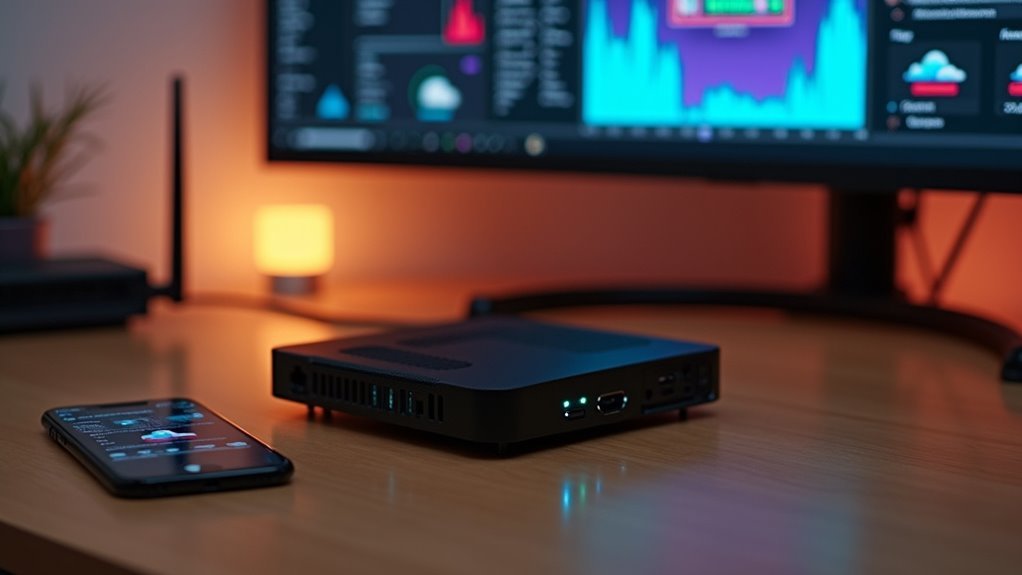
Since complexity often deters newcomers from self-hosting, Umbrel eliminates technical barriers with its plug-and-play design that transforms personal server management into a simple, accessible experience. You’ll find the one-click installation particularly valuable when deploying applications like Home Assistant for your dashboard needs.
| Feature | Beginner Benefit | Advanced User |
|---|---|---|
| Installation | One-click setup | Limited customization |
| Hardware | Raspberry Pi optimized | Resource constraints |
| Apps | Curated ecosystem | Fewer options |
Umbrel’s strength lies in its accessibility rather than flexibility. You can quickly establish your self-hosted environment without extensive technical knowledge, making it perfect for straightforward home automation setups. However, if you need deep customization capabilities, you’ll want to evaluate more advanced solutions that offer greater control over your server configuration.
Flame – Modern Start Page With Built-In Editor
You’ll find Flame’s built-in GUI editor makes customizing your start page incredibly straightforward, letting you add and organize bookmarks without any coding knowledge.
The platform’s weather widget integration gives you quick access to local forecasts right from your dashboard, while the simple Docker setup gets you running in minutes with minimal configuration.
Flame’s focus on simplicity means you won’t struggle with complex monitoring features—just clean bookmark management and easy application access.
Built-In GUI Editor
The built-in GUI editor transforms Flame into an accessible dashboard solution that doesn’t require coding skills to customize and manage. You can effortlessly add, edit, and organize your bookmarks and applications through an intuitive interface that eliminates technical barriers.
The built-in GUI editor streamlines the process of pinning your favorite bookmarks and applications directly to the start page, ensuring quick access to frequently used resources.
You’ll appreciate how the editor supports additional features like weather widgets, providing real-time updates alongside your bookmarks.
The dashboard’s tile-based layout maintains visual appeal while offering practical functionality. This user-friendly approach, combined with Docker-based setup, makes Flame an excellent choice for creating personalized home device dashboards without extensive configuration complexity.
Weather Widget Integration
While Flame’s built-in GUI editor excels at organizing bookmarks and applications, its weather widget integration elevates your dashboard into a thorough information hub.
You can pin your favorite locations directly to the dashboard, giving you instant access to current conditions and forecasts without opening separate apps or websites.
The weather widget integration supports multiple weather services, delivering real-time updates and alerts straight to your start page.
You’ll customize which metrics appear—temperature, humidity, precipitation—based on your specific needs and preferences. This flexibility guarantees your dashboard displays exactly the weather information you find most valuable.
Flame’s Docker-based setup makes implementing weather widgets straightforward, requiring minimal configuration while delivering maximum functionality for your home dashboard.
Docker Setup Simplicity
Getting Flame up and running requires just a single Docker command, making it one of the most accessible dashboard solutions available.
You don’t need extensive technical knowledge or complex configuration files to get started. The docker setup simplicity means you’ll have your modern start page running in minutes rather than hours.
Here’s what makes Flame’s deployment so straightforward:
- Single Command Deployment – Run one Docker command and your dashboard is live
- Minimal Configuration – No complicated setup files or environment variables required
- Quick Resource Allocation – Lightweight design works perfectly on low-powered devices
This streamlined approach lets you focus on customizing your dashboard rather than wrestling with installation procedures.
You’ll appreciate how Flame removes technical barriers while maintaining powerful functionality.
DashMachine – Lightweight Tile-Based Dashboard Control
When you’re looking for a dashboard that cuts through complexity without sacrificing functionality, DashMachine delivers exactly what you need. This lightweight solution offers a tile-based interface that puts your self-hosted applications and frequently used URLs at your fingertips. Each tile can be customized to represent different services, making navigation intuitive and organized.
| Feature | Benefit | Use Case |
|---|---|---|
| Tile-based Interface | Quick visual access | Service organization |
| Search Functionality | Swift navigation | Large app collections |
| Lightweight Design | Fast performance | Resource-conscious setups |
DashMachine’s elegant design prioritizes user experience while maintaining straightforward setup. You’ll appreciate how it consolidates all your favorite applications into one minimalist dashboard, eliminating the need to bookmark multiple URLs or remember various IP addresses for your home services.
Frequently Asked Questions
Can These Dashboard Tools Work Offline Without Internet Connectivity?
You’ll find dashboard capabilities vary markedly depending on which tools you choose. Some offer robust offline functionality with local data caching, while others require constant internet connections to display real-time information properly.
What Are the Typical System Requirements for Running These Dashboard Applications?
You’ll need a computer with at least 4GB RAM, dual-core processor, and 10GB storage space. Most dashboard applications run on Windows, macOS, or Linux systems with minimal hardware requirements.
How Do I Backup and Restore My Dashboard Configurations and Settings?
You’ll find backup options in your dashboard’s settings menu. Export configuration files to cloud storage or local drives. For restoration, import these files through the same settings panel to recover your customized layouts and preferences.
Are There Mobile Apps Available for Managing These Home Device Dashboards?
You’ll find dedicated mobile apps for most major dashboard platforms like Home Assistant, OpenHAB, and Hubitat. These apps let you monitor, control, and manage your smart home devices remotely with full functionality.
Which Dashboard Tools Support Dark Mode or Custom Theme Options?
You’ll find dark mode in Home Assistant, Hubitat, SmartThings, and OpenHAB. Node-RED offers custom themes, while Grafana provides extensive customization options. Most modern dashboard tools now include dark themes for better nighttime viewing experiences.




Leave a Reply