
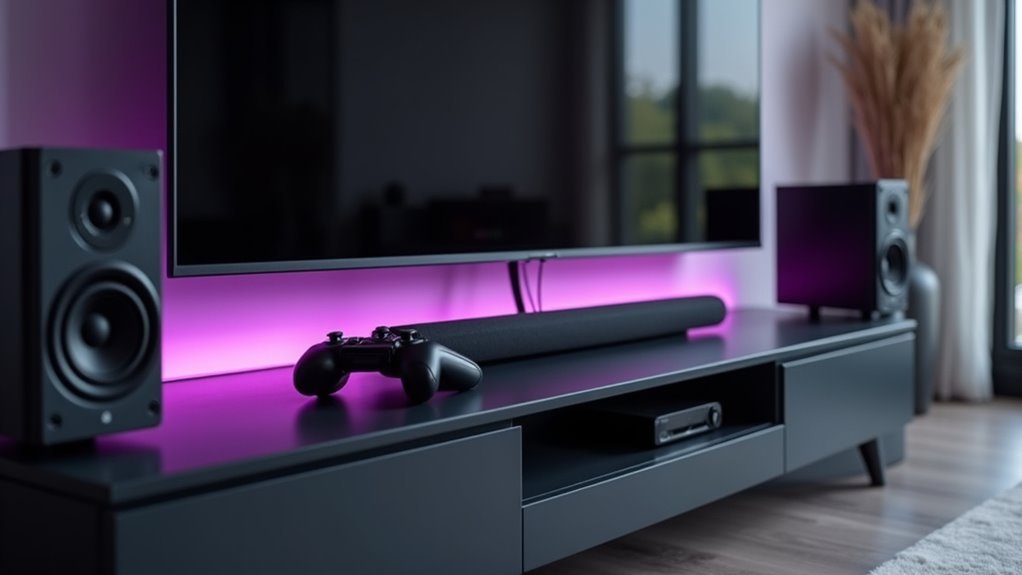
You’ve probably spent countless hours gaming or binge-watching shows, only to find yourself fidgeting with uncomfortable seating, squinting at poorly positioned screens, or wrestling with tangled cables. The difference between a mediocre setup and a truly exceptional entertainment command center isn’t just about having the most expensive gear—it’s about creating a seamless ecosystem where every component works in perfect harmony. The secret lies in understanding how these elements interconnect.
Choosing the Right Gaming Tower for Your Setup
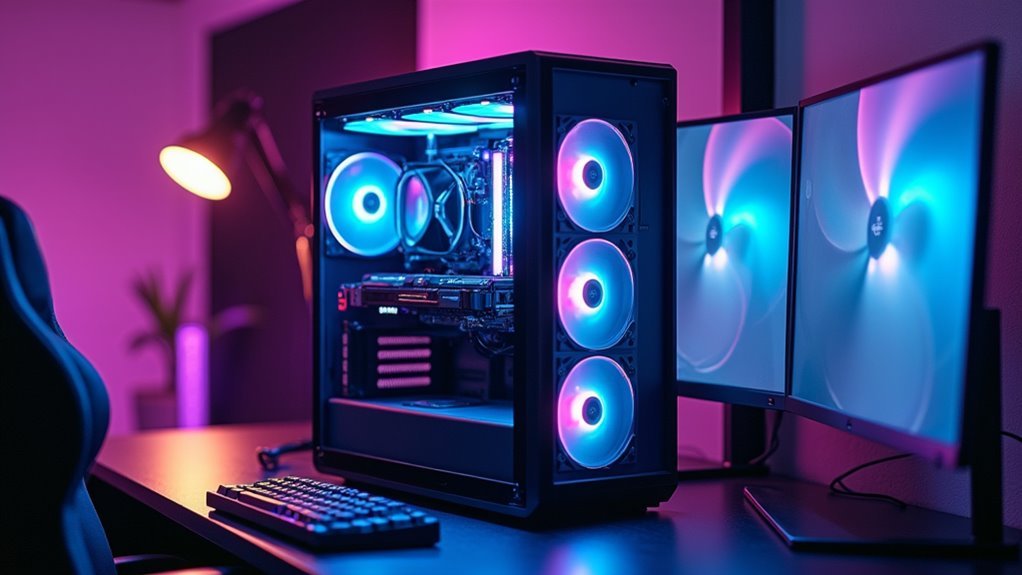
Selecting the perfect gaming tower sets the foundation for your entire entertainment command center.
You’ll want aesthetics that reflect your gaming personality—aggressive designs with red accents for intense sessions or sleek options like the Alienware Aurora R11 for sophisticated command center design.
Confirm your tower features robust cooling systems and airflow to prevent overheating during extended gaming marathons.
Choose towers with ample upgrade space for future RAM, graphics cards, and storage expansions.
Your power supply unit must provide sufficient wattage for high-performance components, preventing system instability that could disrupt video walls or multiple displays.
Look for excellent cable management features to maintain organization—essential when operators and management need clean, professional setups that enhance both aesthetics and functionality.
Dual Monitor Configuration for Maximum Immersion
Nothing transforms your entertainment command center quite like a dual monitor configuration that wraps content around your peripheral vision.
You’ll eliminate constant window switching while multitasking between gaming, streaming, and browsing. Choose monitors with minimum 1920×1080 resolution and 60Hz refresh rates for smooth visuals that keep you engaged.
Curved displays work exceptionally well in dual setups, creating an immersive environment that naturally follows your field of vision.
Curved monitors seamlessly blend together in dual configurations, wrapping your visual experience in a natural, eye-following arc that enhances immersion.
You’ll feel more connected to your content as the screens envelope your viewing experience.
Position your monitors at eye level and arm’s length away to prevent strain during marathon sessions.
Adjustable monitor stands give you complete flexibility to customize positioning for ideal ergonomics and visibility, ensuring your setup works perfectly for your unique space and preferences.
Adjustable Desk Solutions for Comfort and Performance

You’ll want an adjustable desk as the foundation of your entertainment command center to maintain proper posture during those marathon gaming sessions or movie binges.
The right ergonomic height adjustments can reduce back strain by up to 54% while boosting your energy levels and focus throughout extended use.
Modern adjustable desks also include performance optimization features like programmable height presets and integrated cable management systems that’ll keep your setup organized and efficient.
Ergonomic Height Adjustments
When you’re spending hours immersed in gaming marathons or binge-watching sessions, your entertainment command center’s height can make the difference between comfort and chronic pain.
Ergonomic height adjustments in adjustable desks transform your setup from strain-inducing to performance-enhancing.
These desks offer remarkable benefits that’ll revolutionize your entertainment experience:
- Drastically reduce back and neck strain while promoting healthier posture during extended sessions
- Boost circulation and energy levels by alternating between sitting and standing positions
- Switch positions effortlessly with programmable height settings at the touch of a button
- Increase your productivity by up to 20% through personalized height optimization
- Maintain rock-solid stability supporting multiple displays and gaming equipment without wobble
You’ll discover that proper ergonomic positioning isn’t just comfort—it’s essential for peak performance.
Performance Optimization Features
Beyond the foundational height adjustments lies a sophisticated ecosystem of performance enhancement features that transform your adjustable desk into a technological powerhouse.
These adjustable desk solutions incorporate programmable height presets that let you instantly switch to your ideal ergonomic position, maximizing focus and energy levels during extended gaming or entertainment sessions.
Ergonomically designed adjustable desks enhance productivity by reducing fatigue and maintaining peak screen visibility across various user heights. You’ll experience increased performance through seamless shifts between sitting and standing positions.
Built-in cable management systems eliminate workspace clutter, keeping your command center organized and distraction-free.
These performance enhancement features work synergistically to create an environment where comfort meets functionality, ensuring you maintain peak performance throughout marathon entertainment sessions.
Gaming Chair Selection for Long Session Support
Your gaming chair serves as the foundation of your command center, directly impacting your comfort and performance during marathon sessions.
You’ll need to focus on three critical areas: ergonomic design features that support your body’s natural alignment, adjustability options that let you customize positioning throughout different activities, and durability construction that withstands years of heavy use.
Getting these elements right means you can game longer without fatigue while protecting your long-term health.
Ergonomic Design Features
Since proper posture directly impacts your gaming performance and long-term health, selecting a chair with extensive ergonomic features becomes essential for serious gamers.
The right ergonomic design transforms marathon gaming sessions from endurance tests into comfortable experiences. Your chair’s comfort level determines whether you’ll maintain peak focus or struggle with distractions caused by physical discomfort.
Key ergonomic features you’ll want include:
- Adjustable lumbar support that cradles your spine’s natural curve
- Customizable armrests that reduce shoulder and neck strain
- Height adjustment mechanisms for proper desk alignment
- Breathable materials that prevent overheating during intense sessions
- Memory foam padding that contours to your body’s unique shape
These features work together to maintain proper spine alignment, reduce fatigue, and enhance your concentration levels.
Research consistently shows that well-designed gaming chairs directly improve both comfort and performance during extended gameplay.
Adjustability and Positioning
While these ergonomic features form the foundation of comfort, they’re only effective when you can fine-tune them to match your exact body dimensions and preferred gaming positions.
Your chair’s adjustability directly impacts your gaming performance and long-term health. Height adjustment guarantees your feet rest flat while maintaining proper desk alignment. Tilt functions let you shift positions during marathon sessions, preventing stiffness and promoting circulation.
| Feature | Benefit | Impact |
|---|---|---|
| Height Control | Proper desk alignment | Reduces neck strain |
| Reclining Function | Position variation | Prevents muscle fatigue |
| Lumbar Adjustment | Spinal support | Eliminates back pain |
Quality casters provide smooth mobility without compromising stability. You’ll move effortlessly between gaming zones while maintaining your ergonomics. This adjustability transforms static seating into dynamic comfort, supporting your body through every gaming moment and promoting peak performance during extended sessions.
Durability for Extended Use
When you’re investing in a gaming chair for marathon sessions, the construction quality determines whether you’ll enjoy consistent comfort or face declining performance over months of heavy use.
You need chairs built with reinforced steel frames and high-density foam that won’t compress or lose shape after countless hours. The durability directly impacts your gaming experience and long-term satisfaction.
Essential durability features include:
- Breathable fabrics or mesh panels that regulate temperature during intense gaming marathons
- Reclining mechanisms that withstand frequent adjustments without breaking down
- Ergonomic designs with adjustable lumbar support maintaining proper spine alignment
- High-quality materials resisting wear from daily use and movement
- Minimum two-year warranties protecting your investment against defects
Quality construction guarantees your chair delivers consistent comfort throughout years of extended gaming sessions, making every dollar worthwhile.
Ergonomic Keyboard and Mouse Essentials
Hours of gaming, streaming, or working at your entertainment center can take a serious toll on your wrists and hands without the right input devices. An ergonomic keyboard and ergonomic mouse are essential investments that’ll reduce strain while promoting natural hand positioning during extended use.
They’re specifically designed to prevent repetitive strain injuries like carpal tunnel syndrome. Look for keyboards with split or tented designs that maintain comfortable wrist angles.
Ergonomic mice should feature contoured shapes supporting your hand’s natural curvature and adjustable DPI settings for customized sensitivity. Adding a wrist rest provides additional forearm support, reducing pressure during typing sessions.
These upgrades markedly boost productivity while decreasing discomfort. Users consistently report lower fatigue levels and sustained focus during marathon sessions, making ergonomic input devices vital for your command center.
Audio System Integration for Complete Entertainment
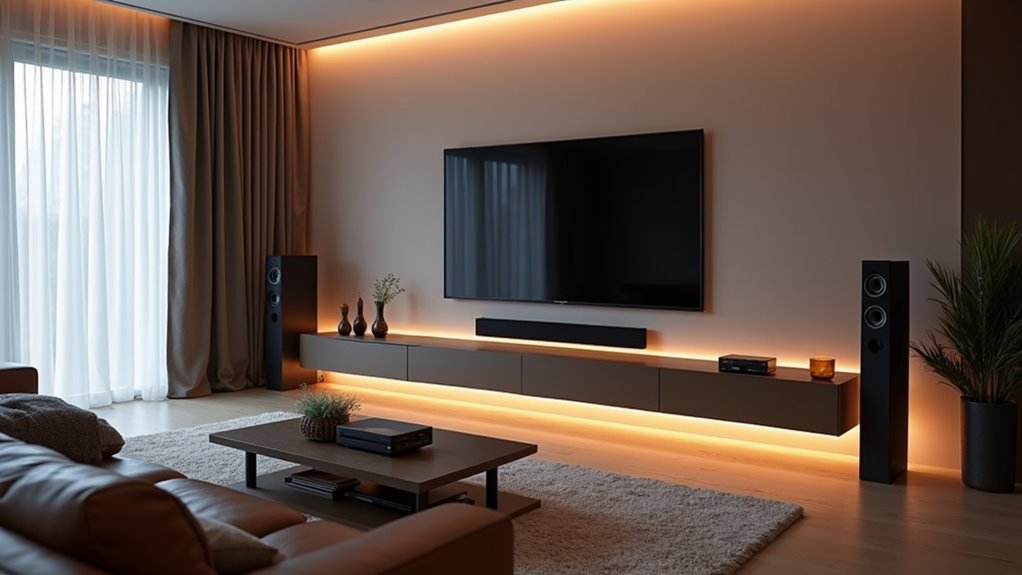
Although visual components often dominate entertainment center discussions, your audio system serves as the backbone that transforms ordinary viewing into cinematic experiences.
Audio system integration demands careful consideration of speaker placement, receiver capabilities, and connectivity options to maximize your entertainment investment.
A properly configured surround sound system delivers immersive experiences that pull you directly into the action:
- Dolby Atmos receivers create three-dimensional soundscapes that make explosions feel real
- Multiple speakers positioned strategically around your space envelope you in pristine audio
- Wireless systems eliminate cable clutter while maintaining exceptional sound quality
- Smart home integration lets you control everything through voice commands or apps
- High-resolution audio format support guarantees every detail reaches your ears with stunning clarity
Cable Management and Organization Strategies
Behind every stunning entertainment command center lies a hidden foundation of expertly managed cables that can make or break your entire setup. Your control room’s organization strategies begin with proper cable categorization and concealment techniques.
| Cable Type | Management Tool | Benefit |
|---|---|---|
| Power | Cable sleeves | Prevents tangling |
| Audio | Labeled ties | Easy identification |
| Video | Wall-mounted boxes | Reduces hazards |
You’ll want to group cables by function—power, audio, and video—to minimize clutter and enhance accessibility. Cable sleeves or raceways conceal wires while maintaining clean aesthetics. Implement labeled cable ties for each device to simplify troubleshooting and reconnections. Wall-mounted shelves keep excess cords off floors, eliminating tripping hazards. Regularly review your cable management system as you add new devices to prevent future accumulation.
Lighting Design for Optimal Gaming Atmosphere
When you’re designing your gaming command center’s lighting scheme, strategic illumination becomes the difference between an average setup and a truly immersive experience.
Your lighting design should minimize screen glare while creating the perfect atmosphere for extended gaming sessions.
RGB LED lighting transforms your space into a dynamic environment that responds to your gaming adventures:
- Sync colors with in-game events to feel truly connected to your virtual worlds
- Reduce eye strain with dimmable options that adjust to your comfort needs
- Highlight your premium equipment with strategically placed accent lighting
- Create personalized ambiance that matches your unique gaming style
- React to gameplay through smart lighting systems that bring games to life
Smart lighting systems elevate your command center from functional to phenomenal, creating an atmosphere that enhances every gaming moment.
Storage Solutions for Games and Accessories
While atmospheric lighting sets the mood for your gaming sessions, effective storage solutions keep your command center organized and functional.
You’ll want to invest in shelving units and cabinets specifically designed for gaming storage to organize games, controllers, and accessories efficiently. Stackable storage bins and drawer organizers maximize vertical space while accommodating various game sizes.
Consider adding a wheeled gaming cart for portable storage of frequently used items, allowing flexible reconfiguration of your setup.
Wall-mounted pegboards and hooks display accessories attractively while keeping them accessible. Label your storage solutions by console or genre for quick retrieval.
These command centers benefit from systematic organization that reduces clutter and enhances your gaming experience through streamlined access to equipment.
Network Setup and Connectivity Requirements
Your entertainment command center’s performance hinges on having the right network foundation in place.
You’ll need to assess your bandwidth requirements and guarantee your internet speed can handle multiple simultaneous streams, downloads, and gaming sessions without bottlenecks.
Proper infrastructure planning and smart cable management will create a reliable, organized system that supports all your devices seamlessly.
Bandwidth and Speed Requirements
Although streaming a single show might seem manageable with basic internet, building a perfect entertainment command center demands considerably more bandwidth to handle multiple devices simultaneously.
You’ll need at least 25 Mbps for standard streaming, but 100 Mbps or higher guarantees smooth 4K content delivery across your setup.
Your internet speed requirements intensify when you’re running multiple streams, gaming consoles, and smart devices concurrently.
Without adequate bandwidth, you’ll face buffering, lag, and connectivity issues that’ll ruin your entertainment experience.
Consider these bandwidth-hungry scenarios:
- Gaming while others stream 4K movies
- Multiple family members accessing different streaming services
- Smart home devices competing for connectivity
- Video calls interrupting your viewing sessions
- Downloading content while streaming simultaneously
Invest in higher-tier internet packages to future-proof your command center.
Infrastructure and Cable Management
Setting up the backbone of your entertainment command center starts with establishing a robust network infrastructure that can handle your demanding connectivity needs.
You’ll want to install a network switch with multiple ports to accommodate your smart TVs, gaming consoles, and audio systems seamlessly.
Proper cable management becomes essential for maintaining organization and performance. Use cable trays, sleeves, or ties to prevent tangling while ensuring easy access to connections.
Invest in Cat 6 Ethernet cables for superior data transfer speeds and reduced interference in your wired connections.
Enhance your wireless coverage by implementing Wi-Fi extenders or mesh networks throughout your space. This eliminates dead zones and maintains strong signals for all connected devices, creating a truly integrated entertainment environment.
Software Integration and Control Systems
When you’re building a perfect entertainment command center, software integration and control systems serve as the digital backbone that orchestrates every component into a unified powerhouse.
You’ll need intuitive interfaces that let you manage multiple sources effortlessly while real-time data analytics provide instant performance insights for quick decision-making.
Your control systems must deliver:
- Seamless device communication that eliminates technical hiccups during critical moments
- User-friendly interfaces that reduce operator stress and boost confidence
- Real-time monitoring capabilities that catch issues before they become disasters
- Scalable architecture that grows with your ambitions and dreams
- Rock-solid security protection that safeguards your valuable content and reputation
Smart software integration transforms chaos into choreographed precision, ensuring your entertainment operations run flawlessly when it matters most.
Display Calibration and Visual Optimization
You’ll need to establish proper screen resolution standards across all your displays to guarantee consistent visual quality throughout your command center.
Testing color accuracy becomes critical when you’re running multiple monitors, as even slight variations can create distracting visual mismatches during movies or gaming sessions.
Managing ambient light effectively allows you to optimize your display settings for different viewing conditions, whether you’re watching during bright daylight or in complete darkness.
Screen Resolution Standards
Although your entertainment command center might feature the latest hardware, poor screen resolution standards and inadequate display calibration can undermine your entire viewing experience.
Your video wall’s potential depends entirely on choosing appropriate screen resolution standards. Full HD (1920×1080) provides solid baseline quality, while 4K Ultra HD (3840×2160) delivers dramatically sharper detail. For the ultimate visual experience, 8K Ultra HD (7680×4320) offers unprecedented clarity.
Consider these emotional benefits of proper resolution standards:
- Crystal-clear gaming – Every detail matters when you’re dominating opponents.
- Cinematic immersion – Feel like you’re inside your favorite movies.
- Professional presentations – Impress clients with razor-sharp visuals.
- Future-proofing – Stay ahead of evolving content standards.
- Enhanced detail recognition – Spot subtle visual elements you’d otherwise miss.
Proper display calibration guarantees your chosen resolution performs at its best across different lighting conditions.
Color Accuracy Testing
Color accuracy testing transforms your high-resolution displays from impressive hardware into precision visual instruments.
You’ll need colorimeters or spectrophotometers to measure your display’s performance against standard color reference values. This calibration process guarantees accurate color representation across all media formats, creating a truly immersive experience.
Target a Delta E value below 2 for ideal results—this makes color differences virtually undetectable to your eyes.
Beyond color accuracy, you’ll want to fine-tune gamma, brightness, and contrast settings for enhanced image quality.
Don’t set it and forget it. Calibrate monthly or whenever your environment changes markedly, as displays naturally drift over time.
Regular calibration maintains that precision visual performance your entertainment command center demands for consistently engaging viewing experiences.
Ambient Light Management
While color accuracy forms the foundation of visual excellence, ambient light management determines whether you’ll actually see those calibrated colors as intended.
Your display calibration efforts become meaningless when glare and reflections distort the visuals you’ve worked so hard to perfect.
Effective ambient light management isn’t just about dimming lights—it’s strategic risk mitigation for your entire entertainment experience:
- Install blackout shades to eliminate external light interference during critical viewing
- Deploy dimmable LED systems that adapt to different content types and times
- Position displays away from direct light sources to minimize reflections
- Use bias lighting behind screens to reduce eye strain and enhance contrast
- Schedule regular display calibration sessions in your controlled lighting environment
This systematic approach guarantees your command center delivers consistent, immersive visuals regardless of external conditions.
Smart Home Integration With Entertainment Hub
When you integrate your entertainment hub with smart home technology, you’ll transform your living space into a seamlessly connected command center that responds to your every need.
Smart home integration connects your entertainment devices through platforms like Amazon Alexa, Google Assistant, and Apple HomeKit, allowing voice control of your entire system.
Voice-controlled smart home platforms transform your entertainment devices into an integrated system that responds to simple spoken commands.
Your smart TV and streaming devices automatically sync with home automation, creating personalized experiences like dimming lights when movies start.
Multi-room audio setups through smart speakers deliver synchronized sound throughout your home. You can establish custom scenes and schedules that adjust your entertainment environment for different activities.
This integration streamlines access to music, movies, and shows while creating a space that adapts to your preferences, optimizing comfort and enjoyment effortlessly.
Maintenance and Upgrade Planning for Longevity
Since your entertainment command center represents a significant investment in both money and time, establishing a thorough maintenance and upgrade strategy becomes crucial for protecting that investment.
You’ll need a detailed approach that keeps your technology running smoothly while preparing for future advancements:
- Schedule regular inspections – Check hardware components, update software, and clean equipment to maintain peak performance.
- Choose modular equipment – Select technology solutions that integrate easily with new innovations for seamless upgrades.
- Track your inventory meticulously – Monitor all equipment and software licenses to avoid costly operational disruptions.
- Partner with technology experts – Collaborate for ongoing support and insights into cutting-edge developments.
- Budget wisely – Allocate 10-15% of your total project cost annually for maintenance and upgrades.
This proactive strategy guarantees your command center remains state-of-the-art.
Frequently Asked Questions
What Do You Need for a Command Center?
You’ll need a centralized organization area with calendars, chalkboards, wall organizers, and hooks for storage. Don’t forget ergonomic furniture for comfort and tailor everything to your household’s specific needs and communication requirements.
What Is the Command Center Responsible For?
You’re responsible for real-time monitoring and managing operational data, ensuring efficient responses to critical events. You’ll coordinate team communication, maintain situational awareness, integrate data sources, and handle risk management while adhering to compliance standards.
What Is the Command Center Concept?
You’ll understand the command center concept as a centralized space where you monitor, manage, and coordinate activities using advanced technology, real-time data visualization, and streamlined workspaces designed for ideal decision-making and operational efficiency.
What Is a Command Center Plan?
A command center plan’s your strategic blueprint detailing operational requirements, layout, and technology specs. You’ll outline operator needs, data monitoring systems, traffic flow, equipment placement, ergonomics, and integrated software solutions for ideal functionality.




Leave a Reply