
You don’t need expensive gadgets to understand your sleep patterns. A simple paper grid, colored pencils, and your smartphone can reveal surprising insights about your nightly rest. Most people overlook basic tracking methods that cost less than five dollars yet provide data comparable to devices costing hundreds. The real challenge isn’t gathering the information—it’s knowing which variables to monitor and how subtle environmental changes can dramatically impact your results.
Essential Supplies for Creating Your Sleep Tracker

Creating a personalized sleep tracker starts with gathering the right supplies that’ll transform your sleep monitoring into an engaging, visual experience.
Transform your sleep monitoring from mundane data collection into a vibrant, personalized visual journey with the right creative supplies.
You’ll need basic drawing tools: a ruler for straight lines, pencil and eraser for initial sketches, and a black pen to finalize your design. Don’t forget your favorite markers—Zebra mild liners work perfectly for adding vibrant colors that enhance visual clarity.
Highlighters are essential for emphasizing specific sleep patterns, helping you analyze your data effectively over time. Create a simple banner at the top for aesthetic appeal, encouraging consistent daily use.
Using your own handwriting for labeling hours and text adds a personal touch that makes sleep tracking more relatable and easier to maintain consistently.
Setting Up Your Basic Sleep Monitoring Grid
Now that you’ve assembled your supplies, it’s time to build the foundation of your sleep tracker with a well-organized grid system.
1. Create your grid structure – Draw 24 hourly columns across the top and number each day of the month down the side.
Add a decorative banner at the top using straight lines and clear handwriting for an appealing, personalized touch.
2. Establish your color-coding system – Use highlighters to represent different sleep qualities: blue for restful nights, pink for poor sleep.
Create a key explaining each color’s meaning to help you analyze your sleep patterns effectively.
3. Track your sleep daily – Record your sleep hours consistently, aiming for 7-9 hours nightly.
This routine helps you identify trends and calculate averages to track your sleep progress over time.
Color Coding Techniques for Sleep Quality Assessment
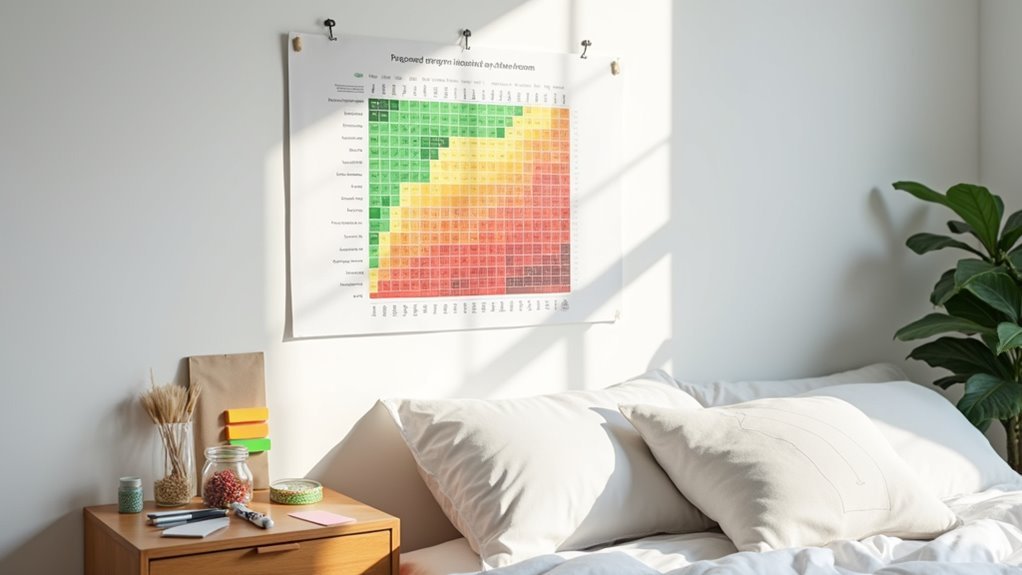
You’ll transform your basic sleep grid into a powerful visual tool by establishing clear color categories that represent different sleep quality levels.
Start by creating a simple visual key that assigns specific colors to sleep outcomes—perhaps blue for excellent rest, green for good sleep, yellow for fair nights, and red for poor quality sleep.
Once you’ve defined your system, apply these colors consistently across your tracking grid to reveal patterns that might otherwise remain hidden in plain text or numbers.
Choose Color Categories
Visual clarity becomes your greatest ally when transforming raw sleep data into actionable insights through strategic color coding.
You’ll want to establish consistent categories that immediately communicate your sleep quality at a glance.
Essential Color Category System:
- Blue for Restful Sleep – Reserve this calming color for nights when you wake feeling refreshed and energized, representing your highest quality rest.
- Pink for Poor Sleep – Use this attention-grabbing shade to mark nights with frequent awakenings, difficulty falling asleep, or morning grogginess.
- Yellow for Restless Sleep – Assign this middle-ground color for average nights where sleep wasn’t terrible but wasn’t ideal either.
Create a simple key documenting these categories.
This systematic approach transforms your sleep data into visual patterns, making it easier to identify what contributes to better sleep over time.
Create Visual Key
A dedicated visual key transforms your color-coded sleep tracker from scattered data points into a coherent monitoring system.
Create a clear legend that defines each color’s meaning—blue for restful nights, pink for poor sleep, and any additional categories you’ve chosen. Position this key prominently on your tracking chart where you’ll reference it daily.
Consistency in your color scheme enables accurate assessment of sleep habits over time. When you maintain the same colors throughout weeks and months, you’ll easily spot patterns in your quality of sleep.
Add aesthetic appeal by using your favorite highlighters or markers while ensuring functionality remains the priority. This visual reference system eliminates guesswork and provides thorough insights into your sleep improvements or declines.
Apply Consistent Patterns
Building on your established visual key, implementing consistent application patterns guarantees your sleep tracking system delivers reliable data month after month.
You’ll transform your basic sleep tracker into a powerful tool that helps improve your sleep through systematic color coding.
Essential Pattern Applications:
- Maintain Color Consistency – Use the same colors for identical sleep quality ratings throughout your tracking period. Blue always represents restful sleep, while pink consistently indicates poor sleep quality.
- Track Duration with Highlighters – Mark your actual sleep hours using highlighter colors to visualize duration patterns alongside quality assessments.
- Commit to Weekly Reviews – Dedicate time each week to analyze your color-coded data, identifying trends that reveal opportunities to improve your sleep habits and optimize your nighttime routine.
Tracking Sleep Hours and Patterns Effectively
When you’re ready to transform your sleep habits, recording both duration and quality becomes your foundation for meaningful change. Create a simple DIY grid showing days and sleep hours using 24-hour format to capture your complete sleep cycle. Color-code your sleep trackers with blue for restful nights and pink for poor sleep—this visual approach reveals patterns instantly.
| Sleep Quality | Visual Indicator |
|---|---|
| Restful Sleep | Blue Coding |
| Poor Sleep | Pink Coding |
| Average Sleep | Green Coding |
| Disturbed Sleep | Red Coding |
Monitor your patterns for several weeks before making adjustments. This baseline period helps you identify trends and disturbances effectively. Once you’ve gathered sufficient data, set specific goals for improving your sleep duration. These targeted objectives will motivate better sleep hygiene practices and enhance your overall sleep quality naturally.
Budget-Friendly Smartphone Apps for Sleep Analysis
You don’t need expensive gadgets to track your sleep when your smartphone can do the job for free.
Many budget-friendly apps use your phone’s built-in sensors to monitor sleep patterns and provide detailed analysis without any additional cost.
These apps often include smart alarm features that’ll wake you during lighter sleep phases, helping you feel more refreshed each morning.
Free App Options
Dozens of free smartphone apps can transform your device into a sophisticated sleep tracker without requiring expensive wearables or additional hardware.
You’ll simply place your phone on your bedside table or mattress, and these free app options will utilize your device’s built-in microphone and motion sensors to monitor your sleep patterns throughout the night.
Here are three key features you’ll find in many free sleep tracking apps:
- Detailed sleep stage analysis that tracks light, deep, and REM sleep phases
- Smart alarm features that wake you during your lightest sleep phase for easier mornings
- Environmental monitoring that records room noise levels and temperature fluctuations
These apps generate thorough reports showing your sleep trends over time, helping you identify lifestyle factors affecting your rest quality.
Smart Alarm Features
Among the most valuable features these budget-friendly apps offer, smart alarms stand out for their ability to revolutionize how you wake up each morning. Instead of jarring you awake during deep sleep, these smart alarm features monitor your sleep cycles and wake you during your lightest phase. This means you’ll feel more refreshed and alert rather than groggy and disoriented.
Your phone’s built-in sensors track movement patterns throughout the night, identifying the ideal wake-up window within your designated timeframe. The apps analyze your sleep environment and natural rhythms to time the alarm perfectly.
You’ll notice the difference immediately – waking up becomes easier and your entire morning routine feels less rushed. This simple technology transforms harsh wake-ups into gentle, natural changes from sleep to wakefulness.
DIY Bedside Monitoring Solutions
While commercial sleep trackers can be expensive, creating your own bedside monitoring setup offers an effective and budget-friendly alternative that’ll transform your smartphone into a detailed sleep analysis tool.
These bedside sleep trackers utilize your device’s built-in microphone and motion sensors to monitor sleep stages, breathing patterns, and environmental factors like temperature and noise levels.
Here’s how to maximize your DIY sleep tracking:
- Download specialized smartphone apps that detect snoring patterns and potential sleep apnea episodes through audio analysis.
- Position your phone strategically on your nightstand to capture accurate motion and sound data throughout the night.
- Use color-coded visual representations in your tracking app to easily identify sleep quality patterns and areas needing improvement.
This setup requires minimal effort while providing extensive sleep analysis and personalized insights.
Using Your Tracker to Test Sleep Environment Changes
Once you’ve established your DIY bedside monitoring system, you can leverage its data-collecting capabilities to scientifically evaluate how changes to your sleep environment affect your rest quality.
Start by tracking your baseline sleep patterns for several weeks before making adjustments. When testing new mattresses or bedding, monitor for 3-4 weeks to assess improvements in sleep stages and overall duration.
Focus on key metrics like sleep efficiency and nighttime awakenings. Your tracker’s heart rate data can reveal stress responses to environmental factors.
Pay attention to physical changes—reduced aches or enhanced restfulness indicate positive effects.
Analyze correlations between room temperature, noise levels, and your sleep quality data. This evidence-based approach helps you make informed adjustments that genuinely improve your rest.
Analyzing Data to Improve Sleep Habits
After collecting several weeks of sleep data, you’ll need to transform those raw numbers into actionable insights that can revolutionize your nightly rest.
Your DIY tracker’s color-coded system will reveal patterns you’ve never noticed before. Look for correlations between your daily activities and sleep quality ratings to identify what’s helping or hindering your rest.
The visual patterns emerging from your sleep tracking data often tell a story that numbers alone cannot reveal about your rest quality.
Here are three key strategies for analyzing your sleep data:
- Calculate your sleep efficiency percentage – divide actual sleep time by total time in bed to gauge how effectively you’re using your sleep window.
- Track awakening frequency patterns – note which nights show more disturbances and what factors might be contributing.
- Monitor subjective improvements – compare morning aches, alertness levels, and overall energy against your tracked metrics such as sleep duration and quality scores.
Frequently Asked Questions
How to Track Sleep Without a Wearable?
You can track sleep using smartphone apps on your bedside table, maintain paper sleep logs, monitor bedroom temperature and noise levels, keep detailed sleep journals, or record daily wake-up feelings.
Can I Track My Sleep With Just My Phone?
You can definitely track your sleep using just your smartphone. Download sleep tracking apps that use your phone’s microphone and motion sensors to monitor sleep patterns, cycles, and quality throughout the night.
What Is the Gold Standard for Sleep Tracking?
Polysomnography represents the gold standard you’d encounter for sleep tracking. It’s conducted in lab settings, measuring your brain waves, oxygen levels, heart rate, and breathing to provide thorough insights into sleep stages and disorders.
How to Make a Sleep Tracker?
Create a grid with hours 1-24 horizontally and weekdays vertically. Use color coding like blue for good sleep, pink for poor sleep. Record daily sleep hours and create a key for easy interpretation.




Leave a Reply