
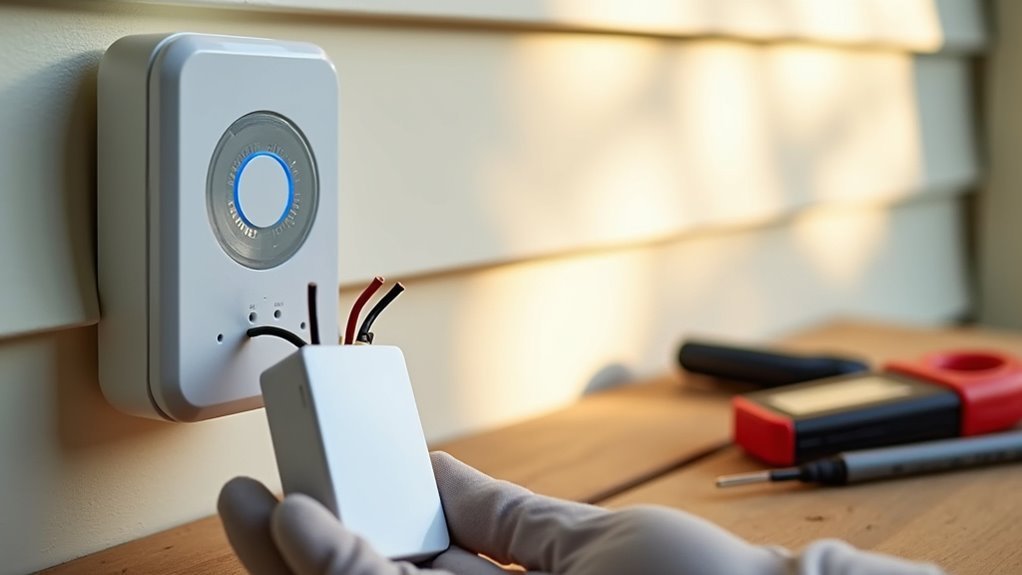
You’ve probably wondered whether you really need that Eufy doorbell chime during installation, and here’s the thing—skipping it might actually be your smartest move. While manufacturers push the complete package, you’ll discover that bypassing the chime can save you money, reduce technical headaches, and create a more flexible smart home setup. The question isn’t whether you can skip it, but why you wouldn’t want to explore this streamlined approach.
Understanding Eufy Doorbell Chime Functionality

Before diving into installation, you’ll need to understand how your Eufy doorbell chime operates as the indoor notification hub for your smart doorbell system.
This wireless device connects seamlessly to your eufy doorbell, eliminating complex wiring requirements while providing placement flexibility throughout your home.
The doorbell chime features customizable ringtones, letting you select sounds that match your preferences.
Choose from multiple ringtone options to customize your doorbell chime’s sound according to your personal preferences and home environment.
During setup, you’ll plug it into a power source and look for the solid blue light indicating it’s ready for use.
The chime syncs directly with your smart doorbell during installation, ensuring reliable operation when visitors press the doorbell button.
Understanding this functionality helps you decide whether you actually need this additional component for your specific setup.
Benefits of Skipping the Chime Installation Process
You’ll find that skipping the chime installation greatly reduces complexity by eliminating extra wiring and potential troubleshooting headaches.
Your existing doorbell chimes can remain untouched and functional, preserving your home’s current setup without modifications.
You’ll also avoid dealing with volume control issues that often arise with new chime units, since you can rely entirely on smartphone notifications through the eufy app.
Reduces Installation Complexity
While installing a traditional doorbell chime can complicate your setup with additional wiring requirements, skipping this step dramatically simplifies the entire installation process. You’ll eliminate the need to locate existing chime wires, navigate complex electrical connections, or troubleshoot compatibility issues between your new smart doorbell and older home systems.
| Installation Aspect | With Chime | Without Chime |
|---|---|---|
| Wiring Complexity | Multiple wire connections required | Simple doorbell button connection only |
| Setup Time | 45-90 minutes | 15-30 minutes |
| Technical Knowledge | Electrical experience helpful | Basic DIY skills sufficient |
| Compatibility Issues | Potential wired doorbell conflicts | Minimal concerns with smart doorbells |
Maintains Existing Chimes
When you skip the Eufy doorbell chime installation, you’re preserving a system that already works perfectly for your household. Your existing chime delivers familiar sounds that residents recognize and appreciate, eliminating the need to adapt to unfamiliar tones.
You’ll avoid the common issue of disrupting your home’s established audio environment with new, potentially jarring alerts.
When you install a doorbell without replacing the chime, you’re maintaining reliability that’s proven effective over time.
Make sure to contemplate how your current system seamlessly integrates with your daily routines and household preferences. The existing chime’s placement and volume levels already suit your living space perfectly.
You’re keeping functionality that residents trust while gaining smart doorbell features, creating an ideal balance between innovation and familiarity.
Avoids Volume Issues
By skipping the chime installation, you’re eliminating potential volume conflicts that can disrupt your household and disturb neighbors. Traditional chimes often produce unexpectedly loud alerts that can’t be easily adjusted, creating awkward situations when visitors arrive at inappropriate hours.
Your video doorbell system becomes more considerate without the mechanical chime’s fixed volume settings. Instead of relying on potentially disruptive audio alerts, you’ll receive smartphone notifications that offer complete volume control.
You can customize notification sounds, adjust vibration patterns, or enable silent mode when needed. This flexibility guarantees your video doorbell works within your lifestyle rather than against it.
Avoiding volume issues also prevents complaints from family members during naps, meetings, or quiet time, making your doorbell system truly user-friendly.
Using Smartphone Notifications Instead of Physical Chime
When you skip the physical chime installation, you’ll receive instant mobile alerts directly on your smartphone whenever someone approaches your door.
You can customize these notification settings to match your preferences, adjusting alert tones, vibration patterns, and notification timing through the Eufy app.
This setup enables silent door monitoring, letting you discreetly track visitors without disturbing your household or neighbors with traditional chime sounds.
Instant Mobile Alerts
Although many users automatically install a physical chime with their Eufy doorbell, you can skip this step entirely and rely on instant mobile alerts through your smartphone.
These real-time notifications guarantee you’ll never miss a visitor, as your phone travels with you throughout the day. You can customize your smartphone’s notification settings to prioritize Eufy app alerts, giving you greater control over how you’re notified.
This approach eliminates noise disturbances in your home, making it ideal if you live close to neighbors or have sensitive sleeping schedules.
The Eufy security app delivers both instant notifications and live video footage, providing enhanced security and convenience that surpasses traditional chimes.
Customizable Notification Settings
The Eufy Security app puts complete control over your notification experience right at your fingertips.
You’ll discover extensive customization options that let you tailor alerts exactly to your preferences. Instead of relying on a physical chime that might wake sleeping family members or disturb quiet environments, you can configure notifications that work seamlessly with your lifestyle.
The app’s notification features include:
- Custom notification sounds that reflect your personal taste
- Adjustable alert timing to prevent notification overload
- Real-time push notifications that reach you anywhere in your home
- Selective notification settings for different types of doorbell activity
You’ll save installation time while gaining flexibility that traditional chimes can’t match.
This smartphone-based approach guarantees you’re always connected to your doorbell activity without the limitations of fixed hardware.
Silent Door Monitoring
Since many households prioritize peace and quiet, you’ll find that silent door monitoring offers an elegant solution that eliminates disruptive chime sounds entirely.
You can rely completely on smartphone notifications to stay informed about visitors while maintaining household tranquility.
This approach prevents loud doorbell sounds from disturbing sleeping family members, startling pets, or interrupting important activities. You’ll receive instant alerts directly on your phone, ensuring you never miss a visitor despite the absence of traditional chiming.
Silent monitoring aligns perfectly with modern smart home preferences, allowing seamless integration with other connected devices.
You’ll maintain enhanced control over your home security while creating a more peaceful living environment that respects everyone’s need for quiet moments throughout the day.
Compatibility With Existing Doorbell Systems
One significant advantage of Eufy doorbell installation is its compatibility with existing chime systems, allowing you to skip the new chime setup entirely if your current system meets the voltage requirements.
Your traditional wired chime can seamlessly integrate with the Eufy doorbell, provided it operates within the 16 to 24-volt range.
This compatibility offers several benefits:
- Maintain your familiar chime sound without learning new tones
- Reduce installation complexity by eliminating additional hardware setup
- Keep your existing aesthetic without adding new devices to your walls
- Save time during installation by bypassing chime configuration steps
Before proceeding, you’ll need to verify your current chime’s voltage rating to confirm proper functionality.
This simple check prevents potential power issues and guarantees your doorbell system operates smoothly with your existing setup.
Streamlining Your Smart Home Setup
You can greatly reduce setup complexity by skipping the Eufy doorbell chime during initial installation, allowing you to focus solely on connecting your doorbell to Wi-Fi without managing additional components.
This approach minimizes device dependencies within your smart home ecosystem, preventing potential compatibility issues and reducing troubleshooting headaches.
Reduce Setup Complexity
When installing your Eufy doorbell, skipping the chime component can dramatically simplify the entire process.
You’ll eliminate multiple connection points and reduce the chances of technical hiccups that often plague multi-device setups.
By focusing exclusively on the doorbell itself, you’re creating a more streamlined installation experience:
- Single device focus – Connect one unit directly to your Wi-Fi network without managing additional components
- Fewer sync requirements – Avoid the hassle of pairing multiple devices and ensuring they communicate properly
- Reduced troubleshooting – Eliminate sound-related configuration issues that can complicate the setup process
- Direct connectivity – Establish a clean, interference-free connection between your doorbell and home network
This approach particularly benefits less tech-savvy users who want reliable smart home functionality without wrestling through complex multi-device configurations.
Minimize Device Dependencies
Although smart home enthusiasts often embrace interconnected devices, reducing dependencies creates a more reliable and manageable system.
When you skip the Eufy doorbell chime during installation, you’re eliminating unnecessary device relationships that can complicate your setup. Instead of juggling multiple components that need to sync simultaneously, you’ll focus entirely on establishing a solid connection between your doorbell and Wi-Fi network.
This streamlined approach prevents potential syncing conflicts that often occur when multiple devices compete for network resources during installation. You’ll avoid the frustration of troubleshooting which component isn’t responding correctly.
Reducing Installation Time and Complexity
If you’re looking to streamline your Eufy doorbell setup, skipping the chime installation can cut your setup time nearly in half.
You’ll eliminate the need to deal with electrical wiring, compatibility checks, and potential syncing headaches that often frustrate homeowners.
The simplified process offers several advantages:
- Direct Wi-Fi connection – Focus solely on connecting your doorbell to your network without additional hardware complications
- No electrical expertise required – Avoid confusing wiring diagrams and voltage compatibility issues with existing chime systems
- Faster troubleshooting – Fewer components mean quicker problem identification and resolution during setup
- Immediate smartphone alerts – Receive instant notifications through the Eufy app without physical chime dependencies
This streamlined approach makes installation accessible for anyone, regardless of their technical background or electrical experience.
Cost Savings by Avoiding Unnecessary Components

You’ll save significant money by skipping the Eufy doorbell chime, eliminating the $30-$60 cost of purchasing an additional unit.
By avoiding unnecessary hardware, you can redirect your budget toward other smart home features that better enhance your security system.
This approach reduces your upfront investment while preventing redundant components that duplicate functionality you may already have.
Reduce Overall Expenses
While many homeowners assume they need every component in a smart doorbell system, skipping the Eufy doorbell chime can slash your upfront costs by $20 to $50.
You’ll immediately notice significant savings that extend beyond the initial purchase price.
By eliminating the chime, you’re reducing installation expenses by 30% to 50% since there’s no complex wiring or additional setup required.
Consider these cost-cutting benefits:
- No electrician fees for hardwiring chime units to your home’s electrical system
- Eliminated future repair costs from maintaining multiple interconnected devices
- Reduced labor time since you’re installing fewer components overall
- Zero ongoing cleaning or maintenance expenses for chime hardware
You can redirect these saved funds toward other smart home upgrades, maximizing your technology investment while maintaining full doorbell functionality.
Eliminate Redundant Hardware
Beyond immediate savings, removing redundant components from your Eufy doorbell setup creates a leaner, more purposeful smart home system.
When you skip the chime installation, you’re eliminating hardware that duplicates functions already available through your smartphone notifications.
This streamlined approach reduces physical clutter in your home while focusing on essential features that actually enhance your daily routine.
Minimizing Sound Pollution and Noise Concerns
Since noise pollution can disrupt peaceful neighborhoods and shared living spaces, skipping the Eufy doorbell chime installation offers a practical solution for maintaining acoustic harmony.
You’ll eliminate sudden loud sounds that can disturb neighbors and create a more considerate living environment.
Many users find even the lowest chime settings too loud, creating unwanted disruptions throughout the day.
By disabling the chime, you can:
- Transform your entryway into a peaceful zone free from jarring doorbell sounds
- Create a calm sanctuary where sensitive family members won’t startle at unexpected chimes
- Establish a courteous neighborhood presence that respects shared walls and quiet hours
- Design a modern home experience focused on visual app notifications rather than intrusive audio alerts
This approach addresses community concerns about noise while maintaining doorbell functionality through silent visual notifications.
Leveraging Built-in Storage and App Features
The Eufy doorbell’s robust built-in features make traditional chime installations unnecessary for most users. You’ll benefit from 32GB of built-in storage that records continuously without subscription fees. The security app puts complete control at your fingertips, letting you access footage anytime and customize your doorbell experience.
| Feature | Benefit |
|---|---|
| 32GB Built-in Storage | Continuous recording without monthly fees |
| Security App Access | Retrieve footage anytime, anywhere |
| Face Snapshot Notifications | Instant visitor identification images |
| Customizable Quick Responses | Communicate when you’re away |
You can enable face snapshot notifications to receive visitor images instantly and create personalized quick responses for communication when you’re not home. These extensive features collectively eliminate the need for traditional chimes while enhancing your home security experience.
Integration With Third-Party Smart Home Devices
While Eufy’s built-in features provide excellent standalone functionality, connecting your doorbell to third-party smart home devices creates an even more powerful security ecosystem.
You can integrate your Eufy doorbell with Amazon Alexa and Google Assistant for seamless voice control and automation capabilities.
The Eufy Security app serves as your central command hub, managing multiple smart devices from one convenient interface.
You’ll experience enhanced security through custom routines and automated responses.
Here’s what integration enables:
- Automated lighting – Porch lights activate when someone approaches your door
- Smart lock coordination – Access doors remotely after verifying visitors through video
- Multi-device alerts – Doorbell notifications appear on smartphones, tablets, and smart displays simultaneously
- Voice announcements – Alexa announces visitor arrivals throughout your home
This all-encompassing approach transforms individual devices into a cohesive security network.
Troubleshooting Common Chime-Related Issues
Even with proper installation, you’ll occasionally encounter chime-related issues that can disrupt your Eufy doorbell’s functionality.
Dead or weak batteries are common culprits that gradually lose capacity, requiring regular replacement or recharging for peak performance.
You’ll also need to inspect for faulty wiring, as loose or frayed connections can disrupt electrical flow between your doorbell button and chime unit.
Transformer problems, including failure or overheating, can cause insufficient power supply – test the transformer output with a multimeter when issues arise.
Don’t overlook dust accumulation or mechanical wear in your chime unit, which demands regular maintenance and cleaning.
If you’re experiencing frequent malfunctions or your system lacks modern features, consider replacing the entire doorbell system.
Alternative Alert Methods for Doorbell Visitors
If you’re seeking quieter notification options or want to avoid disturbing neighbors, several alternative alert methods can replace your traditional doorbell chime effectively.
Your smartphone becomes your primary notification hub through the Eufy security app, delivering instant alerts whenever someone approaches or rings your doorbell. You’ll receive these notifications regardless of your location, making them more reliable than traditional chimes.
Transform your phone into a powerful doorbell notification system that works anywhere, anytime through the Eufy app’s instant alerts.
Consider these practical alternatives:
- Visual indicators – Set up flashing lights or LED strips that activate when visitors arrive.
- Smart home integration – Connect to existing systems for customized notification patterns.
- Custom quick responses – Use pre-recorded messages through the app to communicate instantly.
- DIY muting solutions – Apply foam insulation to physically silence existing chimes while maintaining functionality.
These methods guarantee you never miss visitors while maintaining your preferred noise levels.
Professional Installation Considerations
When you’re considering professional installation, skipping the Eufy doorbell chime altogether might be the smartest route.
Professional installers often recommend omitting the chime when it conflicts with your existing wiring or when you’ve opted for a silent notification system. By bypassing the chime connection, you’ll avoid potential compatibility issues that could complicate your setup.
This approach considerably reduces installation time and complexity, allowing your installer to focus on optimizing your doorbell’s connectivity and performance instead of troubleshooting chime problems.
You’ll also eliminate the risk of wiring conflicts that can arise when integrating new hardware with older home systems. Since you can rely on app notifications and other smart home devices for alerts, the traditional chime becomes unnecessary, streamlining your entire installation process.
Future-Proofing Your Doorbell System
As technology continues advancing at breakneck speed, you’ll want your Eufy doorbell system to adapt and grow with emerging innovations rather than become obsolete within a few years.
Smart home integration capabilities guarantee your doorbell connects seamlessly with smartphones, tablets, and smart speakers.
Consider these future-proofing features when planning your installation:
- Video monitoring with cloud storage – Archive footage remotely and access recordings from anywhere
- Automatic software updates – Receive new features and security patches without manual intervention
- Customizable settings – Adjust motion detection zones, volume levels, and notification preferences as needs change
- Active user community – Access troubleshooting guides, upgrade tips, and shared solutions from fellow users
Investing in these capabilities extends your system’s lifespan while maintaining compatibility with evolving smart home ecosystems.
Frequently Asked Questions
Do I Have to Bypass Chime for Eufy Doorbell?
You don’t have to bypass your chime for Eufy doorbell installation. It’s optional and only necessary if your existing chime’s incompatible or you prefer using app notifications instead of physical chimes.
What Are the Disadvantages of an Eufy Doorbell?
You’ll face chime volume control issues, potential Wi-Fi connectivity problems, transformer compatibility requirements, limited cloud storage without subscriptions, and unreliable customer support when troubleshooting technical or installation issues.
Does the Eufy Doorbell Need a Chime?
You don’t need a chime for your Eufy doorbell to function. It operates independently using the Eufy Security app for smartphone notifications, though you can add a chime unit later if desired.
Why Is the Doorbell Chime Buzzing After Installing Video Doorbell?
Your doorbell chime’s buzzing after installing a video doorbell because you’ve got wiring issues, insufficient power from the transformer, or compatibility problems between your new doorbell and existing chime unit.




Leave a Reply