
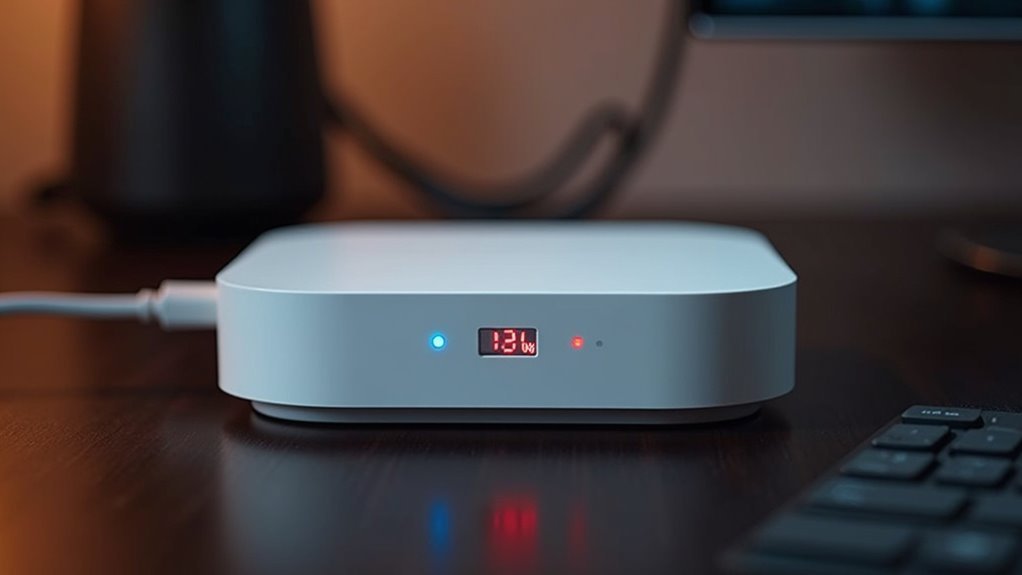
You’ve probably never considered how much energy your smart home hub quietly consumes 24/7 in the corner of your living room. While these devices appear innocent enough, their power draw varies dramatically depending on the technology they use and how many devices you’ve connected. The difference between a basic Zigbee controller and a feature-packed Wi-Fi hub could add unexpected dollars to your monthly electricity bill, and the numbers might surprise you.
Understanding Home Automation Hub Energy Requirements

When you’re setting up a smart home system, your automation hub will consume between 2 to 15 watts of power during typical operation, with most devices averaging 5 to 10 watts.
This energy consumption varies considerably based on your hub’s processing capabilities and feature set. Popular models like Samsung SmartThings Hub use approximately 3-5 watts, while advanced systems with enhanced processing power can draw up to 15 watts.
Your hub’s power requirements don’t stop when you’re not actively using it—standby consumption ranges from 1 to 2 watts during idle periods.
Understanding these energy consumption patterns helps you estimate operating costs and make informed decisions when selecting a hub that balances functionality with efficiency for your smart home setup.
Measuring Power Consumption Across Different Hub Types
Different hub technologies exhibit distinct power consumption patterns that directly impact your energy usage and monthly bills. You’ll find significant variations in power usage across different smart home platforms, making it essential to understand each type’s energy consumption characteristics.
| Hub Type | Power Draw | Annual Cost |
|---|---|---|
| Zigbee (Philips Hue) | 3 watts | $10-15 |
| Z-Wave | 2-5 watts | $10-20 |
| Wi-Fi (SmartThings) | Up to 10 watts | $20-30 |
Zigbee hubs like the Philips Hue Bridge operate efficiently at 3 watts, while Z-Wave hubs consume 2-5 watts on average. Wi-Fi-based systems demand more energy, reaching 10 watts due to intensive data processing requirements. Your continuous operation costs range from $10-30 annually, depending on your chosen technology.
Standby vs. Active Power Draw in Smart Home Controllers

Your home automation hub’s power consumption varies dramatically between idle and active states, with standby mode typically drawing just 0.5 to 2 watts compared to up to 10 watts during peak operation.
You’ll notice the biggest energy spikes when your hub processes multiple device commands simultaneously or manages heavy automation routines.
Understanding this difference helps you predict your hub’s actual energy costs, which can range from $5 to $15 annually depending on how actively it’s working.
Idle Power Consumption
Smart home hubs consume power continuously, even when they’re not actively processing commands or managing device communications. Your hub’s idle power consumption typically ranges between 2 to 10 watts, depending on its features and model complexity.
This constant draw means you’re looking at $10 to $30 in annual electricity costs, even when your system’s sitting dormant.
Energy efficiency becomes vital when selecting a hub, since these devices never truly turn off. Protocol-specific hubs like Zigbee and Z-Wave models often excel here, usually consuming less than 5 watts during standby mode.
Advanced hubs with extensive features tend toward higher consumption rates. While individual wattage seems minimal, remember that your hub operates 24/7, making efficient models essential for managing long-term energy costs in your smart home setup.
Processing Load Impact
Processing demands dramatically shift your hub’s power consumption when it moves from idle monitoring to active operation.
When your smart home technology executes commands, manages multiple devices, or processes complex automation routines, you’ll notice considerable increases in energy draw compared to standby mode.
The processing load impact varies based on several key factors:
- Number of simultaneous tasks – Multiple device commands running concurrently can triple your hub’s power consumption from its baseline 2-10 watts to 15-20 watts during peak activity.
- Device complexity – Managing sophisticated smart devices like security cameras or AI-powered assistants requires more processing power than simple switches or sensors.
- Network communication intensity – Heavy data transmission between your hub and connected devices increases both processing demands and overall power consumption considerably.
Zigbee Hub Power Consumption Patterns
When you’re evaluating Zigbee hubs for your home automation setup, you’ll find they typically consume between 1 to 5 watts of power during active use, with most models operating around the 2-watt mark.
Energy-efficient designs can drop below 1 watt in standby mode when not actively managing your ZigBee devices.
Your hub’s energy usage will vary based on how many devices you’ve connected to your network. More connected devices mean higher processing demands, which can increase power consumption.
However, Zigbee’s low-power protocols keep overall efficiency high, resulting in lower energy costs compared to other smart home hubs.
You can monitor your hub’s power consumption regularly to gain insights into its efficiency and identify potential energy savings throughout your smart home ecosystem.
Z-Wave Controller Energy Usage Analysis

You’ll find that Z-Wave controllers typically consume 1-5 watts during operation, making them relatively energy-efficient compared to other smart home hubs.
Your controller’s standby power draw usually hovers around 2 watts, but this can increase with more connected devices actively communicating through the network.
Understanding these consumption patterns helps you calculate the actual cost impact on your monthly electricity bill and identify potential energy savings in your smart home setup.
Z-Wave Power Consumption
Since Z-Wave controllers form the backbone of many smart home networks, understanding their power consumption helps you make informed decisions about energy costs and system efficiency.
Z-Wave controllers typically draw 2 to 5 watts during operation, translating to approximately $5 to $15 annually in electricity costs.
Here’s what affects your Z-Wave controller’s energy usage:
- Active communication periods – Your hub consumes more power when managing device communications and network traffic.
- Low-power standby modes – Energy usage drops to around 0.5 watts when the controller isn’t actively processing commands.
- Mesh network efficiency – The distributed communication system reduces individual device power requirements while maintaining network reliability.
This efficient power profile, combined with the mesh topology, guarantees your smart home operates cost-effectively while delivering reliable automation capabilities.
Standby Vs Active Draw
Looking more closely at this power consumption reveals considerable differences between your Z-Wave controller’s operational states.
In standby mode, your hub typically draws 1 to 3 watts while maintaining network connectivity and monitoring smart devices. However, during active usage—when executing commands or managing multiple devices—energy consumption increases to approximately 3 to 5 watts.
This difference matters for your annual electricity costs. Based on average usage patterns and $0.12 per kWh rates, you’ll spend roughly $5 to $10 yearly on hub operation.
High-end models offer energy-efficient standby modes that can reduce consumption to just 0.5 watts, considerably lowering costs.
Understanding these operational states helps you optimize your smart home’s overall energy consumption while maintaining reliable automation performance.
Cost Impact Analysis
When evaluating the financial impact of your Z-Wave controller, the numbers reveal surprisingly modest costs that won’t strain your household budget. With typical controllers consuming 1-5 watts during operation, you’re looking at approximately $3.42 annually for a 3-watt hub at standard electricity rates of $0.13 per kWh.
Here’s what you need to take into account for accurate cost analysis:
- Individual hub consumption – Most Z-Wave controllers stay under 1 watt in standby mode, minimizing monthly energy bills.
- Cumulative device impact – Multiple smart home devices can create significant costs when combined across your entire automation system.
- Long-term energy planning – Understanding your controller’s energy contribution helps identify potential savings opportunities within your broader smart home infrastructure.
This analysis guarantees you make informed decisions about your home automation investments.
Wi-Fi Based Smart Hub Electricity Requirements
As you evaluate Wi-Fi-based smart hubs for your home automation system, you’ll find that these devices typically consume between 5 to 15 watts during active operation, depending on their specific model and feature set.
Even when you’re not actively controlling smart devices, these hubs draw 1 to 3 watts in standby mode, contributing to continuous energy usage.
If you’re considering advanced models with built-in voice assistants or multi-protocol support, expect power demands reaching up to 20 watts.
Your annual electricity costs will range from $10 to $30 based on local rates.
Fortunately, newer models incorporate energy-saving modes and efficient firmware designs that minimize standby consumption, helping you reduce overall energy expenses while maintaining reliable home automation performance.
Matter and Thread Hub Power Efficiency
You’ll find Matter and Thread hubs consume considerably less power than their Wi-Fi counterparts, typically drawing under 2 watts during operation.
These protocols work together to create mesh networks that distribute communication loads across devices, reducing the central hub’s energy demands.
You can maximize these efficiency gains by implementing strategic device placement and utilizing the protocols’ built-in power optimization features.
Thread Hub Consumption
Thread hubs stand out as remarkably energy-efficient components in the smart home ecosystem, typically consuming just 2 to 4 watts during operation. This low power design stems from Thread’s mesh networking architecture, which allows devices to communicate directly with each other rather than constantly routing through a central hub.
You’ll appreciate these key benefits of Thread hub consumption:
- Battery device optimization – The low power framework extends the lifespan of battery-operated smart devices considerably.
- Reduced energy costs – Thread hubs consume 60-70% less power than traditional Wi-Fi hubs that draw 10+ watts.
- Smart power management – Advanced designs keep hubs in low-power states when inactive, minimizing your carbon footprint.
This mesh networking approach creates an exceptionally efficient smart home foundation.
Matter Protocol Efficiency
When Matter protocol combines with Thread networking, your smart home achieves unprecedented power efficiency that pushes consumption below traditional thresholds. You’ll find devices consuming under 1 watt while idle, with ideal Thread operation requiring less than 0.5 watts. This Matter protocol efficiency transforms how your devices communicate, enabling coin-cell batteries to power connected devices for years.
| Device Type | Power Consumption |
|---|---|
| Matter Device (Idle) | <1 watt |
| Thread Operation | <0.5 watts |
| Battery-Powered Sensors | Years on coin-cell |
| Mesh Network Nodes | Minimal relay power |
| Hub Requirements | Reduced overall draw |
The mesh architecture eliminates multiple power-hungry hubs since devices relay messages between each other. You’re achieving reliable connectivity while maintaining low energy consumption, creating sustainable smart home solutions that align with environmental goals without sacrificing performance or functionality.
Power Optimization Strategies
Because Matter and Thread hubs consume remarkably little power—often under 2 watts—you can implement targeted optimization strategies that maximize their efficiency while maintaining peak performance.
These power optimization strategies help you achieve substantial energy savings while maintaining reliable home automation:
- Leverage mesh networking – Thread’s mesh technology allows devices to communicate efficiently through the nearest hub, reducing overall network power consumption and extending battery life for connected devices.
- Choose battery-powered devices strategically – Select devices that can operate for years on a single battery charge, minimizing replacement frequency and reducing environmental impact.
- Consolidate hub functions – Use Matter’s interoperability to manage multiple device types through fewer hubs, preventing power supply overload while streamlining your smart home setup and reducing your carbon footprint.
Factors That Influence Hub Power Draw
Several key variables determine how much electricity your home automation hub consumes during daily operation.
The number of connected devices in your smart home directly impacts power consumption, as each additional connection requires processing power and communication resources.
Your hub’s communication protocols also matter greatly—Wi-Fi-based systems typically draw more energy than Zigbee or Z-Wave alternatives due to higher bandwidth requirements.
If you’ve got a hub with built-in voice assistants, expect higher energy usage from continuous voice recognition processing.
The complexity of automation routines you’re running affects power draw too. Hubs performing extensive data analysis or managing multiple simultaneous device commands will consume more electricity than those handling simple on-off functions.
Even your hub’s age and efficiency rating influence overall consumption patterns.
Comparing Popular Hub Models and Their Energy Footprint
The energy appetites of popular home automation hubs vary considerably across manufacturers and models.
When you’re selecting a home hub, understanding electricity usage differences can help you make an informed choice that aligns with your energy efficiency goals.
Here’s how leading models compare:
- Hubitat Elevation – Most efficient at 2 watts, perfect if you prioritize minimal electricity usage.
- Amazon Echo Plus – Mid-range consumption at 3.5 watts standby, balancing functionality with reasonable power draw.
- Samsung SmartThings Hub – Higher consumption between 4-7 watts depending on connected devices and model.
Specialized hubs like the Philips Hue Bridge consume just 1.5 watts, making them excellent for lighting-focused setups.
Despite these variations, you’ll find that even the hungriest home hub costs less than $10 annually in electricity.
Monitoring and Tracking Hub Power Consumption
While selecting an energy-efficient hub matters, you’ll want to track your actual power consumption to verify manufacturer claims and identify potential efficiency improvements.
Smart plugs with energy tracking capabilities offer the most practical solution for monitoring your hub’s real-time power draw. These monitoring tools provide detailed data showing exactly how many watts your hub consumes during idle periods and active operations.
You can use this data to compare different hubs’ actual performance against their specifications. If you notice unexpectedly high consumption, it might indicate network issues, firmware problems, or excessive device polling.
Regular monitoring helps you optimize your hub’s configuration and identify when updates or settings changes affect power usage, ultimately reducing your annual energy costs.
Environmental Impact of Continuous Hub Operation
Beyond tracking your hub’s power consumption, you should consider the broader environmental implications of keeping these devices running continuously.
Your hub’s 2-10 watts of idle power contributes to energy waste that adds up considerably across millions of households nationwide.
Small individual power draws become massive collective energy waste when multiplied across millions of continuously operating household devices nationwide.
Here’s how continuous hub operation affects the environment:
- Carbon footprint expansion – Your hub’s 17.5-87.6 kWh annual consumption increases greenhouse gas emissions from power generation.
- Collective energy waste – Millions of always-on hubs create substantial unnecessary energy demand nationwide.
- Environmental footprint multiplication – Each device’s impact compounds when scaled across entire communities.
You can minimize your environmental footprint by choosing energy-efficient hub designs and implementing smart scheduling features that reduce unnecessary power draw during inactive periods.
Cost Analysis of Running Multiple Home Automation Hubs
Managing multiple home automation hubs creates a compounding effect on your electricity bill that many homeowners overlook. When you’re running three hubs simultaneously, your energy consumption triples from a single hub’s 10-watt draw to approximately 45 watts total.
This translates to around $270 annually at standard electricity rates of $0.12 per kWh, compared to $87 for one hub.
Each additional hub you add increases both power draw and associated costs. If you’re using multiple home automation hubs across different smart home ecosystems, you’ll want to evaluate whether consolidation is possible.
Regular monitoring helps identify optimization opportunities. You can schedule inactive periods or turn off unnecessary hubs to reduce consumption. Smart power strips with scheduling features provide automated control over hub operation times.
Optimizing Hub Placement for Energy Efficiency
Strategic placement of your home automation hubs can dramatically reduce energy consumption by enhancing signal strength and minimizing communication struggles between devices.
Poor hub placement forces your devices to work harder, consuming more power to maintain connections.
Here are three key strategies for effective hub placement:
- Position centrally – Place your hub in the middle of your home to maximize connectivity range and reduce power draw from devices struggling to communicate.
- Avoid interference – Keep hubs away from walls and electronic devices in open areas to maintain stable, low-power connections.
- Choose efficient protocols – Select hubs supporting Zigbee or Z-Wave technologies designed for minimal energy consumption.
Regular firmware updates further enhance performance, improving data transmission efficiency and reducing unnecessary power usage throughout your smart home network.
Future Energy-Efficient Hub Technologies
While proper placement maximizes your current hub’s efficiency, emerging technologies promise to revolutionize how these devices consume power altogether.
Future energy-efficient hubs will feature low power processing units consuming less than 5 watts when active and even less during standby. You’ll benefit from enhanced protocols like Zigbee and Thread, designed specifically for minimal energy usage while managing multiple devices.
These advanced hubs will integrate energy harvesting technologies, potentially operating on solar or kinetic power without traditional electrical sources.
Smart scheduling and presence detection will activate devices only when you’re present, further reducing consumption. Many upcoming models will achieve Energy Star certification, ensuring they meet strict efficiency standards while considerably lowering your household’s overall energy footprint.
Frequently Asked Questions
Does Home Automation Save Energy?
Yes, you’ll save energy with home automation. You can reduce electricity bills by 10-15% through optimized appliance scheduling, smart thermostats saving 23% on heating/cooling, and automated lighting cutting waste by 20%.
Are Home Automation Systems Worth It?
You’ll find home automation systems worthwhile if you value convenience and long-term savings. They’ll reduce your energy costs by around $70 annually while optimizing device usage, making the initial investment pay off over time.
What Is the Difference Between Smart Home and Home Automation?
You’ll find smart homes focus on remote device control through apps and connectivity, while home automation emphasizes automatic processes and routines that run without your manual intervention, improving efficiency.
What Is Home Automation Hub?
You’ll use a home automation hub as your central control device that connects and manages all your smart home gadgets, letting them communicate together through one app interface.




Leave a Reply