

You’re tired of juggling multiple apps, fumbling for light switches in the dark, and wondering if you remembered to lock the front door. A home control command center transforms these daily frustrations into seamless automation, putting every smart device at your fingertips through one central hub. But creating an effective setup isn’t about cramming technology into a corner—it requires strategic planning that most homeowners completely overlook.
What Is a Home Control Command Center?
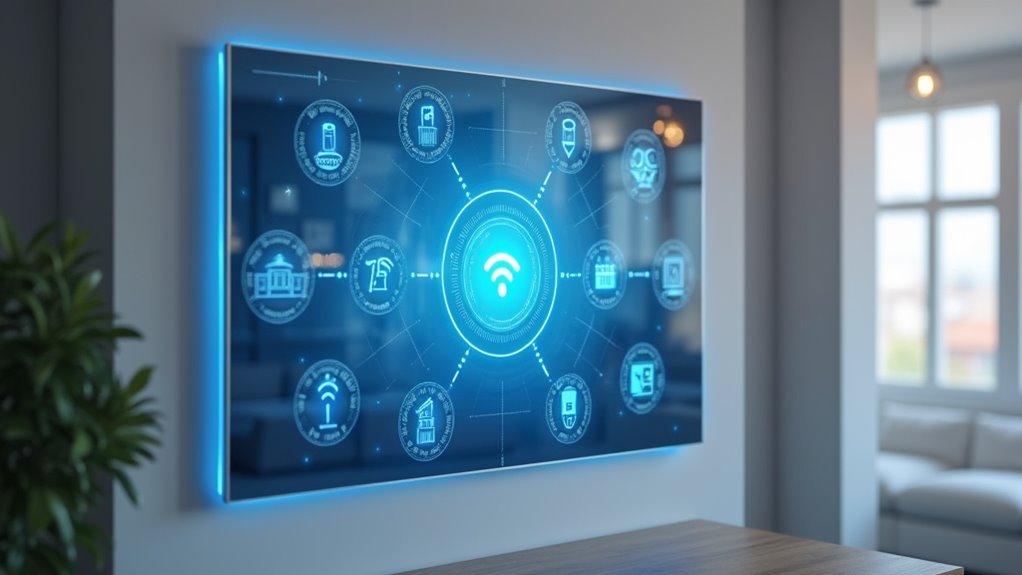
As smart home technology becomes increasingly prevalent, a Home Control Command Center serves as your centralized hub for managing and monitoring all connected devices throughout your house.
You’ll find that this extensive system integrates various technologies including smart thermostats, lighting systems, security cameras, and energy management tools, allowing you to control everything from a single interface.
Your Home Control Command Center can be customized to match your specific needs and preferences.
You can incorporate features like energy monitoring, device scheduling, and remote access through mobile applications.
This centralized approach streamlines your daily routines while providing real-time data on energy consumption.
You’ll also have the ability to make automated adjustments based on your lifestyle patterns, creating a more efficient and responsive living environment.
Essential Components for Your Command Center Setup
Building your centralized hub requires careful selection of core components that balance organization with technological functionality.
Essential components for your command center setup start with organizational basics: a calendar for tracking schedules, a key holder to prevent misplacement, and a dry erase board for notes and reminders.
Enhance functionality with storage solutions like baskets and wall pockets to organize papers needing attention.
Designate specific areas for bags and shoes using hooks and racks, streamlining morning routines while reducing entryway clutter.
Integrate technology through charging docks for personal devices and smart home controls to centralize system management.
Don’t overlook aesthetic appeal—incorporate decorative elements and personalized designs that maintain focus on functionality, creating a welcoming yet efficient command center.
Choosing the Perfect Location in Your Home

You’ll need to balance high traffic areas with practical accessibility when selecting your command center’s location.
Consider spaces like hallways or entryways where family members naturally pass through, but avoid main living areas where the center might create visual clutter.
The key is finding that sweet spot where everyone can easily access the command center without sacrificing your home’s privacy and aesthetic appeal.
High Traffic Areas
Most families naturally gravitate toward certain areas when entering and leaving their homes, making these high traffic zones the perfect foundation for your command center.
Consider placing your Family Command Center in hallways, entryways, or mudrooms where everyone passes through daily. These locations offer natural accessibility while keeping organizational tools close to everyday essentials like keys, shoes, and bags.
You’ll want to choose a discreet spot that doesn’t overwhelm your main living spaces.
Assess available wall space carefully, selecting areas that minimize distractions while maximizing functionality.
When your command center sits in a high traffic area, it encourages consistent use and reinforces organizational habits. This strategic placement transforms chaotic mornings and after-school routines into streamlined processes.
Privacy Vs Accessibility
Finding the right balance between privacy and accessibility requires careful consideration of your family’s unique needs and daily patterns. Your command center should be centrally located yet discreet, allowing easy access while maintaining organization without cluttering main living spaces.
| Location Type | Privacy Level | Accessibility Score |
|---|---|---|
| Hallway nook | High | Medium |
| Mudroom corner | Medium | High |
| Kitchen alcove | Low | High |
Consider areas like hallways or mudrooms that offer this vital balance. You’ll want to minimize distractions while keeping essential items within reach. Avoid high-traffic zones that create chaos, but make sure all family members can easily use the space for bills, schedules, and communication. Visual barriers like decorative screens enhance privacy while maintaining functionality.
Planning Your Dashboard Layout and Screen Configuration
You’ll need to strategically position 6 to 9 monitors of similar size to create an ergonomic workspace that maximizes productivity without causing strain.
Consider curved screens and adjustable mounts that let you designate specific displays for calendar management, messaging, and email while maintaining ideal viewing angles.
Don’t overlook proper cable management solutions – they’re essential for keeping your command center organized and ensuring reliable connections between all your displays.
Monitor Placement Strategy
When designing your ultimate home control command center, strategic monitor placement becomes the foundation that determines your productivity and workflow efficiency.
Your monitor placement strategy should prioritize both functionality and ergonomics to maximize performance.
Position your top left monitor for a static calendar display, keeping schedules visible at all times. Place instant messaging on the top middle screen for quick communication access, while dedicating the top right monitor to entertainment or social media feeds.
Reserve your bottom row for essential communication tools: email management and video conferencing platforms. This arrangement guarantees you’ll access critical applications efficiently without excessive head movement.
Install adjustable mounts for flexible positioning and consider curved screens to reduce eye strain during extended sessions.
Verify your hardware supports multiple displays and invest in quality cables for reliable connections.
Screen Size Considerations
Screen size considerations form the backbone of an effective dashboard layout, directly impacting your ability to process information and manage multiple tasks simultaneously.
You’ll want to maintain uniformity across all monitors by selecting screens of similar dimensions. This consistency eliminates jarring shifts when moving between displays and creates a seamless visual experience.
For your 6 to 9 monitor setup, prioritize screens that offer adequate real estate without overwhelming your workspace. Larger monitors provide more information density, but they shouldn’t strain your eyes or neck during extended use.
Consider the distance between your seating position and the displays when making size decisions. Remember that screen size considerations also affect your hardware requirements, so verify your graphics card can handle the resolution and refresh rates of your chosen monitors effectively.
Cable Management Solutions
Three critical elements determine whether your multi-monitor command center becomes a professional workspace or a chaotic web of cables: proper planning, strategic routing, and systematic organization.
You’ll need extensive cable management solutions that include trays, clips, and sleeves to prevent tangling while maintaining workspace aesthetics. Position your monitors and devices based on usage patterns, grouping cables together to minimize clutter.
Install adjustable mounts that conceal cables while ensuring ergonomic screen placement for your command center layout.
- Transform your cluttered desk into a pristine control center that commands respect
- Eliminate the frustration of tangled cables disrupting your focus during critical tasks
- Create a color-coded labeling system that makes you feel like a tech professional
- Experience the satisfaction of effortless troubleshooting when everything’s perfectly organized
Hardware Requirements and Technical Specifications
Building a robust command center starts with selecting the right foundation of hardware components that’ll handle your multi-monitor setup efficiently. Your graphics card serves as the cornerstone of these hardware requirements, so verify it can support your desired number of displays. Most modern cards handle at least three screens, with high-end options supporting six or more.
Connect your monitors using high-quality HDMI or DisplayPort cables for superior signal quality and high-resolution support compared to outdated VGA connections. A docking station with USB-C or Thunderbolt ports streamlines connectivity while powering multiple peripherals simultaneously.
Don’t overlook ergonomic considerations – adjustable monitor mounts optimize screen positioning and reduce strain during extended sessions.
Keep your operating system and drivers updated regularly to maintain compatibility with evolving hardware and software.
Smart Device Integration and Connectivity Options

You’ll need to establish robust connectivity between your smart devices to create a truly unified command center.
Start by configuring your wireless network to handle multiple device connections while considering wired ethernet for critical components that require unwavering stability.
Your smart home integration success depends on selecting compatible devices and setting up proper communication protocols between your hub and each connected system.
Device Connectivity Setup
Where should you start when connecting smart devices to create your ultimate home control command center?
Begin with your device connectivity setup by establishing a wired ethernet connection instead of relying on Wi-Fi. This foundation guarantees stable, reliable communication between your smart devices.
Choose a central hub that supports multiple integrations—lights, thermostats, and security systems—so you’ll control everything from one interface.
Set up a docking station to organize connections and power multiple devices efficiently. Install an Insteon-controlled power strip to monitor energy consumption and streamline management.
- Never lose control of your home again with seamless device integration
- Feel the confidence of managing everything from one central location
- Experience the satisfaction of a perfectly organized smart home system
- Enjoy peace of mind knowing your devices communicate reliably
Smart Home Integration
Once your device connectivity foundation is established, smart home integration transforms your command center into a unified ecosystem where every device speaks the same language.
You’ll connect thermostats, lights, and security systems to your centralized hub, creating seamless management through one interface.
Choose communication protocols like Zigbee, Z-Wave, or Wi-Fi to guarantee diverse devices work together effectively.
Implement voice assistants such as Amazon Alexa or Google Assistant for hands-free control, streamlining your daily routines.
Integrate energy monitoring features like eMonitor to track real-time consumption data, helping you optimize usage efficiently.
Wireless Network Configuration
Your command center’s performance hinges on a properly configured wireless network that can handle multiple smart devices simultaneously without compromising speed or reliability.
Start with a dual-band router supporting both 2.4GHz and 5GHz frequencies to accommodate different device requirements. Newer devices thrive on 5GHz’s higher speeds, while older ones need 2.4GHz’s extended range.
Consider implementing a mesh Wi-Fi system to eliminate frustrating dead zones throughout your home. Configure Quality of Service settings to prioritize critical devices like security cameras and smart speakers.
Enable WPA3 encryption to shield your network from unauthorized access, and consistently update your router’s firmware for ideal wireless network configuration.
- Never lose connection to your security systems again
- Experience lightning-fast response from every smart device
- Enjoy seamless streaming without buffering interruptions
- Sleep peacefully knowing your network stays secure
Custom Dashboard Software and Interface Design
Three essential elements define exceptional custom dashboard software: intuitive design, seamless integration, and real-time responsiveness.
You’ll want to prioritize user experience by implementing intuitive navigation, clear labeling, and customizable layouts that adapt to your specific preferences and needs. Your dashboard’s power comes from utilizing APIs and integration capabilities of smart home devices, guaranteeing compatibility while streamlining data flow between various systems.
Implement real-time monitoring features that provide instant access to energy consumption statistics and device performance metrics for superior home management.
Don’t forget to make sure your dashboard’s design remains responsive and accessible across multiple devices, including tablets and smartphones. This flexibility enables you to control and monitor your entire home automation system from anywhere within your house.
Wiring and Power Management Solutions
Proper wiring and power management form the backbone of any reliable home control command center, directly impacting both performance and safety of your entire system.
Without proper electrical planning, even the most advanced smart home setup becomes a safety hazard waiting to happen.
You’ll need strategic power management solutions to handle multiple devices efficiently. Install a power strip within easy reach for convenient charging and connectivity. Use cable management clips and sleeves to organize wires and prevent dangerous tangling.
- Peace of mind knowing your electrical system won’t overload and cause devastating outages
- Professional appearance with clean, organized cables that impress visitors and boost your confidence
- Instant recovery during power failures with UPS backup keeping critical operations running smoothly
- Effortless troubleshooting through proper wire labeling that saves hours of frustrating detective work
Verify your electrical capacity before adding devices to prevent circuit breaker trips.
Monitor Selection and Mounting Strategies
How do you transform scattered screens into a unified command center that maximizes both functionality and visual impact? Your monitor selection strategy determines everything from workspace efficiency to visual cohesion.
Start by choosing uniform sizes and resolutions across all displays. This creates seamless visual shifts and streamlines your workflow organization. Install adjustable monitor mounts for ergonomic positioning—you’ll appreciate the flexibility during extended monitoring sessions.
| Feature | Recommended Specs | Benefits | Considerations |
|---|---|---|---|
| Resolution | 1440p or 4K | Sharp detail clarity | GPU compatibility |
| Size | 24-27 inches | Ideal viewing distance | Desk space requirements |
| Panel Type | IPS or VA | Wide viewing angles | Budget constraints |
| Refresh Rate | 60Hz minimum | Smooth display updates | Cable bandwidth limits |
Combine vertical and horizontal arrangements to maximize space while maintaining visibility. Verify your graphics card supports multiple displays at desired resolutions, and use high-quality HDMI or DisplayPort cables for reliable connections.
Voice Control and Automation Features
While visual interfaces provide precise control over your smart home ecosystem, voice commands transform your command center into a truly hands-free operation hub.
Voice control integration with Amazon Alexa, Google Assistant, and Apple HomeKit lets you operate devices seamlessly while cooking, cleaning, or relaxing.
You’ll create schedules and routines that automatically optimize energy usage—lights turning off at bedtime or thermostats adjusting when you leave home.
Group multiple devices for simultaneous control through simple commands like “turn off all lights” or “set living room temperature to 72 degrees.”
- Never fumble for switches in the dark again
- Feel like a tech wizard controlling your entire home with just your voice
- Experience the peace of mind knowing your home responds instantly
- Enjoy effortless luxury that makes everyday tasks disappear
Security and Access Control Implementation
You’ll transform your command center into a security fortress by integrating smart locks that respond to your voice commands and smartphone controls.
Set up your camera monitoring system to stream live feeds directly to your central hub, giving you complete visual coverage of entry points and vulnerable areas.
Establish robust access code management protocols that let you create, modify, and revoke digital keys for family members, guests, and service providers from anywhere.
Smart Lock Integration
Smart locks transform your home’s entry points into intelligent gateways that you can monitor and control from anywhere in the world.
You’ll eliminate the anxiety of wondering whether you secured your door, receiving instant notifications whenever someone enters or exits. These advanced systems integrate seamlessly with your smartphone and voice assistants, creating temporary access codes for guests while maintaining complete security oversight.
Your smart locks become the foundation of a thorough security ecosystem when connected to cameras and alarm systems:
- Never worry about lost keys again – keyless entry eliminates lockouts and security risks
- Grant access without being home – temporary codes for family, friends, and service providers
- Receive instant alerts – know immediately when someone approaches your door
- Control everything remotely – lock or secure from anywhere using your smartphone
Camera Monitoring Setup
Multiple camera angles create an extensive security network that extends your smart lock protection throughout every corner of your home.
Your camera monitoring setup should feature high-definition cameras with night vision capabilities, providing clear visibility during both day and night hours.
Install motion detection features that instantly notify your devices when unusual activity occurs, creating a responsive security system.
Use centralized app or software to monitor multiple cameras simultaneously from your command center’s screens. This streamlined approach lets you manage all feeds efficiently.
Ascertain your camera system integrates seamlessly with existing smart home devices, allowing unified control through your command center interface.
This thorough camera monitoring network transforms your home into a fully protected environment.
Access Code Management
Beyond visual surveillance, your command center’s access code management system provides the foundation for controlling who enters your home and when.
You’ll assign unique codes to family members and guests while maintaining complete oversight through centralized tracking.
Smart locks integrated with your automation system let you manage everything remotely via smartphone apps, giving you control from anywhere.
Your access code management transforms home security through:
- Peace of mind knowing exactly who’s accessing your property and when they’re coming or going
- Complete control over your family’s safety with the ability to instantly revoke or modify access privileges
- Effortless convenience of never worrying about lost keys or lockouts again
- Unshakeable confidence in your home’s security with regularly updated, trackable access protocols
Testing and Calibrating Your System
Five critical steps will transform your newly assembled command center from a collection of connected devices into a reliable, synchronized system.
Start by verifying all devices connect properly to power sources and your network infrastructure. This foundational step guarantees seamless communication between components.
Next, deploy calibrating tools and energy monitoring apps to assess each device’s performance and efficiency. These measurements reveal how well your system integrates and operates.
Update all firmware and software regularly to maintain compatibility and peak performance while eliminating bugs.
Conduct thorough testing by simulating real scenarios—adjust temperature settings, test device responsiveness, and verify automation sequences.
Finally, document your results meticulously. Use this data to make targeted adjustments, enabling continuous improvement and effective troubleshooting of your command center.
Maintenance and Troubleshooting Tips
While your command center runs smoothly after initial setup, consistent maintenance prevents minor issues from becoming major headaches. Regular software updates keep your devices running efficiently and compatible with new features.
Clean your hardware weekly by dusting screens and wiping surfaces to maintain peak performance.
Effective troubleshooting starts with proper organization:
- Keep detailed logs of technical issues and solutions to quickly resolve recurring problems
- Implement smart cable management to prevent connection chaos and streamline diagnostics
- Schedule quarterly system assessments to adapt your setup for evolving needs
- Create backup configurations to restore settings instantly when problems arise
These proactive maintenance strategies guarantee your command center remains your home’s reliable control hub, minimizing downtime and maximizing your smart home investment.
Expanding Your Command Center for Future Needs
As smart home technology rapidly advances, you’ll want your command center to grow alongside these innovations rather than become obsolete within a few years. Expanding your command center for future needs requires strategic planning and smart investments that prioritize scalability.
Choose modular organizational systems that accommodate additional shelves, charging stations, and storage compartments as your family grows. Install abundant power outlets and USB ports to handle multiple devices simultaneously. Consider integrating smart thermostats, security cameras, and voice assistants for thorough home monitoring.
| Component | Current Need | Future Expansion | Benefit |
|---|---|---|---|
| Power Setup | 4 outlets | 8+ outlets/USB hubs | Device charging capacity |
| Storage | Basic shelving | Modular shelf system | Flexible organization |
| Smart Devices | Basic controls | Integrated ecosystem | Enhanced automation |
| Monitoring | Manual checks | Energy tracking system | Efficiency optimization |
Regularly reassess your setup’s layout and functionality to incorporate emerging technologies effectively.
Frequently Asked Questions
How to Create a Home Command Center?
Choose a central wall location accessible to all family members. Install a calendar, bulletin board, and key hooks. Add storage baskets for papers. Start with repurposed items, then expand gradually while incorporating decorative elements.
Where Is the Best Place to Put a Family Command Center?
You’ll want to place your family command center in a central, high-traffic area like your entryway, hallway, or mudroom where everyone passes frequently but it won’t clutter main living spaces.
What to Put in a Family Command Center?
You’ll want a centralized calendar, key holder, dry erase board, paper organizers, and designated spots for bags and shoes. Add a chair for convenience and make certain everything’s easily accessible for streamlined family organization.
What Is the Command Center in a House?
A command center in your house is a centralized organizational hub where you’ll manage family schedules, store important documents, hang keys, and coordinate daily activities to streamline your household’s routines.




Leave a Reply