
You’re probably tired of discovering unwanted visitors or package thieves hours after they’ve already left your property. Modern security cameras have transformed home monitoring by instantly alerting your smartphone the moment motion is detected, but not all cameras offer the same responsiveness or reliability. The key lies in understanding which specific models and technologies can truly deliver those split-second notifications that make the difference between catching an intruder and missing them entirely.
How Motion Detection Technology Works in Security Cameras
Modern security cameras rely on two main technologies to detect movement and trigger alerts.
You’ll find Passive Infrared (PIR) sensors that detect heat changes from moving objects, and Pixel Difference Analysis (PDA) that identifies motion by comparing consecutive video frames.
PIR sensors excel at detecting movement across their field but can miss objects with temperatures similar to their background.
PDA offers adjustable sensitivity settings, letting you customize how much motion triggers alerts – higher sensitivity catches smaller movements.
Most security cameras provide effective motion detection between 7 to 19 feet, though this varies based on your camera’s placement and environmental conditions.
Advanced models combine both PIR and pixel detection methods, improving reliability while reducing false alarms through customizable Activity Zones that ignore specific areas.
Types of Cameras That Send Motion Alerts to Smartphones
You’ll find two main categories of security cameras that send motion alerts to your smartphone: wireless battery-powered models and wired security systems.
Wireless cameras like the Reolink Argus 3 Pro and Blink models offer easy installation without running cables, using PIR sensors to detect movement and instantly notify your phone.
Wired systems provide consistent power and reliable connectivity, with options like the Ring Stick Up Cam delivering motion alerts alongside features such as two-way communication through your mobile device.
Wireless Battery Cameras
Wireless battery cameras deliver the ultimate convenience for motion detection by eliminating the hassles of power cables and complex wiring. These security cameras offer flexible installation anywhere you need monitoring coverage.
| Feature | Technology | Benefit |
|---|---|---|
| Motion Detection | PIR sensors + pixel detection | Reduces false alerts |
| Alerts | Real-time smartphone notifications | Instant awareness |
| Audio | Two-way communication | Remote deterrence |
| Installation | Battery-powered | No wiring required |
| Durability | IP65+ weatherproof rating | All-weather reliability |
Models like the Reolink Argus 3 Pro, Wyze Cam v4, and Ring Outdoor Cam send motion alerts directly to your smartphone through their dedicated apps. You’ll receive instant notifications when movement’s detected, while advanced PIR sensors minimize false alarms. The weatherproof design guarantees reliable outdoor performance year-round.
Wired Security Systems
While battery-powered cameras offer installation flexibility, wired security systems provide uninterrupted power for 24/7 monitoring with motion alerts sent directly to your smartphone.
These systems utilize advanced motion detection technologies to deliver reliable phone alerts without worrying about battery life or charging schedules.
Wired cameras like the Reolink Argus 3 Pro and Wyze Cam v4 feature smart motion detection that instantly notifies you when movement occurs.
The Ring Outdoor Cam adds Live View and Two-Way Talk capabilities for immediate communication with visitors or intruders.
Key benefits of wired systems include:
- PIR sensors and pixel analysis reduce false alerts
- Customizable sensitivity settings through mobile apps
- Real-time notifications via user-friendly applications
- Continuous power for uninterrupted surveillance
- Enhanced reliability compared to battery-dependent alternatives
Top Battery-Powered Cameras With Mobile Notifications
When choosing a battery-powered security camera, you’ll want one that delivers reliable mobile notifications to keep you connected to your property at all times.
The Reolink Argus 3 Pro excels with its built-in PIR motion sensor that sends real-time alerts directly to your smartphone.
For superior video quality, the Wyze Cam v4 provides smart motion alerts with 2.5K QHD resolution and includes a motion-activated spotlight for enhanced visibility.
The Blink Outdoor camera stands out by combining PIR and Pixel Difference Analysis for thorough motion detection with customizable notification settings.
Ring’s Stick Up Cam integrates seamlessly with Alexa for voice control capabilities.
The Reolink Lumus offers dual detection technology using both PIR and pixel motion detection, plus two-way audio for remote communication with visitors through your security camera system.
Best Wired Security Cameras for Instant Phone Alerts
Several top-tier wired security cameras deliver instant phone alerts that’ll keep you informed about activity around your property.
These security camera systems excel at motion detection while providing reliable power through their wired connections.
The most effective wired cameras for instant notifications include:
- Wyze Cam v4 – Delivers 2.5K QHD resolution with enhanced color night vision and immediate smartphone alerts
- Ring Outdoor Cam (Stick Up Cam) – Features real-time motion alerts plus two-way communication capabilities
- Blink cameras – Utilize dual PIR and Pixel Difference Analysis with customizable sensitivity settings
- Reolink Argus 3 Pro – Equipped with built-in PIR motion sensor and weatherproof outdoor design
- Arlo Pro 4 – Provides instant notifications with color night vision and integrated spotlight functionality
These cameras guarantee you’re always connected to your home’s security.
Smart Detection Features: Person, Vehicle, and Package Recognition
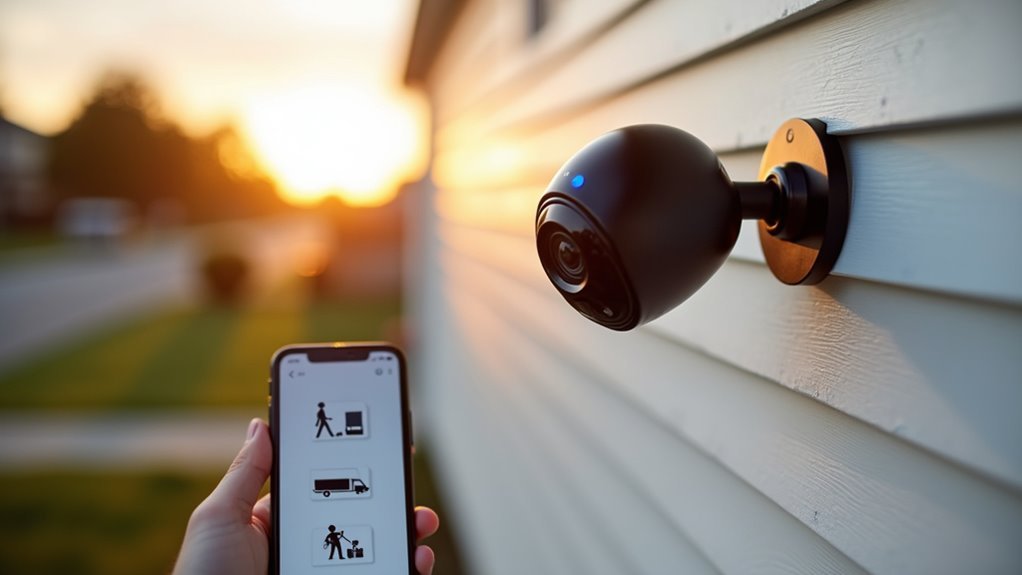
Modern security cameras go beyond basic motion alerts by incorporating intelligent recognition technology that distinguishes between different types of activity on your property.
These smart motion features utilize advanced computer vision to detect motion from specific objects like people, vehicles, and packages, dramatically reducing false alerts from pets, shadows, or wind-blown debris.
Person detection helps you identify potential intruders while filtering out irrelevant movement. Vehicle recognition alerts you when cars enter your driveway or parking area. Package detection notifies you about deliveries, helping prevent theft.
Ring’s Smart Alerts exemplify these capabilities, sending customized notifications based on what triggered the motion.
You can adjust sensitivity settings through your camera’s app, fine-tuning alerts to capture significant events while minimizing unnecessary notifications for ideal security monitoring.
Setting Up Motion Zones and Sensitivity Adjustments
Once you’ve enabled smart detection features, you’ll want to configure motion zones and sensitivity settings to optimize your camera’s performance for your specific environment.
These adjustments help minimize false alerts while ensuring your motion sensor captures important activity.
Fine-tuning motion detection settings prevents unnecessary notifications while maintaining reliable surveillance of genuine security events.
Here’s how to customize your motion detection settings:
- Access camera settings in your app and define specific areas where motion detection should be active or inactive
- Adjust sensitivity levels from low (1-4) to high (6-9) depending on your camera model and environment
- Create activity zones that exclude areas like busy streets or swaying trees from triggering alerts
- Set retrigger time intervals between 10-60 seconds to control how frequently events are captured
- Fine-tune settings through motion detection options to suit your specific monitoring needs
Push Notification Apps and Mobile Integration Options
You’ll need to download and configure your camera’s dedicated mobile app to receive push notifications on your smartphone or tablet.
Most modern security cameras require Android 6.0 or iOS 12.0 and newer versions for ideal compatibility and feature access.
Once connected, you can customize real-time alert settings to control when and how motion notifications reach your device throughout the day.
App Setup Process
Setting up push notifications for your security camera requires three essential steps that’ll get your mobile alerts running smoothly.
The app setup process begins with downloading your camera’s dedicated app from your device’s app store, followed by creating an account or logging into your existing one to enable notification features.
Once you’ve completed the initial setup, you’ll need to configure these vital settings:
- Activate motion detection within the app to send motion alerts to your phone
- Grant notification permissions in your smartphone’s settings menu
- Customize sensitivity levels to reduce false alerts
- Configure specific notification criteria based on your preferences
- Enable regular app updates for improved reliability and new features
Proper configuration guarantees your security system delivers timely alerts when motion occurs.
Smartphone Compatibility Requirements
After configuring your app settings, your smartphone’s compatibility becomes the foundation for receiving reliable motion alerts.
You’ll need to verify your device supports the camera manufacturer’s mobile app, which is typically available for both iOS and Android platforms. Enable essential app permissions on your smartphone, allowing camera apps to send notifications, access the internet, and receive real-time alerts without interruption.
Your smartphone compatibility extends beyond basic functionality when cameras like Wyze Cam v4 and Ring Outdoor Cam offer smart integrations with Alexa and Google Assistant.
Maintain a stable internet connection on both your camera and smartphone to ensure timely motion alerts delivery. Regularly update your apps to verify continued compatibility with the latest operating systems and access improved features for enhanced mobile integration.
Real-Time Alert Management
When motion triggers your security camera, push notification apps become your immediate connection to real-time events at your property.
Modern security cameras like the Reolink Argus 3 Pro and Wyze Cam v4 deliver instant alerts through dedicated mobile apps, ensuring you’re notified the moment something happens.
These sophisticated systems use advanced motion detection technologies, including PIR sensors and dual detection methods, to provide accurate alerts while reducing false notifications.
You’ll have complete control over your notification experience through customizable settings.
- Adjust sensitivity levels to match your specific monitoring needs
- Enable or disable alerts for designated motion detection zones
- Access live feeds immediately upon receiving motion alerts
- Integrate with Alexa or Google Assistant for voice-activated control
- Customize notification schedules and alert types through mobile apps
Wi-Fi Requirements for Reliable Motion Alert Delivery
Although motion alerts offer excellent security benefits, they’re only effective if your Wi-Fi network can deliver them reliably. Your cameras need consistent connectivity to transmit motion detection signals to your phone without delays.
| Requirement | Specification |
|---|---|
| Upload Speed | Minimum 2 Mbps |
| Router Distance | Within 30 feet |
| Technology | Wi-Fi 6 preferred |
| Network Load | Multiple device support |
Position your cameras within 30 feet of your router for ideal signal strength. Wi-Fi 6 technology provides faster, more reliable connectivity that enhances motion detection efficiency. Confirm your internet plan includes at least 2 Mbps upload speed for consistent alert delivery. Network congestion can cause significant delays, so verify your router handles multiple connected devices simultaneously. Regular network optimization maintains reliable push notification performance from your security cameras.
Troubleshooting Common Motion Alert Connection Issues
When your motion alerts aren’t working properly, you’ll need to identify whether the problem stems from network connectivity, app permissions, or motion detection settings.
Poor Wi-Fi signals can prevent your camera from sending notifications to your phone, while restricted app permissions might block alerts from appearing on your device.
Motion detection failures often occur when sensitivity settings are too low or when the camera’s detection zones aren’t configured correctly for your monitoring area.
Network Connectivity Problems
Network connectivity issues often prevent motion alerts from reaching your smartphone, creating gaps in your security monitoring.
Poor Wi-Fi connections disrupt the essential communication between your camera and mobile device, causing missed notifications when motion detection triggers occur.
To resolve network connectivity problems affecting your motion alerts:
- Check Wi-Fi signal strength – Verify both your camera and smartphone maintain stable connections to your wireless network.
- Restart your router and camera – Power cycling refreshes network connections and resolves temporary connectivity glitches.
- Verify app permissions – Confirm your camera’s app has notification permissions enabled on your smartphone.
- Test with different devices – Use another smartphone to identify device-specific connectivity issues.
- Review motion detection settings – Confirm push notifications and motion alerts are properly configured within the camera’s app.
App Permission Settings
Beyond network issues, incorrect app permission settings frequently block motion alerts from reaching your device.
You’ll need to verify that your camera app has permission to send notifications through your smartphone’s settings menu. Navigate to your phone’s app settings and locate the camera application to ascertain notification permissions aren’t restricted.
Additionally, check that motion detection is actively enabled within the camera app itself. Without this feature turned on, your device won’t generate any alerts regardless of permission status.
Your smartphone’s system-level notification settings also matter—confirm the camera app’s alerts aren’t muted or blocked at the operating system level.
If problems persist, restart both your camera and smartphone to reset any permission-related glitches affecting notification delivery.
Motion Detection Failures
Camera malfunctions often stem from motion detection settings that aren’t properly configured for your specific environment.
When you’re experiencing notification delivery problems, several technical issues could be disrupting your system’s performance.
- Verify both motion detection and push notifications are actively enabled in your security camera app to maintain proper alert functionality.
- Confirm your smartphone has granted full permission for the camera app to send notifications, as restricted access blocks alerts.
- Test your Wi-Fi connection’s stability and speed, since poor network performance causes delayed or missed motion alerts.
- Try using a different smartphone to determine if you’re dealing with device-specific compatibility issues.
- Restart your router and camera regularly to refresh network connections and resolve persistent notification problems.
Camera Placement Strategies for Optimal Motion Detection
When you’re setting up motion-activated cameras, proper placement makes the difference between reliable alerts and constant false notifications.
Position your cameras away from windows and glass surfaces where reflections and direct sunlight can trigger false motion detection alerts. Install them 8 to 10 feet high for an ideal field of view while preventing tampering.
Install cameras 8-10 feet high, away from windows and glass to avoid false alerts from reflections and sunlight.
Keep cameras within 15-30 feet of your Wi-Fi router to guarantee strong signal strength for reliable notifications. Avoid areas with heavy foliage or obstructions that’ll block detection zones.
Focus on high-traffic areas like doorways, driveways, and walkways.
Use multiple cameras strategically to eliminate blind spots and create overlapping coverage zones. This approach maximizes your motion detection effectiveness and guarantees you’ll receive accurate alerts when activity occurs.
Subscription Services and Cloud Storage for Motion Alerts
After optimizing your camera placement for accurate motion detection, you’ll need reliable storage solutions to preserve and access your recorded alerts. Subscription services offer cloud storage options that automatically save your motion alerts, ensuring you won’t lose important footage.
- Ring Home subscriptions store recorded videos for up to 180 days, giving you extended access to motion events.
- Wyze cloud storage plans include continuous recording capabilities with easy app-based access to alerts.
- Blink optional subscriptions provide enhanced cloud storage for motion clips and live view sessions.
- Monthly costs typically range from $3 to $10 depending on camera quantity and storage duration.
- Cloud storage eliminates the need for local storage devices while providing remote access from anywhere.
These services transform your cameras into all-encompassing security systems with reliable backup capabilities.
Frequently Asked Questions
Do Security Cameras Alert Your Phone?
Yes, you’ll receive phone alerts from security cameras with smart motion detection. You can customize notification settings, adjust sensitivity levels, and manage alerts through user-friendly apps to monitor your property remotely.
What Security Camera Has the Best Motion Detection?
You’ll find the Reolink Lumus offers superior motion detection by combining PIR sensors with pixel analysis. This dual approach provides instant, reliable alerts while markedly reducing false notifications compared to cameras using single detection methods.
Is There a Security Camera That Follows Movement?
Yes, you’ll find cameras like the Reolink Argus 3 Pro that follow movement using PIR sensors and advanced motion detection. They’ll track subjects automatically and send real-time alerts directly to your phone.
What States Are Illegal to Have Hidden Cameras?
You can’t legally use hidden cameras in private spaces like bathrooms or bedrooms in most states. California, Florida, Illinois, Michigan, New York, and New Jersey have particularly strict laws prohibiting unauthorized hidden recording.




Leave a Reply