

You’ve probably wondered how your smart home knows when you’re actually home versus just away for a few minutes. MQTT presence detection solves this puzzle by using lightweight messaging between your devices and sensors to track real-time location status. While it sounds technical, it’s surprisingly straightforward once you understand the core components working behind the scenes. The setup process might surprise you with its simplicity.
Understanding MQTT Protocol Basics

While traditional messaging protocols often struggle with network limitations, MQTT (Message Queuing Telemetry Transport) solves this challenge by providing a lightweight, efficient communication framework specifically designed for IoT environments.
This messaging protocol operates on a publish/subscribe model, where your devices send data to a central broker that distributes information to subscribers. You’ll find MQTT’s minimal overhead makes it perfect for Internet of Things applications with limited bandwidth or unreliable connections.
The protocol’s Quality of Service levels guarantee reliable message delivery while maintaining efficiency. For presence detection systems, MQTT’s real-time communication capabilities enable immediate status updates, making it ideal for automation scenarios where you need instant notifications about device or person presence changes.
How Presence Detection Works
When you implement MQTT presence detection, your system monitors whether people or devices are present in specific locations by collecting data from various sensors and tracking technologies. Your setup combines GPS, WiFi, and Bluetooth to track device locations accurately.
| Technology | Primary Function |
|---|---|
| GPS | Outdoor location tracking |
| WiFi | Indoor/outdoor network detection |
| Bluetooth | Short-range device proximity |
| Door sensors | Entry/exit confirmation |
| Motion detectors | Activity verification |
Your MQTT broker receives real-time presence data from these sensors, which publish location updates continuously. The system’s automation scripts process this information to trigger actions like turning on lights when you arrive home. Complex logic prevents false positives by requiring confirmation from multiple sources, checking recent door activity, or verifying specific distances from home before changing your presence status.
Benefits of MQTT for Smart Home Automation

You’ll find that MQTT transforms your smart home automation by enabling instant communication between all your connected devices.
The protocol’s lightweight design means you won’t face bandwidth bottlenecks even when managing dozens of sensors, switches, and controllers simultaneously.
Your system can easily expand from a few devices to an extensive IoT network without sacrificing performance or reliability.
Real-Time Device Communication
Because MQTT uses a lightweight publish/subscribe model, it delivers real-time communication that transforms how your smart home devices interact with each other.
When you walk into a room, presence detection sensors instantly publish your status through MQTT, triggering immediate responses from connected devices. Your lights turn on, thermostat adjusts, and security system updates without noticeable delays.
This instant device communication eliminates the frustrating lag you’d experience with traditional protocols. MQTT’s efficient message transmission uses minimal bandwidth while maintaining reliable connections even when your network experiences high latency.
You can create sophisticated automations that respond immediately to presence changes, whether you’re entering your home office or leaving for vacation. Your smart home becomes truly responsive, enhancing both security and energy efficiency through seamless real-time coordination.
Low Bandwidth Efficiency
MQTT’s lightweight architecture makes it perfect for smart homes where network resources are limited. You’ll experience efficient data transmission that doesn’t bog down your connection, even when multiple devices communicate simultaneously. This low-bandwidth protocol guarantees your presence detection systems work flawlessly without consuming excessive network capacity.
| Traditional Polling | MQTT Protocol | Your Experience |
|---|---|---|
| Constant requests | Real-time updates | Instant responses |
| Wasted bandwidth | Minimal data usage | Lower internet bills |
| Network congestion | Smooth operation | Seamless automation |
| Device lag | Immediate notifications | Peace of mind |
| High maintenance | Self-managing | Worry-free living |
You’ll notice faster response times when MQTT handles your smart home’s presence detection. The protocol’s publish/subscribe model eliminates unnecessary data exchanges, creating an efficient ecosystem that scales beautifully as you add more devices.
Scalable IoT Integration
As your smart home ecosystem expands, MQTT effortlessly accommodates new devices without requiring infrastructure overhauls or performance compromises.
This scalable integration capability makes MQTT ideal for presence detection systems that grow with your needs.
MQTT’s architecture handles simultaneous connections efficiently, whether you’re monitoring:
- Motion sensors throughout multiple rooms detecting occupancy patterns
- Smart phones broadcasting location updates as family members move around
- Wearable devices tracking presence in real-time across different zones
- Security cameras capturing movement data for automated lighting responses
The protocol’s lightweight nature guarantees your automation systems remain responsive even as you add more presence detection devices.
You’ll experience seamless communication between all components, from simple door sensors to complex multi-room monitoring setups, without sacrificing performance or reliability.
Essential Hardware Components Required
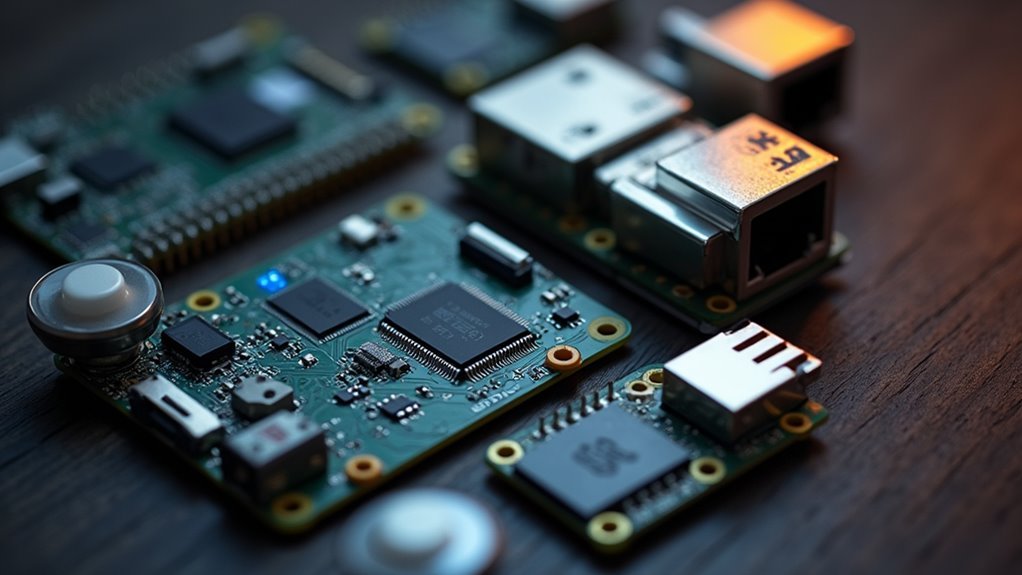
You’ll need three core hardware components to build an effective MQTT presence detection system for your smart home.
First, set up an MQTT broker to manage communication between all your devices and sensors.
Then add Bluetooth tracking devices to monitor individual presence and door/window sensors to detect entry point activity.
MQTT Broker Setup
Three essential hardware components form the foundation of any MQTT broker setup for presence detection.
You’ll need a computer or single-board computer like a Raspberry Pi to host your mqtt broker, ensuring efficient message distribution between devices in your MQTT presence detection system. A reliable power supply keeps your broker running continuously, preventing communication interruptions.
Finally, you’ll require a stable network connection through Ethernet or WiFi interfaces for seamless connectivity.
Your setup process involves configuring these key elements:
- Server Installation – Install broker software like Mosquitto on your chosen hardware platform
- Network Configuration – Configure port 1883 for standard connections and establish network protocols
- Security Settings – Implement username and password authentication for device access control
- Device Integration – Connect and test your presence detection devices for proper communication flow
Bluetooth Tracking Devices
When implementing MQTT presence detection, Bluetooth tracking devices serve as your primary sensors for monitoring who’s present in your space.
These device trackers continuously broadcast unique Bluetooth addresses from smartphones, fitness trackers, and dedicated beacons like Tile trackers or Chipolo devices. Your MQTT systems can reliably monitor presence status by detecting these signals within defined areas.
You’ll need multiple detection nodes throughout your space since Bluetooth’s shorter range requires broader coverage for accuracy. This makes Bluetooth presence detection ideal for indoor environments where precision matters.
Unlike WiFi or GPS alternatives, these Bluetooth tracking devices remain active even in low power modes, ensuring consistent data without draining batteries.
Popular options integrate seamlessly into your existing MQTT infrastructure for real-time automation.
Door Window Sensors
Door window sensors form the backbone of perimeter-based presence detection, using magnetic reed switches to monitor entry points throughout your home.
These sensors detect when external doors and windows open or close by monitoring magnetic field changes between sensor components.
When integrated with MQTT protocols, they publish status updates directly to your broker, enabling real-time monitoring and automated responses.
You’ll receive instant alerts if doors remain open when leaving, enhancing both security and home automation capabilities.
Essential placement considerations include:
- All exterior entry points – front doors, back doors, patio entrances
- Ground-floor windows – easily accessible openings from outside
- Basement or garage access points – secondary entry vulnerabilities
- Strategic interior doors – rooms containing valuable items or privacy concerns
This thorough coverage guarantees accurate presence detection throughout your smart home system.
Setting Up Your MQTT Broker
Five essential steps will get your MQTT broker running smoothly for presence detection.
First, install your mqtt broker on a device with a static IP address like 192.168.0.30 to guarantee consistent client communication.
Static IP addresses ensure your MQTT broker remains accessible at the same network location for reliable device connections.
Second, configure port 1883 for standard connections or enable SSL/TLS for secure communications when needed.
Third, implement authentication by creating unique credentials – for example, username “monitorfff” with password “super$ecretPa55word” to prevent unauthorized access.
Fourth, establish a topic root such as “monitor” to organize messages from different devices, assigning specific publisher identities to each device.
Finally, optimize configuration settings by enabling message persistence and setting maximum connection limits to enhance broker performance for your presence detection system.
Configuring Bluetooth Tracking Devices
You’ll need to configure your Bluetooth tracking devices by first setting up static Bluetooth addresses for each device you want to monitor, like your smartphone or tablet.
Next, you’ll assign unique MQTT topic structures to each device, such as `monitor/living_room/phone1/device_tracker`, which allows your system to publish accurate presence updates.
Finally, you’ll determine the ideal detection range for each Bluetooth device to guarantee reliable scanning without false positives from neighboring properties.
Bluetooth Address Setup
When configuring Bluetooth tracking devices for MQTT presence detection, you’ll start by populating known static addresses for each device you want to monitor.
Your Bluetooth address setup requires careful attention to guarantee accurate device trackers functionality within your MQTT integration system.
Each device needs a unique identifier paired with its specific address for reliable presence detection.
Here’s what you’ll configure:
- Static Bluetooth addresses – Like 58:cb:52:24:53:15 for person1’s mobile device
- Unique device identifiers – Confirming each tracker has distinct naming conventions
- MQTT topic structure – Following patterns like “monitor/first_floor_front/person1_mobile/device_tracker”
- Device proximity parameters – Setting detection ranges for accurate “home” or “not_home” status reporting
Proper configuration enables your system to seamlessly track individual presence based on device proximity.
MQTT Topic Configuration
Once you’ve established your Bluetooth addresses, configuring MQTT topics becomes the foundation for organizing your presence detection data flow. Your mqtt topic configuration requires a structured format like `monitor/first_floor_front/person1_mobile/device_tracker` to publish presence updates effectively.
| Component | Example |
|---|---|
| MQTT Broker IP | 192.168.0.30 |
| Device Address | 58:cb:52:24:53:15 |
| Topic Structure | monitor/location/device/tracker |
| Status Updates | home/not_home |
Each Bluetooth tracking device needs its unique static address paired with a dedicated topic. This prevents conflicts in your MQTT broker while enabling accurate device tracker reporting. The structured approach guarantees real-time presence updates flow efficiently through your network, allowing subscribers to receive immediate notifications when devices enter or leave monitored areas.
Device Detection Range
Understanding your Bluetooth tracking device’s detection range guarantees accurate presence monitoring within your intended coverage area.
Bluetooth’s short-range communication typically spans 10 to 30 meters, depending on device class and environmental factors affecting signal strength.
You’ll need to optimize your configuration for maximum accuracy:
- Adjust RSSI threshold to -95 dBm – This enhances detection sensitivity and improves device recognition at maximum range.
- Deploy multiple detection nodes – Strategic placement expands coverage and eliminates blind spots throughout your monitoring area.
- Configure active scanning mode – Provides frequent presence updates despite increased power consumption compared to passive scanning.
- Fine-tune sensitivity settings – Use slider controls to minimize false positives and reduce erratic behavior from stationary devices.
Proper range configuration guarantees reliable Bluetooth presence detection for your smart home automation needs.
Installing Door and Window Sensors
Installing door and window sensors represents one of the most straightforward ways to enhance your MQTT presence detection system.
These battery-operated devices use magnets and switches to detect openings and closings on all external entry points, greatly boosting your home security capabilities.
You’ll find the installation process remarkably simple since most sensors mount easily without extensive wiring.
Once connected to your MQTT broker, these door sensors and window sensors provide real-time status updates whenever entry points open or close.
Your presence detection system can then trigger automated responses based on this data.
You can configure lights to activate when doors open, receive alerts if windows remain open before leaving, or create custom automations that respond to specific entry patterns throughout your home.
GPS Tracking Limitations and Challenges
While door and window sensors provide reliable detection at specific entry points, GPS tracking presents a different set of obstacles that can frustrate your MQTT presence detection efforts. GPS trackers face several inherent limitations that compromise their effectiveness for presence detection.
- Update frequency delays – iOS devices especially suffer from infrequent GPS updates, causing significant delays in detecting when you’ve actually arrived or departed.
- Indoor accuracy deterioration – Your GPS signal weakens dramatically as you move away from windows, making indoor presence detection unreliable.
- Zone radius problems – Standard 100-meter home zones trigger false away reports even when you’re still nearby.
- Urban interference – Tall buildings in urban areas block satellite signals, causing frequent status changes and poor departure detection accuracy.
WiFi-Based Detection Methods
WiFi-based presence detection offers another approach by monitoring your device’s connection status to your home network. Your router tracks which devices are connected, determining whether you’re home or away based on this information.
However, this method faces considerable challenges. Modern smartphones enter deep sleep mode to conserve battery life, causing inconsistent network updates that make presence detection unreliable. Your device might appear offline even when you’re home, creating false away readings.
Modern smartphones prioritize battery conservation over network consistency, making WiFi presence detection frustratingly unreliable for smart home automation.
The typical 100-meter detection zone can trigger false positives when you’re at zone edges. Network connectivity issues compound these problems, causing your home/away status to toggle frequently based on fluctuating signal strength.
While WiFi-based systems have longer range than Bluetooth alternatives, battery-saving features in today’s devices greatly compromise their reliability for accurate presence monitoring.
Creating Automation Scripts
Automation scripts transform raw presence data into actionable intelligence by managing boolean states that indicate whether you’re home or away. These scripts enhance your MQTT presence detection system’s responsiveness by coordinating multiple tracking methods and guaranteeing accurate status updates.
Your departure scans and arrival scans work together to optimize Bluetooth tracking efficiency. The scripts run on-demand for departures and trigger shortly after for arrivals, creating a seamless detection workflow.
Key automation script functions include:
- Triggering coordinated scans that activate Bluetooth tracking when movement is detected
- Evaluating multiple tracker conditions before confirming your away status
- Managing boolean state shifts between home and away indicators
- Integrating GPS, WiFi, and Bluetooth data for thorough presence monitoring
This multi-layered approach prevents false positives and guarantees your presence detection system responds accurately to your actual location changes.
Establishing Home and Away Logic
Because accurate presence detection depends on reliable decision-making logic, you’ll need to establish clear rules that determine when your system marks you as home or away.
Your MQTT presence detection relies on multiple tracking sources like GPS, WiFi, and Bluetooth to make these determinations. For marking someone away, you’ll want at least two trackers indicating absence, combined with recent door activity within your specified timeframe. This prevents false departures from single tracker failures.
Multiple tracking sources prevent false departures by requiring two trackers plus door activity to confirm someone has actually left home.
When establishing home status, require at least half your trackers to confirm presence before triggering automation.
Your system should initiate departure scans when doors open or motion’s detected, while arrival scans automatically start when all trackers show away. This multi-source approach guarantees reliable automation responses.
Troubleshooting Common Detection Issues
Even with proper home and away logic in place, you’ll likely encounter detection issues that can disrupt your automation routines.
False away signals often occur when GPS drift or WiFi connectivity problems cause your system to incorrectly register your location status.
Bluetooth connection drops present another challenge, as devices may randomly disconnect or experience signal strength fluctuations that interfere with reliable presence tracking.
False Away Signals
When your MQTT presence detection system incorrectly marks you as away while you’re still home, you’re dealing with one of the most frustrating issues in home automation.
False away signals can trigger unwanted automation sequences and disrupt your smart home experience.
These issues typically stem from several common causes:
- GPS inaccuracies with default 100-meter home zones that place you outside boundaries while you’re actually nearby.
- Device trackers reporting conflicting information when grouped together, creating confusion about your actual status.
- Local device trackers experiencing low battery conditions that cause detection failures.
- Delayed updates from WiFi and Bluetooth tracking during state shifts.
You can enhance presence detection reliability by implementing complex conditions requiring multiple trackers to confirm away status before triggering automations.
GPS Accuracy Problems
GPS trackers present unique challenges that can undermine your entire presence detection system.
Indoor GPS accuracy drops considerably when you’re away from windows, making it unreliable for detecting your actual location within your home. You’ll experience delayed updates, particularly on iOS devices, where GPS trackers update infrequently and create gaps in your presence monitoring.
The standard 100-meter home zone radius often triggers false away reports when you’re still on your property but outside the detection range.
Your system might generate inaccurate home/away status changes during brief exits, as GPS struggles with slow departure detection times. Poor signal reception in certain locations compounds these issues, creating frustrating delays and incorrect status updates that can disrupt your automated home systems entirely.
Bluetooth Connection Drops
Bluetooth devices frequently disconnect from your MQTT presence detection system, creating gaps in monitoring that can trigger false away alerts.
These Bluetooth connections drop when devices enter deep sleep mode to conserve battery, preventing essential presence updates from reaching your system. Signal interference from walls and electronic devices further destabilizes connections, reducing detection accuracy considerably.
Several factors contribute to unreliable Bluetooth presence detection:
- Power management protocols forcing devices into sleep modes that block communication
- Physical barriers like concrete walls weakening signal strength between detection nodes
- Randomized device MAC addresses making consistent tracking nearly impossible
- Electronic interference from WiFi routers, microwaves, and other 2.4GHz devices
You can improve reliability through sensitivity adjustment, installing multiple detection nodes for better coverage, and configuring shorter scan intervals to catch devices before they sleep.
Optimizing System Performance
Three critical factors determine how well your MQTT presence detection system performs: broker configuration, device tracking settings, and real-time responsiveness. Optimizing these elements guarantees accurate presence detection with minimal delays.
| Component | Optimization Method | Result |
|---|---|---|
| MQTT Broker | Configure low latency settings | Faster message delivery |
| Device Tracking | Refine RSSI thresholds | Improved accuracy |
| Multiple Technologies | Combine Bluetooth/WiFi/GPS | Reduced false positives |
You’ll need to regularly update your MQTT configuration and maintain known static addresses for Bluetooth devices. Implementing scripts for departure and arrival scans streamlines system performance. Use MQTT Explorer to monitor device recognition issues and troubleshoot configuration problems. This multi-layered approach using various tracking technologies enhances reliability while guaranteeing real-time updates for presence status.
Alternative Presence Detection Technologies
While MQTT provides an excellent foundation for presence detection systems, you’ll want to explore the various tracking technologies that can feed data into your MQTT broker.
Each method has distinct advantages and limitations:
- GPS technology – Offers wide coverage but struggles with infrequent updates and poor indoor accuracy, making home/away status unreliable in many situations.
- WiFi tracking – Monitors device connectivity but suffers from smartphone battery-saving features that cause inconsistent detection and frequent status changes.
- Bluetooth – Provides more reliable readings with consistent activity, though its shorter range requires multiple detection nodes for effective coverage.
- Nmap tracking – Scans your local network for connected devices but misses non-responsive or powered-off devices.
You’ll achieve the best results using a hybrid approach that combines multiple technologies, reducing false positives and enhancing overall presence detection accuracy.
Frequently Asked Questions
What Is MQTT for Dummies?
MQTT’s a lightweight messaging system you’ll use for connecting IoT devices. You publish messages to a central broker, which distributes them to subscribers. It’s perfect when you’re working with limited bandwidth and battery-powered devices.
How Does MQTT Authentication Work?
You’ll authenticate to MQTT brokers using username and password credentials. When you connect, the broker verifies your login details against its user database, granting or denying access to publish and subscribe to topics.
What Is the Full Form of MQTT Sensor?
You’re asking about MQTT sensor’s full form. MQTT stands for Message Queuing Telemetry Transport. It’s a lightweight messaging protocol that sensors use to communicate data efficiently in IoT applications and smart home systems.
Is MQTT the Same as Zigbee?
MQTT and Zigbee aren’t the same. You’ll find MQTT operates as a messaging protocol over internet connections, while Zigbee creates local mesh networks. They serve different purposes in IoT systems and communication methods.




Leave a Reply