

You’ve probably considered adding a second doorbell camera to cover your back entrance, but you might not realize the strategic advantage of syncing multiple units together. When your doorbell cameras work as a coordinated network rather than standalone devices, they’ll transform your home’s security from basic monitoring to extensive surveillance. The real question isn’t whether you need multiple cameras—it’s whether you’re maximizing their potential through proper synchronization.
Enhanced Coverage and Monitoring Capabilities

When you sync multiple doorbell cameras, you’ll create an extensive surveillance network that eliminates dangerous blind spots around your property’s entry points. This enhanced coverage guarantees you’re monitoring every angle where intruders might approach your home.
You’ll receive simultaneous notifications from all connected devices, giving you real-time awareness of any activity happening around your property.
The monitoring capabilities extend beyond basic detection. You can review incidents from multiple perspectives, providing thorough security insights that single-camera setups can’t match.
Multiple camera angles reveal comprehensive security details that single doorbell systems simply cannot provide during incident analysis.
This multi-angle approach helps you understand exactly what happened during any event. Your synced cameras work together as a coordinated team, creating overlapping fields of view that catch details other systems miss, ultimately strengthening your home’s overall security posture.
Real-Time Alert Coordination Across Multiple Entry Points
When you sync multiple doorbell cameras, you’ll receive instant notifications across all entry points the moment motion is detected or someone rings any doorbell.
This coordinated approach guarantees you’re immediately aware of activity at your front door, back entrance, or side gate without missing critical alerts.
You can then orchestrate a unified security response, whether that’s activating outdoor lights, triggering alarms, or simply monitoring all cameras simultaneously from your smartphone.
Instant Multi-Door Notifications
As activity occurs at any of your property’s entry points, synced doorbell cameras instantly coordinate notifications to guarantee you’re alerted in real-time regardless of which door experiences motion or receives a visitor.
This instant notification system eliminates blind spots by ensuring multiple doorbell cameras work together seamlessly. You’ll receive real-time alerts the moment someone approaches your front door, back entrance, or side gate simultaneously.
You can customize which specific scenarios trigger alerts from each camera, allowing you to prioritize certain entrances during different times.
This coordinated approach means you won’t miss important visitors or potential security threats at any monitored location. The synchronized system provides extensive coverage, enabling quick responses to activity across your entire property perimeter through unified alert management.
Coordinated Security Response
Beyond receiving alerts, your synced doorbell cameras create a coordinated security response that activates across all monitored entry points simultaneously.
When motion triggers at one location, you’ll receive real-time alerts from all connected cameras, providing extensive coverage of your property’s perimeter. This syncing eliminates blind spots and guarantees you’re never caught off-guard by activity at secondary entry points.
Your coordinated security response greatly reduces reaction time to potential threats. Instead of monitoring individual cameras separately, you’ll assess situations from multiple angles instantly.
This enhanced perspective allows you to determine whether someone’s simply approaching your front door or attempting unauthorized access elsewhere. The integrated system transforms isolated doorbell cameras into a unified security network, delivering the situational awareness needed for effective home protection and peace of mind.
Eliminating Blind Spots Around Your Property
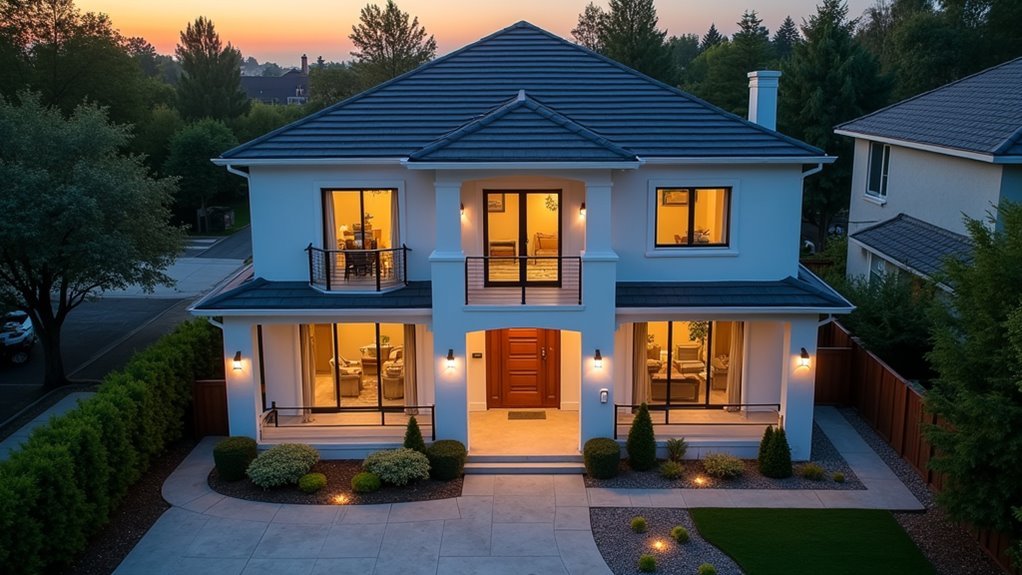
You’ll achieve maximum property coverage by positioning your doorbell cameras at carefully planned locations that complement each other’s viewing angles.
When you create overlapping coverage areas between multiple cameras, you eliminate the hidden zones that intruders often exploit to approach your home undetected.
Your synchronized motion detection system guarantees that movement in one camera’s coverage area triggers alerts across all connected devices, giving you complete awareness of activity around your property’s perimeter.
Strategic Camera Placement
When you’re setting up multiple doorbell cameras, their placement determines whether you’ll achieve complete property coverage or leave dangerous blind spots exposed. Smart camera placement involves positioning cameras at different heights and angles to capture thorough views of your property’s entry points.
| Location | Ideal Height | Coverage Area | Mount Type | Key Benefit |
|---|---|---|---|---|
| Front Door | 9-10 feet | Porch/walkway | Standard | Face-level identification |
| Driveway | 8-9 feet | Vehicle access | Corner | Wide horizontal view |
| Side Entrance | 7-8 feet | Secondary entry | Angled | Overlapping coverage |
| Garage Area | 10-12 feet | Storage/vehicle | High mount | Elevated perspective |
| Backyard Gate | 8-9 feet | Rear access | Corner | Maximum field range |
Corner mounts provide wider horizontal coverage, while varying heights capture different perspectives. Your synchronized live feed from multiple cameras eliminates blind spots effectively.
Overlapping Coverage Areas
Strategic placement alone won’t guarantee complete property security if your cameras create gaps where intruders can move undetected.
You’ll need overlapping coverage areas to eliminate these blind spots and create a truly thorough surveillance network. When you sync multiple doorbell security cameras, their fields of view should intersect at key vulnerable points around your property.
This approach guarantees that movement detected by one camera is simultaneously captured from different angles by adjacent cameras. You’ll achieve better identification of visitors and potential threats since multiple perspectives provide essential context that single-camera footage can’t deliver.
The overlapping zones create redundancy that prevents intruders from finding unmonitored pathways to exploit.
Motion Detection Coordination
Although individual cameras excel at monitoring their designated zones, coordinated motion detection transforms your entire network into a unified security system that responds instantly to threats.
When you sync multiple doorbell cameras, you’re creating an intelligent network where linked devices communicate seamlessly to provide thorough security coverage.
This coordinated approach offers several advantages:
- Simultaneous activation – When one camera detects movement, others automatically trigger to capture the event from multiple angles.
- Instant notifications – You’ll receive alerts from all relevant cameras simultaneously, enabling faster response times.
- Movement tracking – Follow individuals as they move around your property through coordinated camera feeds.
- Blind spot elimination – Overlapping motion detection zones guarantee no area goes unmonitored.
Seamless Live View Management From Multiple Angles
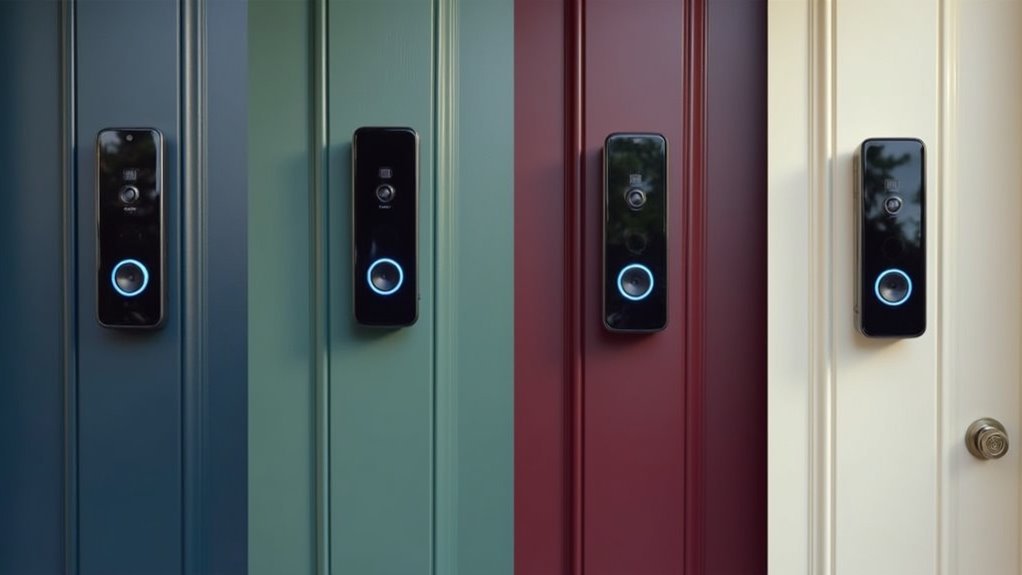
Since modern doorbell cameras can work together as a unified system, you’ll gain the ability to monitor multiple entry points simultaneously without missing critical activity.
Each device feeds into your digital dashboard, letting you switch between camera angles instantly when situations demand immediate attention. You’ll access live view feeds from all connected cameras through a single interface, eliminating the need to juggle multiple apps or windows.
Multiple cameras stream directly to one dashboard, giving you instant access to every angle without switching between different apps.
This seamless management proves invaluable during security incidents when you need thorough visual context. You can track visitors moving between different entry points, identify potential blind spots, and maintain continuous surveillance coverage.
The ability to view multiple angles simultaneously enhances your situational awareness, ensuring you’re never caught off-guard by activity occurring outside your primary camera’s field of vision.
Improved Security Through Redundant Recording Systems
When you sync multiple doorbell cameras, you’re creating a backup recording system that captures footage from different vantage points simultaneously.
This redundancy guarantees you’ll never miss critical moments, even if one camera malfunctions or gets tampered with during an incident.
You’ll eliminate troublesome blind spots around your property’s perimeter by strategically positioning synced cameras to overlap their coverage areas.
Backup Recording Coverage
While single doorbell cameras provide basic security monitoring, syncing multiple units creates a robust backup recording system that dramatically improves your home’s protection.
When you connect several cameras together, you’re establishing redundant coverage that guarantees critical security events won’t slip through the cracks.
Your synchronized system delivers multiple advantages:
- Automatic failover protection – If one camera malfunctions, others continue recording seamlessly
- Complete blind spot elimination – Multiple angles capture what single units miss
- Enhanced evidence collection – Different perspectives provide thorough incident documentation
- Extended recording duration – Linked storage systems maintain longer footage retention
Discussion threads on Digital and Device Forums frequently highlight how Amazon Digital and Device customers benefit from this approach, particularly when investigating security incidents or filing insurance claims.
Eliminating Blind Spots
Although individual doorbell cameras capture activity directly in front of your entrance, they can’t record what happens just outside their field of view – creating dangerous security gaps that intruders often exploit.
You’ll find that syncing multiple doorbell cameras eliminates these blind spots by providing overlapping coverage zones around your property’s entry points.
When you strategically position multiple cameras, you’re creating an all-encompassing surveillance network that captures every angle of approach.
Each camera fills the gaps left by others, ensuring no area remains unmonitored. This overlapping coverage means potential intruders can’t simply move outside one camera’s range to avoid detection.
You’ll gain complete visual documentation of anyone approaching your property, making it considerably harder for criminals to find vulnerable areas to exploit.
Unified Control Interface for All Connected Devices
Since managing multiple doorbell cameras through separate apps creates unnecessary complexity, a unified control interface streamlines your entire security system into one cohesive platform.
You’ll gain centralized command over all your devices, eliminating the frustrating juggling between different applications.
A unified interface delivers these essential benefits:
- Real-time notifications from all connected cameras arrive through one app, ensuring you never miss critical events.
- Customizable settings for each doorbell camera, letting you adjust video quality, motion sensitivity, and notification preferences from the same dashboard.
- Simultaneous live streaming from multiple cameras provides extensive situational awareness around your property.
- Smart home integration links your doorbell cameras with other devices, enabling coordinated responses to detected motion or doorbell presses.
Battery Life Optimization Through Smart Synchronization
You’ll discover that smart synchronization transforms how your doorbell cameras manage power, creating coordinated strategies that notably extend battery life across all connected devices.
When your cameras work together through unified control, they can share power management duties and avoid redundant activations that drain individual batteries unnecessarily.
This intelligent coordination means you’re getting extended battery performance while maintaining thorough security coverage around your property.
Power Management Strategies
When you sync multiple doorbell cameras effectively, you’re fundamentally creating a coordinated network that can greatly extend battery life across all your devices. Smart power management transforms how your cameras operate, shifting from independent battery drains to efficient, collaborative systems.
Here are four key power management strategies:
- Motion-triggered coordination – Set one camera as primary to wake others only when necessary, preventing constant activation.
- Scheduled synchronization periods – Program cameras to share monitoring duties during specific timeframes, rotating active devices.
- Central hub optimization – Use sync modules to enable low-power modes and motion-triggered recording during designated periods.
- Firmware update management – Keep all devices updated simultaneously to benefit from improved battery algorithms and reduced idle power consumption.
This coordinated approach greatly reduces battery replacement frequency.
Extended Battery Performance
Smart synchronization delivers measurable battery performance gains that extend far beyond basic power management. When you sync multiple doorbell cameras, they’ll share resources and coordinate their operations to dramatically reduce individual power consumption. Your cameras will activate only during motion detection or doorbell rings through event-based recording, eliminating unnecessary battery drain from continuous operation.
| Synchronization Feature | Battery Impact | Expected Longevity |
|---|---|---|
| Event-based recording | 60% less drain | Up to 2 years |
| Low-power coordination | Minimal standby consumption | Extended cycles |
| Shared activation scheduling | Reduced individual workload | Decreased wear |
You’ll notice your cameras enter low-power states when inactive, minimizing how often each device powers up. This coordinated approach reduces battery wear over time while maintaining thorough security coverage.
Motion Detection Accuracy and Reduced False Alerts
Since doorbell cameras often struggle with false alerts from passing cars, swaying trees, and wandering animals, syncing multiple devices creates a more intelligent detection network that dramatically improves accuracy.
Multiple synced doorbell cameras eliminate frustrating false alerts by creating an intelligent detection network that distinguishes real threats from harmless environmental movements.
When you link multiple cameras, they work together as a coordinated surveillance team.
Here’s how synced doorbell cameras enhance motion detection:
- Triangulated Motion Analysis – Your cameras share data to pinpoint movement sources, distinguishing between legitimate visitors and irrelevant activity.
- Overlapping Coverage Protection – If one camera misses an event, another captures it, ensuring thorough monitoring.
- Customizable Sensitivity Settings – You can fine-tune detection thresholds across all devices to filter out trivial movements.
- Enhanced Detection Algorithms – Multiple perspectives improve system reliability through data from various angles.
This intelligent network approach means you’ll receive fewer annoying notifications while maintaining robust security coverage.
Weather Resistance Benefits of Multiple Camera Setup
While individual doorbell cameras can weather storms and extreme temperatures with their IP-54 ratings, deploying multiple synchronized units creates a resilient surveillance network that maintains security coverage even when Mother Nature strikes hard.
You’ll eliminate blind spots around all entry points, ensuring thorough monitoring during rain, snow, or extreme temperatures when visibility drops.
Multiple cameras provide overlapping views that enhance motion detection accuracy when weather conditions might compromise individual unit performance.
If one camera experiences connectivity issues or power failures during storms, your backup units maintain continuous surveillance.
Two-Way Audio Coordination Between Different Locations
Beyond weather protection, coordinated doorbell cameras transform how you’ll communicate with visitors across multiple entry points through synchronized two-way audio systems.
When you sync multiple doorbells, you’ll create a seamless communication network that responds intelligently to visitor activity. Motion detection at one camera triggers the entire system, allowing you to respond through whichever device is most convenient for your location.
Here’s how coordinated audio enhances your home security:
- Simultaneous monitoring – Communicate with visitors at multiple doors without switching between different apps or devices.
- Reduced response delays – Immediate audio connectivity minimizes wait times for visitors and improves engagement.
- Enhanced situational awareness – Monitor and interact with multiple entry points simultaneously for thorough security coverage.
- Customizable trigger settings – Configure specific doorbells to activate based on motion detection or doorbell presses matching your home’s layout.
Storage Efficiency When Using Multiple Doorbell Cameras
When you install multiple doorbell cameras, you’ll discover that centralized storage management dramatically reduces your ongoing costs and simplifies your data organization. Instead of paying for separate cloud subscriptions for each device, you can consolidate everything through a single storage solution.
| Storage Method | Efficiency Benefit |
|---|---|
| Single Cloud Plan | Eliminates multiple subscriptions |
| Sync Module + USB | Shared local storage across devices |
| Consolidated Events | Reduces redundant recordings |
| Centralized Archive | Single location for all footage |
| Shared Notifications | Prevents duplicate storage needs |
With a Sync Module, you’ll enable shared local storage through one USB flash drive, maximizing space efficiency. Your cameras work together to enhance detection coverage while archiving footage in one location. You’ll receive simultaneous event notifications across devices without storing redundant files, creating an optimized storage ecosystem.
Alexa Integration Benefits for Synchronized Systems
Your synchronized doorbell camera system becomes even more powerful through Alexa integration, transforming how you monitor and interact with visitors.
Alexa integration elevates your doorbell camera from simple monitoring to intelligent home security that responds instantly to your voice.
This smart connection creates a seamless security network that responds to your voice commands and delivers instant notifications.
Here are four key benefits of Alexa integration:
- Real-time voice announcements – Get instant alerts when someone rings your doorbell or when motion’s detected at any entrance.
- Two-way audio communication – Talk to visitors remotely through voice commands without using your phone.
- Multi-angle live feeds – Access simultaneous video streams from all your doorbell cameras for complete property coverage.
- Smart automation triggers – Automatically activate lights, security cameras, or other devices when motion’s detected, creating a responsive home environment.
You’ll also enjoy custom chime sounds for different entrances, making visitor identification effortless.
Installation Flexibility With Wired and Wire-Free Options
Whether you’re working with existing doorbell wiring or starting from scratch, modern doorbell cameras offer installation options that adapt to virtually any home setup.
You can choose wired installation by connecting to compatible chime wiring within the 16-24 volts AC range, ensuring continuous power with AA lithium batteries as backup.
Alternatively, wire-free installation lets you skip complex wiring entirely, making it perfect for renters or homes without existing doorbell infrastructure.
You’ll maintain full functionality regardless of your chosen method, including motion notifications and two-way audio through the app.
Enhance your camera’s positioning with mounting accessories like wedge mounts for 5° vertical tilt or corner mounts for 25° horizontal adjustment, optimizing your field of view for complete coverage.
Cost-Effective Security Expansion Strategies
Since doorbell cameras can link together seamlessly, you’ll create an extensive security network that covers multiple entry points without the expense of separate surveillance systems.
Create a comprehensive security network across multiple entry points by seamlessly linking doorbell cameras without expensive separate surveillance systems.
This approach delivers significant savings while maximizing your property’s protection.
Here are four cost-effective strategies for expanding your security:
- Centralized Management – Control multiple cameras from one app, reducing complexity and monthly fees compared to separate systems.
- Shared Cloud Storage – Many subscription plans cover all linked cameras under one affordable monthly rate.
- Reduced Installation Costs – Wire-free options eliminate expensive professional wiring for additional entry points.
- Scalable Solutions – Add cameras gradually as your budget allows without replacing existing equipment.
You’ll achieve thorough coverage while keeping costs predictable and manageable.
Frequently Asked Questions
Do I Need a Sync Module for a Doorbell?
You don’t need a sync module for basic doorbell functionality, but it’s recommended. Without one, you’ll have limited Live View and no local storage. It extends battery life and enhances features.
Can You Have Two Ring Doorbell Security Cameras Connected Together?
You can connect two Ring doorbell security cameras together through the Ring app’s Linked Devices feature. They’ll work in tandem, activating each other during motion detection or doorbell presses for coordinated security coverage.
Can I Run 2 Ring Doorbells off 1 Transformer?
You can run two Ring doorbells off one transformer if it supplies 16-24 volts AC and handles both devices’ combined 6-10 watts without exceeding capacity or overheating.
Can You Use Two Blink Doorbells With One Sync Module?
You can use two Blink Doorbells with one Sync Module. Both cameras’ll connect to your network, send motion alerts through the app, and access extended Live View features and local storage options.




Leave a Reply