
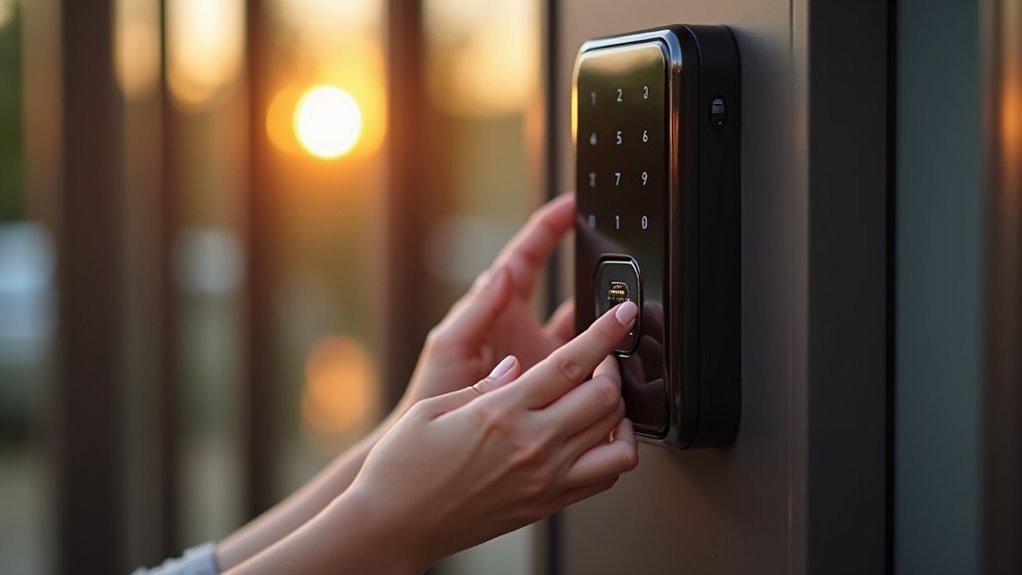
You’ve probably fumbled with keys in the dark or worried about who has access to your home when you’re away. Multi-user access control systems eliminate these concerns by allowing you to grant personalized entry privileges to family members, guests, and service providers through smart technology. Instead of managing physical keys, you’ll control access remotely via smartphone apps, create temporary codes, and monitor who enters your property. But choosing the right system requires understanding several critical factors.
Understanding Multi-User Access Control Systems for Residential Properties

As residential security concerns continue to evolve, multi-user access control systems have emerged as sophisticated solutions that allow homeowners to grant individualized entry privileges to family members, guests, and service providers.
These thorough security systems integrate multiple access points throughout your home, including doors, windows, and smart locks, creating a unified protection network tailored to your household’s specific requirements.
You’ll benefit from customizable software that enables remote management through mobile applications, giving you complete control over who enters your property and when.
The cloud storage capabilities make certain you can monitor access rights from anywhere, while activity logs and occupancy counting features help you track usage patterns.
This technology greatly reduces unauthorized access risks while increasing your property’s overall value and desirability.
Key Components of Home Multi-User Access Control Infrastructure
When building an extensive multi-user access control system for your home, several core infrastructure components work together to create a seamless security network.
- Smart Entry Points – You’ll integrate doors, windows, and smart locks that respond to different user credentials and provide tailored access rights based on individual needs.
- Card Readers and Authentication – Your system includes proximity readers, smartphone credentials, and biometric scanners that offer multiple access levels while enhancing overall security.
- Cloud-Based Management Platform – You can remotely manage your access control system through mobile applications, with cloud services providing scalable backup and security solutions.
- Safety Sensors – Motion detectors, fire alarms, and smoke sensors integrate seamlessly into your multi-user infrastructure, creating extensive protection for your smart home environment.
Mobile App Integration and Smartphone-Based Entry Solutions

While traditional access control systems rely on physical cards or keypads, smartphone-based entry solutions transform your mobile device into an all-encompassing security hub that puts complete control at your fingertips. Mobile app integration leverages NFC and Bluetooth technologies to enable seamless keyless access without physical keys.
| Feature | Capability | User Benefit |
|---|---|---|
| Remote Granting | Instant door control from anywhere | Enhanced convenience |
| Temporary Access Codes | Guest entry permissions | Flexible visitor management |
| Activity Monitoring | Real-time entry logs | Complete visibility |
| Instant Access Revocation | Immediate permission removal | Enhanced security |
| Multi-Point Management | Control multiple entry points | Streamlined operation |
Cloud services provide secure backup and real-time updates, ensuring your access management remains efficient across multiple users and devices while reducing complexity through customized individual settings.
Types of Access Control Devices and Hardware Options
You’ll find that smart lock technologies form the backbone of modern home access control, offering everything from Bluetooth-enabled devices to advanced keypad systems that integrate seamlessly with your existing security setup.
Biometric reader options take security a step further by requiring unique physical identifiers like fingerprints or facial recognition to grant entry.
These hardware choices let you create layered security that’s both convenient for authorized users and nearly impossible for intruders to bypass.
Smart Lock Technologies
Four primary smart lock technologies dominate today’s residential access control market, each offering distinct advantages for multi-user home environments.
These smart lock technologies provide varying levels of convenience, security, and accessibility depending on your household’s specific needs.
- Bluetooth Smart Locks – You’ll open doors through smartphone applications, offering enhanced convenience and security for tech-savvy families.
- RFID-Based Locks – You’ll use proximity cards and fobs for seamless entry, making them popular for residential applications due to their ease of use.
- Biometric Locks – You’ll gain access to your home through fingerprint or facial recognition, ensuring only authorized users gain entry with high-level security.
- Keypad Locks – You’ll enter access codes, providing flexible solutions that eliminate physical keys while allowing easy code changes.
Biometric Reader Options
Since biometric technology relies on your unique physical characteristics, these readers offer the highest level of security available in residential access control systems. You can choose from fingerprint scanners, facial recognition systems, or iris recognition devices, each providing different accuracy levels and convenience factors.
When evaluating biometric readers, you’ll want to take into account their false acceptance rate (FAR) and false rejection rate (FRR), which measure how effectively they distinguish between authorized and unauthorized users.
These systems integrate seamlessly with smart home platforms, letting you manage multiple access points through mobile applications.
While biometric readers cost more upfront than traditional locks, they eliminate physical keys and cards while greatly reducing unauthorized access risks.
Biometric Authentication Methods for Family Homes
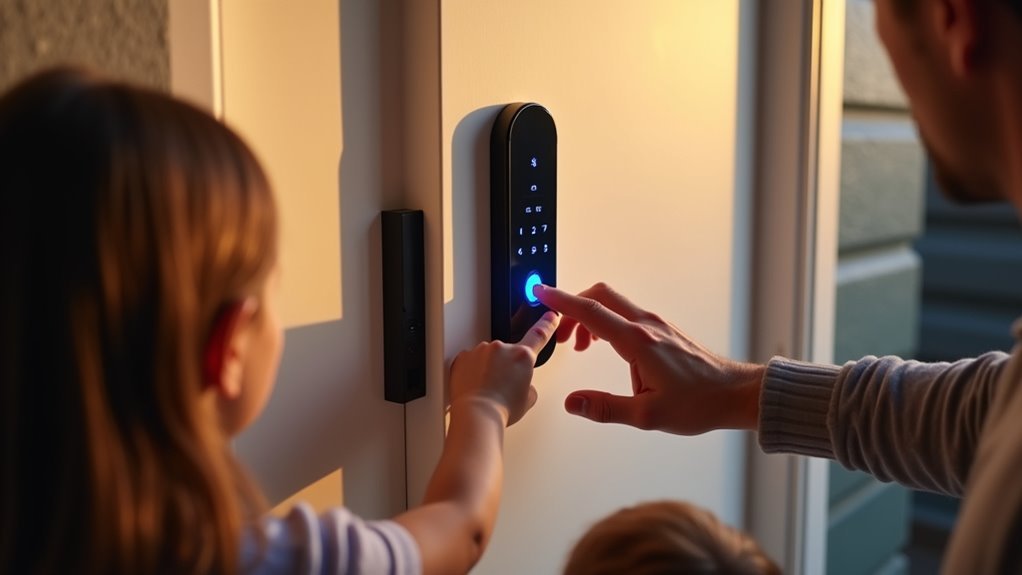
You’ll find that fingerprint scanners offer exceptional convenience for family homes, allowing each member to gain access within seconds using their unique biological signature.
Setting up facial recognition systems has become increasingly straightforward, with most modern devices guiding you through a simple enrollment process that captures multiple angles of each family member’s face.
These biometric methods eliminate the hassle of managing physical keys or remembering codes while providing security that’s nearly impossible for intruders to bypass.
Fingerprint Scanner Benefits
When you’re managing home access for multiple family members, fingerprint scanners offer unmatched security through unique biometric data that’s virtually impossible to replicate or share.
These advanced access control systems eliminate the risks associated with lost keys or stolen access cards while providing rapid authentication for busy households.
Here are the key benefits you’ll experience:
- Enhanced Security – Your family’s biometric data can’t be duplicated or transferred to unauthorized users
- Quick Access – Modern scanners provide instant recognition with a simple touch
- Multi-User Storage – Store multiple fingerprints for seamless family member access
- Advanced Features – Monitor usage logs and integrate with alarm systems for thorough home security
This access control system delivers convenience without compromising your family’s safety.
Facial Recognition Setup
While fingerprint scanners provide excellent security through touch-based authentication, facial recognition systems take biometric access control a step further by offering completely hands-free entry to your home.
You’ll benefit from advanced biometric technology that analyzes your unique facial features to authenticate access with up to 99% accuracy under ideal conditions.
Your facial recognition setup can store multiple family member profiles, eliminating the need for physical keys or cards. The system integrates seamlessly with smart home platforms, allowing you to control doors, lights, and security cameras through one interface.
Advanced encryption protects your stored facial data from potential breaches, ensuring privacy while considerably reducing unauthorized access risks. This hands-free approach provides convenient, secure entry for your entire family.
RFID and Proximity Card Systems for Multiple Residents
As households increasingly need flexible access solutions for multiple residents, RFID and proximity card systems offer an ideal balance of security and convenience. You can easily program proximity cards or key fobs for each family member, eliminating the hassle of changing locks when access needs change.
RFID systems eliminate lock changes while providing secure, programmable access for every family member’s unique schedule and needs.
Your RFID access system provides several key advantages:
- Multi-point access – Use one card to open doors, gates, and garages throughout your property.
- Easy credential management – Quickly reprogram cards without physical lock changes.
- Activity tracking – Monitor entry and exit times for each resident’s security oversight.
- Mobile integration – Transform smartphones into digital credentials for streamlined access control.
These systems adapt perfectly to households with varying schedules and access requirements while maintaining thorough security monitoring.
Cloud-Based Vs On-Site Access Management Platforms
When choosing an access management platform for your multi-user home system, you’ll need to decide between cloud-based storage that offers remote management flexibility and seamless integration with other smart home technologies.
On-site systems provide you with greater control and customization options, but they require individual management at each location.
Your decision should align with your household’s specific needs, including the number of users, desired access levels, and how much control you want over your security infrastructure.
Cloud Storage Benefits
Because cloud-based access management platforms eliminate the need for physical hardware at each location, you’ll considerably reduce both upfront costs and ongoing maintenance requirements compared to traditional on-site systems.
The cloud storage benefits for your home’s multi-user access control system include:
- Automatic updates and backups – Your system stays current and secure without manual intervention
- Enhanced reporting capabilities – You can easily export access logs and activity reports for security audits
- Seamless integration – Cloud systems connect effortlessly with other security technologies like video surveillance and alarms
- Remote management – You’ll control multiple access points from anywhere with internet connectivity
These advantages create an all-encompassing security solution that’s both cost-effective and efficient, making cloud-based platforms superior to traditional on-site alternatives for modern homes.
On-Site Security Advantages
While cloud-based platforms dominate in convenience and remote management, on-site access control systems deliver three critical security advantages that you can’t overlook.
First, you’ll gain complete data autonomy. Your access logs, user permissions, and security footage remain entirely within your property boundaries, eliminating concerns about third-party data breaches or government surveillance.
Second, on-site systems provide unmatched customization flexibility. You can tailor every security protocol to your specific household needs, from unique access schedules to personalized authentication methods that cloud platforms can’t accommodate.
Third, you’ll maintain operational independence from internet connectivity. Power outages or network failures won’t compromise your home’s security infrastructure, ensuring continuous protection regardless of external service disruptions.
Setting Up User Permissions and Access Levels
Since every household has different security needs, configuring user permissions and access levels becomes the cornerstone of an effective multi-user access control system.
You’ll want to establish clear boundaries that match each person’s role and requirements within your home.
When setting up your system, consider these four essential access categories:
- Primary residents – Grant full access to all areas and complete system control
- Family members – Provide selective access based on age and responsibility levels
- Guests – Assign temporary, limited access to common areas only
- Service providers – Create time-restricted access with specific entry windows
You can easily modify these permissions through your mobile app, ensuring your system adapts as circumstances change.
This flexibility lets you maintain security while accommodating everyone’s legitimate access needs.
Cost Analysis of Multi-User Home Access Control Systems
When you’re considering multi-user access control for your home, you’ll need to evaluate both upfront costs and ongoing expenses to make an informed decision.
Your initial investment can range from basic smartphone kits around $120 to extensive systems exceeding $7,700, depending on features like video integration and the number of access points.
Understanding these cost components alongside long-term operational expenses will help you choose a system that fits your budget and security needs.
Initial Investment Breakdown
Three primary cost categories shape your initial investment in multi-user home access control systems: hardware, installation, and setup peripherals.
Your smart home security budget will depend on the complexity and scale you’re implementing.
Here’s your initial investment breakdown:
- Hardware costs – Smart locks range from $119.99 for Bluetooth access control kits to $229 for advanced touchscreen models, forming the foundation of your system.
- Installation fees – Professional installation services typically cost $100 to $300, depending on your system’s complexity and number of access points.
- Peripherals – Proximity cards cost $40 to $130 for packs of 25 to 100, depending on your household size and guest access needs.
- Total investment – Extensive systems can exceed $1,000 for larger homes with multiple access points.
Long-Term Operational Costs
Beyond your initial investment, operational efficiency becomes the defining factor in your system’s true cost-effectiveness.
You’ll eliminate expensive physical key management, avoiding re-keying costs and lost key replacements that accumulate over time. Mobile access control features streamline user permission management, reducing administrative expenses during tenant changes.
Centralized software solutions cut ongoing licensing and support fees by consolidating multiple platforms into one system. Enhanced security features like real-time monitoring and remote access often qualify you for reduced insurance premiums, directly impacting your bottom line.
Digital access tracking prevents unauthorized entry and potential theft, protecting you from costly security breaches. These long-term operational costs prove considerably lower than traditional systems, making multi-user access control a financially sound investment for your home.
Installation Process for DIY Multi-Door Access Solutions
Installing a DIY multi-door access solution starts with securing your access control infrastructure at each entry point you want to protect.
The installation process typically requires minimal technical skills and basic tools, making it accessible for most homeowners.
Here’s what you’ll need to do:
- Install smart locks and card readers at multiple doors and windows throughout your home.
- Connect diverse components like proximity readers and mobile access panels according to manufacturer guidelines.
- Follow thorough installation guides and video tutorials provided with your system.
- Configure the mobile application to manage all access points and user permissions efficiently.
Consider scalability during setup since most systems allow future expansion.
You can easily add more entry points and access levels as your security needs evolve.
Managing Guest Access and Temporary Credentials
When guests visit your home, you’ll want to provide them secure access without compromising your family’s safety or handing over permanent keys. Managing guest access becomes effortless with multi-user access control systems that let you create temporary credentials through your mobile app.
| Feature | Benefit |
|---|---|
| Time-limited access | Credentials automatically expire after set duration |
| Remote management | Grant or revoke access instantly from anywhere |
| Activity tracking | Monitor who enters and exits during visits |
| Multiple entry methods | Smartphones or RFID cards replace physical keys |
You’ll generate activity logs that provide detailed insights into guest movements, ensuring complete visibility of your home’s access. Your guests simply use their smartphones or designated cards for seamless entry, eliminating the hassle of coordinating key exchanges while maintaining robust security protocols.
Security Features and Threat Response Capabilities
How effectively can your home’s access control system detect and respond to security threats? Multi-user systems deliver robust protection through advanced monitoring and automated response features that keep your property secure.
Your system’s threat response capabilities include:
- Real-time monitoring – Mobile app integration provides instant notifications when unauthorized access attempts occur, keeping you informed wherever you are.
- Immediate lockdown protocols – Systems automatically secure access points when threats are detected, preventing further unauthorized entry attempts.
- Comprehensive activity tracking – Detailed logs record all entry and exit times, creating valuable evidence for investigating security breaches.
- Remote access management – You can instantly revoke permissions for former residents or compromised credentials, maintaining tight security control.
These features work together with video surveillance integration to provide complete situational awareness and protection.
Maintenance and Troubleshooting Common System Issues
Multi-user access control systems require proactive maintenance to preserve the security advantages they provide.
You’ll need to regularly update your access control software to maintain compatibility and security, preventing vulnerabilities that outdated systems create. Conduct routine hardware checks on locks and readers to catch physical wear before it affects performance.
Cloud-based management tools offer real-time monitoring and diagnostics, letting you identify and resolve issues quickly from one centralized interface.
Keep detailed documentation of user permissions and activity logs—this streamlines troubleshooting when problems occur. Implement a systematic approach by categorizing issues into connectivity, permissions, or hardware problems.
This organized troubleshooting method helps you resolve issues faster and minimizes system downtime, ensuring your home’s security remains uncompromised.
Upgrading From Traditional Locks to Smart Multi-User Systems
Although traditional locks have served homes reliably for decades, they can’t match the flexibility and control that smart multi-user systems deliver.
When you upgrade, you’ll gain thorough security management that transforms how you control access to your home.
Smart multi-user systems offer these key advantages over traditional locks:
- Remote Access Management – Grant or revoke permissions instantly through your mobile app, eliminating trips to create physical copies.
- Customizable User Levels – Set specific access times and permissions for family members, guests, or service providers.
- Activity Monitoring – Track who enters and exits with detailed logs and occupancy counting features.
- Integrated Security – Connect with video surveillance and alarm systems for complete home protection.
You’ll eliminate risks from lost keys and unauthorized duplication while gaining unprecedented control.
Frequently Asked Questions
What Are the Three 3 Types of Access Control?
You’ll encounter three main access control types: discretionary access control (DAC), where you control resource permissions; mandatory access control (MAC), enforcing centralized policies; and role-based access control (RBAC), assigning permissions through organizational roles.
What Is Residential Access Control?
You’ll secure your home’s entry points through residential access control systems that manage who enters your property. These systems use keycards, biometrics, or smartphone apps, preventing unauthorized access while ensuring convenient entry.
What Is User Access Control Used For?
You’ll use user access control to manage who enters different areas of your home, assign specific permissions to family members and guests, track entry activity, and integrate with other security systems for extensive protection.
What Is Property Access Control?
You’ll manage entry points in residential buildings through property access control, which secures access to common areas and individual units. It prevents unauthorized entry, reduces theft, and increases your property’s overall desirability.




Leave a Reply