
You’ve probably experienced that frustrating moment when your kitchen speaker cuts out while your living room continues playing, breaking the seamless flow of your favorite playlist. Creating a truly synchronized multi-room audio system isn’t as simple as connecting a few wireless speakers to your network. The technology behind keeping every speaker perfectly in time involves specific protocols, network considerations, and setup strategies that most homeowners overlook—until they discover what’s actually preventing their speakers from working in perfect harmony.
Understanding Multi-Room Audio Technology
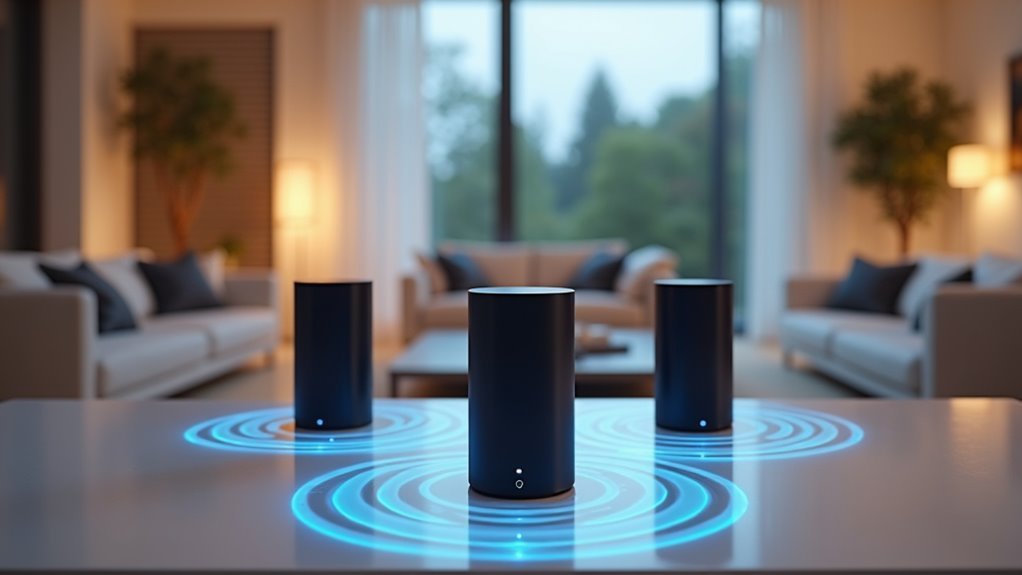
While traditional home audio systems confine you to a single room, multi-room audio technology breaks down these barriers by enabling simultaneous playback across multiple speakers throughout your home. This creates a cohesive listening experience that follows you from kitchen to bedroom without missing a beat.
You’ll find that multi-room audio technology typically uses wireless connections like Wi-Fi or Bluetooth to link your speakers together. This wireless approach gives you incredible flexibility and makes installation much easier compared to running cables through walls.
User-friendly apps let you control everything from your smartphone or tablet, managing which rooms play music and adjusting volume levels individually. The technology supports various audio formats and integrates seamlessly with your existing smart home setup for enhanced convenience.
Benefits of Synchronized Speaker Systems
You’ll experience uninterrupted music flow as you move from room to room, eliminating the jarring audio cuts that break your listening enjoyment.
Your parties and gatherings become more engaging when synchronized speakers create an immersive soundscape that naturally draws people together.
This seamless audio environment transforms your entire home into a cohesive entertainment space where every room contributes to the overall atmosphere.
Seamless Multi-Room Experience
When you sync speakers throughout your home, you create an immersive audio environment that transforms how you experience music. Systems like Soundsync eliminate audio lag, ensuring every speaker delivers music in sync across all rooms simultaneously.
This seamless coordination proves invaluable during gatherings and parties, where consistent sound quality maintains the atmosphere throughout your space.
You’ll control playback from a central device, managing music across multiple rooms without interruption. Each speaker offers customizable settings, letting you tailor sound quality to match your preferences in different areas.
Whether you’re moving from the kitchen to the living room or hosting guests, smooth shifts between rooms enhance your overall enjoyment of music and audio content throughout your home.
Enhanced Entertainment Atmosphere
As sound flows continuously through your home, synchronized speaker systems transform ordinary listening into an extraordinary entertainment atmosphere. You’ll experience immersive audio that eliminates lag between speakers, creating the sensation of music emanating from one continuous source throughout your space.
| Room Type | Atmosphere Enhancement | Customization Benefits |
|---|---|---|
| Living Room | Cohesive party experience | Tailored volume levels |
| Kitchen | Background entertainment during tasks | Activity-specific playlists |
| Bedroom | Relaxing ambiance | Mood-based audio settings |
These systems boost sound quality in larger spaces by ensuring perfect timing across all speakers. You’re able to customize settings for each room, adapting the audio environment to match specific activities or moods. Whether hosting gatherings or performing household tasks, synchronized speaker systems create seamless musical experiences that enhance every moment.
Essential Equipment for Multi-Room Setup
Building a successful multi-room audio system requires several key components that work together seamlessly.
You’ll need compatible speakers in each room for synchronized playback – wireless speakers offer convenience, while in-wall or in-ceiling options provide a seamless aesthetic. A reliable Wi-Fi connection is essential for your multi-room setup, though some complex installations may require wired connections.
You’ll also need a control method, typically through a smartphone app or dedicated controller, to manage audio playback across different rooms.
Depending on your speaker choice and desired audio quality, additional equipment like amplifiers or receivers might be necessary. For complex systems, consider installing an AV closet to house your equipment, keeping everything organized while maintaining your home’s clean appearance.
Wireless Vs Wired Connection Options
One of your most important decisions involves choosing between wireless and wired connections for your multi-room audio system. Each option offers distinct advantages depending on your specific needs and home setup.
Your connection choice between wireless and wired will fundamentally shape your multi-room audio experience and long-term satisfaction.
Wireless vs. Wired Connection Benefits:
- Wireless convenience – You’ll enjoy easy speaker placement anywhere within network range without running cables through walls.
- Wired stability – You’ll experience consistent playback with minimal latency and reduced interference for high-fidelity performance.
- Expansion flexibility – Wireless technology allows you to add speakers effortlessly over time without additional wiring.
- Installation requirements – Wired systems may need professional installation but deliver superior sound quality in larger homes.
Systems like Sonos utilize wireless technology for user-friendly setup, while wired options suit complex installations requiring discreet placements and premium audio performance.
Setting Up Your Network Infrastructure
Your network’s foundation determines whether your multi-room audio setup succeeds or fails spectacularly.
You’ll need a router that can handle multiple simultaneous connections without dropping devices, plus sufficient bandwidth to stream high-quality audio to every speaker.
Strategic network coverage optimization guarantees your speakers maintain stable connections regardless of where you’ve placed them throughout your home.
Router Requirements and Specifications
When you’re setting up a multi-room audio system, your router becomes the backbone that determines whether your music flows seamlessly or stutters frustratingly between speakers.
Meeting specific router requirements guarantees peak performance throughout your home.
Essential specifications for synchronized audio include:
- Wi-Fi 6 or higher standards – These provide superior bandwidth and extended range for handling multiple audio streams simultaneously.
- Dual-band capabilities (2.4 GHz and 5 GHz) – This allows your speakers to connect on less congested frequencies, reducing interference.
- Mesh networking compatibility – Systems like Eero Pro 6E eliminate dead spots in larger homes, maintaining strong signals to all speakers.
- Regular firmware updates – Keep your router current for performance improvements and security patches that maintain network stability.
Network Coverage Optimization
Three critical factors determine whether your multi-room audio system delivers flawless synchronization or disappointing dropouts: signal strength, network placement, and interference management.
You’ll want to position your router centrally in your home, away from signal-disrupting electronics like microwaves and cordless phones.
A mesh WiFi network system, such as the Eero Pro 6E, eliminates dead zones that commonly plague single-router setups, ensuring consistent coverage throughout every room.
Configure your mesh network in bridge mode for direct connection to your primary router, which greatly improves performance stability.
During playback sessions, limit connected devices to maximize bandwidth availability for your speakers.
Regularly verify that all HomePods and speakers connect to the same WiFi network—this simple check prevents the most common synchronization issues you’ll encounter.
Configuring HomePod and HomePod Mini Systems
Setting up multiple HomePod and HomePod mini speakers for synchronized playbook requires understanding Apple’s approach to multi-room audio.
While you can’t pair HomePod minis and regular HomePods as stereo speakers, you can sync them for whole-home audio experiences.
Configuration steps for best performance:
- Use the Home App manually – Select speakers directly rather than relying on Siri voice commands for more stable connections.
- Reboot devices regularly – Power cycle your HomePods when experiencing sync issues or inconsistent playback.
- Check AirPlay settings – Verify all speakers appear in your AirPlay menu and troubleshoot connectivity problems immediately.
- Test speaker selection – Confirm sound comes from all selected devices before starting your music session.
These practices help overcome common synchronization challenges that users frequently encounter.
Using AirPlay for Audio Streaming
Beyond HomePod-specific setup, AirPlay opens up synchronized audio streaming to a much wider range of compatible speakers throughout your home.
You’ll need to confirm your iPhone or iPad and all speakers connect to the same Wi-Fi network for peak performance. Access AirPlay through your device’s Control Center, then select multiple speakers for simultaneous playback.
AirPlay supports various audio formats, delivering high-quality sound across different speaker brands and models. You can stream music seamlessly between rooms, creating a cohesive audio experience throughout your space.
AirPlay’s multi-format compatibility enables seamless room-to-room streaming, creating unified audio experiences across diverse speaker brands and models.
However, you should avoid excessive speaker configurations to maintain connectivity stability and prevent playback issues. This approach guarantees smooth, synchronized streaming while maximizing your existing speaker investments beyond Apple’s ecosystem.
Controlling Music From Iphone and Ipad
How can you effortlessly manage your synchronized speaker setup once it’s configured?
Controlling music from your iPhone or iPad becomes straightforward when you follow these essential steps:
- Connect to the same Wi-Fi network – Verify both your device and speakers share the same network for seamless streaming capabilities.
- Access Control Center – Swipe down from the upper-right corner (iPhone X or later) or swipe up from the bottom edge (iPhone 8 or earlier).
- Select multiple speakers – Tap the AirPlay icon in the top-right corner to choose which speakers will play your music simultaneously.
- Update software regularly – Keep all devices current to minimize connectivity issues and enhance your overall audio experience.
The AirPlay & Continuity settings automatically suggest frequently used speakers for quicker access.
Managing Audio From Apple TV
You’ll find Apple TV offers another powerful way to manage your multi-room audio setup beyond your iPhone and iPad.
Setting up your Apple TV for audio streaming requires connecting it to the same Wi-Fi network as your AirPlay-enabled speakers, creating a unified ecosystem for seamless playback.
Once configured, you can control multiple devices simultaneously from your Apple TV interface, selecting which speakers receive audio and managing synchronized playback across your entire home.
Apple TV Setup
While Apple TV serves as an excellent hub for streaming video content, it’s equally powerful for managing synchronized audio across multiple speakers in your home.
Setting up your apple tv for multi-room audio requires proper configuration to guarantee seamless connectivity.
Follow these essential steps for ideal setup:
- Network Connection – Verify your apple tv and all AirPlay-enabled speakers connect to the same Wi-Fi network for reliable communication.
- Speaker Configuration – Set up your speakers as AirPlay devices in the apple tv settings to enable multi-room functionality.
- Audio Selection – Use the apple tv interface to select multiple speakers for synchronized playbook throughout your home.
- Troubleshooting – Reboot both your apple tv and speakers if you experience connectivity issues during setup.
Multi-Device Control
Once your Apple TV and speakers are properly configured, you can effortlessly manage audio playback across all your connected devices from a single control point.
Navigate to your Apple TV interface and access the AirPlay menu to select which speakers should play your music. You’ll have complete control over synchronized playback, sending the same track to multiple AirPlay-compatible devices simultaneously throughout different rooms.
The system also supports seamless audio changes as you move around your home, ensuring your music continues without interruption.
For the best experience, keep all devices updated to the latest software version. This maintains ideal connectivity and reduces potential issues when controlling your multi-room audio setup from Apple TV.
Streaming From Mac Devices
When you’re ready to stream audio from your Mac to multiple AirPlay-enabled speakers, start by ensuring both your Mac and speakers connect to the same Wi-Fi network.
Here’s how to set up multi-room streaming:
- Open Apple Music and click the AirPlay icon in the playback controls to select your desired speakers for audio playback.
- Access Control Center in the menu bar for other applications, then click AirPlay under the Sound section to choose single or multiple speakers.
- Control individual volumes through the AirPlay menu, allowing you to customize your listening experience across different rooms.
- Stream various audio formats compatible with different speaker brands, enhancing your overall multi-room audio experience throughout your home.
Troubleshooting Common Synchronization Issues
Even with proper setup, you’ll likely encounter synchronization problems when streaming music across multiple speakers.
Audio lag and inconsistent playbook across your HomePod mini devices are common AirPlay issues. Start troubleshooting by rebooting both your router and all HomePods to resolve connectivity problems affecting synchronization.
Keep your multi-room setup limited to six or fewer speakers for ideal stability and performance.
Always check for software updates on all devices, as outdated firmware frequently causes synchronization failures.
For better reliability, use the Home App for manual speaker selection instead of Siri voice commands, which can introduce delays and miscommunication.
The app provides more precise control over your HomePod mini network and reduces the chance of playback errors that disrupt your listening experience.
Optimizing Speaker Performance and Connectivity
After resolving synchronization issues, you’ll want to focus on maximizing your speaker network’s overall performance and stability.
Achieving peak speaker network performance requires strategic optimization beyond basic synchronization fixes to ensure consistent audio quality.
These optimization strategies will guarantee your HomePod and other speakers deliver consistent, high-quality audio throughout your home.
- Update firmware regularly – Keep all speakers running the latest software versions, as updates frequently address stability and performance issues that affect synchronization.
- Limit speaker count – Restrict your multi-room setup to six or fewer speakers to improve performance and reduce connectivity problems.
- Switch to bridge mode – Configure your home network in bridge mode for more direct router connections, enhancing streaming stability.
- Use manual control – Control speakers through the Home App rather than Siri voice commands, which can cause performance inconsistencies and unreliable responses.
Alternative Multi-Room Audio Solutions
While HomePod enhancement can improve your Apple ecosystem’s performance, you might find that exploring other multi-room audio platforms offers better reliability and flexibility for your home setup.
Sonos stands out as a leading multi-room audio solution, delivering seamless synchronization across diverse speaker types through Wi-Fi connectivity. You’ll appreciate its support for numerous streaming services and user-friendly setup process.
With Sonos, you can customize individual speaker settings and gradually expand your system by adding speakers to different zones. The platform offers professional installation services to guarantee peak sound distribution throughout your home.
Many users report considerably greater stability and fewer performance issues compared to HomePod ecosystems, particularly when managing multiple speakers across various rooms.
Best Practices for Seamless Audio Experience
You’ll achieve the best multi-room audio experience by optimizing your network settings and strategically placing your speakers throughout your home.
When connection problems arise, you can quickly resolve them using proven troubleshooting techniques that address the most common sync issues.
These practical steps guarantee your music flows seamlessly from room to room without interruptions or audio delays.
Network Optimization Strategies
Because network performance directly impacts your multi-room audio experience, enhancing your home’s connectivity should be your first priority when setting up synchronized speakers.
To achieve seamless playback across multiple rooms, implement these network enhancement strategies:
- Switch to bridge mode – Configure your mesh network in bridge mode to establish a stable direct connection to your primary router, reducing audio interruptions and improving overall connectivity.
- Maintain network consistency – Connect all speakers and devices to the same Wi-Fi network to minimize latency and guarantee perfect synchronization during playback.
- Keep firmware updated – Regularly update both speaker firmware and your Home app to access the latest performance enhancements and critical bug fixes.
- Limit speaker count – Restrict your setup to six or fewer speakers for peak stability and reliability across your network.
Speaker Placement Guidelines
Strategic speaker placement forms the foundation of any successful multi-room audio system, directly affecting sound quality and synchronization performance.
You’ll want to position speakers at equal distances from each other and your listening areas to guarantee balanced sound distribution and minimize audio lag across rooms.
Avoid placing speakers in corners or behind furniture, as this creates sound reflections that’ll distort your audio experience.
Instead, elevate your speakers to ear level when you’re seated to enhance clarity and depth, particularly for mid and high frequencies.
Use wall mounts or stands for ideal positioning flexibility based on your room’s acoustics and layout.
Maintain consistent height and angle across all speakers to provide a cohesive listening experience throughout your multi-room setup.
Troubleshooting Connection Issues
While proper speaker placement establishes your system’s foundation, connection problems can still disrupt your multi-room audio experience even with perfect positioning.
When you’re experiencing audio lag or synchronization issues with your Apple speakers, these troubleshooting steps will restore seamless performance:
- Verify network connectivity – Confirm all speakers connect to the same Wi-Fi network to guarantee proper synchronization and prevent connectivity problems.
- Power cycle your equipment – Restart both speakers and router to refresh connections and resolve potential audio lag issues.
- Use the Home App – Control speakers manually through the app rather than Siri voice commands for more reliable performance.
- Maintain updated software – Keep devices current with latest versions to benefit from multi-room audio improvements and bug fixes.
Frequently Asked Questions
How to Sync Music on Multiple Speakers?
Connect all speakers to your Wi-Fi network, then use a multi-room audio app or AirPlay to select multiple devices. You’ll achieve synchronized playback without lag across all your speakers simultaneously.
How Do You Get Music Throughout Your House?
You’ll want to install a multi-room audio system using Wi-Fi or Bluetooth speakers. Apps like Sonos or AirPlay let you control playback across rooms, creating seamless music flow throughout your entire home.
How to Play the Same Music on All Homepods?
You’ll need to connect all HomePods to the same Wi-Fi network, then use AirPlay to select multiple speakers simultaneously from your Apple device’s playback controls for synchronized music throughout your home.
How to Play Music on Multiple Bluetooth Speakers on Iphone?
You’ll need speakers supporting Apple’s Audio Sharing feature. Turn on Bluetooth, pair your speakers, then use Control Center to connect multiple devices. Third-party apps like Sonos also enable multi-speaker playback.




Leave a Reply