
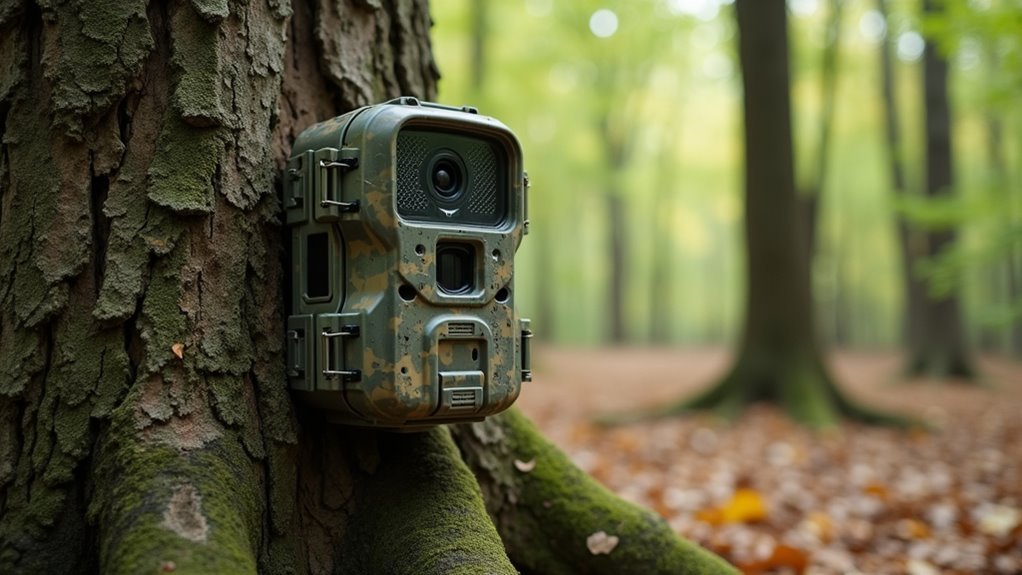
You’re about to make a significant investment in your property’s security, but rushing into a remote camera installation without proper preparation could leave you with blind spots, legal headaches, or a system that fails when you need it most. The difference between a surveillance setup that truly protects your home and one that becomes an expensive disappointment lies in understanding nine critical factors that most homeowners overlook until it’s too late.
Assessing Your Property Layout and Coverage Requirements
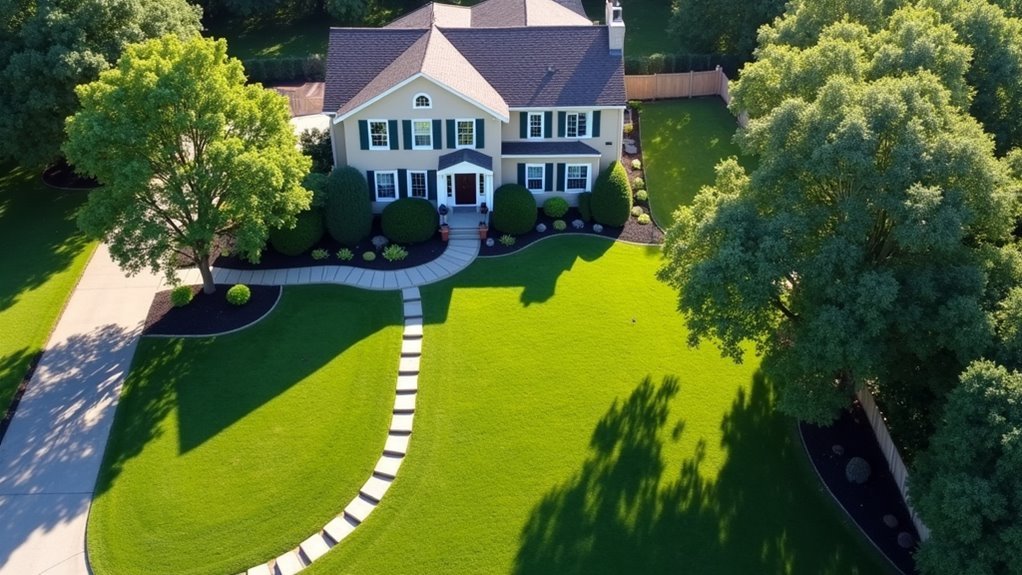
Before you purchase a single camera, you’ll need to thoroughly survey your property to determine exactly how many units you need and where they should go. Your property layout directly influences your security camera system’s effectiveness.
Walk around your entire perimeter and catalog every entry point, including doors, windows, and gates. Don’t overlook vulnerable areas like back alleys or blind spots created by landscaping.
Consider your property’s topography when planning camera placement. Hills, trees, and structures can obstruct views or create shadows that limit visibility.
Position cameras at strategic heights that provide both wide panoramic coverage and detailed close-up footage of potential intruders. Remember to reassess your coverage requirements whenever you make structural changes or add new landscaping that might affect your camera angles.
Understanding Local Privacy Laws and Surveillance Regulations
While mapping out your ideal camera positions, you must also navigate the complex web of privacy laws and surveillance regulations that govern your area.
Surveillance laws differ greatly between states and localities, with some requiring notification and others demanding consent from all recorded parties. You can’t position cameras where people expect privacy, like bathrooms or neighbor’s backyards.
Legal requirements vary by location—always verify local notification and consent rules before positioning cameras in any surveillance setup.
The Federal Wiretap Act restricts audio recording without consent, so check if your system captures sound. Some states regulate drone surveillance with specific operational restrictions.
Don’t overlook these legal requirements—violations can result in civil penalties, lawsuits, or criminal charges. Research your local privacy regulations thoroughly before installing any surveillance equipment.
Choosing Between Wired and Wireless Camera Systems
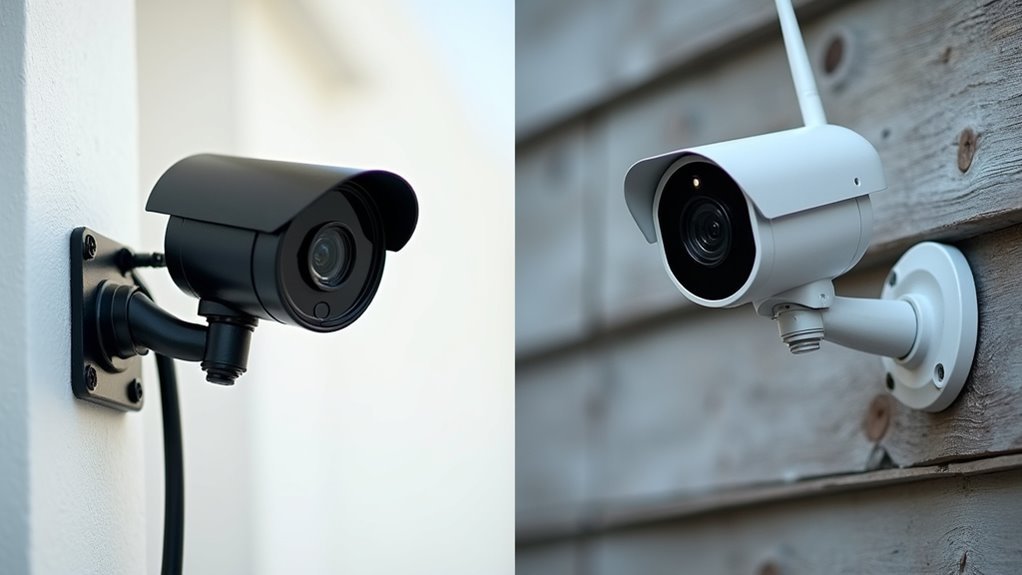
Which camera system best fits your specific security needs—wired or wireless? Your choice impacts everything from camera installation complexity to long-term reliability.
Wired security systems deliver superior video quality and rock-solid connections through direct cabling. You’ll experience minimal latency and zero signal interference. However, installation typically requires professional help to run cables through walls or ceilings, making it more complex and time-consuming.
Wireless cameras offer unmatched flexibility—you can easily relocate them and set them up with minimal tools. They’re perfect if you’re renting or frequently changing security layouts.
| Aspect | Wired | Wireless |
|---|---|---|
| Reliability | Rock-solid connection | Depends on Wi-Fi stability |
| Installation | Complex, professional help needed | Quick DIY setup |
| Security Risk | Minimal hacking vulnerability | Potential hacking target |
Selecting the Right Camera Types for Your Specific Needs
After determining whether wired or wireless systems work best for your setup, you’ll need to match specific camera types to your monitoring requirements.
Choose dome cameras for discreet indoor surveillance in retail environments since they’re less noticeable. Bullet cameras excel for outdoor installations due to their recognizable shape and ability to focus on specific entry points. PTZ cameras provide remote control capabilities for movement and zooming, making them ideal for thorough coverage of large areas.
Consider day/night cameras for locations with varying light conditions, as they automatically switch from color to black and white for peak low-light visibility.
Evaluate your field of view and resolution needs when selecting between camera systems. Whether you’re monitoring indoor or outdoor spaces, wireless cameras offer easier installation while maintaining effective surveillance capabilities.
Evaluating Internet Bandwidth and Network Requirements
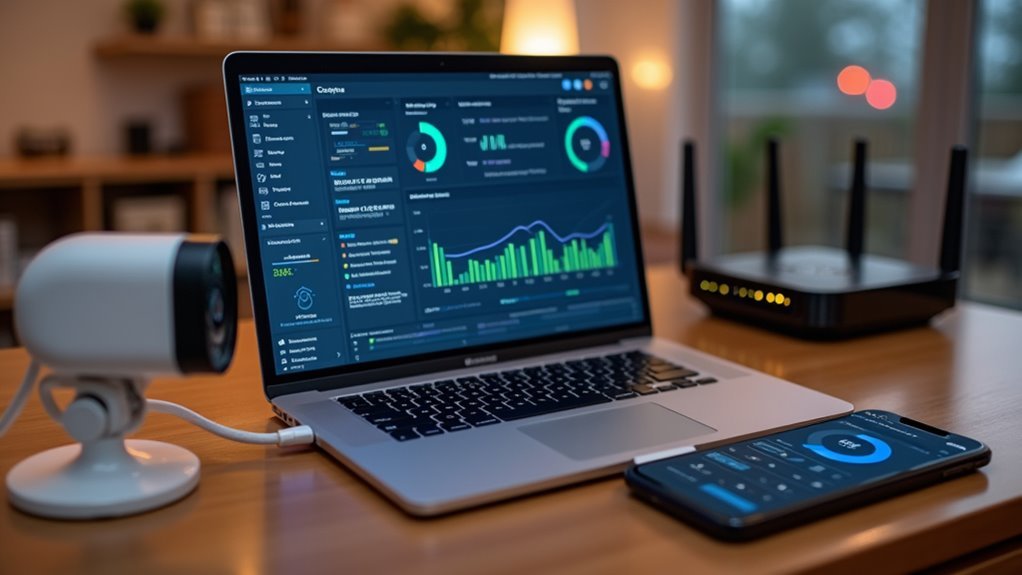
How much bandwidth does your remote camera system actually need? Understanding internet bandwidth and network requirements is essential for reliable video streaming performance. Each camera typically requires 1-5 Mbps depending on resolution and quality settings.
| Camera Quality | Bandwidth Need | Recommended Use |
|---|---|---|
| Standard (720p) | 1-2 Mbps | Basic monitoring |
| High (1080p) | 2-4 Mbps | General security |
| Ultra (4K) | 5+ Mbps | Professional surveillance |
You’ll want to calculate total bandwidth by multiplying individual camera needs by the number of devices. Use wired Ethernet connections whenever possible for superior stability over Wi-Fi. Configure Quality of Service (QoS) settings on your router to prioritize camera traffic during peak usage. Regularly test your network speed and consider upgrading your internet plan if performance degrades.
Planning Optimal Camera Placement and Positioning
You’ll need to conduct a thorough assessment of your property’s layout to identify all entry points and vulnerable areas that require camera coverage.
Position your cameras at ideal heights and angles to capture panoramic views while avoiding obstructions like trees or structures that could create blind spots.
Focus on eliminating coverage gaps by strategically placing wide-angle cameras at entrances, driveways, and hidden access points like back doors and windows.
Strategic Coverage Area Assessment
Before installing your first camera, strategic coverage area evaluation forms the foundation of an effective surveillance system that maximizes security while minimizing equipment costs.
You’ll need to conduct a thorough property survey, identifying all entry points and vulnerable areas requiring monitoring. Map out potential blind spots where intruders could avoid detection, ensuring your cameras don’t face corners or obstructions that limit their field of view.
Position fixed, wide-angle cameras for maximum coverage while placing PTZ units at high-traffic zones. Consider your property’s topography and natural features when determining ideal installation heights and angles.
You’ll achieve better visibility by evaluating sight lines and potential obstacles. Remember to regularly review your camera placements, adjusting positions when environmental changes like new landscaping or structural modifications occur.
Height and Angle Optimization
When positioning cameras at the ideal 8-to-10-foot height range, you’ll capture thorough surveillance coverage while keeping equipment beyond reach of potential tamperers. Angle your cameras slightly downward to minimize sky glare and enhance visibility of critical areas like entryways and pathways.
| Camera Type | Ideal Height | Recommended Angle |
|---|---|---|
| Front Door | 9-10 feet | 15-20° downward |
| Driveway | 8-9 feet | 10-15° downward |
| Side Yard | 8-10 feet | 20-25° downward |
| Back Entrance | 9-10 feet | 15-20° downward |
| Garage Area | 8-9 feet | 10-15° downward |
Focus on secure placement that avoids obstructions like trees or structures. Wide-angle cameras provide extensive field of view coverage, while proper camera angles guarantee you’re monitoring specific zones effectively. Regularly reassess your positioning to maintain ideal performance and account for environmental changes.
Eliminating Blind Spot Vulnerabilities
Proper height and angle positioning means nothing if blind spots compromise your security perimeter. When you install security cameras, eliminating blind spots requires strategic surveying of your entire property. Identify all entry points, back doors, and windows where intruders typically target.
Position cameras away from corners to prevent coverage gaps that create vulnerabilities. Use fixed, wide-angle cameras for broader coverage while guaranteeing each angle captures essential areas without obstruction.
Your outdoor surveillance system must account for environmental changes like growing vegetation that can impair visibility over time. Test camera angles periodically and integrate motion detection technology to confirm thorough monitoring of high-risk zones.
Regular assessment guarantees ideal coverage as your property’s landscape evolves, maintaining security effectiveness.
Determining Power Supply Solutions and Backup Options
You’ll need to establish reliable power sources for your remote cameras, starting with evaluating whether direct electrical connections, PoE, or battery solutions work best for each location.
Consider implementing battery backup systems like UPS units for wired cameras to maintain surveillance during power outages.
Don’t overlook solar power options for outdoor installations, which can provide sustainable energy while reducing dependence on traditional electrical sources.
Primary Power Sources
Since reliable power forms the backbone of any remote camera system, you’ll need to evaluate your specific installation requirements before selecting the most suitable power source.
You can choose between wired and wireless power sources depending on your location and accessibility needs. Wired systems connect directly to electrical outlets, providing consistent power for continuous camera operation. However, you’ll need to assess distances from power sources, as longer runs may require PoE technology to deliver both power and data through one cable.
Battery-powered options offer installation flexibility but require periodic replacement or recharging. For outdoor locations with adequate sunlight, solar-powered cameras provide a renewable energy solution that eliminates dependence on external power sources while maintaining reliable operation.
Battery Backup Systems
Even the most reliable primary power sources can fail unexpectedly, making battery backup systems an essential component of your remote camera installation. These systems typically provide 4 to 24 hours of additional power, depending on your camera’s energy requirements.
Consider implementing an Uninterruptible Power Supply (UPS) that delivers instant power without interruption during brief outages.
For outdoor installations, solar-powered battery backup solutions offer sustainable energy while reducing dependence on external power sources.
Evaluate your camera’s power consumption carefully—high-definition video, night vision, and advanced features demand more robust backup solutions.
Regularly check and replace batteries to prevent unexpected failures. Many systems include low-battery alerts to help you maintain consistent operation and avoid downtime during critical monitoring periods.
Solar Power Options
Solar panels transform sunlight into reliable electricity for your remote cameras, offering a sustainable alternative that eliminates ongoing power costs. Solar-powered security cameras use photovoltaic technology to maintain continuous surveillance while reducing environmental impact.
Your location determines solar efficiency—you’ll need 4-6 hours of direct sunlight daily for ideal performance. The initial equipment investment delivers long-term savings through eliminated electricity bills and reduced maintenance requirements.
| Feature | Requirement | Benefit |
|---|---|---|
| Sunlight | 4-6 hours daily | Ideal efficiency |
| Battery | Built-in rechargeable | Night operation |
| Location | Direct sun exposure | Consistent power |
Backup battery options become essential in regions with inconsistent sunlight. These rechargeable batteries store excess energy during sunny periods, ensuring your cameras operate during cloudy weather or extended storms without surveillance interruption.
Storage Options: Cloud Vs Local Recording Systems
When you’re setting up remote cameras, choosing between cloud and local recording systems will considerably impact your surveillance experience and data security.
Cloud storage provides off-site data protection and internet access from anywhere, typically through subscription plans with scalable options that accommodate growing footage needs. You’ll benefit from automatic backups and enhanced theft protection.
Cloud storage delivers automatic backups and remote access through scalable subscription plans, protecting your surveillance footage from theft and damage.
Local recording systems like DVRs or NVRs offer immediate footage access without internet dependency, but they’re vulnerable to damage or theft.
These storage options require manual capacity upgrades and regular maintenance. With microSD cards, you’ll need to manually delete older recordings when space fills up.
While local systems don’t rely on internet connectivity, they lack the advanced security features and remote accessibility that cloud solutions provide.
Night Vision and Low Light Performance Considerations
Since darkness doesn’t pause criminal activity, you’ll need cameras that deliver reliable performance when visibility drops.
Night vision capabilities rely on infrared technology, capturing clear footage in complete darkness up to 30-100 feet depending on your camera model. Most modern video surveillance systems automatically switch to black and white mode during low light conditions, enhancing detail and clarity compared to color footage.
Look for cameras with minimum illumination ratings of 0.01 lux or lower for peak performance.
Smart IR features adjust LED intensity automatically, preventing overexposure when objects move close to the lens. Consider ambient lighting in your installation area, as low-light cameras perform better in dimly lit environments rather than complete darkness, ensuring consistent surveillance coverage.
Weather Resistance and Outdoor Installation Requirements
Outdoor camera installations face environmental challenges that can quickly compromise your surveillance system’s effectiveness.
You’ll need cameras rated IP65 or higher for proper weather resistance against dust and water exposure. Choose models with durable aluminum or high-grade plastic housing that withstand extreme temperatures and UV damage.
For freezing climates, select cameras with integrated heating elements to prevent internal components from freezing.
During outdoor installation, use weatherproof connectors and seal all cable entry points to block moisture ingress. These proper installation techniques protect your surveillance system from environmental damage.
Don’t forget regular maintenance—inspect your cameras for corrosion, degradation, or other wear signs.
This ongoing attention guarantees your outdoor cameras maintain effectiveness and longevity despite harsh conditions.
Mobile App Features and Remote Access Capabilities
Why settle for basic monitoring when modern security camera apps transform your smartphone into a complete command center?
These mobile app features deliver extensive remote access capabilities that keep you connected to your property 24/7. You’ll receive instant push notifications when motion’s detected, enabling immediate response to potential threats.
Advanced features within these apps include:
- Customizable camera controls – Adjust resolution, toggle night vision, and configure motion detection zones
- Cloud storage integration – Save and retrieve footage remotely while sharing access with trusted contacts
- Two-way audio communication – Deter intruders or communicate with visitors directly through your cameras
You can monitor live feeds, control multiple cameras simultaneously, and access recorded footage from anywhere with internet connectivity, making remote surveillance truly effortless.
Security Protocols and Password Protection Measures
You’ll need to change your camera’s default password immediately after installation, as these factory settings create the biggest security vulnerability in most systems.
Strong password creation and proper network configuration form the foundation of your remote camera’s defense against unauthorized access.
These essential steps protect your surveillance system from common attacks that target weak authentication and unsecured network connections.
Default Password Changes
When you install remote cameras with factory-default passwords, you’re fundamentally leaving your front door open for cybercriminals. These passwords are publicly available and easily exploited, making default password changes your first critical security step.
Here’s how to secure access properly:
- Create strong passwords combining uppercase letters, lowercase letters, numbers, and special characters.
- Update passwords regularly every 3-6 months to prevent unauthorized access.
- Enable two-factor authentication when available for additional verification layers.
You’ll dramatically improve your surveillance system’s security by implementing these changes immediately after installation.
Don’t rely on manufacturer defaults—they’re designed for convenience, not protection. Use password management tools to track changes and maintain strong credentials without sacrificing accessibility.
Network Security Configuration
Beyond changing default passwords, your camera’s network security configuration determines whether hackers can intercept your surveillance data or infiltrate your entire home network.
Configure WPA3 encryption for your wireless security cameras to provide robust protection against unauthorized access and guarantee data integrity. This advanced protocol notably strengthens your network’s defenses compared to older encryption standards.
Implement a guest network specifically for IoT devices, including your security cameras. This isolation strategy prevents potential attackers from accessing your main network if they compromise a camera.
Additionally, enable two-factor authentication for remote camera access, creating an additional security barrier against unauthorized logins.
Regular firmware updates remain essential for maintaining your network security configuration, as manufacturers continuously patch vulnerabilities and enhance security features.
Budget Planning and Long-Term Maintenance Costs
Although upfront hardware costs might seem manageable, establishing an extensive budget for your remote camera system requires careful consideration of both initial expenses and ongoing financial commitments.
Your budget planning should account for hardware, installation, and subscription fees ranging from $100 to $500 per camera.
Long-term maintenance costs include several key components:
- Annual maintenance expenses totaling 10-20% of your initial investment for software updates, component replacements, and repairs
- Internet connectivity costs adding $50-$100 monthly for stable broadband required for remote access
- Professional cleaning services costing $100-$200 yearly to extend camera lifespan
You’ll also need to plan for technology upgrades every few years, potentially costing $200-$600.
These long-term maintenance costs guarantee your Home Security Camera system remains reliable and current.
Future Expansion and System Scalability Options
Since your security needs will likely evolve over time, selecting a scalable camera system prevents costly overhauls and guarantees your investment adapts to changing requirements.
Choose systems with modular designs that enable seamless integration of additional cameras without redesigning your existing setup. Your DVR or NVR should have sufficient capacity for future expansions, supporting more channels and higher storage options as needed.
Select cameras compatible with updated technologies, allowing upgrades to newer models without replacing everything.
Cloud-based solutions offer flexible storage that adjusts to increased data demands as your system grows.
This forward-thinking approach to system scalability guarantees you won’t face expensive infrastructure changes when adding cameras or upgrading components, protecting your initial investment while maintaining peak security coverage.
Frequently Asked Questions
What to Consider When Installing Security Cameras?
You’ll need to assess your property’s vulnerabilities, choose appropriate camera types, guarantee ideal placement without blind spots, evaluate storage options, and comply with local privacy regulations while informing others of surveillance.
Is It Legal for My Neighbor’s Security Camera to Record My Yard?
It’s generally legal for your neighbor’s camera to record your yard since you don’t have a reasonable expectation of privacy in outdoor spaces visible to others from public areas.
Can Police Put Cameras in Your House Without You Knowing?
Police generally can’t install cameras in your house without your knowledge. They need a warrant based on probable cause, except during rare emergencies. You have Fourth Amendment protections against unreasonable searches and surveillance.
How Far Away Can a Wireless Security Camera Work?
Your wireless security camera can work 100-300 feet away in open areas, but walls and interference reduce this range considerably. You’ll get better distances outdoors and can extend reach using Wi-Fi extenders or mesh networks.




Leave a Reply