
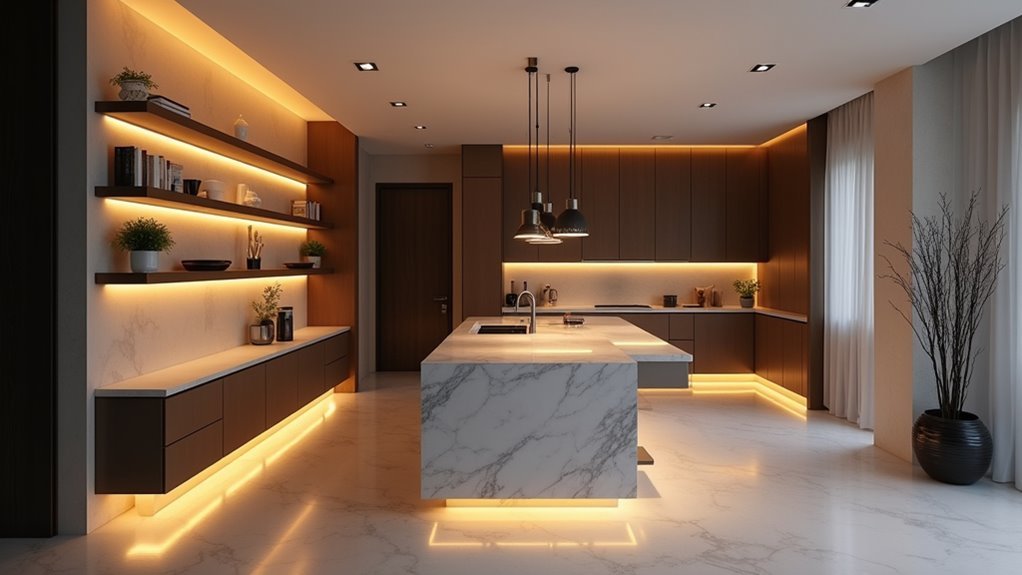
You’ve probably fumbled around in the dark searching for light switches or forgotten to turn off lights before leaving home. Timed smart lighting scenes eliminate these daily frustrations by automatically adjusting your home’s illumination based on your schedule and preferences. But here’s what most people don’t realize about setting up these automated systems—the difference between a smooth, effortless experience and a technical nightmare often comes down to one vital decision you’ll make before installing a single bulb.
What Are Timed Smart Lighting Scenes

Timed smart lighting scenes are automated presets that adjust your lights’ brightness, color, and timing according to schedules you’ve created. Using a smart lighting app, you can customize when lights turn on and off for different activities throughout your day.
You’ll create specific scenarios like “Wake Up,” where lights gradually brighten each morning, or “Movie Night,” which dims your lights and sets a cozy color temperature.
These timed smart lighting scenes offer practical benefits beyond convenience. They enhance home security by simulating occupancy when you’re away, automatically turning lights on and off at varying times. This creates the illusion that someone’s home, deterring potential intruders.
You can easily program these scenes through your smartphone, making home automation accessible and straightforward.
Benefits of Automated Lighting Schedules
Beyond their convenience and customization features, automated lighting schedules deliver meaningful advantages that impact your daily life and household efficiency.
You’ll enhance your home’s security by simulating occupancy when you’re away, deterring potential intruders through strategic lighting patterns. Energy efficiency improves considerably since lights operate only when needed, reducing your electricity costs over time.
Customizable schedules align perfectly with your specific activities and moods, creating ideal ambiance throughout each day. You can establish healthier routines, like gradually brightening morning lights for smoother wake-ups.
Automated lighting schedules create personalized ambiance for every activity while promoting healthier daily routines through gentle, gradual transitions.
Remote management through smartphone apps gives you complete flexibility to adjust settings from anywhere. Whether you’re traveling or simply want to modify your lighting without leaving the couch, automated lighting schedules transform how you interact with your home’s lighting system.
Essential Equipment for Smart Lighting Automation

Three core components form the foundation of any effective smart lighting automation system.
You’ll need a Hue Bridge to connect your smart bulbs to the internet, enabling remote control and scheduling capabilities. The bridge serves as your system’s central hub, communicating with all connected devices.
Essential equipment includes:
- Smart bulbs – Philips Hue bulbs offer customizable colors and intensities for different scenes
- Motion sensors – Philips Hue motion sensors automate lighting based on movement detection
- Hue app – Control interface for setting timers, schedules, and managing your entire system
- Traditional switch accessories – Lutron Aurora maintains familiar switch functionality while preserving automation
This combination guarantees you’ll have complete control over your lighting automation without sacrificing convenience or functionality.
Setting Up Your Smart Lighting Hub
You’ll need to select a compatible hub that matches your smart lighting ecosystem, such as the Philips Hue Bridge for Hue bulbs or SmartThings for multi-brand setups.
Connect your chosen hub to your Wi-Fi network using an Ethernet cable, then download the corresponding app to begin pairing your smart devices.
Configure your initial settings by ensuring all bulbs are powered on and within range, allowing the app to discover and connect each device to your lighting network.
Choose Your Hub
Before diving into creating timed lighting scenes, you’ll need to select the right hub to serve as your system’s command center. Your hub choice determines how seamlessly your smart lighting integrates with your broader home automation setup.
Consider these popular hub options:
- Philips Hue Bridge – Supports up to 50 lights and 12 accessories with excellent app control and third-party integrations
- Lutron hubs – Offer professional-grade dimming and robust automation features for mixed lighting systems
- TP-Link Kasa – Provides budget-friendly smart lighting control with reliable performance
- Universal hubs like SmartThings – Enable cross-brand compatibility for thorough home automation
Ensure your chosen hub supports your specific smart lighting products and desired automation features. Compatibility between your hub and bulbs is essential for accessing advanced scheduling and scene customization capabilities.
Connect Smart Devices
Once you’ve selected your hub, establishing the physical connection forms the foundation of your smart lighting network. Connect your Hue Bridge directly to your internet router using an ethernet cable. This central hub will control all your smart devices and enable seamless communication throughout your lighting systems.
| Device Type | Connection Method | Setup Time |
|---|---|---|
| Hue Bridge | Ethernet to router | 2 minutes |
| Smart bulbs | Auto-discovery via app | 30 seconds each |
| Motion sensors | Pairing button press | 1 minute |
| Smart switches | App-guided setup | 2-3 minutes |
| Outdoor lights | Bridge connection | 1 minute |
Launch the Hue app and follow the on-screen prompts to discover compatible bulbs, lamps, sensors, and cameras. You’ll be ready to configure custom automations once all devices connect successfully.
Configure Initial Settings
After establishing your device connections, proper configuration guarantees your smart lighting hub operates smoothly from day one.
You’ll need to configure essential settings through the Philips Hue app to reveal your system’s full potential.
- Download and launch the Philips Hue app on your smartphone to access all configuration options
- Add your lights by following the app’s scanning process to connect devices to your smart lighting hub
- Update firmware immediately through the app to assure peak performance and security features
- Access the Automation tab to create custom timed scenes that match your daily routines
These initial steps establish the foundation for seamless smart lighting control.
Once configured properly, you’ll easily manage schedules, brightness levels, and automated responses that enhance your home’s lighting experience.
Choosing the Right Smart Bulbs and Fixtures
You’ll need to decide between white-only bulbs for basic lighting control or color-changing options that create dynamic scenes throughout your day.
Consider your fixture’s brightness requirements and guarantee any smart bulbs you choose work seamlessly with your existing hub or smart home system.
Budget constraints don’t have to limit your options, as several affordable smart bulb brands offer reliable performance without breaking the bank.
White Vs Color Options
When setting up timed smart lighting scenes, you’ll face a fundamental decision between white and color-changing bulbs that’ll greatly impact your lighting experience.
White smart bulbs offer color temperatures from 2700K to 6500K, letting you shift from warm relaxation tones to cool focus lighting.
Tunable white options automatically adjust throughout the day, syncing with your circadian rhythms for better sleep and productivity.
Color-changing smart bulbs reveal vibrant possibilities for parties and special occasions, with many quality options under $10.
These bulbs let you create custom atmospheres with endless hues.
Consider your priorities:
- Choose white bulbs for general lighting and task-oriented settings
- Select color options for decorative or mood-enhancing purposes
- Use tunable white for health-focused circadian lighting
- Opt for color-changing when hosting events or creating ambiance
Brightness and Compatibility Requirements
Smart bulb brightness and compatibility form the foundation of successful timed lighting scenes, requiring careful attention to both technical specifications and your existing setup.
You’ll need smart bulbs that integrate seamlessly with your chosen ecosystem—whether Philips Hue, LIFX, or TP-Link/Kasa—to guarantee reliable automation without connectivity issues.
Focus on brightness capabilities that can be dimmed across various levels, allowing your timed scenes to shift smoothly from energizing morning light to relaxing evening ambiance.
Check that your fixtures support the wattage and design requirements of your selected smart bulbs. For outdoor installations, choose bulbs with appropriate IP ratings to withstand weather conditions.
Compatibility between your smart bulbs, fixtures, and control system determines whether your automated lighting scenes will function flawlessly or create frustrating technical problems.
Budget-Friendly Smart Bulb Recommendations
Building a smart lighting system doesn’t require premium prices when you select the right budget-conscious options.
These budget-friendly smart bulbs deliver excellent functionality without compromising your wallet.
Here are top affordable choices for smart lighting control:
- Wiz Tunable White LED Smart Bulb ($10) – Features motion sensing capabilities and adjustable white temperatures for versatile home automation
- Philips Hue White LED Bulbs ($13) – Connect directly with Alexa or Google Assistant for seamless voice control integration
- Govee LED Smart Light Bulbs ($16) – Offer vibrant colors with straightforward setup for colorful ambient lighting
- Lifx Mini White LED ($19) – Compatible with multiple smart home platforms for reliable performance
You’ll find these options provide the essential features needed for timed lighting scenes while maintaining affordability and quality performance.
Creating Your First Automated Scene
Once you’ve gathered your Philips Hue lights and bridge, creating your first automated scene becomes straightforward through the Hue app.
Download the app and connect your lights through the Hue Bridge for seamless integration with your smart lighting system.
Navigate to the Automations tab to create scenes with specific on/off times that match your daily routines.
You’ll customize brightness and color for different activities—try a “movie night” scene with dimmed, warmer hues for relaxation.
The Hue app offers geofencing capabilities, automatically turning lights on as you approach home.
This feature enhances convenience without manual intervention.
Remember to save and name your automated scenes for easy management.
Proper organization helps you expand your smart lighting setup efficiently as you add more bulbs.
Morning Routine Lighting Automation

You can transform your morning routine by programming smart lights to gradually increase brightness, mimicking natural sunrise patterns that gently coax you awake.
This gradual wake-up process works with your body’s natural circadian rhythm, helping you feel more alert and energized rather than jarred by sudden bright light.
Motion sensors can automatically trigger your morning lighting sequence when you first step out of bed, creating a seamless shift from sleep to your daily activities.
Gradual Wake-Up Brightness
While traditional alarm clocks jolt you awake with harsh sounds, gradual wake-up brightness automation transforms your morning routine by mimicking nature’s gentle sunrise.
Your smart lights gradually increase intensity over a customizable period, creating a calming shift from sleep to wakefulness.
You can customize the experience through the Hue app:
- Set specific wake-up times – Schedule lights to begin brightening exactly when you want
- Choose duration periods – Select 10-30 minute gradual brightening cycles based on preference
- Incorporate warm hues – Use soft, warm colors for gentler morning shifts
- Enhance mood and energy – Improve sleep quality and morning alertness naturally
This automation replaces jarring wake-up experiences with peaceful, natural light progression that works with your body’s circadian rhythms.
Natural Circadian Rhythm
Morning routine lighting automation works harmoniously with your body’s natural circadian rhythm by strategically shifting color temperatures throughout your wake-up period. Your smart lights begin with warm 2700K tones that won’t jar you awake, then gradually evolve to cooler 6500K temperatures that promote alertness and focus. This mimicry of natural sunlight helps regulate your body’s internal clock more effectively than traditional alarm clocks.
| Time | Color Temperature | Brightness | Purpose |
|---|---|---|---|
| 6:00 AM | 2700K (Warm) | 5% | Gentle awakening |
| 6:15 AM | 4000K (Neutral) | 25% | Gradual evolution |
| 6:30 AM | 5500K (Cool) | 75% | Increased alertness |
| 6:45 AM | 6500K (Daylight) | 100% | Full awakening |
When you control your lights this way, smart lighting becomes a powerful tool for improving mood and cognitive performance throughout your day.
Sensor-Based Morning Activation
Since sensor-based morning activation eliminates the need to fumble for light switches in your drowsy state, your Philips Hue motion sensors can instantly detect when you’re moving around and automatically trigger your personalized lighting scenes.
Your smart lights can transform your morning routine through customized automation:
- Gradual brightness increase – Simulate natural sunrise by slowly ramping up light intensity
- Activity-specific colors – Bright white for energizing wake-ups or warm hues for relaxed mornings
- Personalized scheduling – Set unique lighting preferences based on your individual wake-up times
- Seamless hands-free operation – Eliminate manual adjustments for effortless morning activation
The Hue app lets you fine-tune these lighting preferences, ensuring your morning activation perfectly matches your routine.
This intelligent automation creates a smooth shift from sleep to wakefulness without any manual intervention required.
Evening Wind-Down Scene Setup
As evening approaches, you’ll want to create a wind-down scene that helps your body shift naturally from the day’s activities to restful sleep.
Open the Hue app’s Automations tab to schedule your lights to gradually dim and change to warm hues. Set brightness levels around 20-30% to signal relaxation time effectively.
You can enhance this evening wind-down scene by incorporating smart speakers that play calming music or white noise alongside your lighting adjustments.
The geofencing feature automatically activates your scene when you arrive home, eliminating manual control needs.
Schedule your routine to start 30 minutes before bedtime, establishing consistent nightly habits that promote better sleep quality and create the perfect atmosphere for unwinding.
Work-From-Home Lighting Schedules
You’ll want to program your smart lights to automatically shift to cool, bright white tones during work hours to boost focus and alertness.
When it’s time for breaks, schedule warmer light temperatures that help you relax and recharge mentally.
This automated lighting schedule mimics natural daylight patterns and creates clear boundaries between productive work time and restorative break periods.
Focus-Enhancing Cool Lighting
While natural daylight provides the perfect blueprint for productive lighting, your home office can replicate these benefits through strategically timed cool white lighting scenes.
Smart lighting systems excel at delivering 4000K to 5000K cool light tone during work hours, reducing eye strain while boosting cognitive function and mood.
Your automated lighting schedule should include:
- Morning activation that gradually brightens to cool white, stimulating alertness as you begin work
- Philips Hue lights programmed for automatic shifts without manual adjustments throughout the day
- Smart sensors that detect your workspace entry and immediately provide ideal cool brightness
- Consistent cool lighting maintenance during peak productivity hours to enhance focus
This systematic approach transforms your home office into a productivity powerhouse, leveraging research-backed lighting temperatures that naturally enhance concentration and workflow efficiency.
Break Time Warm Tones
When your mind needs a reset, smart lights become your ally by automatically shifting to warm 2700K to 3000K tones that signal relaxation mode.
These scheduled changes reduce eye strain and create a calming atmosphere that enhances your mental well-being during work-from-home routines.
Using the Hue app, you’ll set specific schedules that activate warm lighting at designated break intervals.
This mimics natural light changes throughout the day without requiring manual adjustments. Your smart lights seamlessly shift from cool white task lighting to soothing warm hues when break time arrives.
Custom automations let you personalize these lighting schedules based on your unique work patterns.
You can program multiple break periods with different warm lighting intensities, creating an environment that automatically supports both productivity and relaxation throughout your day.
Weekend and Holiday Scene Programming
Since weekends and holidays follow different rhythms than typical weekdays, programming your smart lighting scenes to match these relaxed schedules creates an effortless shift into leisure time.
The Hue app makes it simple to set specific schedules that automatically adjust your timed smart lighting for different occasions.
You can create distinctive atmospheres that enhance your time off:
- Morning gentle wake-up: Lights gradually brighten later than weekdays to match your relaxed sleep schedule
- Evening entertainment: Custom scenes automatically shift to movie night or dinner party settings at designated times
- Holiday celebrations: Festive colors and intensities activate automatically for special occasions
- Smart arrivals: Geofencing features guarantee your home welcomes you with perfect lighting when returning from weekend outings
These automations eliminate manual adjustments while creating the ideal ambiance for every leisure moment.
Motion Sensor Integration for Enhanced Automation
Motion sensors transform your smart lighting system into a truly intelligent network that responds instantly to your presence throughout the home.
These devices use motion detection to automatically activate smart lights only when movement occurs, delivering enhanced energy efficiency by eliminating unnecessary illumination in empty rooms.
Philips Hue motion sensors take automation further by adapting brightness and color temperature based on time of day.
Smart lighting systems automatically adjust brightness and warmth throughout the day, creating optimal ambiance that naturally follows your circadian rhythms.
You can create custom automations that control specific light groupings according to your preferences, ensuring seamless shifts as you move between spaces.
Configure sensors to trigger lights for specific actions like door openings, enhancing security with well-lit entryways.
This integration creates a responsive environment that anticipates your needs, improving comfort while reducing energy waste through intelligent, presence-based lighting control.
Voice Control Setup for Scene Management
Voice control transforms scene management into an effortless experience that puts the full power of your smart lighting system at your command. Instead of fumbling with apps or switches, you’ll simply speak to activate the perfect ambiance for any occasion.
Setting up voice control for your smart lights releases incredible convenience:
- Custom scene creation – Combine multiple lights and settings into single voice commands like “movie night” or “cooking mode”
- Personalized lighting profiles – Each family member can create their own preferred settings and activate them instantly
- Multi-room control – Adjust lighting across your entire home with one simple command
- Enhanced accessibility – No need to reach for devices when your hands are full
This integration guarantees your smart lights respond accurately and promptly to every command.
Troubleshooting Common Timing Issues
When your carefully programmed lighting scenes don’t activate as expected, timing issues can quickly turn convenience into frustration. Your smart lighting system’s reliability depends heavily on a stable Wi-Fi connection, so make certain your network signal reaches all devices consistently. Weak connectivity disrupts automations and prevents timers from executing properly.
Double-check your app’s time zone settings to verify scenes trigger at correct local times. Review each automation’s configuration, confirming you’ve selected the right days and activation times. If you’re using motion sensors alongside timed scenes, check their settings won’t conflict with scheduled triggers.
When timing problems persist, restart your Hue Bridge and connected devices. This simple step refreshes system operations and often resolves lingering connectivity issues that interfere with your automated lighting schedules.
Advanced Scene Customization Techniques
Beyond resolving basic timing conflicts, you can craft sophisticated lighting experiences that respond intelligently to your daily routines and preferences.
Smart lighting automation goes beyond simple on-off controls to create personalized experiences that seamlessly adapt to your lifestyle.
Advanced scene customization transforms your smart lights into a dynamic system that adapts throughout the day.
Master these techniques to elevate your lighting automation:
- Combine multiple bulbs with varied brightness and color temperatures to create layered lighting that matches specific activities.
- Set automated schedules in the Hue app for seamless automating shifts from bright work lighting to warm evening relaxation.
- Configure trigger-based scenes using motion sensors or geofencing to activate lights automatically when you enter rooms or arrive home.
- Program smart switches with double-tap shortcuts for instant access to your most-used scenes without opening apps.
These advanced scene customization features streamline daily lighting control effortlessly.
Frequently Asked Questions
Can You Set Smart Lights to Turn on at a Certain Time?
You can set smart lights to turn on at specific times using automation features in smart lighting apps. You’ll schedule exact times for lights to activate, creating convenient routines that match your daily lifestyle.
What Are the Disadvantages of Smart Lighting System?
You’ll face high initial costs, compatibility issues between brands, Wi-Fi dependency problems, need to modify wall switches, and deal with regular firmware updates that require ongoing maintenance.
How to Schedule a Smart Light?
You’ll schedule smart lights through the Hue app’s Automations tab. Set specific times for lights to turn on or off, create custom routines, and adjust brightness or colors throughout your day automatically.
How to Make Lights Turn on at a Certain Time?
You’ll use your Hue app’s Automations tab to schedule lights for specific times. Simply set timers, create custom scenes, or enable geofencing so your lights automatically turn on when needed.




Leave a Reply