
You’re tired of monthly subscription fees eating into your smart home budget, and you’re not alone. The good news? Several powerful home automation hubs operate completely subscription-free while delivering professional-grade functionality. These platforms offer local control, robust automation capabilities, and support for hundreds of devices without ongoing costs. However, choosing the right subscription-free hub requires understanding key differences that could make or break your smart home experience.
What Makes a Hub Subscription-Free
When you’re shopping for a smart home hub, the most appealing feature of subscription-free models is their ability to deliver full functionality without tying you to monthly payments.
These hubs eliminate ongoing costs by relying on local processing rather than cloud-based services, meaning your smart home devices operate independently of external servers.
You’ll gain access to essential features like automation routines, device grouping, and remote control through companion apps without monthly fees.
The local processing capability guarantees your devices function even without internet connectivity, enhancing both privacy and reliability.
Popular subscription-free options like Amazon Echo and Apple HomePod mini offer extensive compatibility across various smart home devices, giving you broad functionality while keeping your long-term costs predictably low.
Top Open-Source Home Automation Platforms
Beyond commercial subscription-free hubs lies an even more powerful solution: open-source home automation platforms that put you in complete control of your smart home ecosystem.
Home Assistant leads this category, offering unlimited customization without subscription fees or vendor lock-in. You’ll connect countless devices through Zigbee, Z-Wave, and other protocols while creating sophisticated automations based on real-time conditions.
Running on affordable hardware like Raspberry Pi, these smart home systems deliver enterprise-level functionality at minimal cost. You’ll maintain complete data privacy since everything runs locally.
The robust community provides continuous updates, troubleshooting support, and new integrations. Unlike proprietary hubs, open-source platforms evolve with your needs rather than corporate interests.
This home automation approach offers maximum flexibility, security, and long-term value for tech-savvy users seeking ultimate control.
Home Assistant: The Ultimate DIY Solution
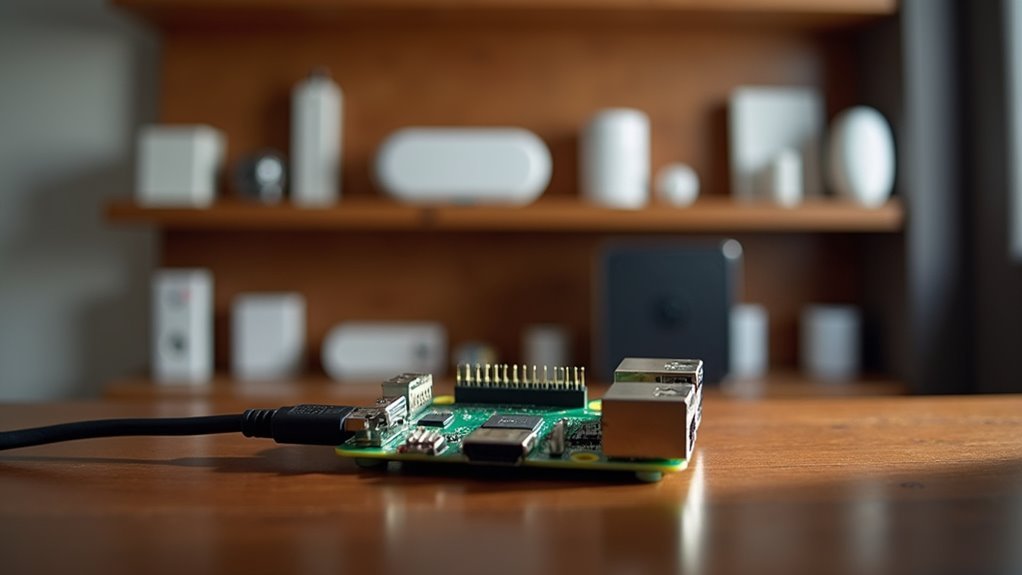
You’ll find Home Assistant stands out as the premier open-source platform that puts complete control directly in your hands without monthly fees or vendor lock-in.
Your smart home runs entirely on local hardware like a Raspberry Pi, ensuring your data stays private while maintaining lightning-fast response times even when your internet goes down.
The platform’s impressive compatibility spans hundreds of device types through Zigbee, Z-Wave, and WiFi protocols, making it work with nearly every smart device you already own or plan to purchase.
Open Source Advantages
While commercial smart home hubs lock you into proprietary ecosystems with monthly fees, Home Assistant breaks free from these constraints as a completely open-source platform that costs nothing to use.
You’ll gain complete control over your smart home platform without worrying about subscription renewals or vendor lock-in.
The open source nature means you’re not dependent on corporate decisions that could shut down services overnight. You can customize every aspect of your automation system, accessing the source code and modifying features to meet your specific needs.
The active community continuously improves the platform, providing regular updates and innovative features.
Unlike proprietary solutions, you’ll never face forced obsolescence or discontinued support, ensuring your free investment remains functional long-term.
Local Control Benefits
When you run Home Assistant locally, your smart home operates independently of internet connections and cloud services, giving you complete privacy and eliminating the frustration of devices that stop responding during network outages.
Local control means you’ll experience lightning-fast response times since commands don’t need to travel to distant servers. You can customize automations with real-time condition checks, creating sophisticated routines that respond instantly to changes in your environment.
The platform’s compatibility with Zigbee, Z-Wave, and Bluetooth guarantees your smart home products work seamlessly together.
Community-driven development provides continuous improvements and reliable support, so you won’t face sudden service shutdowns that plague commercial platforms. Your data stays on your network, protecting your family’s privacy completely.
Device Compatibility Range
Home Assistant’s compatibility spans an impressive range of over 2,000 integrations, connecting devices from hundreds of manufacturers into one unified ecosystem. You won’t find yourself locked into specific brands or protocols when building your smart home setup.
This open-source platform supports multiple communication standards:
- Wireless protocols – Zigbee, Z-Wave, Wi-Fi, and Bluetooth devices work seamlessly together.
- Third-party services – IFTTT and MQTT expand your automation possibilities beyond standard offerings.
- Mixed-brand environments – Connect Samsung, Philips, Google, Amazon, and countless other manufacturers.
The platform’s device compatibility continues expanding through community contributions and regular updates.
You’ll create custom automations that trigger based on specific conditions across different device types. Whether you’re starting fresh or integrating existing equipment, Home Assistant’s extensive integrations guarantee your current and future devices will work together harmoniously.
OpenHAB Setup and Configuration
You’ll need Java Runtime Environment installed before you can get OpenHAB running on your chosen platform, whether that’s a Raspberry Pi or your main computer.
Once it’s up, you’ll connect your smart devices through specific bindings for protocols like Zigbee, Z-Wave, or MQTT, making the integration process straightforward even with mixed-brand setups.
The real power comes when you create custom automation rules that trigger actions based on your specific conditions and preferences.
Initial Installation Requirements
Before diving into OpenHAB’s capabilities, you’ll need to establish a solid foundation by installing the Java Runtime Environment on your chosen device. The initial installation requirements are straightforward, and OpenHAB’s flexibility allows deployment across Windows, macOS, Linux, and Raspberry Pi platforms.
Once you’ve got Java running, you’ll tackle the configuration process through these essential steps:
- Set up the runtime environment using command line interface or pre-packaged distributions
- Create your openhab.cfg file to define system parameters and network settings
- Install necessary bindings through the Add-ons interface for your smart devices
You can integrate devices by adding bindings directly through the interface or editing configuration files manually, giving you complete control over your home automation setup.
Device Integration Process
With your foundation in place, the device integration process transforms your OpenHAB installation into a functional smart home hub. You’ll configure bindings specific to your device technologies, creating seamless connections without any subscription fee.
The integration follows a structured approach:
| Step | Action |
|---|---|
| Things | Define actual connected devices in your network |
| Items | Create virtual representations of device functions |
| Rules | Write automation rules using OpenHAB’s DSL |
You’ll establish “things” that represent your physical smart home devices, then create corresponding “items” for thorough control. The platform’s domain-specific language lets you craft sophisticated automation rules based on triggers, conditions, and actions. This device integration process enables you to manage everything from lighting to security systems through OpenHAB’s customizable interface, eliminating ongoing costs.
Advanced Automation Rules
Once your basic device integration runs smoothly, OpenHAB’s rule engine opens up sophisticated automation scenarios that respond intelligently to multiple conditions and data sources.
You’ll write complex scripts using OpenHAB’s domain-specific language, creating automation rules that go far beyond simple on/off commands. These advanced features let you orchestrate multiple smart devices simultaneously while incorporating external data like weather forecasts and calendar events.
Your automation possibilities include:
- Multi-condition triggers – Combine motion sensors, time schedules, and occupancy patterns to control via intelligent lighting scenes
- Weather-responsive actions – Automatically adjust thermostats and blinds based on real-time weather API data
- Cascading device responses – Create sequences where one device action triggers multiple coordinated responses across your entire smart home ecosystem
OpenHAB’s community-driven development guarantees continuous improvement and extensive documentation support.
Hubitat Elevation for Local Control
The Hubitat Elevation stands out as a powerhouse for users who prioritize local control and privacy in their smart home setups. This compact hub processes commands directly on-device without cloud dependencies, delivering faster response times and enhanced security for your connected devices.
You’ll appreciate its extensive compatibility with Z-Wave Plus 800, Zigbee 3.0, and Wi-Fi technologies, supporting thousands of smart home products. The intuitive interface lets you create sophisticated automations and custom rules tailored to your specific needs.
At just 2.5 x 2.5 x 0.5 inches, it fits anywhere in your home while requiring only an Ethernet connection for operation. This wired setup enhances reliability and security compared to Wi-Fi-dependent alternatives, making it ideal for privacy-conscious users seeking robust local control.
Amazon Echo as a Budget-Friendly Hub
For under $100, Amazon’s Echo (4th generation) delivers exceptional value as your entry point into smart home automation.
This budget-friendly smart home hub supports multiple connectivity options including Wi-Fi, Bluetooth, Zigbee, and Matter, ensuring compatibility with virtually any smart device you’ll encounter.
The Amazon Echo goes beyond basic voice control with built-in motion and temperature sensors, transforming it into a thorough automation center.
It doubles as an eero extender, boosting your home’s Wi-Fi coverage for better device performance.
Key features that maximize your investment:
- Multi-protocol support – Connects with devices using different wireless standards
- Built-in security monitoring – Detects smoke alarms and glass breaking sounds
- Network enhancement – Functions as a Wi-Fi extender for improved connectivity
You’re getting professional-grade smart home capabilities without the premium price tag.
Apple HomeKit Native Integration
Apple’s HomeKit transforms your iPhone or iPad into a powerful smart home command center, eliminating the need for multiple third-party apps cluttering your device. You’ll enjoy native integration with countless smart home devices through the Apple Home app, streamlining your entire ecosystem.
Your HomePod or HomePod mini serves as a central hub, enabling remote access and complex automations without subscription fees. You can control everything using Siri voice commands, making daily routines effortless.
| Feature | Benefit | Cost |
|---|---|---|
| Native Integration | Seamless device control | Free |
| End-to-End Encryption | Enhanced privacy protection | Free |
| Matter Protocol Support | Broader device compatibility | Free |
Apple HomeKit prioritizes your security with end-to-end encryption, ensuring your smart home data remains private while providing flexible configurations across multiple device brands.
SmartThings Without Monthly Fees
You’ll save money with the Aeotec Smart Home Hub, which replaces the discontinued SmartThings Hub without requiring monthly subscription fees.
This hub supports Wi-Fi, Bluetooth, Zigbee, Z-Wave, and Matter protocols, letting you control diverse smart devices through the familiar SmartThings app.
Setup’s straightforward enough that you won’t need professional installation, making it an affordable entry point into extensive home automation.
Aeotec Hub Features
Versatility defines the Aeotec Smart Home Hub, which supports Wi-Fi, Bluetooth, Zigbee, Z-Wave, and Matter protocols without monthly subscription fees.
This subscription-free solution replicates the discontinued SmartThings Hub’s functionality, maintaining your existing setup while enabling deep SmartThings integration for advanced automations.
The hub’s extensive features make it stand out among smart home hubs:
- Multi-protocol connectivity – Control devices across five wireless technologies from one central hub
- Seamless device integration – Create sophisticated automations with wide smart device compatibility
- Accessible design – User-friendly setup accommodates beginners while offering granular control for power users
You’ll appreciate the straightforward installation process that doesn’t sacrifice advanced capabilities.
However, consider the lack of battery backup when planning placement, as stable power ensures uninterrupted operation of your smart home network.
Setup Without Subscriptions
Since the SmartThings Hub faced discontinuation, you don’t have to abandon your investment in compatible devices or start paying monthly fees for basic automation. The Aeotec Smart Home Hub maintains SmartThings functionality while enabling subscription-free operation for your smart home.
You’ll retain access to local automations without monthly subscription fees, keeping your smart devices operational independently of cloud services. This approach preserves your existing device compatibility while avoiding recurring costs.
| Feature | Subscription Model | Subscription-Free |
|---|---|---|
| Basic Automations | $5-15/month | Included |
| Local Processing | Limited | Full Access |
| Device Monitoring | Premium Feature | Standard |
Zigbee and Z-Wave Compatibility Options
When building a thorough smart home ecosystem, protocol compatibility becomes an essential factor that determines which devices you can integrate seamlessly.
Zigbee and Z-Wave represent the two dominant wireless communication protocols that’ll shape your device selection and network performance.
Zigbee operates on mesh networks where devices relay messages, extending range and reliability while consuming minimal power—perfect for battery-operated sensors.
Mesh networking enables Zigbee devices to communicate through each other, creating self-healing networks that expand coverage while preserving battery life.
Z-Wave typically offers longer individual device range but supports fewer total devices per network.
Consider these compatibility advantages:
- Dual-protocol hubs like Aeotec Smart Home Hub support both standards, maximizing device options
- Power efficiency varies between protocols, affecting battery-operated device longevity
- Network scalability differs greatly between Zigbee’s larger capacity and Z-Wave’s range strength
Smart home hub compatibility with both protocols creates extensive automation possibilities.
Setting Up Your First Automation Rules
After establishing your home hub’s device compatibility, you’ll want to create automation rules that transform individual smart devices into a cohesive, responsive system.
Begin by defining clear triggers like time schedules, device states, or specific events to guarantee rules activate when needed. Access your smart home hub’s automation features through its app, where you’ll find customizable templates and drop-down menus that simplify rule creation.
Consider pairing devices for sophisticated automations—program smart lights to illuminate when your smart lock releases, boosting security and convenience.
Test each automation rule thoroughly after setup, adjusting settings to optimize performance. Regularly review your rules based on changing needs or seasonal requirements, making sure your smart home remains efficient and relevant over time.
Cost Comparison: Free Vs Paid Platforms
Once you’ve mastered automation rules, you’ll need to evaluate whether subscription-free or paid platforms offer better long-term value for your smart home investment.
Subscription-free hubs like Amazon Echo (4th gen) deliver extensive compatibility across smart home devices without ongoing costs.
While subscription platforms such as Ring or Arlo lock premium features behind monthly fees, you’ll find that free alternatives provide robust automation and device control capabilities upfront.
Consider these key financial factors:
- Upfront vs. ongoing costs – Apple HomePod mini costs $99 once versus cumulative subscription charges
- Feature accessibility – Free hubs offer full functionality while paid platforms restrict premium features
- Self-monitoring capabilities – Eliminate recurring charges through independent system management
Your total cost of ownership dramatically decreases when you avoid monthly fees entirely.
Essential Hardware Requirements
Beyond evaluating costs, you’ll need specific hardware components to build a reliable smart home hub that delivers on those subscription-free promises.
Building a subscription-free smart home hub requires careful selection of specific hardware components that ensure reliable, long-term performance.
A Raspberry Pi 4 with at least 8GB RAM provides the foundation for your subscription-free smart home hub, ensuring smooth operation when running platforms like Home Assistant. You’ll want to pair this with an SSD for data storage, which prevents data loss and speeds up access times considerably.
For device connectivity, invest in a Zigbee and Z-Wave combo USB stick. This hardware maximizes compatibility across various smart home brands and technologies.
Don’t overlook your network infrastructure—maintaining a stable internet connection remains essential for remote access and control. While budget options like Echo Dot work on basic Wi-Fi, serious automation requires robust connectivity.
Troubleshooting Common Setup Issues
You’ll likely encounter device connection problems and app configuration errors when setting up your smart home hub for the first time.
These issues can frustrate even tech-savvy users, but they’re usually straightforward to resolve with the right approach.
Let’s examine the most common setup roadblocks and how to fix them quickly.
Device Connection Problems
While smart home hubs promise seamless device integration, device connection problems can quickly turn your automated paradise into a frustrating puzzle.
When devices won’t connect to the Internet through your smart home hub, systematic troubleshooting eliminates most issues.
Start with these essential steps:
- Verify compatibility – Confirm your hub supports the wireless technologies (Wi-Fi, Zigbee, Z-Wave) your devices require.
- Install firmware updates – Update both your hub and connected devices, as outdated software causes connectivity failures.
- Optimize hub placement – Position your hub centrally to minimize interference and maximize range.
If problems persist, use your hub’s smartphone app for diagnostics.
These apps include setup wizards and troubleshooting tools.
When all else fails, factory reset both the device and hub, then restart the setup process for a clean connection.
App Configuration Errors
Even after establishing physical connections, app configuration errors can derail your smart home setup and leave you wondering why devices won’t respond to commands.
Start by verifying your smart home hub connects to the correct Wi-Fi network and your smartphone uses that same network during setup. Check device compatibility against your hub’s specifications, as not all hubs support every protocol or brand.
Update firmware for individual devices through the app before attempting integration. When troubleshooting persistent issues, restart both your hub and app to resolve temporary glitches.
For complex problems, consult your hub’s troubleshooting section or official website for device-specific solutions tailored to common app configuration errors.
Expanding Your System Over Time
Once you’ve chosen a quality home hub, you can build your smart home ecosystem gradually without worrying about mounting subscription costs.
Subscription-free hubs like the Amazon Echo (4th gen) and Apple HomePod mini let you expand your network at your own pace, adding compatible devices whenever budget allows.
The Aeotec Smart Home Hub supports multiple protocols (Zigbee, Z-Wave, Wi-Fi), giving you flexibility to integrate diverse devices over time.
Multi-protocol support ensures your smart home can grow with any device combination, eliminating compatibility concerns as technology evolves.
Matter compatibility guarantees seamless integration across manufacturers, making future additions effortless.
Here’s how to maximize your expansion strategy:
- Start with essential devices like smart lights and thermostats
- Add automation routines as your device count grows
- Take advantage of regular firmware updates that enhance functionality
You’ll enjoy continuously improving features without ongoing payments.
Frequently Asked Questions
What Is the Best Home Hub to Buy?
You’ll find the Amazon Echo (4th gen) offers the best overall value under $100 with Wi-Fi, Bluetooth, Zigbee, and Matter support, making it ideal for thorough smart home control.
What Is the Best Open Source Home Automation Free Software?
You’ll find Home Assistant is the best open-source home automation software. It’s completely free, highly customizable, supports thousands of devices, runs on inexpensive hardware, and maintains local control for privacy.
What Is the Best Home Automation Platform?
You’ll find Home Assistant stands out as the best home automation platform, offering complete local control, extensive device compatibility, and powerful automation capabilities without subscription fees or cloud dependencies for your smart home.
Do I Need a Hub for My Smart Home?
You don’t necessarily need a hub if you’re using Wi-Fi devices with individual apps. However, you’ll benefit from a hub if you want centralized control, automation, or own Zigbee/Z-Wave devices.




Leave a Reply