

You’ve probably wondered why your smart mirror doesn’t activate until you’re right in front of it, then suddenly springs to life with perfect timing. Motion sensors, particularly PIR technology, transform your ordinary mirror into an intelligent interface that responds instantly to your presence while conserving energy when you’re away. But there’s more to this seamless experience than simple detection—the real magic lies in how these sensors integrate with your mirror’s ecosystem.
Motion Sensor Technology Fundamentals for Smart Mirror Applications
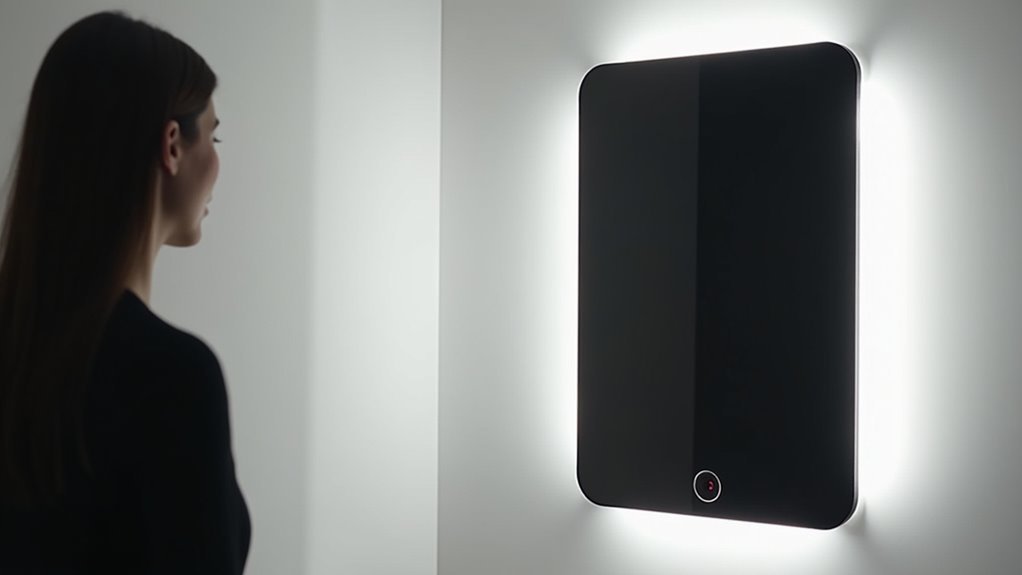
Smart mirrors transform from simple reflective surfaces into intelligent interfaces through the strategic integration of motion sensor technology. When you approach your smart mirror, Passive Infrared (PIR) sensors detect your body heat, automatically activating the display without requiring manual switches. This seamless activation enhances your convenience while maximizing energy efficiency.
Your motion sensor works by identifying infrared radiation changes in its detection zone. As you move within range, the sensor triggers the smart mirror’s display system, instantly providing relevant information and features. The technology enables advanced capabilities like virtual wardrobe try-ons, where your presence activates personalized content immediately.
Beyond basic activation, these sensors continuously monitor your proximity, ensuring the mirror remains active during use and automatically powers down when you leave, creating an intuitive, energy-conscious experience.
Energy Efficiency Benefits of Motion-Activated Smart Mirrors
Beyond convenience, motion-activated smart mirrors deliver substantial energy savings that directly impact your electricity bills.
When you’re not using the mirror, motion detection technology automatically switches it to idle mode, consuming only 150mA compared to 600mA during continuous operation. This smart functionality prevents unnecessary energy waste by activating the display only when you approach.
PIR motion detectors enable your mirror to enter standby mode when no movement’s detected, reducing power draw to approximately 400mA.
You’ll experience seamless activation based on your presence while achieving an estimated 25% decrease in power consumption. This energy efficiency translates to lower electricity costs and reduced environmental impact, making motion-activated mirrors both economically and environmentally beneficial for your home.
Seamless User Experience Through Automatic Activation
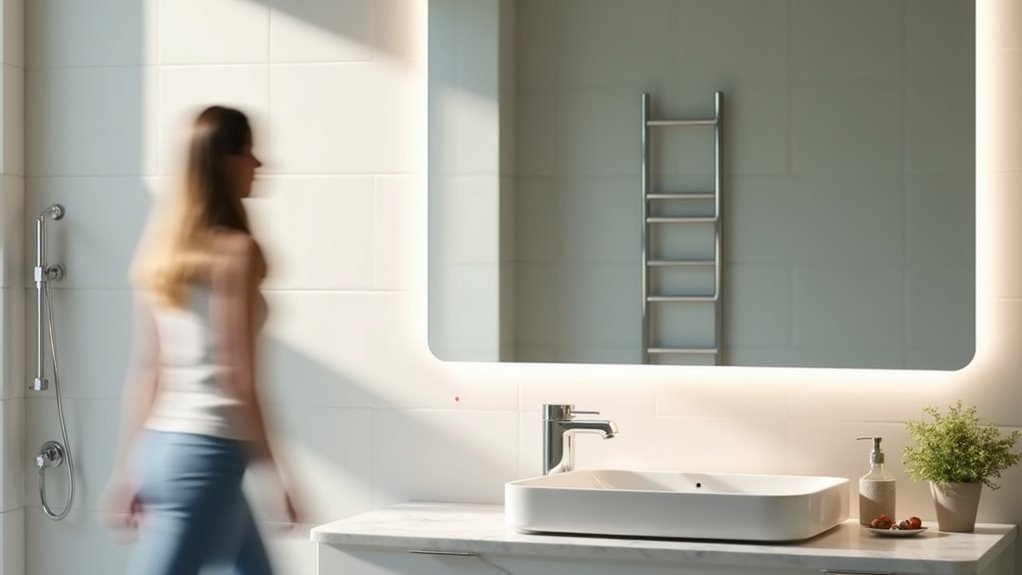
When you approach your smart mirror, proximity sensors instantly detect your presence and activate the display without requiring any manual input. This automatic activation creates an intuitive interface that transforms how you interact with your reflection and health data.
Motion sensors eliminate the friction between you and your mirror’s functionality, delivering instant access to features like health monitoring, weather updates, and personal reminders. You’ll experience a smooth changeover that aligns perfectly with modern smart home expectations.
| Traditional Mirror | Smart Mirror with Motion Sensors |
|---|---|
| Manual activation required | Automatic activation on approach |
| Static functionality | Dynamic, responsive features |
| Single-purpose use | Multi-functional capabilities |
| Constant power consumption | Energy-efficient operation |
| Basic reflection only | Personalized information display |
This seamless experience makes your smart mirror an engaging, valuable addition to any space.
PIR Motion Sensors Vs Doppler Radar for Mirror Detection
Two distinct sensor technologies power automatic activation in smart mirrors: PIR motion sensors and Doppler radar systems.
PIR sensors detect your body heat within a specific range, making them cost-effective and widely used for simple motion detection. You can adjust their sensitivity and timing via potentiometers for personalized settings. However, they require direct line-of-sight to function properly.
Doppler radar sensors offer superior performance by utilizing microwave signals to detect your movement. Their slim design allows discreet placement behind the mirror without requiring line-of-sight.
They’ll provide consistent detection regardless of ambient light conditions, making them ideal for low-light environments. Additionally, Doppler radar sensors enable advanced features like gesture control, detecting your movements without physical contact for enhanced smart mirror functionality.
Optimal Placement Strategies for Motion Sensors Behind Mirrors

Proper sensor placement behind your smart mirror determines whether you’ll experience seamless activation or frustrating delays. For ideal placement, mount your motion sensor at 5-6 feet height, matching average eye level for maximum detection efficiency.
Angle the sensor 15-30 degrees to capture your natural approach path and expand the detection zone. Ensure the sensor’s field of view remains unobstructed by mirror frames or surrounding objects.
Position PIR sensors near entry points where body heat motion is detected most effectively. Test your sensor’s range and sensitivity thoroughly after installation, as reflective surfaces can interfere with detection accuracy.
Environmental factors like lighting changes or nearby heat sources may affect performance, so fine-tune sensitivity settings accordingly for consistent activation.
Camera-Based Motion Detection Integration Techniques
You’ll implement camera-based motion detection by using frame comparison algorithms that analyze pixel changes between consecutive video frames to identify movement patterns.
OpenCV’s processing capabilities let you achieve detection speeds of 50-100 milliseconds per frame, ensuring your smart mirror responds quickly to user presence.
However, you’ll need to address low light challenges when integrating cameras behind half-silvered mirrors, often requiring additional illumination like infrared LEDs for reliable detection performance.
Frame Comparison Algorithms
Frame comparison algorithms power the core motion detection capabilities in camera-based smart mirror systems by analyzing pixel-level differences between consecutive video frames.
You’ll achieve real-time processing speeds of 50 to 100 milliseconds per frame when using devices like the Raspberry Pi Zero 2. These algorithms calculate pixel differences to identify motion effectively, utilizing OpenCV libraries for enhanced performance.
When implementing face recognition features, you’ll need approximately 0.85 seconds per frame for detection tasks.
You can optimize your system’s efficiency by incorporating a state machine that manages shifts between IDLE, MOVEMENT_DETECTION, FACE_ACQUISITION, and ACTIVE modes based on user presence. This intelligent switching reduces energy consumption while maintaining seamless user experience, only activating mirror features when motion is detected.
OpenCV Processing Speed
OpenCV’s processing capabilities determine the real-time performance of your smart mirror’s motion detection system, with frame processing speeds ranging from 50 to 100 milliseconds that enable smooth user interactions.
This efficient opencv processing speed guarantees your Motion Detector responds instantly to movement without noticeable lag. You’ll experience seamless activation when approaching your smart mirror, as the rapid frame analysis maintains continuous monitoring.
However, face detection requires approximately 0.85 seconds, while face recognition adds another 0.7 seconds for identification. Despite these longer processing times for facial features, the core motion detection remains highly responsive.
The dlib library integration enhances recognition accuracy when you’ve pre-loaded known face images. Remember that low-light conditions can impact performance, so you’ll need adequate lighting for peak opencv processing speed and Motion Detector functionality.
Low Light Challenges
When lighting conditions deteriorate, your camera-based motion detection system faces significant performance challenges that can compromise the smart mirror’s responsiveness.
You’ll notice delays in detection and recognition processes as insufficient illumination hampers the camera’s ability to detect motion effectively.
The half-silvered mirror placement compounds this issue by further restricting light access to your camera sensor.
You can address these low light challenges by integrating infrared LEDs, which provide invisible illumination without disturbing users.
Motion-activated lights offer another solution, automatically ensuring adequate lighting levels when needed.
Advanced image processing techniques also help optimize performance.
You should implement dynamic exposure adjustments that automatically adapt to varying light conditions, maintaining consistent motion detection accuracy throughout different times of day.
Power Consumption Analysis of Motion Sensing Systems
Since energy efficiency remains a critical concern for smart mirror implementations, understanding the power consumption characteristics of motion sensing systems becomes essential for optimizing your device’s operational costs.
Motion sensing technology dramatically reduces your smart mirror’s energy usage, achieving approximately 25% of original power consumption. You’ll see current draw drop from 600mA to around 150mA during idle mode when implementing PIR motion sensors.
Your Raspberry Pi-based smart mirror will consume roughly 700mA when active but only 150mA in standby mode.
PIR sensors themselves draw just 50mA, making them highly efficient triggers. By activating your mirror only when users are detected, you’ll eliminate unnecessary power usage during inactive periods, creating a sustainable and cost-effective solution.
State Machine Logic for Smart Mirror Activation Modes
You’ll need to implement a state machine that efficiently manages your smart mirror’s activation sequence through four distinct modes.
Your system starts in IDLE mode at 150mA power consumption, then progresses through MOVEMENT_DETECTION and FACE_ACQUISITION states before reaching the fully active 700mA operational mode.
This structured approach guarantees you’re not wasting energy on false triggers while maintaining responsive user interaction.
IDLE Mode Power Conservation
Beyond mere activation and deactivation, smart mirrors implement sophisticated state machine logic that strategically manages power consumption through distinct operational modes.
When you’re not actively using your mirror, it enters idle mode, where the PIR sensor maintains minimal operational status while dramatically reducing power consumption to approximately 150mA compared to 600mA during full operation.
This intelligent power management system automatically shifts your smart mirror into standby after predetermined periods of inactivity. You’ll benefit from substantial energy savings without sacrificing functionality, as the motion detection capabilities remain active to instantly respond when you approach.
The state machine guarantees seamless shifts between IDLE, MOVEMENT_DETECTION, FACE_ACQUISITION, and ACTIVE modes, optimizing both performance and operational costs while maintaining responsive user interaction.
Movement Detection Trigger Logic
How does your smart mirror instantly know when you’re approaching and seamlessly shift from sleep mode to full functionality? Your mirror employs sophisticated state machine logic that orchestrates smooth changes between operational modes.
When PIR motion sensors detect your body heat, the system immediately shifts from IDLE to MOVEMENT_DETECTION state, activating face detection algorithms to confirm your presence.
This intelligent trigger logic guarantees your mirror doesn’t waste energy on false alarms from pets or passing objects. Once movement is detected and verified through facial recognition, the system shifts to ACTIVE state, powering up the display and enabling full functionality.
When you leave, the mirror quickly returns to IDLE mode, dramatically reducing power consumption compared to mirrors that run continuously.
Face Recognition State Transitions
The sophisticated state machine that powers your smart mirror’s face recognition system operates through four distinct phases that work together to deliver seamless activation.
Starting in IDLE mode, your mirror conserves energy until motion sensors detect your presence, triggering the MOVEMENT_DETECTION phase to confirm you’re actually there.
Once verified, the system enters FACE_ACQUISITION mode, where the camera captures your facial data for identity verification.
Finally, it shifts to ACTIVE mode, releasing full functionality.
OpenCV integration enables lightning-fast face recognition processing at 50-100ms per frame, ensuring you won’t experience delays.
The system intelligently cycles back to IDLE when you leave, maintaining peak energy efficiency.
This dynamic state management means your mirror responds instantly when needed while staying dormant when not.
Combining Motion Detection With Face Recognition Technology
When you integrate motion detection with face recognition technology, your smart mirror transforms from a simple reactive device into an intelligent system that anticipates and personalizes user interactions. The HC-SR501 PIR motion sensors detect your body heat to trigger activation, while OpenCV processes facial recognition in just 50-100 milliseconds per frame.
| State | Motion Detection | Face Recognition | Result |
|---|---|---|---|
| IDLE | Inactive | Background Process | Energy Conservation |
| MOVEMENT_DETECTION | Active | Initializing | System Preparation |
| ACTIVE | Monitoring | Processing | Personalized Display |
| STANDBY | Low Power | Background Process | Anonymous Access |
This combination enables smooth changes between operational states while maintaining accessibility for anonymous visitors. You’ll experience personalized schedules and reminders when recognized, yet the mirror remains functional for anyone approaching it.
Hardware Requirements for Motion Sensor Implementation
When you’re implementing motion sensors in your smart mirror, you’ll need to carefully evaluate three critical hardware aspects that determine your project’s success.
Your sensor selection must balance detection accuracy with power efficiency, while your power supply needs to provide stable voltage within the 4V to 28V range that most PIR sensors require.
You’ll also need to account for the physical space behind your mirror to accommodate the sensor, microcontroller, and any additional components like ferrite beads for interference reduction.
Sensor Selection Criteria
Choosing the right motion sensor for your smart mirror involves evaluating several critical hardware specifications that’ll directly impact performance and user experience.
You’ll want to prioritize Passive Infrared (PIR) sensors since they detect body heat effectively, triggering mirror activation without manual input. Look for models with adjustable sensitivity and timing settings, allowing you to customize activation based on your specific needs and room conditions.
Ensure your chosen motion sensor integrates seamlessly with microcontrollers like Raspberry Pi for ideal control functionality. Pay attention to power consumption ratings, as efficient sensors maintain low energy use during standby mode.
Finally, consider the sensor’s physical dimensions and installation requirements. You’ll need to position it discreetly behind the mirror without compromising aesthetics or functionality, making compact designs essential.
Power Supply Considerations
A reliable power supply forms the backbone of any motion sensor implementation in smart mirrors, directly affecting both performance consistency and long-term reliability.
You’ll need to guarantee your motion sensor receives stable voltage within its operating range—typically 5V to 20V for popular HC-SR501 PIR sensors that draw around 50mA during operation.
Direct connection to your Raspberry Pi or microcontroller provides the most straightforward approach, though you might need a power management circuit to prevent voltage fluctuations affecting other components.
USB power sources offer an excellent solution, delivering consistent 5V power that simplifies integration with existing devices.
While battery-powered options exist, they’re impractical for stationary smart mirrors due to maintenance requirements.
Focus on hardwired solutions for maximum reliability and performance.
Installation Space Requirements
Most motion sensors require surprisingly little space behind your smart mirror, with popular PIR sensors like the HC-SR501 needing just 2-3 centimeters of clearance for proper installation.
You’ll find that installation space requirements are minimal, allowing you to maintain your mirror’s sleek appearance while adding smart functionality.
The HC-SR501’s three-pin connection system makes wiring straightforward within your mirror frame. You can adjust sensitivity and timing settings to enhance detection without requiring additional space.
If you’re working with extremely tight constraints, consider Doppler radar sensors, which offer even slimmer profiles.
Position your motion sensors at the appropriate elevation to detect user interaction zones effectively.
This strategic placement guarantees peak performance while keeping the sensors completely hidden behind your mirror’s surface.
Software Configuration for Raspberry Pi Motion Detection
Once you’ve connected the HC-SR501 PIR motion sensor to your Raspberry Pi’s GPIO pins, you’ll need to configure the software to read the sensor’s state and control your smart mirror’s display accordingly.
Create a Python script that monitors the PIR sensor and triggers shell scripts like monitor_on.sh and monitor_off.sh to activate or deactivate your display based on motion detection.
You’ll also need to modify the /boot/config.txt file to force HDMI output, adjust resolution, and guarantee proper audio output for peak performance.
Install a ferrite bead on the power cable to reduce interference and maintain reliable sensor performance.
Test your PIR sensor thoroughly before final assembly to confirm the motion detection system integrates effectively with your Raspberry Pi smart mirror setup.
Troubleshooting Common Motion Sensor Interference Issues
When your smart mirror’s motion sensor starts acting up, you’ll need to pinpoint what’s causing the interference before you can fix it.
Start by identifying nearby electrical devices, WiFi routers, or faulty wiring that might be generating electromagnetic fields and disrupting your sensor’s performance.
You can solve many of these issues by adding ferrite beads to power cables and strategically repositioning your sensor away from interference sources.
Identifying Interference Sources
Because motion sensors in smart mirrors operate by detecting subtle changes in heat signatures and movement patterns, various environmental and electronic factors can disrupt their functionality. You’ll need to systematically identify potential interference sources to guarantee ideal performance.
| Interference Type | Common Sources |
|---|---|
| Electromagnetic | Wi-Fi routers, microwaves |
| Physical obstructions | Furniture, decorative items |
| Temperature fluctuations | Heating vents, AC units |
| Electrical noise | Unshielded power cables |
Start by examining nearby electronic devices that emit electromagnetic signals, as these can greatly impact your motion sensors. Check for physical barriers blocking the sensor’s field of view, then assess temperature-related interference from HVAC systems. Finally, consider electrical noise from power sources—installing ferrite beads on cables can minimize this interference and improve reliability.
Ferrite Bead Solutions
Electromagnetic interference wreaks havoc on motion sensor reliability, but ferrite beads offer a simple and cost-effective solution.
You’ll find these small components effectively suppress high-frequency noise in your smart mirror’s power supply lines, preventing false triggers and inconsistent performance.
Installing a ferrite bead around your motion sensors or Raspberry Pi’s power cable creates an immediate noise barrier.
Here’s how to implement this solution:
- Snap the ferrite bead directly onto the power cable where it enters your device
- Position it close to the motion sensors for maximum interference reduction
- Test the system to verify improved stability and reduced false activations
At just a few cents per bead, you’ll achieve significant performance improvements without breaking your budget.
Users consistently report enhanced motion sensor stability after implementing this straightforward fix.
Sensor Placement Optimization
Beyond addressing electrical interference, your motion sensor’s physical location determines whether your smart mirror responds reliably or frustrates you with missed detections and false triggers.
For ideal sensor placement optimization, mount your PIR motion sensor between 6 to 7 feet high where it’ll detect approaching users without obstruction. Keep the sensor away from heat sources like radiators or direct sunlight, as these cause false activations that’ll drive you crazy.
Choose a PIR motion sensor with adjustable sensitivity settings so you can fine-tune the detection area and eliminate unwanted triggers from background movements.
Before permanent installation, test different locations using a temporary setup. This experimentation helps you identify the sweet spot where your sensor performs most reliably and consistently responds to your presence.
Cost-Effective Motion Sensor Solutions for DIY Projects
How can you build a smart mirror without breaking the bank? Motion sensors offer incredibly cost-effective solutions for DIY enthusiasts. PIR sensors cost just 20 pence on platforms like AliExpress, making them perfect for budget-conscious projects.
Here are three affordable motion sensor options:
- PIR Motion Sensors – Ultra-cheap at 20 pence each with simple three-pin connections (Power, Ground, Output)
- Doppler Radar Sensors – Slim design operating at 4V-28V range for discreet behind-mirror installation
- Adjustable Sensitivity Models – Customizable timing settings for ideal user experience
You’ll connect these sensors effortlessly to Raspberry Pi or Arduino microcontrollers.
The adjustable sensitivity features let you fine-tune response times while achieving up to 75% energy savings through intelligent standby modes when no movement’s detected.
Advanced Motion Sensing Features and Future Developments
While basic PIR and radar sensors provide excellent entry points for DIY projects, today’s cutting-edge motion sensing technology transforms smart mirrors into sophisticated, adaptive interfaces.
You’ll benefit from hands-free activation that maintains hygiene while delivering seamless interactions. Advanced motion sensors now incorporate proximity detection for automatic activation, reducing energy consumption and optimizing your experience.
Future developments promise even more impressive capabilities. Motion sensors will feature improved sensitivity adjustments and user differentiation, creating personalized experiences based on your preferences.
Advanced algorithms will optimize response times, ensuring your mirror’s ready almost instantly upon approach. Machine learning integration represents the next frontier, enabling your smart mirror to learn and adapt to your habits over time for truly tailored functionality.
Frequently Asked Questions
What Sensors Are Used in Smart Mirror?
You’ll find proximity sensors for activation, light sensors for brightness adjustment, gyroscopes for display orientation, pressure sensors for touch control, and health monitoring sensors for tracking essential signs in smart mirrors.
Do Motion Sensors Work With Mirrors?
Yes, motion sensors work perfectly with mirrors. You can install PIR sensors that detect your body heat and movement, automatically activating the mirror’s display when you approach without interfering with the reflective surface.
What Technology Is Used in Smart Mirrors?
You’ll find smart mirrors use proximity sensors for automatic activation, light sensors for brightness adjustment, gyroscopes for orientation detection, pressure sensors for touch control, and health monitoring sensors for tracking essentials and skin conditions.
What Is the Difference Between a Motion Sensor and a Motion Detector?
You’ll find that motion sensors are specific devices designed for immediate response systems, while motion detectors encompass any technology that identifies movement, including cameras and pressure mats beyond traditional sensors.




Leave a Reply