
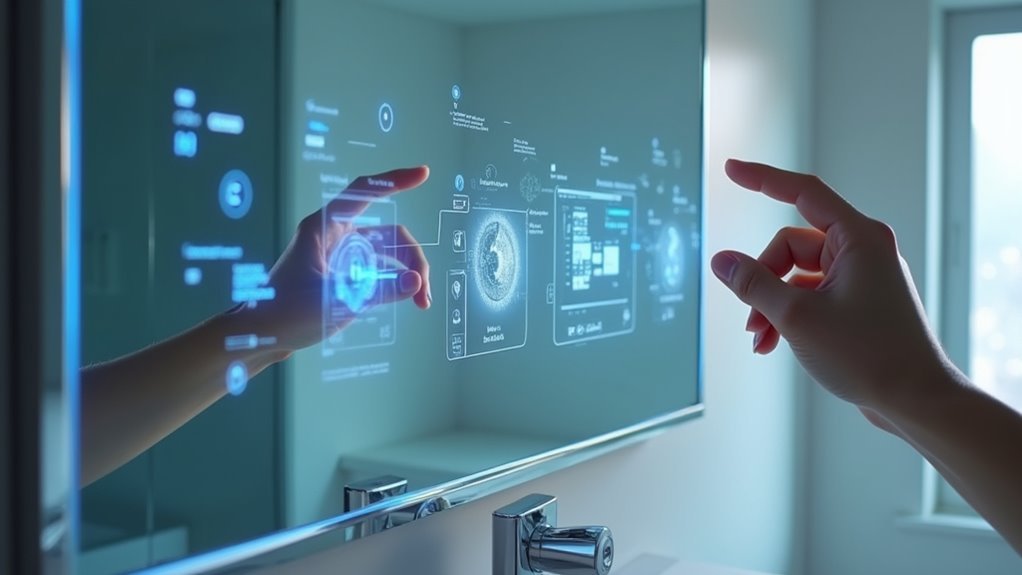
You’ve probably imagined having conversations with your reflection, but what if your mirror could actually talk back? Creating a voice-activated smart mirror isn’t just science fiction anymore—it’s a achievable DIY project that’ll transform your daily routine. With the right combination of display technology, voice assistant integration, and careful assembly, you can build a mirror that responds to commands, provides updates, and becomes your personal digital companion. The process requires specific planning decisions that’ll determine your project’s success.
Planning Your Voice-Activated Smart Mirror Features

While smart mirrors offer impressive visual displays, integrating voice control transforms them into truly interactive home assistants.
You’ll need to choose between popular platforms like Amazon Alexa or Google Assistant, ensuring compatibility with your MagicMirror software. This decision affects which APIs you’ll integrate—either the Google Assistant SDK or Alexa Voice Service—to expand your mirror’s functionality.
Plan your microphone and speaker placement carefully for ideal voice activation. Test recognition effectiveness in your intended environment, as bathroom acoustics and background noise can interfere with commands.
Consider how you’ll connect with existing smart home devices to create seamless automation.
Research available voice commands and customization options within your chosen platform, allowing you to tailor responses and features specific to your daily routines and preferences.
Selecting the Right Display and Hardware Components
You’ll need to choose between a monitor and TV for your display, with monitors typically offering better resolution and response times for smart mirror applications.
Your mirror glass selection directly impacts visibility and reflection quality, so you’ll want to balance transparency with reflective properties.
Consider whether you’ll integrate touch technology into your setup, as this decision affects both your display choice and the overall build complexity.
Monitor Vs TV Choice
When choosing between a monitor and TV for your smart mirror display, TVs emerge as the superior option for most projects.
You’ll benefit from enhanced brightness levels that guarantee clear visibility even in well-lit rooms. TVs also offer remote control functionality, making adjustments effortless without accessing the device directly.
The display dimensions matter considerably for your frame compatibility. Most TVs maintain the standard 16:9 aspect ratio, assuring aesthetic harmony with your mirror design.
You’ll find TVs typically have slimmer profiles and lighter weights than traditional monitors, simplifying mounting within your frame.
Choose a 1080p resolution for peak clarity.
Verify your TV’s brightness aligns with your two-way mirror’s specifications—70% reflection and 30% transparency—for ideal functionality and user experience.
Mirror Glass Selection
After securing your display hardware, the mirror glass becomes your project’s most critical component.
You’ll need a two-way mirror that reflects approximately 70% of light while allowing 30% to pass through. This ratio guarantees you’ll see your high-quality TV or display behind the glass while maintaining the mirror’s reflective surface.
Match your mirror glass dimensions precisely to your frame size. Custom sizing may be necessary for specific design requirements.
Glass two-way mirrors offer superior clarity and reflection quality compared to budget-friendly acrylic alternatives, though acrylics work for cost-conscious builds.
Before finalizing your mirror glass purchase, verify your chosen display’s compatibility with your Raspberry Pi or control hardware.
This guarantees seamless integration between your reflective surface and the technology powering your smart mirror experience.
Touch Technology Options
Two distinct touch technology paths can transform your smart mirror from a passive display into an interactive interface.
IR Touch Overlays offer the most cost-effective solution, though they’ll require precise framing to function properly. Touch foils provide greater customization flexibility, adapting to any screen size you’ve chosen for your project.
Before selecting your touch technology options, verify compatibility between your touch overlay and mirror software. Your chosen operating system must recognize the touch input signals correctly.
During assembly, layer your components strategically: display first, then touch overlay, followed by the mirror itself.
Don’t skip blacking out your mirror’s back with Black Rustoleum paint. This step enhances both reflectivity and touch sensitivity, ensuring your interactive mirror responds accurately to gestures.
Choosing Between Two-Way Mirror and Smart Mirror Glass
One essential decision you’ll face when building your vanity tech setup centers on the type of reflective surface that’ll power your smart mirror.
Two-way mirror glass offers excellent reflection while allowing 70% light reflection and 30% transparency, making it perfect for displaying information behind the surface. It’s more budget-friendly but provides basic functionality.
Two-way mirror glass balances affordability with functionality, delivering 70% reflection and 30% transparency for basic smart mirror applications.
Smart mirror glass delivers superior clarity and advanced features like touch sensitivity and anti-fog capabilities.
While costlier, it excels in interactivity and offers better visual quality for complex applications.
Your choice depends on intended use: select two-way mirror for simple display needs, or invest in smart mirror glass when you need enhanced functionality, touch controls, and ideal clarity for your tech-enabled vanity experience.
Building the Perfect Frame for Your Talking Mirror

You’ll need to determine the right frame dimensions, choose appropriate materials, and gather the correct assembly tools before constructing your talking mirror.
The frame’s width must be at least 2.5 inches to hide the monitor effectively while providing structural support.
Getting these fundamentals right guarantees your mirror will look professional and function reliably for years.
Frame Size Requirements
Building your talking mirror frame requires precise measurements to confirm all components fit seamlessly together.
Your frame size requirements depend on your monitor setup and one-way mirror dimensions. You’ll need a minimum width of 2.5 inches to properly conceal the monitor and electronic components behind the mirror surface.
The frame depth should measure between 2.5 to 5 inches, accommodating both your monitor’s thickness and the two-way mirror without creating gaps.
Custom frames offer the best solution for achieving exact measurements that match your specific setup requirements.
Choose frames with removable inserts for future upgrades or mirror replacements. This design prevents you from rebuilding the entire project later.
Verify your frame complements your room’s decor while providing adequate structural support for the mirror and electronics.
Material Selection Guide
Material choice directly impacts your talking mirror’s durability and visual appeal. For ideal material selection, choose ¾ inch plywood or solid wood to handle your monitor’s weight while maintaining structural integrity.
These materials provide the strength needed for heavier components without sacrificing aesthetics.
Consider a shadowbox frame style that conceals your monitor effectively while delivering a sleek appearance. This design creates clean lines that complement any vanity space.
When determining frame depth, account for your monitor’s thickness (typically 1/8 to 1/4 inches) plus the mirror’s depth to achieve a flush fit without unsightly protrusions.
Custom frames offer precise dimensional control for your specific monitor and mirror combination, ensuring perfect functionality and professional appearance that elevates your entire vanity setup.
Assembly Tools Needed
Essential tools transform your talking mirror project from concept to completion with professional results.
You’ll need a pocket hole jig and drill to create sturdy joints that guarantee secure frame assembly. These tools assure your frame won’t wobble or separate over time.
For cable management, incorporate a 90-degree HDMI adapter to maintain clean connections behind your mirror. This adapter prevents cables from protruding awkwardly and damaging your electronics.
Don’t forget ventilation planning during assembly. Drill strategic vents in your back frame to promote airflow and prevent overheating of internal components. Proper ventilation extends your electronics’ lifespan considerably.
Before beginning assembly, verify all painted frame pieces are completely dry. Rushing this step compromises adhesion and creates an unprofessional finish that undermines your project’s quality.
Installing Voice Assistant Technology Integration
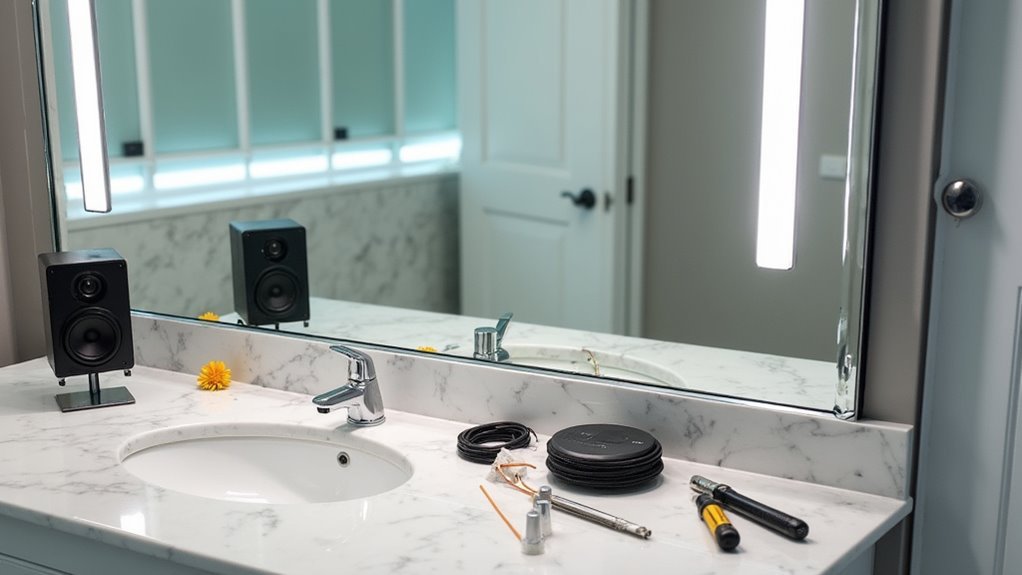
Once you’ve established your smart mirror’s basic framework, integrating voice assistant technology transforms it from a simple display into an interactive hub. Your Raspberry Pi serves as the perfect foundation for this upgrade, supporting both Google Assistant and Alexa Voice Service through their respective APIs and SDKs.
You’ll need to connect a USB microphone and small speakers to enable voice interaction. Install the necessary software libraries on your Raspberry Pi, then configure your chosen voice assistant to respond to wake words and execute commands like weather checks or smart home control.
| Component | Hardware Option | Software Requirement |
|---|---|---|
| Voice Service | Google Assistant | Assistant SDK |
| Voice Service | Amazon Alexa | Alexa Voice Service |
| Audio Input | USB Microphone | Audio drivers |
| Audio Output | Small Speakers | ALSA configuration |
| Processing | Raspberry Pi | MagicMirror config |
Test thoroughly and adjust microphone sensitivity for peak performance.
Setting Up Raspberry Pi and Magic Mirror Software
Three essential components form the backbone of your smart mirror project: a properly configured Raspberry Pi, the MagicMirror software installation, and a stable network connection.
Start by inserting your preloaded memory card into the Raspberry Pi, connecting the HDMI cable, and powering on the device.
Next, download MagicMirror software from https://magicmirror.builders/ and follow the manual installation guide. You’ll copy and paste specific commands into the Terminal application on your Raspberry Pi.
Confirm Wi-Fi connectivity is enabled to allow module updates and customization options.
Once installed, you can customize your mirror by adding weather updates, calendar events, and smart home controls.
For enhanced functionality, integrate voice control through Alexa or Google Home within the MagicMirror configuration files.
Configuring Voice Commands and Smart Home Controls
How can you transform your smart mirror from a simple display into an intelligent command center?
You’ll need to integrate voice commands by connecting your Raspberry Pi to Amazon Alexa or Google Assistant. Install the necessary skills or apps on your smart home devices while ensuring internet connectivity.
Connect a USB microphone to your Raspberry Pi to enable voice recognition. This allows you to issue commands like weather requests or controlling smart home devices.
USB microphone integration transforms your Raspberry Pi into a voice-activated hub for weather updates and smart device control.
Set up automation routines within your ecosystem so your mirror responds to specific voice commands, turning on lights or adjusting thermostats.
Verify your Magic Mirror software supports voice control modules for seamless integration.
Regular software and firmware updates maintain compatibility and improve command accuracy across all connected devices.
Wiring and Electronics Assembly Process
Two critical connections form the foundation of your smart mirror’s electronics: the HDMI link between your Raspberry Pi and monitor, and the power supply connection.
Start your wiring assembly by connecting the HDMI cable securely to both devices. If space constraints exist behind your frame, use a 90-degree HDMI adapter for proper clearance.
Essential assembly steps include:
- Secure the Raspberry Pi to your monitor using a hot glue gun to prevent movement during operation.
- Connect a compatible 5V/2.5A power supply to guarantee peak performance.
- Route all cables neatly using Velcro ties or zip ties for clean organization.
- Drill ventilation holes in the back frame for adequate airflow and heat dissipation.
This systematic wiring approach prevents overheating and maintains your mirror’s sleek appearance.
Programming Custom Voice Responses and Functions
Now you’ll transform your smart mirror into an interactive assistant by setting up voice commands that respond to your specific needs.
You can integrate Google Assistant or Amazon Alexa to create custom routines, or use a Raspberry Pi with Python libraries like SpeechRecognition and gTTS for personalized audio responses.
Programming these custom functions requires editing configuration files and establishing two-way communication through proper microphone and speaker integration.
Voice Command Setup
Three primary pathways exist for integrating voice commands into your smart mirror: leveraging established voice assistant platforms, building custom voice recognition systems, or combining both approaches for maximum flexibility.
You’ll connect hardware through your Raspberry Pi’s GPIO pins, attaching both microphone and speaker components for complete audio interaction.
Your voice assistant integration options include:
- Alexa or Google Assistant – Access developer consoles for easy customization and pre-built functionality
- Python libraries – Implement SpeechRecognition for voice capture and gTTS for audio responses
- Custom command programming – Create specific phrases triggering weather displays, smart home controls, or reminders
- Regular software updates – Maintain compatibility with evolving voice assistant platform features
This setup transforms your smart mirror into a responsive, voice-controlled interface that adapts to your daily routines.
Custom Response Programming
Building effective custom voice responses starts with selecting the right programming libraries for your smart mirror’s conversational capabilities. Python’s SpeechRecognition and pyttsx3 libraries provide the foundation for custom response programming, enabling your mirror to speak back when you issue commands.
You’ll enhance voice recognition capabilities by integrating Google Cloud Speech-to-Text, which greatly improves command accuracy. For personalized voice responses, connect APIs like OpenWeather and Google Calendar to deliver real-time, relevant information tailored to your needs.
Node.js developers can create custom functions within the MagicMirror framework to build interactive voice features. Whether you’re requesting music playback or news updates, these programmed responses transform your mirror into a conversational assistant that understands and responds intelligently to your daily requirements.
Mounting and Final Hardware Installation
Two critical considerations will determine your smart mirror’s success: proper wall mounting and clean hardware integration.
You’ll need secure attachment at the ideal height while maintaining professional aesthetics throughout your final assembly.
Start your mounting process by positioning the mirror between 57 to 65 inches from the floor. This height guarantees comfortable viewing while maintaining visual balance. Use heavy-duty screws or wall anchors to prevent accidents with larger mirrors.
Mount your smart mirror 57-65 inches high for optimal viewing comfort and use heavy-duty anchors for safety.
For hardware connections:
- Connect your Raspberry Pi using an HDMI cable with a 90-degree adapter for cleaner routing
- Secure all cables with velcro ties or zip-ties behind the frame
- Drill small vent holes in the back frame for airflow
- Test all connections before final wall installation
Proper cable management and ventilation will guarantee long-term reliability.
Testing Voice Activation and Troubleshooting Tips
With your smart mirror securely mounted and hardware properly connected, you’re ready to activate voice control functionality. Test your setup by saying “Alexa, open MagicMirror” or “Hey Google, show me the weather.”
Position your microphone correctly to capture voice commands without interference.
When troubleshooting voice activation issues, first check your microphone connection and verify device compatibility. Confirm that appropriate voice control software is installed and configured on your Raspberry Pi.
If your mirror doesn’t respond to commands, enable wake word detection and adjust sensitivity settings in your voice control software.
For ongoing reliability, regularly update your MagicMirror software and voice control integrations. These updates incorporate improvements and new features that enhance voice activation performance, ensuring your smart mirror continues responding accurately to your commands.
Frequently Asked Questions
How to Make an AI Mirror?
You’ll need a Raspberry Pi, two-way mirror, display screen, microphone, and speakers. Install voice recognition software like Google Assistant, customize with MagicMirror platform, and connect to Wi-Fi for real-time functionality.
Can We Make a Mirror at Home?
You can build a smart mirror at home using an old monitor, Raspberry Pi, and two-way mirror glass. You’ll need basic tools like a drill and saw for assembly.




Leave a Reply