
You’re probably frustrated with Sonos’s recent app disasters and forced obsolescence of older speakers. Here’s the thing: you don’t need to stay trapped in their walled garden. Open-source alternatives like OpenSound and Lyrion Music Server can transform affordable Raspberry Pi units into powerful multi-room audio systems that you actually control. These solutions offer the flexibility Sonos promises but rarely delivers, plus they’ll never brick your expensive hardware with a botched update.
Why Sonos Users Are Seeking Open Source Solutions
While Sonos once dominated the multi-room audio market with its seamless wireless ecosystem, mounting frustrations with the company’s recent app overhaul have left many users reconsidering their loyalty.
You’re likely experiencing the same issues: broken playback order, difficult navigation, and severely limited local music management capabilities. The new app’s dysfunction has made basic tasks frustrating and unreliable.
You’re not alone in feeling undervalued by Sonos’s poor communication and apparent disregard for user feedback. Many are abandoning their Sonos devices entirely, seeking open source alternatives that prioritize user control and flexibility.
Community-driven projects offer the customization and interoperability that Sonos now lacks, while addressing concerns about proprietary limitations and planned obsolescence that threaten your long-term investment.
Understanding Multi-Room Audio System Architecture
When you’re building a multi-room audio system, you’ll need to understand how server-client network design forms the backbone of synchronized playback across your home.
Your central server acts as the brain that manages your music library and coordinates with client devices like speakers and amplifiers throughout different rooms.
The key challenge you’ll face is implementing proper audio synchronization methods to guarantee all your devices play music in perfect harmony without annoying delays or echoes.
Server-Client Network Design
Since multi-room audio systems rely on distributed playback across multiple locations, understanding the server-client network design becomes essential for anyone considering open-source alternatives to Sonos.
In this architecture, you’ll have a central server that stores and manages your music library while streaming content to client devices throughout your home. The server handles all audio processing and distribution, ensuring consistent audio output across rooms.
This design offers three key advantages:
- Device flexibility – You can use smartphones, tablets, and computers as controllers.
- Scalable streaming – Add more rooms without overwhelming your network.
- Format compatibility – Support various audio formats and streaming services.
Open-source solutions like OpenSound and Logitech Media Server utilize this server-client network design, giving you complete control over your audio ecosystem without proprietary limitations.
Audio Synchronization Methods
Although server-client architecture provides the foundation for multi-room audio, achieving perfect synchronization across all your speakers requires sophisticated timing protocols that guarantee every device plays the same audio stream simultaneously.
Audio synchronization methods rely on network streaming protocols like RTP (Real-time Transport Protocol) and multicast technology to deliver identical audio streams across your entire network. These multi-room audio systems employ buffering techniques that compensate for network latency variations between different rooms and devices.
Open-source solutions like OpenSound and Logitech Media Server utilize these standard protocols without vendor restrictions.
Your dedicated server manages audio distribution while calculating precise timing offsets for each connected speaker. This guarantees you’ll experience seamless playback whether you’re moving between rooms or listening from multiple locations simultaneously.
OpenSound: Browser-Based Multi-Room Music Streaming
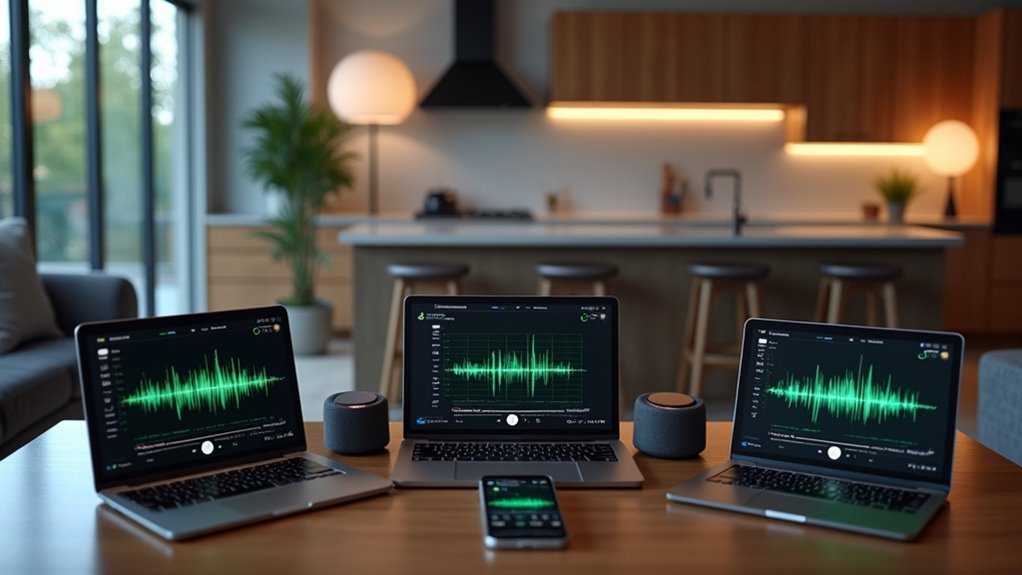
You’ll find OpenSound offers one of the simplest setups among open-source multi-room solutions, requiring just a web server and your existing MP3 collection to get started.
The system runs entirely through HTML5 browsers, eliminating the need for dedicated apps or complex software installations across your devices.
Once configured, you can achieve synchronized playback across all connected devices in your network, from smartphones to tablets to computers.
Simple HTML5 Setup
OpenSound delivers a remarkably simple setup process that gets your multi-room audio system running in minutes.
You don’t need expensive audio hardware or complex configurations – just your existing devices and a basic web server.
The entire setup requires three straightforward components:
- Computer with MP3 files – Your music library stored locally
- Web server software – XAMPP or LAMP installation
- Configuration file adjustment – Simple path modification for your music folder
Once you’ve installed the web server and adjusted the configuration file to point to your music directory, you’re ready to stream.
Any device with a modern HTML5 browser becomes part of your OpenSound multi-room music network.
You’ll control playback, navigate folders, and manage playlists directly through the browser interface, creating synchronized audio across all connected devices without additional hardware investments.
Cross-Device Music Synchronization
After completing your basic setup, the real magic happens when you connect multiple devices to your OpenSound server.
You’ll experience true cross-device synchronization as your music plays simultaneously across laptops, smartphones, tablets, and connected speakers throughout your home. Simply access your OpenSound server’s URL from any device with a modern HTML5 browser, and you’re instantly connected to the multi-room system.
The synchronization guarantees all devices play the same track at precisely the same moment, eliminating audio delays between rooms. You can control playbook from any connected device, making playlist management effortless.
Whether you’re moving between rooms or hosting a party, OpenSound maintains seamless music flow across your entire network, delivering the multi-room experience you’d expect from premium commercial systems.
AudioPiLe Hardware Specifications and Capabilities
At the heart of the AudioPiLe concept lies a credit card-sized system board designed to deliver robust audio processing capabilities without breaking the bank.
This open-source audio device packs impressive specs into its compact form factor, featuring a quad-core 1GHz CPU, 4GB RAM, and 4GB storage for smooth performance.
You’ll appreciate the AudioPiLe’s extensive connectivity options:
- Wired connections – Ethernet and USB 3.0 for stable data transfer and peripheral support
- Wireless capabilities – Wi-Fi, Bluetooth, and Zigbee for flexible device integration
- Audio/video outputs – HDMI and integrated DAC supporting both digital and legacy speakers
The estimated $25-$100 price range makes this hardware accessible while maintaining professional-grade functionality.
You’ll also benefit from the planned Linux-based operating system featuring a web-based interface for streamlined management.
Lyrion Music Server Installation and Configuration
You’ll need basic server hardware or a computer running Windows, macOS, or Linux to get Lyrion Music Server up and running.
The installation process involves downloading the LMS package, running the installer, and accessing the web-based configuration interface to set up your music libraries and streaming preferences.
Once you’ve got the core system working, you can enhance functionality through various plugins that add features like music visualization, streaming service integration, and advanced audio processing options.
Server Setup Requirements
Setting up Lyrion Music Server requires a compatible computer or NAS device with at least 1GB of RAM and a processor capable of handling streaming and metadata processing tasks efficiently.
These server setup requirements guarantee smooth operation when managing your music library and streaming to multiple devices simultaneously.
Your hardware choice greatly influences performance, so you’ll want to take into account these essential specifications:
- Memory: Minimum 1GB RAM for basic functionality, though 2GB+ is recommended for larger libraries
- Processing Power: Decent CPU to handle transcoding and simultaneous streams without bottlenecks
- Storage: Adequate space for your music collection plus room for metadata caching
Whether you choose a dedicated computer or NAS device, meeting these baseline requirements assures reliable performance as your Sonos replacement system grows.
Plugin Configuration Options
Once you’ve got Lyrion Music Server running, plugins release advanced features that transform your basic setup into a powerful audio ecosystem.
You’ll find plugin configuration options through the web interface, where you can browse and install extensions that enhance your music streaming capabilities. Popular plugins include album artwork displays, internet radio stations, and streaming service integrations.
Your existing hardware benefits from these additions without requiring additional equipment purchases. The community-driven plugin library means you’re getting tested, reliable extensions developed by fellow users.
Configuration typically involves simple checkbox selections and basic parameter adjustments through the web dashboard. Most plugins activate immediately after installation, though some may require LMS restart to function properly.
Raspberry Pi-Based Audio Distribution Systems
When you’re looking for maximum flexibility and customization in your open-source audio setup, Raspberry Pi-based systems deliver unparalleled control over your multi-room audio experience.
You’ll transform this affordable hardware into a powerful audio device capable of streaming high-resolution music throughout your home using software like LMS or Roon.
Your raspberry pi connects seamlessly with various DACs and amplifiers through GPIO pins, ensuring exceptional sound quality that satisfies even audiophile standards.
You can integrate multiple music services and leverage community-driven plugins for enhanced functionality.
Key advantages include:
- Scalable zones – Add or remove rooms effortlessly as your needs change
- Cost-effective expansion – Each additional zone costs considerably less than commercial alternatives
- Complete customization – Tailor every aspect of your multi-room audio system to your preferences
Setting Up XAMPP Web Server for Audio Streaming
XAMPP provides an excellent foundation for hosting your own audio streaming server, giving you complete control over your music library without relying on external services.
This free package bundles Apache, MySQL, PHP, and Perl into one simple installation that rivals commercial Sonos system functionality.
Download the installer from Apache Friends’ official website and follow your operating system’s specific instructions. Once installed, launch Apache through the XAMPP control panel to enable local network access for audio streaming.
You’ll need to configure the ‘httpd.conf’ file for ideal performance, adjusting port numbers and document root paths to properly serve your audio files.
Access your new server at “http://localhost” to begin managing music files and creating playlists for seamless home audio distribution.
HTML5 Audio Synchronization Across Multiple Devices
With your XAMPP server running, you can achieve true multi-room audio synchronization using OpenSound, an open-source HTML5 system that streams music simultaneously across all connected devices.
This browser-based solution eliminates the need for proprietary hardware while delivering seamless audio coordination throughout your home.
OpenSound’s synchronization capabilities work through three key mechanisms:
- Real-time buffer management – Each device receives identical audio data packets with precise timing.
- Network latency compensation – The system automatically adjusts for connection delays between devices.
- Universal browser compatibility – Any HTML5-capable device can join your synchronized audio network.
You’ll control playback through a simple web interface that manages playlists and provides standard controls.
The open-source nature means you can modify the system’s functionality while contributing to ongoing community development efforts.
Building Custom Audio Endpoints With Linux Systems
Three fundamental components form the backbone of any Linux-based audio endpoint: a capable single-board computer, audio streaming software, and network connectivity. You’ll find that Raspberry Pi devices excel as affordable foundations for custom audio endpoints, running software like Logitech Media Server to power your multi-room audio setup.
| Component | Popular Options | Key Benefits |
|---|---|---|
| Hardware | Raspberry Pi, NAS devices | Low cost, flexibility |
| Software | LMS, OpenSound frameworks | Open-source, customizable |
| Audio Output | DACs, USB interfaces | Quality control, compatibility |
Linux systems offer modular designs that let you swap components without manufacturer restrictions. You can implement various audio codecs and encryption standards through community development, creating tailored experiences while maintaining hardware compatibility and reducing electronic waste.
Community-Driven Development and Customization Options
Open-source audio platforms thrive because their communities actively shape development through collaborative contributions. You can submit code improvements, suggest new features, or report bugs to help these systems evolve continuously.
This community-driven development guarantees the software meets real user needs rather than corporate priorities.
Your customization options extend far beyond what proprietary systems offer:
- Plugin ecosystem – Add specialized functionalities like advanced equalizers, streaming protocols, or room correction.
- Hardware flexibility – Run software on anything from dedicated servers to Raspberry Pi devices.
- Interface modifications – Customize control apps and web interfaces to match your preferences.
Open-source systems empower you to participate in forums and user groups where knowledge-sharing accelerates problem-solving.
You’ll discover optimization techniques, configuration tips, and creative implementations that enhance your multi-room audio experience through collective community wisdom.
Hardware Requirements for Open Source Audio Networks
Although open-source audio networks offer tremendous flexibility, you’ll need to meet specific hardware requirements to guarantee smooth multi-room streaming. Your computer or server should have minimum 4GB RAM and a quad-core CPU for efficient processing.
Smooth multi-room audio streaming demands dedicated hardware: minimum 4GB RAM and quad-core processing power for optimal performance.
You’ll also need to set up a web server like XAMPP or LAMP to host audio files and manage playback across devices.
Ensure all connected devices support modern HTML5 browsers for proper interface compatibility. NAS devices work well for storing music files, though compatibility varies by model.
Raspberry Pi’s particularly popular for lightweight audio servers. The beauty of modular designs in open-source hardware means you can easily upgrade components as needed, extending your system’s lifespan while maintaining adaptability for future requirements.
Comparing Audio Quality Between Proprietary and Open Solutions
When you’re evaluating audio systems, sound quality becomes the deciding factor that separates good from exceptional listening experiences.
Proprietary systems like Sonos often downsample your high-resolution 24bit 192kHz files to 16bit 44.1kHz, reducing audio quality during playback.
Open-source solutions like Roon and LMS preserve your original file quality without compromising fidelity.
Here’s why open-source solutions excel in audio quality:
- No forced downsampling – Your high-resolution files maintain their original quality
- Broader codec support – You’ll access more audio formats and resolutions
- Community-driven improvements – Continuous enhancements based on audiophile feedback
However, blind listening tests reveal many users can’t consistently distinguish between downsampled and high-resolution files.
While open-source solutions offer technical superiority, your ability to perceive these differences may vary.
Migration Strategies From Sonos to Open Source Platforms
Since you’ve decided to leave Sonos behind, you’ll need a clear roadmap for shifting to open-source alternatives without losing your carefully curated playlists and room configurations.
Start by evaluating your current setup’s requirements, then choose between platforms like OpenSound for browser-based multi-room audio or Logitech Media Server for thorough library management.
Effective migration strategies begin with organizing your music files locally.
OpenSound requires setting up XAMPP or LAMP web servers and adjusting configuration files for proper folder paths.
Meanwhile, Logitech Media Server offers plugin compatibility with Raspberry Pi and NAS devices for enhanced functionality.
Consider Roon if you’re willing to invest in subscription-based premium features.
Throughout your changeover, engage community forums for troubleshooting support and shared experiences from other users who’ve successfully completed similar migrations.
Long-Term Sustainability and Electronic Waste Reduction Benefits
When you choose open-source audio systems over proprietary alternatives like Sonos, you’re investing in hardware that’s designed to last decades rather than years.
You’ll avoid the frustrating cycle of replacing entire devices when manufacturers discontinue software support, since open-source platforms allow you to update and maintain your equipment independently.
This approach transforms your audio setup from a disposable consumer product into a long-term investment that reduces electronic waste through extended hardware lifecycles.
Hardware Longevity Benefits
Although proprietary audio systems often become obsolete within a few years, open-source alternatives like AudioPiLe offer significant hardware longevity benefits through their modular designs.
You’ll find that these systems let you upgrade individual components instead of replacing entire units when technology advances.
The modular approach provides several key advantages:
- Component-level upgrades – You can swap out network cards, processors, or audio modules without discarding the whole system.
- Extended software support – Open-source frameworks receive ongoing community updates that keep older hardware functional.
- Easier repairs – Modular designs allow you to fix specific components rather than junking entire devices.
This approach dramatically extends your hardware’s useful life while reducing electronic waste.
You’ll save money long-term while contributing to environmental sustainability through responsible consumption patterns.
Reducing Electronic Waste
Open-source audio systems like AudioPiLe tackle the growing electronic waste crisis by fundamentally changing how you consume audio technology. Instead of replacing entire devices when components fail, you can upgrade individual parts through modular designs. This approach dramatically reduces the electronic waste you generate compared to proprietary alternatives.
You’ll benefit from community-driven development that prioritizes longevity over planned obsolescence. When manufacturers stop supporting older devices, open-source frameworks continue extending their lifecycle through ongoing updates and compatibility improvements.
You can repurpose existing hardware rather than purchasing new equipment, as these systems support broader technology compatibility. The shift toward open-source audio solutions helps you avoid unnecessary purchases while facilitating recycling and repurposing of older equipment, creating a sustainable path forward.
Frequently Asked Questions
What Is the Open Source Alternative to Sonos?
You can replace Sonos with OpenSound, a free HTML5 multi-room system that synchronizes playback across devices. You’ll also find Logitech Media Server and Roon offering enhanced functionality for local library management.
Why Is Sonos Stopping?
Sonos is stopping support for first-generation products because they can’t handle new features due to limited processing power and storage. You’re seeing them prioritize performance standards over maintaining older, outdated hardware.
Who Are Sonos Main Competitors?
You’ll find Sonos competing primarily against Yamaha MusicCast, Denon HEOS, Bluesound, Apple HomePod systems, and Amazon Echo with Google Nest speakers that offer multi-room audio solutions at various price points.
What Has Replaced the Sonos Connect?
You’ll find the Yamaha MusicCast, Denon HEOS, and Bluesound Node 2i have replaced the Sonos Connect. The WiiM Amp’s also emerged as a strong alternative, combining streaming with amplifier functionality.




Leave a Reply