
You’ve probably struggled with clunky voice commands that don’t understand your smart home setup or require constant internet connectivity. Voice control for Home Assistant doesn’t have to be frustrating when you implement the right methods. From cloud-based solutions that work instantly to local processing that protects your privacy, there are seven proven approaches that’ll transform how you interact with your devices. The key is knowing which method fits your specific needs and technical comfort level.
Setting Up Home Assistant Cloud for Voice Processing
When you’re looking to add voice control to your Home Assistant setup, Home Assistant Cloud provides the most user-friendly path forward.
You’ll bypass complex configurations and technical hurdles that often frustrate beginners. The cloud-based approach handles voice processing remotely, reducing strain on your local hardware while ensuring reliable performance across all your assistant devices.
You can access built-in sentences and create custom voice commands without extensive programming knowledge. This makes the platform accessible regardless of your technical background.
The service supports multiple languages, accommodating diverse household needs and preferences.
Home Assistant Cloud offloads computational tasks to remote servers, allowing your voice commands to process efficiently.
Home Assistant Cloud’s remote processing power ensures your voice commands execute quickly without overwhelming your local hardware resources.
You’ll enjoy seamless integration with various devices while maintaining consistent voice control functionality throughout your smart home ecosystem.
Configuring Local Voice Control With Whisper and Piper
While Home Assistant Cloud offers convenience, you’ll gain complete control over your data and eliminate internet dependencies by configuring local voice processing with Whisper and Piper.
These tools transform your voice assistant hardware into a privacy-focused command center that operates entirely offline.
Whisper handles audio transcription efficiently, converting your spoken commands into text that Home Assistant can understand. Piper complements this setup as a lightweight speech recognition engine optimized for local environments.
Together, they deliver low-latency voice control that responds instantly to your commands.
You can integrate both systems with various microphone configurations, adapting to different room layouts throughout your home.
This local voice processing approach reduces cloud service dependencies while maintaining the responsive, real-time interactions you expect from modern home automation.
Building Custom Voice Assistants With ESPHOME and ESP32 Devices
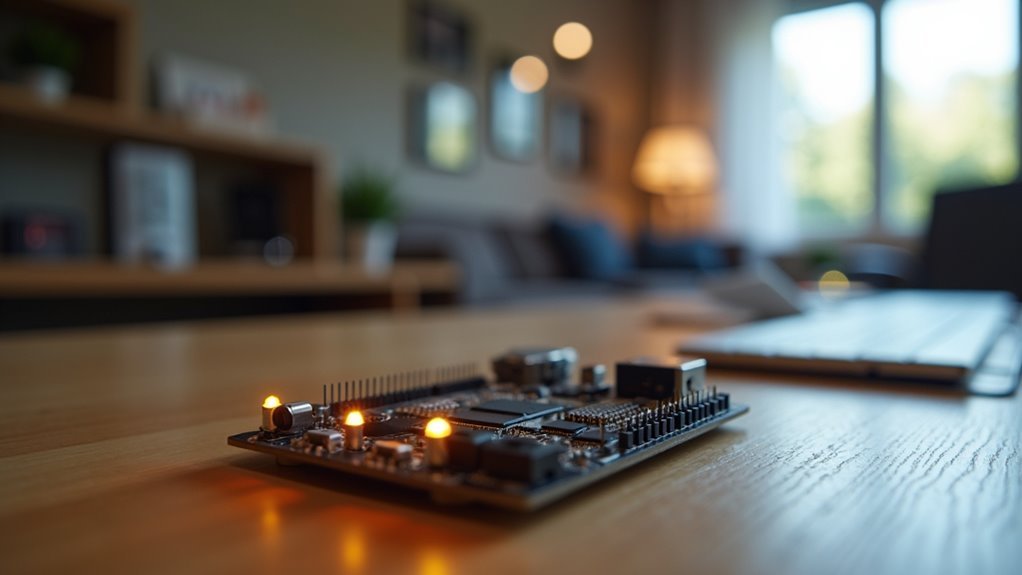
Three core components transform a basic ESP32 microcontroller into a sophisticated voice assistant: ESPHome firmware, wake word detection, and Home Assistant integration.
You’ll find the ESP32-S3 particularly effective since it includes built-in wake word detection capabilities, reducing your hardware requirements considerably.
ESPHome’s modular architecture lets you customize your voice assistant by adding sensors, switches, and other components. You can create configurations that perfectly match your specific needs:
- Hardware Setup – Connect microphones, speakers, and additional sensors to your ESP32 device
- ESPHome Configuration – Write YAML configurations defining your assistant’s capabilities and integrations
- Community Resources – Access shared configurations from other developers to accelerate your project
Your custom assistant operates completely offline, ensuring privacy while maintaining full functionality without cloud dependencies.
Implementing Wake Word Detection for Hands-Free Operation
Wake word detection transforms your voice assistant from a manually triggered device into a truly hands-free system that responds to your voice commands naturally.
You’ll need to evaluate local processing capabilities, particularly with ESP32-based hardware solutions like the reSpeaker Lite board, to guarantee reliable performance without cloud dependencies.
The key challenge you’ll face is reducing false positive triggers, especially in noisy environments where background sounds might accidentally activate your system.
Local Wake Word Processing
Because cloud-based voice services send your commands to remote servers, you’ll want to contemplate local wake word processing for enhanced privacy and faster response times.
Your smart home deserves voice assistants that operate independently without internet dependency.
Local wake word processing transforms your setup using specialized hardware like the reSpeaker Lite board with ESP32-S3. You’ll eliminate latency while keeping voice data within your network, making your HA app more responsive and secure.
Consider these essential implementation strategies:
- Strategic microphone placement – Position directional or omni-directional microphones throughout rooms for ideal detection range and accuracy
- Advanced noise reduction – Deploy microphones with sophisticated filtering to prevent false positives in busy environments
- ESPHome customization – Leverage community projects for personalized wake words and configurations
ESP32 Hardware Solutions
When you’re ready to implement wake word detection, ESP32-based hardware offers the most cost-effective path to hands-free voice control in your Home Assistant setup.
The ESP32-S3 chip provides built-in wake word detection capabilities that integrate seamlessly with Home Assistant voice systems.
The reSpeaker Lite board enhances detection accuracy through its dedicated microphone array, making it ideal for challenging acoustic environments.
For budget-conscious testing, the ATOM Echo delivers reliable functionality at just $15 per unit.
ESPHome integration simplifies configuration, allowing you to customize wake words for your specific environment.
You’ll achieve peak performance by experimenting with microphone placement—directional microphones work well for focused areas, while omni-directional types suit open spaces.
These solutions provide professional-grade voice control without expensive commercial alternatives.
Reducing False Positive Triggers
Once you’ve set up your ESP32 hardware, false positive triggers become the primary challenge that can turn your smart home voice assistant from helpful to frustrating. The reSpeaker Lite board with ESP32-S3 offers advanced wake word detection algorithms specifically tailored for noisy environments, dramatically reducing unwanted activations.
Strategic microphone placements are essential for peak performance. Here’s how to minimize false triggers:
- Test directional microphones in multiple room locations to find spots with minimal background interference.
- Install separate microphone setups for different rooms to enable targeted listening zones.
- Regularly calibrate your system by updating voice models and adjusting sensitivity settings.
Effective noise filtering techniques combined with proper positioning guarantee your voice assistant responds only when intended, creating a seamless smart home experience.
Creating Room-Specific Voice Commands With Areas and Labels
The foundation of effective room-specific voice commands lies in Home Assistant’s areas and labels system, which transforms generic commands into intelligent, location-aware actions.
When you assign devices to specific areas, voice commands like “turn off the lights” automatically affect only the lights in your current room. Labels further enhance this functionality by grouping similar devices together, making phrases like “turn on the living room lights” easily recognizable.
Areas and labels transform basic voice commands into smart, context-aware actions that automatically target the right devices.
You’ll want to leverage the Last Assistant Sensor for real-time location context, enabling dynamic responses based on where you’re standing.
Create template sensors for area IDs and names to automatically adjust voice command responses according to your position within the home. Proper configuration guarantees each voice assistant responds accurately to commands relevant to its assigned environment.
Integrating Mobile Devices as Voice Control Endpoints
While dedicated smart speakers offer convenience, transforming your existing mobile devices into voice control endpoints provides an immediately accessible and cost-effective expansion of your Home Assistant voice network.
You can use the Home Assistant companion app to turn old Android phones, iPhones, or tablets into powerful voice controllers throughout your home.
Here’s how to maximize your mobile device integration:
- Install the companion app on any spare smartphone or tablet to create instant voice endpoints.
- Position devices strategically in rooms where you lack dedicated smart speakers.
- Enable wake word detection to use your HA voice assistant hands-free.
Your mobile devices’ built-in microphones and speakers deliver quality voice recognition and feedback.
Regular app updates continuously improve responsiveness, making this Home solution both practical and future-proof.
Optimizing Microphone Placement and Audio Quality for Multi-Room Coverage
Beyond simply adding more voice endpoints, strategic microphone placement fundamentally determines whether your multi-room coverage system delivers crisp recognition or frustrating misinterpretations.
You’ll want to position high-quality directional microphones in room corners to minimize background noise and capture wake words from multiple angles. For larger spaces, install separate microphones to reduce interference and maintain clear audio quality.
Choose microphones with smartphone-grade noise reduction capabilities, especially for distances exceeding 50 meters.
Balance your setup by using omni-directional microphones in open areas while placing directional ones near potential noise sources. Your voice recognition accuracy depends on testing different microphone placements and adjusting based on your household’s usage patterns to optimize performance across all rooms.
Frequently Asked Questions
What Is the Best Voice Control Assistant?
You’ll find Home Assistant’s built-in voice assistant offers the best balance of privacy, customization, and integration. It supports multiple languages, custom sentences, and works with affordable hardware like $13 ESPHome devices for ideal control.
How to Control Home Assistant by Voice?
You’ll enable voice control through Home Assistant’s Assist feature by setting up wake word detection, creating custom voice commands, and installing microphones throughout your home for seamless automation interaction.
What Is the Best System to Run Home Assistant?
You’ll get ideal performance running Home Assistant on a dedicated Intel NUC or Raspberry Pi 4 with SSD storage. For flexibility, use Home Assistant Supervised on Debian or containerized Docker installations.
What Is the Best AI Home Assistant?
You’ll find Home Assistant is the best AI home assistant for thorough smart home control. It offers extensive customization, local processing, privacy protection, and supports multiple devices while maintaining complete control over your data.




Leave a Reply