

You’re probably struggling with the nightly ritual of manually adjusting lights, temperature, and sounds before bed. Voice commands can eliminate this tedious process by automating your entire sleep environment with simple spoken instructions. Whether you’re dealing with racing thoughts or physical discomfort that disrupts sleep, smart voice integration offers a solution that goes beyond basic convenience. The key lies in understanding which devices work together and how specific command phrases trigger the most effective sleep-inducing responses.
Essential Smart Devices for Voice-Controlled Sleep Setup
While setting up a voice-controlled sleep environment might seem complex, you only need a few essential smart devices to transform your bedroom into a hands-free haven.
Smart home assistants like Amazon Echo or Google Nest serve as your central command hub, controlling everything through simple voice commands.
You’ll want smart lighting systems such as Philips Hue to adjust brightness and color for ideal sleep ambiance. A smart thermostat like Nest guarantees perfect temperature control without leaving your bed.
Smart plugs transform regular lamps and fans into voice-activated devices, while automated window treatments manage light levels and privacy.
These core smart devices create a seamless, voice-controlled sleep setup that responds instantly to your needs.
Connecting Your Bedroom Devices to Alexa
Once you’ve gathered your smart devices, connecting them to Alexa becomes your next step toward achieving that perfect voice-controlled sleep environment.
Setting up your smart home devices requires maneuvering to the Devices section in the Alexa app and selecting the plus sign to add each device individually.
Navigate to your Alexa app’s Devices section and tap the plus sign to seamlessly add each smart home device.
Here’s how to streamline your setup:
- Confirm all smart bulbs and smart plugs are compatible with Alexa before connecting
- Link each device through the Alexa app’s Devices section for proper integration
- Create custom routines using voice commands like “Start my night routine”
- Set up automation that adjusts your thermostat, dims lights, and plays calming sounds
- Regularly update your devices through the app to maintain seamless functionality
This foundation enables effortless voice commands for your ideal sleep setup.
Setting Up Your First Sleep Routine in the Alexa App
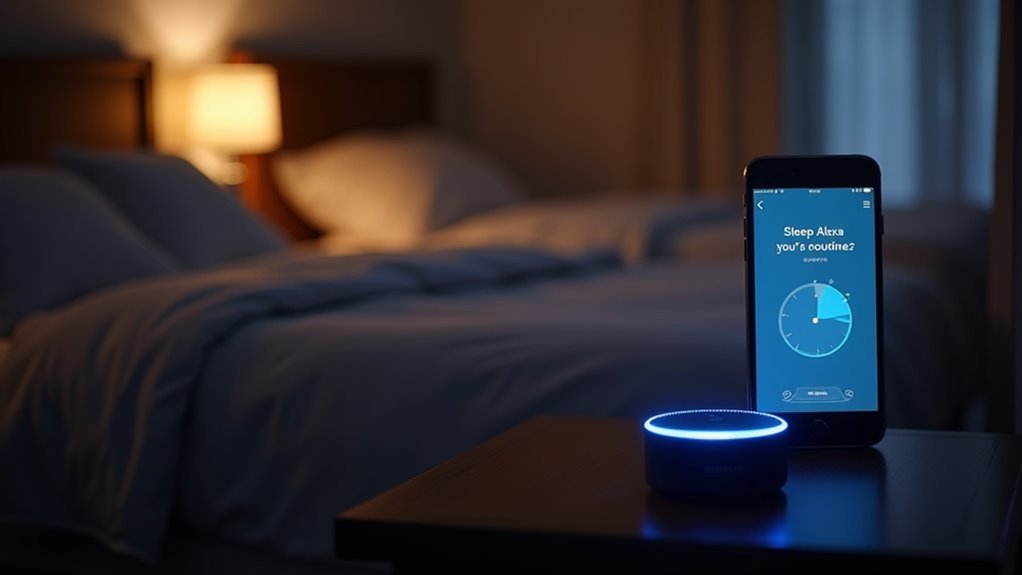
After connecting your bedroom devices to Alexa, you’ll transform your setup into a personalized sleep sanctuary by creating your first routine.
Open the Alexa app and navigate to “More,” then select “Routines” to begin. Tap the plus sign to create a new routine that coordinates all your smart devices seamlessly.
Choose a simple voice command like “Start my night routine” as your trigger. This makes activating your sleep environment effortless with just your voice.
Next, add specific actions to your routine: dim the lights, play soothing sounds, and adjust your thermostat to the perfect sleep temperature.
After designing your routine, confirm it in the app. You’ll now enjoy a smooth shift to your ideal sleep environment with a single voice command.
Choosing Effective Voice Commands for Bedtime Activation
When setting up your bedtime routine, you’ll want voice commands that work reliably without causing frustration during those drowsy late-night moments.
Consider how different family members will interact with these commands—what works for adults might need adjustment for children who prefer more playful phrases.
The key is selecting commands that won’t accidentally trigger during normal conversation while remaining simple enough to remember when you’re ready for sleep.
Simple Command Phrases
While setting up voice commands for your sleep routine, you’ll want to choose phrases that Alexa can easily understand and execute without hesitation.
Simple commands work best for controlling your smart gadgets during bedtime routine activation.
Here are effective command phrases for voice control:
- “Start my night routine” – Clear, direct trigger for your complete bedtime routine
- “Night night!” – Fun phrase perfect for children’s bedrooms
- “Set bedroom lights to 30%” – Specific lighting control with exact percentages
- “Goodnight mode” – Simple two-word activation for multiple devices
- “Sleep time” – Brief command that’s easy to remember and pronounce
Avoid overly complex phrases that confuse your voice assistant.
Test your chosen commands regularly to verify they consistently activate your smart gadgets without issues.
Child-Friendly Voice Triggers
Getting your little ones excited about bedtime becomes much easier when you choose voice commands that spark their imagination and capture their attention. Child-friendly voice triggers like “night night!” or “time for bed!” transform mundane bedtime routines into interactive adventures.
You’ll want to incorporate quirky phrases or character-themed commands that prevent accidental activation while maintaining your child’s enthusiasm.
Design engaging commands that align with your family’s daily routine, empowering children to feel involved in the process. Choose phrases that’re simple enough for kids to remember independently as they mature.
Consider options like “sleepy time magic!” or “dreamland mode on!” that work seamlessly with your smart devices. Test these commands regularly to guarantee smooth activation without technical frustrations that could disrupt the peaceful shift to sleep.
Avoiding Accidental Activation
Since accidental activation can disrupt your household’s peace and privacy, selecting distinctive voice commands requires strategic thinking beyond simple memorability. Your voice assistant needs clear instructions that won’t trigger during everyday conversations, preventing your bedtime routine from starting at inappropriate times.
Strategic command selection protects your smart devices from unwanted activation:
- Choose quirky phrases like “Activate my dream sequence” that rarely occur in casual conversation
- Use longer, specific requests such as “Could you please start my bedtime routine?” instead of short commands
- Incorporate playful language like “Time for sleepy time!” that sounds unnatural in normal speech
- Avoid common words like “goodnight” or “sleep” that frequently appear in household discussions
- Test commands thoroughly in various scenarios to guarantee reliable performance without false triggers
Temperature Control Through Voice Commands
Although maintaining the perfect sleeping temperature can feel like a constant battle, voice commands transform your smart thermostats into an effortless bedtime companion.
You’ll achieve ideal temperature regulation by simply saying “Set bedroom to 65 degrees” for best sleep conditions.
Smart thermostats like the Nest Learning Thermostat respond instantly to voice commands, eliminating fumbling with apps or manual adjustments. You can create personalized schedules that automatically maintain your preferred sleep environment throughout the night.
Voice-activated integration extends beyond thermostats to fans and heaters. Commands like “Set bedroom temperature to cool” engage multiple devices simultaneously.
Using Alexa routines, you’ll combine temperature adjustments with dimming lights and calming sounds through one command. This consistent temperature control greatly improves sleep quality by preventing disruptive nighttime awakenings.
Voice-Activated Smart Lighting for Sleep Optimization
Voice-activated smart lighting revolutionizes your bedtime routine by responding instantly to commands that optimize your sleep environment.
Smart bulbs automatically adjust brightness, color, and timing through simple voice commands, creating the perfect atmosphere for relaxation and sleep.
Your voice-controlled lighting system offers these sleep-enhancing features:
- Program gradual dimming that mimics natural sunset patterns to boost melatonin production
- Create customizable scenes like “bedtime mode” or “reading time” activated by voice commands
- Set automatic schedules that turn lights off during sleep hours without manual intervention
- Adjust color temperature to warmer tones that promote drowsiness and prepare your body for rest
- Control lighting without physical movement, preventing disruption of your wind-down process
This seamless integration transforms your bedroom into a sleep-optimized sanctuary.
Sound and Music Commands for Relaxation
When your mind races with daily stresses, voice-activated sound controls offer an immediate pathway to tranquility through carefully curated audio experiences.
You’ll find that smart speakers respond instantly to commands like “Alexa, play relaxing sounds” to activate white noise or nature soundscapes that calm your nervous system.
Create personalized sleep routines using voice commands such as “Hey Google, set my sleep soundtrack” for customized playlists designed specifically for rest.
Binaural beats become accessible through simple requests like “Siri, play binaural beats,” helping synchronize your brain waves for deeper relaxation.
Schedule your soundscape perfectly by saying “Alexa, play ocean waves at 10 PM,” automatically timing your audio environment with your bedtime routine.
Smart Curtain and Blind Voice Controls
Beyond curating the perfect audio environment, you’ll need complete darkness to maximize your sleep quality, and smart curtains deliver this through simple voice commands.
These automated window treatments create the ideal sleep environment by blocking 100% of light, supporting natural melatonin production for deeper rest.
Popular options like SwitchBot Curtain and Graywind Motorized Blackout Roller Shades respond effortlessly to voice commands through Alexa, Google Assistant, or Siri:
- “Close the curtains” – Creates instant darkness for sleep
- “Open the blinds at 7 AM” – Programs gentle morning wake-ups
- “Set bedroom curtains to close at sunset” – Enables automatic scheduling
- “Dim the room” – Adjusts for relaxation time
- “Good night” – Triggers complete blackout with other smart devices
This automation integrates seamlessly with your existing smart home system.
Voice Commands for Sleep Tracking Devices
You can control your sleep tracking devices through simple voice commands that activate monitoring, retrieve sleep reports, and adjust settings for peak rest.
These basic commands expand into advanced tracking controls that analyze your sleep patterns and provide detailed insights about sleep quality and duration.
Setting up schedule automation lets you create consistent sleep routines by programming your devices to automatically adjust your bedroom environment and wake you at the prime time.
Basic Sleep Commands
Since most sleep tracking devices respond to simple verbal instructions, you can easily activate monitoring features by saying “Alexa, start my sleep tracking” or similar commands.
These basic voice commands help create your ideal sleep environment without fumbling with apps or buttons in the dark.
Essential sleep commands include:
- “Hey Google, set my sleep timer for 30 minutes” – Tracks duration while playing calming sounds
- “Siri, adjust the bed to my preferred sleeping position” – Controls smart beds for personalized comfort
- “Alexa, remind me to go to bed at 10 PM” – Establishes consistent sleep routines
- “Google, what was my sleep score last night?” – Provides detailed sleep quality reports
- “Alexa, activate voice-activated snooze function” – Sets gentle wake-up options
These commands streamline your sleep tracking experience effortlessly.
Advanced Tracking Controls
While basic commands handle everyday sleep tracking needs, advanced voice controls reveal sophisticated monitoring capabilities that provide deeper insights into your sleep patterns.
You can request detailed analysis by saying “Give me sleep tips based on my data” to receive personalized recommendations tailored to your recorded patterns.
Advanced tracking controls enable you to ask “How did I sleep last night?” for thorough reports on sleep quality and duration.
Your smart hub can coordinate multiple functions simultaneously—simply say “Goodnight” to dim lights, adjust temperature, and activate sleep monitoring.
Some systems respond to commands like “Set bed to zero gravity” for ideal positioning.
These voice commands transform your bedroom into an intelligent sleep enhancement center.
Schedule Automation Setup
Most sleep tracking devices transform into powerful automation hubs when you configure scheduled routines through voice commands.
You’ll streamline your bedtime routine by setting up automated sequences that activate with simple verbal instructions.
Creating effective schedule automation requires strategic voice command setup:
- Configure your smart alarm clock to sync with sleep tracking data for ideal wake times
- Program smart lighting to automatically dim at scheduled bedtime hours
- Set recurring voice commands like “Activate sleep mode” to trigger multiple devices simultaneously
- Schedule morning routines that gradually increase light brightness based on sleep cycle completion
- Establish weekend versus weekday automation schedules using different voice command triggers
Your sleep tracking system becomes more effective when voice commands orchestrate multiple smart home devices, creating seamless shifts between wake and sleep states.
Morning Wake-Up Voice Routines
As you configure your morning wake-up voice routine, you’re fundamentally programming your smart home to orchestrate the perfect start to each day. Within the Alexa app, you’ll establish a specific command like “Good morning!” that triggers multiple coordinated actions seamlessly.
Your routines can gradually brighten smart lights to simulate natural sunrise, effectively regulating your circadian rhythms and promoting alertness. Smart speakers will read news updates, weather forecasts, and reminders, delivering an informative start while you’re getting ready.
Integrate coffee makers with smart plugs to begin brewing simultaneously with your wake-up command, ensuring that fresh coffee awaits you.
Voice-activated alarms through commands like “Set my alarm for 7 AM” provide hands-free schedule management, enhancing your morning wake-up convenience and streamlining your entire routine.
Troubleshooting Common Voice Command Issues
When your voice commands fail to execute properly, several common culprits typically emerge that you can systematically address.
Voice command failures stem from identifiable issues that require a methodical troubleshooting approach to resolve effectively.
Smart devices that won’t respond to sleep-related commands can disrupt your bedtime routine, but these connectivity issues are usually fixable.
Here’s how to troubleshoot problematic voice commands:
- Verify all smart devices connect to the same Wi-Fi network and link properly to your Alexa app
- Enable necessary permissions in the Alexa app for each connected device
- Test your specific voice commands in the app’s routine settings to confirm recognition
- Update firmware for both smart devices and the Alexa app regularly
- Reset your Alexa device or problematic gadgets when other solutions don’t work
These steps typically resolve most voice command problems you’ll encounter.
Advanced Voice Automation for Complete Sleep Environment Control
Once you’ve mastered basic voice commands, you’ll discover that advanced automation can transform your entire bedroom into a perfectly orchestrated sleep sanctuary.
You can program thorough routines like “Goodnight, Alexa” to simultaneously dim lights, adjust your thermostat, and activate white noise machines. Smart curtains respond to voice commands, automatically closing to create complete darkness essential for quality rest.
Advanced systems let you control multiple smart devices through single commands, eliminating the need for manual adjustments.
Voice-activated sleep aids seamlessly integrate into your bedtime routine, creating relaxing atmospheres effortlessly. You can even sync tracking sleep devices with your automation system, receiving personalized recommendations based on your sleep patterns.
This sophisticated integration guarantees every environmental factor—from temperature to sound—works harmoniously to optimize your sleep experience.
Frequently Asked Questions
How to Set up a Bedroom for Better Sleep?
Keep your bedroom dark with blackout curtains, maintain 65°F temperature, use gradually dimming lights, add white noise machines, and invest in a quality mattress that supports your body’s comfort preferences for ideal sleep.
What Are the Tips for Sound Sleep?
You’ll sleep better by maintaining consistent bedtime routines, keeping your room cool and dark, avoiding screens before bed, and practicing relaxation techniques like deep breathing or meditation nightly.
How to Design a Bedroom National Sleep Foundation?
You’ll want to maintain temperatures between 60-67°F, install blackout curtains, use white noise machines, invest in supportive mattresses and pillows, and establish consistent sleep schedules to align with your body’s natural circadian rhythm.
Which Bedroom Should You Sleep In?
You should sleep in the bedroom that’s darkest, quietest, and coolest in your home. Choose the room where you can maintain around 65°F, block outside noise, and control lighting effectively.




Leave a Reply