
You’re tired of scattered sticky notes, missed appointments, and the constant chaos of coordinating family schedules across multiple devices. A well-designed home command center display can transform your daily routine by centralizing everything that matters most—from school events and work deadlines to grocery lists and emergency contacts. The key isn’t just choosing the right technology; it’s creating a system that actually works for your unique household dynamics and keeps everyone effortlessly synchronized.
Design Your Digital Dashboard Layout
Where should you start when transforming your home’s information chaos into an organized digital command center?
Begin by selecting the right platform that fits your family’s specific needs. Google Calendar and Trello offer excellent foundations for your digital dashboard layout.
Start with a platform that matches your family’s unique lifestyle and organizational preferences for maximum effectiveness.
Once you’ve chosen your platform, focus on creating visual clarity through color-coded categories. Assign distinct colors to each family member or event type – this simple strategy enhances visibility and makes information digestible at a glance.
Your digital dashboard layout should incorporate essential widgets for reminders, to-do lists, and upcoming events. These elements keep critical information accessible and automatically updated.
Choose the Perfect Wall Location
You’ll want to position your command center in a high-traffic area where your family naturally gathers, like near the kitchen or main entryway, to maximize daily engagement.
Consider how much wall space you’ll need for calendars, boards, and storage while ensuring the area doesn’t look cramped or overwhelming.
Make sure you can easily see and reach everything from eye level, especially in well-lit spots where important information won’t get overlooked.
High-Traffic Area Benefits
The heart of your home—whether it’s the bustling kitchen or welcoming entryway—serves as the ideal canvas for your command center display. When you position your family command center in these high-traffic zones, you’re creating a natural hub that captures everyone’s attention throughout the day.
Family members automatically check schedules and updates as they move through these spaces, making organization effortless.
You’ll notice immediate benefits: reduced clutter in bedrooms and offices as everything centralizes in one spot, increased family participation in household planning, and streamlined daily routines.
The constant visibility encourages accountability and communication. Plus, these busy areas offer wall space that accommodates additional organizational tools like hooks and bulletin boards, maximizing functionality while maintaining your home’s aesthetic appeal.
Wall Space Requirements
Five key factors determine whether your chosen wall will transform into an effective command center that serves your family’s needs. Meeting proper wall space requirements guarantees functionality without overwhelming your room’s design.
| Factor | Minimum Requirement | Ideal Specification |
|---|---|---|
| Vertical Height | 4 feet | 6-8 feet |
| Width | 2 feet | 3-4 feet |
| Accessibility | Eye-level placement | Central location near entryway |
| Power Access | Within 6 feet of outlet | Direct outlet access |
| Lighting | Indirect natural light | Soft ambient lighting |
You’ll need adequate vertical space for bulletin boards, shelves, and pegboards while maintaining clear pathways. Measure your wall dimensions accurately before installation. Consider proximity to outlets for charging stations, and avoid direct sunlight that’ll fade documents and materials over time.
Visibility and Accessibility
Since your command center’s effectiveness depends entirely on family engagement, positioning it where everyone naturally gathers becomes your most critical decision.
Focus on high-traffic areas like entryways or kitchens where visibility remains constant throughout the day. Mount your command center at eye level for all family members, ensuring accessibility for both adults and children.
Choose walls with abundant natural light to create an inviting focal point that naturally draws attention. Avoid cramped or cluttered spaces that limit access and reduce engagement.
Instead, select open areas where family members can easily approach, read, and update information without obstruction.
Your command center should function as a central communication hub where everyone contributes to schedules, tasks, and reminders, making family coordination effortless and efficient.
Install Smart Display Hardware
Once you’ve selected your smart display, proper installation becomes essential for creating an effective command center that’ll serve your family’s daily needs.
Mount your device at eye level in a central location where family members naturally gather, such as the kitchen or main hallway. Make certain you’ve got reliable Wi-Fi coverage and nearby power outlets before finalizing placement.
Position your smart display where your family spends the most time, ensuring strong Wi-Fi and convenient power access.
During setup, connect your smart displays to existing home automation systems like lighting, thermostats, and security devices. This integration transforms your display into a true control hub.
Configure voice recognition for multiple family members and customize the interface with widgets displaying calendars, weather, and meal plans.
Test video calling features to make certain clear communication with relatives and family members away from home.
Set Up Family Calendar Integration
You’ll want to establish seamless digital-physical calendar sync as the backbone of your command center’s scheduling system.
Start by connecting your family’s smartphones to a shared digital calendar that automatically updates your wall-mounted display in real-time.
Implement a color-coded system where each family member gets their own distinct hue for events, making it instantly clear who’s what scheduled throughout the week.
Digital Physical Calendar Sync
How can you guarantee your entire family stays synchronized with schedules and commitments?
Bridge the gap between digital convenience and physical visibility by implementing a dual calendar system. Start with a reliable digital family calendar like Google Calendar or Apple Calendar that syncs across everyone’s devices in real-time. Color-code each family member’s events for instant recognition.
Then, complement this with a physical calendar display in your command center that mirrors the digital version. Update your physical calendar during weekly family meetings when you review upcoming events together.
Set up notifications on the digital platform to remind everyone of appointments and deadlines. This combination guarantees accessibility whether family members prefer checking their phones or glancing at the wall display.
Color Coded Family Events
While digital calendars excel at syncing information, visual clarity becomes paramount when multiple family members need quick schedule recognition.
You’ll want to implement a color-coded family calendar system where each person gets their own designated color for events. This makes identifying individual schedules effortless at first glance.
Use a large wall-mounted calendar or digital display that syncs across devices, ensuring real-time updates for everyone.
Schedule regular family meetings to review upcoming events together, allowing for adjustments and discussions that keep everyone informed.
Enhance engagement by using colored stickers or magnets that correspond to each family member’s assigned color.
Maintain a designated area with a small dry-erase board or sticky notes for adding new events, keeping your calendar current and thorough.
Create Interactive To-Do Lists
A dynamic to-do list transforms your command center from a static display into an engaging hub where family members actively participate in household management.
Install a large dry-erase board as your central interactive to-do lists platform, ensuring maximum visibility and easy updates. Color-code tasks by family member to promote accountability and create visual clarity. Each family member should have their designated color throughout the system.
Include specific deadlines for every task to encourage timely completion and create urgency. Use magnets or colorful stickers to mark finished items, providing satisfying visual progress indicators that motivate continued participation.
Schedule regular family meetings to update your lists, keeping content relevant and encouraging collective engagement. This interactive approach transforms mundane chores into collaborative family achievements, making household management more efficient and enjoyable for everyone involved.
Add Weather and Traffic Widgets
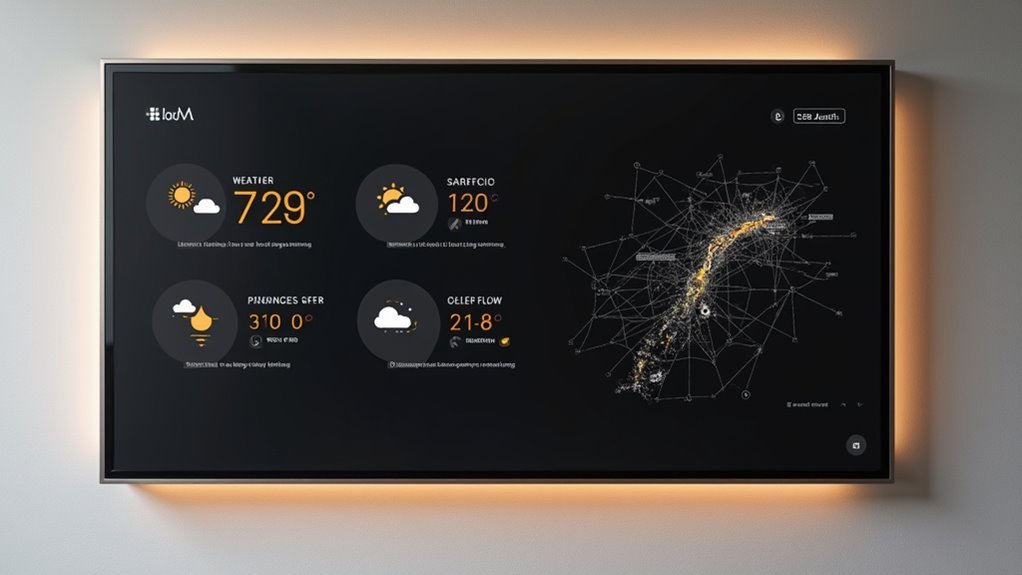
Since modern families juggle complex schedules that depend heavily on external conditions, integrating weather and traffic widgets into your command center display becomes crucial for smart daily planning.
You’ll want to utilize a large digital display or smart device to showcase live weather forecasts and traffic maps for instant visibility when organizing daily activities.
Weather widgets offer excellent customization options, including location settings and theme choices that match your family’s preferences and style.
This integration transforms your command center from a simple organizational hub into a thorough planning resource that accounts for real-world conditions.
Remember to regularly update these widgets to guarantee your family receives current information, enabling better decision-making for commutes and outings while maintaining seamless household coordination.
Incorporate Smart Home Controls
You’ll transform your command center into a powerful hub by integrating smart home controls that manage everything from lighting to security systems.
Smart displays and voice assistants like Alexa or Google Assistant become your central control points, letting you adjust settings with simple commands or touches.
Automated lighting systems respond to your schedule and preferences, creating seamless control over your home’s ambiance and energy usage.
Smart Display Integration Options
When integrating smart displays into your command center, you’ll transform a static organizational hub into a dynamic control station that responds to your voice and adapts to your family’s needs.
Smart display integration options include Amazon Echo Show and Google Nest Hub, both offering voice-activated control over your entire home ecosystem.
These devices sync seamlessly with digital calendars, delivering real-time updates for appointments and family events. You’ll control lighting, thermostats, and security systems directly from your command center, creating a cohesive smart home experience.
Interactive features let you display family photos and notes while maintaining organization. Voice assistants enable hands-free task management, allowing family members to add shopping list items or check schedules without manually writing anything down.
Voice Assistant Command Hubs
How can you elevate your command center from a simple organizational tool to an all-encompassing smart home headquarters? Voice assistant command hubs like Amazon Echo or Google Nest transform your display into a centralized control system.
You’ll manage lighting, temperature, and security through simple voice commands while syncing family calendars for vocal updates on appointments.
These hubs eliminate paper clutter by creating digital shopping lists, setting timers, and providing task reminders. Connect smart locks, cameras, and appliances to control everything through one interface.
Voice assistant command hubs streamline household management by offering hands-free operation when you’re busy cooking or organizing. This integration creates a modern, efficient system that adapts to your family’s daily routines seamlessly.
Automated Lighting Control Systems
Three taps on your smartphone can transform your entire home’s atmosphere through automated lighting control systems.
These sophisticated command center ideas seamlessly integrate voice commands through Alexa or Google Assistant, letting you adjust brightness without lifting a finger. You’ll schedule lights automatically, create custom dimming scenes for movie nights, and utilize motion sensors in hallways and bathrooms.
Advanced systems coordinate with your security, heating, and entertainment setups for thorough home automation.
- Voice Control Integration – Hands-free lighting adjustments through smart assistants
- Custom Scene Programming – Preset lighting moods for different activities and occasions
- Motion Sensor Automation – Automatic lighting in high-traffic areas like entryways
- Scheduling Capabilities – Timed on/off functions for energy efficiency and security
- Smart Home Integration – Coordinated lighting with security, climate, and entertainment systems
Build a Family Photo Slideshow
Creating a family photo slideshow transforms your command center into a dynamic display of cherished memories that’ll captivate everyone who walks by.
Start by selecting a Wi-Fi-enabled digital photo frame that allows seamless uploading from your devices or cloud storage. Choose slideshow software that lets you customize modifications, timing, and add captions or music for an enhanced viewing experience.
A Wi-Fi digital frame with customizable slideshow software transforms static photos into personalized, dynamic displays with music and captions.
Organize your photos into folders by event, date, or family member to streamline selection and guarantee diverse content.
Keep your slideshow fresh by regularly updating it with new photos, creating an ongoing visual narrative that encourages engagement.
Consider incorporating thematic approaches for special occasions like holidays or vacations, creating a dynamic display that reflects your family’s experiences throughout the year.
Install Voice Command Features
You’ll transform your command center into a hands-free hub by integrating a smart speaker like Amazon Echo or Google Nest for seamless voice control.
Set up voice-activated calendar commands that let you add events, check schedules, and manage family reminders without lifting a finger.
Create a connected device control hub that manages your smart lights, displays, and other automation through simple voice prompts.
Smart Speaker Integration Setup
Smart speakers serve as the voice-activated heart of your home command center, transforming how you interact with your digital family hub.
Smart speaker integration begins with selecting a compatible device like Amazon Echo or Google Nest that works seamlessly with your existing automation system.
Download the corresponding app and connect your speaker to Wi-Fi, then link all smart home devices for thorough voice control.
You’ll create a centralized hub that responds to natural speech commands, managing everything from lighting to schedules.
- Choose speakers compatible with your home automation system
- Download the device app and establish Wi-Fi connectivity
- Link smart home devices for unified voice control
- Set up family calendar management through voice commands
- Configure automated routines for daily scheduling announcements
Voice Activated Calendar Commands
Voice-activated calendar commands transform your connected smart speaker into a powerful scheduling assistant that responds instantly to spoken requests.
Your home command center becomes incredibly efficient when you can simply say “Add dentist appointment Tuesday at 2 PM” or “Remind me to pick up groceries at 5 PM.”
You’ll customize commands for each family member, ensuring personalized notifications reach the right person.
Integration with Google Calendar or Microsoft Outlook consolidates all events into one voice-controlled platform.
Your Amazon Echo or Google Nest syncs calendars across devices in real-time, keeping everyone updated.
This hands-free scheduling management eliminates the need to manually input appointments, making your family’s coordination seamless and accessible for all ages.
Connected Device Control Hub
When you consolidate all your smart home devices into a unified control hub, you’ll create the ultimate hands-free management system that responds to simple voice commands.
Your connected device control hub becomes the nerve center where Amazon Alexa or Google Assistant seamlessly manages everything from lighting and thermostats to security systems.
You’ll transform daily routines by setting up voice-activated sequences that execute multiple tasks simultaneously—imagine saying “goodnight” and watching your lights dim, doors lock, and thermostat adjust automatically.
- Integrate smart speakers with compatible home devices for centralized voice control
- Set up multi-task routines that execute several commands with one phrase
- Use unified apps to manage all connected devices through single voice commands
- Enable hands-free scheduling, reminders, and entertainment management for family members
- Update firmware regularly to maintain security and peak performance across all devices
Set Up Notification Systems
Since your home command center serves as the family’s central hub for information, establishing effective notification systems guarantees everyone receives timely updates about schedules, tasks, and important reminders.
Start with a digital calendar app that syncs across all family devices, delivering real-time notifications for upcoming events. Create a color-coded system where each family member gets their own designated color, making individual schedules instantly recognizable.
Integrate smart home devices like voice assistants to provide verbal notifications and reminders throughout your home. Set up a shared family messaging group for instant communication about plan changes or urgent updates.
Don’t overlook analog solutions—incorporate a bulletin board within your command center for visual notes and reminders that everyone can see daily.
Add Educational Content for Kids
Transform your home command center into a learning hub by incorporating educational elements that engage children and support their academic development. Your family command station becomes more valuable when it serves both organizational and educational purposes.
A well-designed family command center transforms from simple organization tool into an engaging educational hub that nurtures children’s learning and development.
Design a dedicated space for learning materials within your command center. Add visual chore charts with icons that younger children can easily understand. Mount a monthly calendar highlighting school events, holidays, and conferences to keep everyone informed.
- Use colorful clipboards for organizing homework and school projects
- Display a rewards system with points or stickers for completed tasks
- Include age-appropriate books in a nearby reading corner
- Feature visual chore charts with clear icons and images
- Highlight important school dates on your monthly calendar
Create Emergency Information Display
Although emergencies can happen without warning, you’ll feel more confident knowing your family has quick access to essential information when every second counts.
Your emergency information display should feature clearly labeled sections for family contacts, local emergency services, and poison control numbers. Include each family member’s medical details like allergies, medications, and health conditions to help healthcare providers respond quickly.
Use a waterproof format such as laminated sheets or plastic pockets to protect against kitchen spills and everyday wear.
Position your emergency information display prominently near your command center or on the refrigerator where everyone can easily see it.
Remember to update contact information and medical status regularly, ensuring your family stays prepared and aware of current emergency procedures.
Customize Lighting and Brightness
Proper lighting transforms your command center from a functional workspace into an inviting hub that serves your family well throughout the day.
You’ll want multiple lighting layers to maximize functionality and comfort. Position your command center near a window to harness natural light, then add light-filtering treatments to minimize glare.
Install LED strip lights along edges for adjustable ambient lighting that’s perfect for evening use.
Consider these essential lighting upgrades:
- Install dimmer switches for overhead lighting to create custom brightness levels
- Add desk lamps with adjustable arms for targeted task lighting
- Use LED strip lights along command center edges for enhanced visibility
- Implement smart lighting solutions controllable via smartphone apps
- Position near windows with light-filtering treatments to optimize natural light
Maintain and Update Your System
While your command center may look perfect initially, consistent maintenance keeps it functioning as your family’s reliable organizational hub. Schedule weekly family meetings to review and maintain and update your system together. During these sessions, remove outdated papers and lists to reduce visual clutter while keeping focus on current priorities.
Use color-coded labels or markers to easily identify tasks requiring updates, creating a streamlined organizational approach. Dedicate time each week to evaluate your system’s effectiveness based on family feedback and changing needs. This guarantees your family command center evolves with your household’s requirements.
Encourage all family members to regularly check the command center, fostering accountability and engagement. This shared responsibility keeps your organizational space current and functional for everyone’s benefit.
Frequently Asked Questions
What’s the Ideal Screen Size for a Family Command Center Display?
You’ll want a 24-32 inch screen for ideal viewing. It’s large enough that everyone can read calendars and schedules from across the room, but won’t overwhelm your wall space or look awkward.
How Much Does It Typically Cost to Set up a Digital Command Center?
You’ll spend $150-800 for a basic setup using tablets or repurposed devices. Mid-range systems with dedicated displays cost $500-1,500. High-end smart home integration can reach $2,000-5,000 depending on features you choose.
Can the Display Work Without Constant Internet Connectivity?
You’ll need internet for initial setup and updates, but most displays can cache basic information locally. You can view stored schedules, weather data, and photos offline temporarily until connectivity’s restored.
What Happens if the Display Breaks or Malfunctions Unexpectedly?
If your display breaks or malfunctions, you’ll lose centralized control but can still access individual smart devices through their apps. You should keep backup controllers and have a repair plan ready.
How Do I Prevent Unauthorized Access to Family Information on the Display?
You’ll want to implement user authentication like PIN codes or biometric locks. Set up automatic screen timeouts, position the display away from windows, and configure privacy screens that blur sensitive information when motion sensors detect unfamiliar presence.




Leave a Reply