
You’ve probably experienced the frustration of a smart device suddenly going offline or responding sluggishly to commands. That’s your wireless hub’s range limitation at work. When your hub can’t maintain a strong signal throughout your home, you’ll face dropped connections, delayed automation, and devices that simply won’t function when you need them most. Understanding why range matters—and what affects it—will determine whether your smart home becomes a seamless experience or a source of constant headaches.
Understanding Smart Home Hub Connectivity Basics
Modern smart homes depend on multiple wireless protocols to connect your devices, with each technology offering different range capabilities and performance characteristics.
Your smart home hub connectivity relies on transport protocols like Wi-Fi, Zigbee, Z-Wave, and Bluetooth to communicate with various devices throughout your home. Each protocol has distinct range limitations that directly impact how effectively your devices can communicate with the hub.
Each wireless protocol in your smart home network has unique range limitations that determine device placement and communication effectiveness.
Matter serves as an application protocol that enables interoperability between different smart home devices, but it doesn’t affect the underlying transport methods’ range or speed.
When you’re using Matter over Thread, you’ll get approximately 50 feet of indoor coverage under ideal conditions, extending to about 100 feet outdoors.
Physical obstructions like walls and floors greatly reduce these ranges, requiring strategic device placement for ideal performance.
Physical Factors That Limit Wireless Hub Range
While your smart home hub’s theoretical range might promise seamless connectivity throughout your home, physical barriers between the hub and your devices create the most significant obstacles to reliable communication.
Walls, floors, and furniture act as signal blockers, reducing your hub’s effective range considerably.
Construction materials play an essential role in signal degradation. Concrete walls and metal structures create stronger interference than drywall or wood. These physical factors can cut your wireless range in half or more.
Your hub’s antenna quality and power output determine how well signals penetrate these obstacles. Higher-quality antennas and stronger transmission power help overcome physical barriers, but they can’t eliminate the impact entirely.
Understanding these limitations helps you position your hub strategically for peak performance.
The Role of Building Materials in Signal Interference
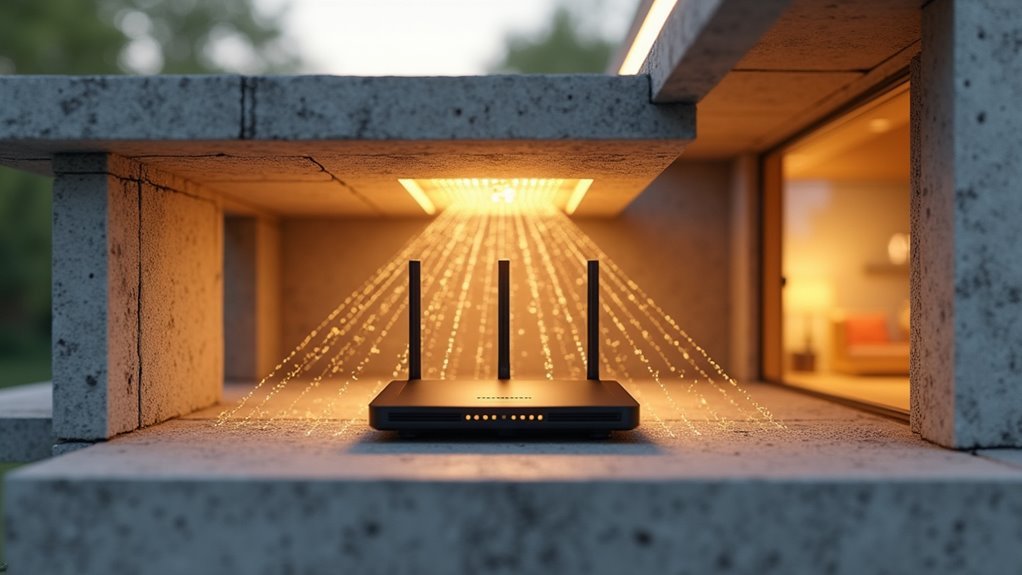
Different building materials create varying levels of obstruction as your wireless signals travel through your home’s structure. Dense materials like concrete, metal, and brick severely hinder signal propagation, dramatically reducing your Wi-Fi’s effective range.
These building materials can cause signal attenuation ranging from 3 dB to 20 dB, depending on their thickness and composition.
You’ll experience less interference with drywall and wood, though they still degrade signal strength to some degree. Large appliances and electronic devices add another layer of complexity, creating additional interference that blocks your signals from reaching their intended destinations.
Understanding which building materials exist throughout your home helps you strategically position wireless hubs and repeaters. This knowledge allows you to minimize interference and maximize coverage by working around your home’s most obstructive elements.
Wi-Fi Vs Thread Vs Zigbee Range Comparison
Beyond the physical barriers that affect signal propagation, the wireless protocol you choose fundamentally determines your smart home’s coverage area.
Each protocol offers distinct range characteristics that’ll impact your device placement and network performance.
Here’s how the three major protocols compare:
- Wi-Fi delivers the longest reach at 150 feet indoors and 300 feet outdoors
- Thread provides moderate coverage with 50 feet indoors and 100 feet outdoors
- Zigbee devices offer the shortest range at 30-100 feet indoors depending on conditions
- Mesh networking in both Thread and Zigbee extends coverage through device-to-device communication
While Wi-Fi wins on raw distance, Thread and Zigbee devices compensate through mesh topology.
You’ll find that adding more mesh nodes creates redundant pathways, improving reliability even when individual devices have limited range.
How Matter Protocol Affects Hub Communication Distance
You might assume the Matter protocol directly impacts your hub’s communication range, but it actually depends entirely on the underlying transport protocols like Wi-Fi or Thread that carry the data.
When you’re using Matter over Thread, you’ll benefit from mesh networking that extends coverage through device-to-device communication, typically reaching about 25-30 feet per hop in real-world conditions.
Your Thread-enabled Matter devices can act as repeaters, creating a self-healing network that expands coverage throughout your home without requiring additional infrastructure.
Transport Protocol Dependencies
When evaluating your wireless home hub’s range, understanding how Matter protocol interacts with underlying transport technologies becomes essential for optimizing performance. Matter doesn’t dictate communication distance—it’s simply an application protocol that defines message formatting. Your actual range depends entirely on the transport protocol you’re using.
Here’s how different transport protocols affect your hub’s reach:
- Thread networks typically achieve 40 feet per hop but extend range through mesh repeaters.
- Wi-Fi connections leverage your existing network infrastructure for broader coverage.
- Physical barriers like walls and floors reduce effectiveness regardless of transport protocol.
- Device quality including antenna design and power levels impacts overall performance.
You’ll need to evaluate your transport protocol choice carefully, as it directly determines your smart home’s connectivity boundaries and reliability.
Thread Mesh Coverage
Thread’s mesh networking architecture transforms your smart home’s coverage by creating a web of interconnected devices that relay signals across greater distances. Your thread network extends reach through device-to-device communication, where mains-powered devices act as repeaters to strengthen overall coverage.
| Environment | Ideal Range | Realistic Range |
|---|---|---|
| Indoor | 50 feet | 25-30 feet |
| Outdoor | 100 feet | 25-30 feet |
| Through walls | Reduced | 15-20 feet |
| With repeaters | Extended | 50+ feet |
| Border router proximity | Critical | Required |
You’ll need strategic Thread border router placement since devices must stay within their range for effective communication. The Matter protocol guarantees seamless cross-brand compatibility, letting certified Thread devices communicate regardless of manufacturer. This interoperability expands your smart home’s functionality while maintaining robust connectivity throughout your network.
Thread Mesh Networking and Range Extension
Thread’s mesh networking capability lets you extend your smart home’s coverage far beyond what a single hub can reach.
You’ll benefit from automatic message relaying through multiple devices, creating a self-healing network that routes around obstacles like walls and furniture.
Most mains-powered Thread devices act as repeaters, so adding more compatible devices actually strengthens your entire network’s range and reliability.
Mesh Network Coverage
Unlike traditional point-to-point wireless connections, Thread mesh networking creates a self-healing web of interconnected devices that dramatically extends your smart home’s coverage.
Each mains-powered device becomes a repeater, eliminating dead spots and strengthening your network’s reliability.
Your mesh network coverage depends on strategic device placement:
- Indoor range: Expect 25-30 feet per hop between devices due to walls and obstructions
- Optimal conditions: Up to 40 feet per hop when there aren’t physical barriers
- Outdoor potential: Theoretical maximum of 100 feet in open areas
- Strategic placement: Position devices within range of your Thread border router for best performance
Range Extension Benefits
The real power of Thread mesh networking becomes apparent when you consider its cumulative range extension benefits. Each mains-powered device you add creates a repeating node that amplifies your network’s reach beyond traditional single-hub limitations.
With individual Thread devices covering approximately 50 feet indoors and 100 feet outdoors, you’ll multiply your effective range exponentially through strategic placement.
You’re not just extending distance—you’re eliminating dead zones and signal obstructions that plague conventional systems. Every Thread device strengthens your entire network’s reliability while maintaining seamless connectivity.
When integrated with Matter-certified devices, you’ll achieve cross-brand compatibility that maximizes your smart home’s potential. This mesh approach transforms isolated connection points into a unified, robust network that adapts and strengthens as you expand your setup.
Wi-Fi Hub Coverage in Multi-Story Homes
When you’re dealing with a multi-story home, Wi-Fi signal strength faces its greatest challenge as radio waves struggle to penetrate floors, ceilings, and walls between levels.
Your router’s wi-fi range typically drops to just 25-30 feet indoors, making upper floors potential dead zones.
Strategic placement becomes critical for ideal coverage:
- Position your router centrally since signals radiate in circular patterns
- Place additional mesh nodes on different floors to eliminate weak spots
- Consider range extenders for areas where your main router can’t reach effectively
- Account for mobile device limitations as phones and tablets have weaker broadcasting power
Your best solution involves either upgrading to a mesh system or strategically positioning multiple access points throughout each level to guarantee consistent connectivity across your entire home.
Dead Zones and Their Impact on Device Performance
You’ll encounter dead zones in your home where Wi-Fi signals can’t reach effectively, creating gaps in coverage that leave devices struggling to connect.
These signal interruptions cause your smart home devices to respond slowly or fail completely, disrupting your daily routines.
When your network can’t maintain consistent performance across all areas, you’re dealing with the cascading effects of poor signal distribution that impacts everything from streaming to home automation.
Signal Coverage Gaps
Although wireless home hubs promise seamless connectivity throughout your house, signal coverage gaps—commonly called dead zones—can create frustrating interruptions in your smart home experience.
These coverage issues occur when devices can’t maintain reliable connections to your network, resulting in delayed responses or complete disconnections.
Signal coverage gaps typically develop due to several factors:
- Distance limitations – Thread devices work effectively within 25-30 feet indoors
- Physical obstructions – Walls and floors made from signal-absorbing materials block transmissions
- Poor device placement – Positioning hubs in corners or enclosed spaces reduces coverage
- Lack of mesh extension – Insufficient devices to create network redundancy
You’ll experience these gaps as unresponsive smart lights, delayed voice commands, or devices that randomly disconnect.
Regular assessment of your device placement helps identify and minimize these problematic areas.
Device Connection Failures
Dead zones don’t just create coverage gaps—they cause complete device connection failures that can cripple your smart home’s functionality.
When your devices can’t maintain reliable communication with your hub, you’ll experience frustrating intermittent behavior, from smart lights that won’t respond to commands to security cameras that randomly disconnect.
These device connection failures occur because Thread and Wi-Fi signals weaken dramatically when passing through walls and floors.
Your Thread devices need to stay within 25-30 feet of reliable signal strength, while Wi-Fi requires consistent coverage up to 150 feet indoors.
Dead zones create communication black holes where devices simply can’t function.
You’ll notice smart thermostats losing connectivity, door locks becoming unresponsive, and automation routines failing completely, rendering your smart home unreliable.
Network Performance Issues
When devices struggle to maintain stable connections, your entire smart home network suffers cascading performance issues that extend far beyond simple connectivity problems.
Dead zones create bottlenecks that ripple through your connected ecosystem, causing delayed responses and unreliable automation.
Network performance issues manifest in several frustrating ways:
- Delayed device responses – Commands take longer to execute as signals struggle through weak coverage areas
- Increased battery drain – Devices work harder to maintain connections in poor signal zones, depleting power faster
- Inconsistent automation – Smart routines fail or execute partially when range limitations prevent reliable communication
- Connection drops – Devices frequently disconnect and reconnect, disrupting your smart home’s seamless operation
Understanding these connectivity challenges helps you strategically position hubs and plan network infrastructure for peak performance throughout your home.
Border Routers and Signal Relay Solutions
Since Thread networks rely on mesh topology to extend coverage throughout your home, border routers become essential components that bridge the gap between your wireless hub and individual smart devices.
These critical connection points enable different transport protocols to communicate seamlessly, allowing Matter devices from various brands to work together effectively. When you’re dealing with connectivity issues in larger homes, border routers help integrate Thread devices into your existing Wi-Fi network, extending your hub’s reach considerably.
You can further enhance network performance by utilizing mains-powered Thread devices as repeaters.
These devices strengthen signal relay capabilities and create a more robust mesh network. Adding strategic repeaters accommodates devices positioned far from your primary hub, ensuring reliable communication even through walls and other potential obstructions.
Battery-Powered Vs Mains-Powered Device Considerations
When you’re selecting devices for your smart home network, the power source directly influences both connectivity options and transmission capabilities.
Battery-powered devices typically use Thread’s low-power protocol, which can limit their communication range compared to mains-powered devices that leverage Wi-Fi’s higher transmission power.
You’ll notice that your battery-operated sensors and switches may require strategic placement or additional repeaters to maintain reliable connections throughout your home’s coverage area.
Power Source Impact
The power source of your smart home devices fundamentally shapes their connectivity options and network performance.
Battery-powered devices typically rely on Thread for efficient communication, especially in areas without constant power supply. Meanwhile, mains-powered devices can leverage Wi-Fi connectivity due to their continuous power availability.
Your power source selection directly impacts your network’s capabilities:
- Mains-powered Thread devices act as repeaters, extending range for battery-powered devices
- Battery-powered devices face connectivity limitations compared to constantly powered counterparts
- Wi-Fi-enabled Matter devices bridge gaps when Thread connectivity proves insufficient
- Understanding power source requirements optimizes smart home setups for effective device communication
Choosing the right power source guarantees your devices communicate seamlessly across your entire home network, maximizing performance and reliability.
Range Performance Differences
While battery-powered devices excel at energy efficiency through Thread protocol, they can’t match the range performance that mains-powered devices deliver.
You’ll notice significant range performance differences between these device types due to their connectivity options and power constraints.
Your battery-powered devices typically achieve 25-30 feet of realistic indoor range through Thread, with ideal conditions extending this to about 50 feet.
However, walls and floors reduce this coverage considerably.
Mains-powered devices overcome these limitations by utilizing Wi-Fi connectivity, which leverages your existing network infrastructure for superior range and communication speed.
Additionally, your constantly powered Thread devices function as network repeaters, extending coverage for other devices.
This creates a more robust mesh network, helping bridge connectivity gaps that battery-powered devices alone can’t address effectively.
Optimizing Hub Placement for Maximum Coverage
Where you position your wireless home hub can make or break your network’s performance throughout your house.
You’ll want to place it centrally to maximize coverage in all directions, avoiding corners or edge locations that waste signal strength.
Consider these placement strategies:
- Elevate your hub – Position it on a shelf or mount it high to reduce floor-level obstructions.
- Minimize barriers – Keep walls, furniture, and metal objects away from the direct signal path.
- Test signal strength – Use Wi-Fi analyzer tools to identify dead spots and coverage gaps.
- Add access points – Install additional units or mesh systems in larger homes for complete coverage.
When Multiple Hubs Become Necessary
Even with ideal placement, a single wireless hub can’t always provide reliable coverage throughout larger homes or complex layouts.
When your home exceeds 150 feet in any direction or spans multiple floors, you’ll likely encounter dead spots where Wi-Fi signals weaken or disappear entirely. Walls, furniture, and other obstructions further reduce your hub’s effective range, making additional coverage vital.
You’ll need multiple hubs when distances exceed your primary router’s reach. Position each additional hub within 25 to 30 feet of your main router for maximum performance.
Mesh networking systems offer an excellent solution, as these hubs communicate with each other to expand coverage seamlessly. This strategic placement guarantees you’ll maintain strong, consistent connectivity throughout every corner of your home.
Troubleshooting Range Issues in Smart Home Networks
Why do smart home devices suddenly stop responding despite showing strong signal indicators? The issue often lies in inadequate return signal strength, preventing reliable two-way communication between your devices and hub.
Strong signal indicators don’t guarantee two-way communication—inadequate return signal strength often causes smart home device connectivity failures.
Here’s how you’ll troubleshoot range problems effectively:
- Test systematically – Use Wi-Fi Analyzer apps to identify weak spots and dead zones throughout your home.
- Add strategic repeaters – Install Thread repeaters in mains-powered Matter devices to extend network coverage beyond the typical 25-30 foot indoor range.
- Reposition problematic devices – Move devices closer to hubs or away from obstructions like walls and furniture that block signals.
- Install range extenders – Deploy Wi-Fi extenders to boost coverage beyond the standard 150-foot indoor range.
Regular network testing helps you maintain ideal connectivity for all your Matter devices.
Future-Proofing Your Hub Setup for Expanding Networks
As your smart home network grows beyond a handful of devices, you’ll need a hub setup that can scale seamlessly with your expanding ecosystem. Select devices supporting multiple transport protocols like Thread and Wi-Fi to guarantee compatibility with future Matter-enabled products.
Implementing a mesh network with Thread devices greatly enhances coverage and reliability, preventing connectivity issues as you add more devices to larger homes. Strategically place Thread repeaters throughout your space, particularly mains-powered devices that extend network range effectively.
Regularly assess your home’s layout and potential obstructions to optimize hub and device placement. Stay informed about Matter and Thread technology updates to understand new capabilities and devices. This proactive approach guarantees your network adapts efficiently as the smart home ecosystem continues evolving and expanding.
Frequently Asked Questions
What Determines the Range of a Wireless Router?
Your router’s range depends on its antenna power, Wi-Fi technology version, and environmental obstacles like walls or metal. You’ll get better coverage by placing it centrally and avoiding interference from concrete barriers.
Does Distance Affect Wireless Speed?
Yes, distance considerably affects your wireless speed. As you move farther from your router, signal strength weakens, causing your device to transmit data at slower speeds and experience longer loading times.
What Indoor Range Do Most Wireless Networks Have?
Most wireless networks you’ll encounter have varying indoor ranges: Wi-Fi typically reaches 150 feet, while Thread and Zigbee devices cover 30-50 feet. You’ll find walls and furniture reduce these ranges considerably.
What Is the Difference Between a Wireless Hub and a Router?
A wireless hub connects your devices within a local network, while a router connects your network to the internet. You’ll need a router for internet access since hubs can’t route traffic externally.




Leave a Reply